00197199-04_IM_WLAN-Infrastructure.pdf - 第69页
Components 3.6.2 Configuration Motorola MC67 / MC75 PDA Installation Manual WLAN Infrastructure for SIPLACE 69 3.6.2.4 3 . 6 . 2 . 4 S w it c h in g O f f t h e S t a n d b y M o d e ( O p t io n a l) Switching Off the S…
Components
Motorola MC67 / MC75 PDA 3.6.2 Configuration
68 Installation Manual WLAN Infrastructure for SIPLACE
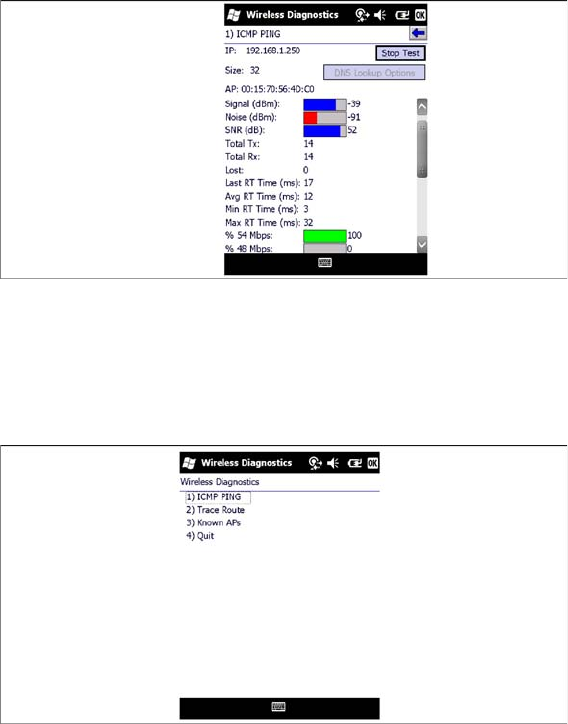
► You will see the number of packages sent and acknowledged, plus the errors which occurred during
transmission. A diagram will display the transmission rate, which indicates the quality of the connec
-
tion. You can also view the signal strength (Signal Level).
► Select Stop Test to stop sending the test packages.
► Select OK to return to the Wireless Diagnostics menu.
► Close the Wireless Diagnostics menu with OK.
► Setup of the PDA is now complete. After switching on, the client uses the stored WLAN profile to
automatically log into the next available radio cell with the same name. The static IP address allows
the client to immediately establish an IP-based network connection to any of the network partici
-
pants, including the line server.
Components
3.6.2 Configuration Motorola MC67 / MC75 PDA
Installation Manual WLAN Infrastructure for SIPLACE 69
3.6.2.4
3.6.2.4 Switching Off the Standby Mode (Optional)
Switching Off the Standby Mode (Optional)
Due to the hardware design of the MC67 / MC75 the power of the wireless device is disconnected when
the MC67 / MC75 switches to the standby mode. As a result, reestablishing the wireless connection
takes 5 - 8 seconds after waking up from standby.
To work around this behavior, we recommend to disable the standby mode, proceed as follows.
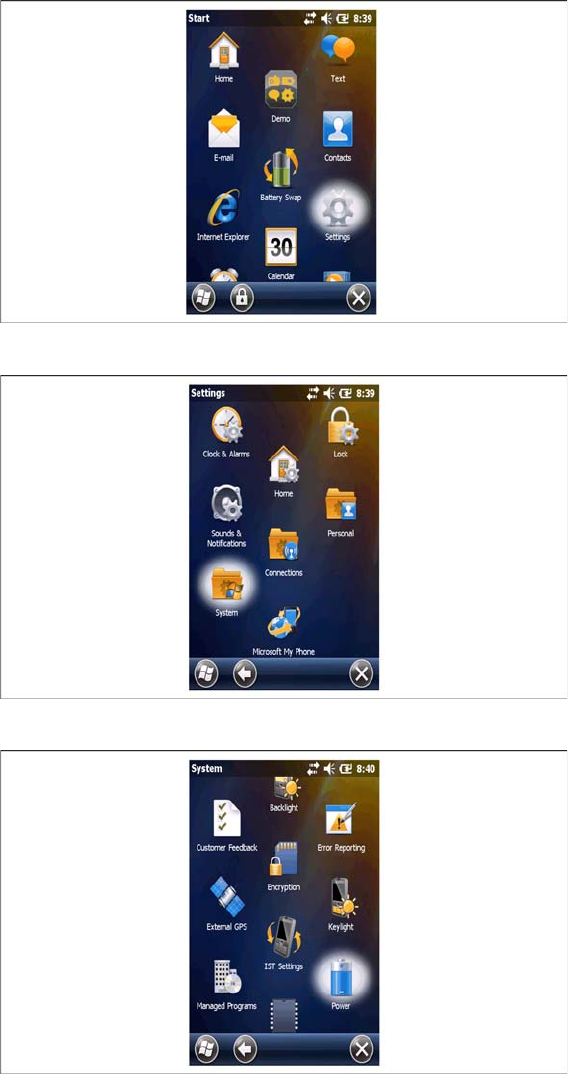
► Select the Settings icon from the Start menu.
► Select the System icon in the Settings menu.
► Select the Power icon in the System menu.
Components
Motorola MC67 / MC75 PDA 3.6.2 Configuration
70 Installation Manual WLAN Infrastructure for SIPLACE
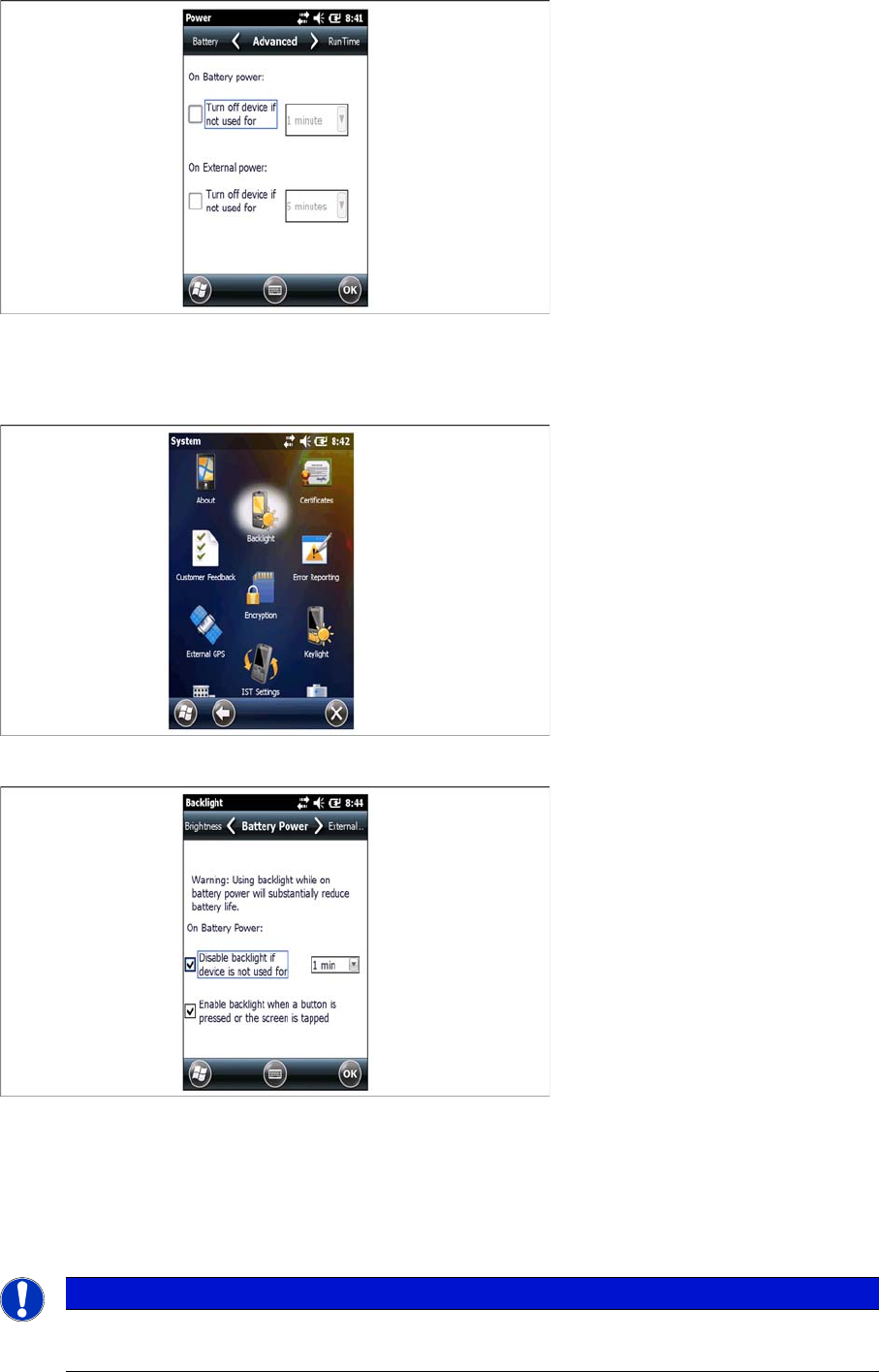
► Select the Advanced tab page and disable all features in this screen.
► Click on OK to save the settings.
⇨ The power settings dialog will be closed.
► Select the Backlight icon in the System menu.
► Enable all features in the Battery Power tab page.
► Set the time value to 1 minute.
► Click on OK to save the settings.
⇨ The Backlight settings dialog will be closed.
► Close the Settings dialog.
NOTICE
Battery Power
To save battery power we recommend to place the PDA in the cradle if it is not used