00197199-04_IM_WLAN-Infrastructure.pdf - 第53页
Components 3.5.2 Configuration Motorola MC70 PDA Installation Manual WLAN Infrastructure for SIPLACE 53 ► This shows the current WLAN co nnection profile for the MC70. ► Select OK to return to t he Wireless Status me nu.…
Components
Motorola MC70 PDA 3.5.2 Configuration
52 Installation Manual WLAN Infrastructure for SIPLACE
3.5.2.2
3.5.2.2 Wireless Status
Wireless Status
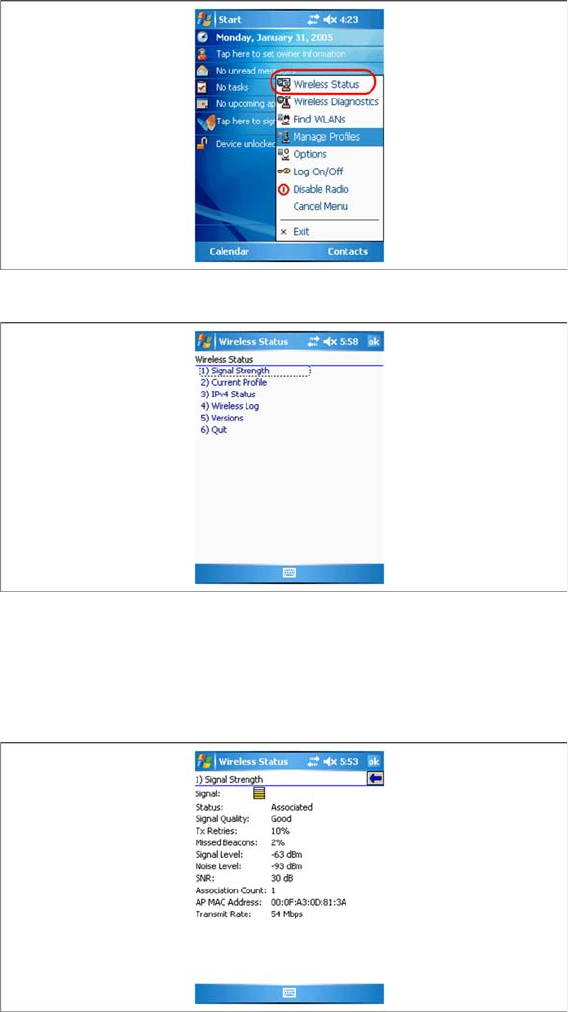
► Click on the card icon in the bottom right taskbar and select the entry Wireless Status.
► Select Signal Strength to view the connection status of the PDA to the radio cell.
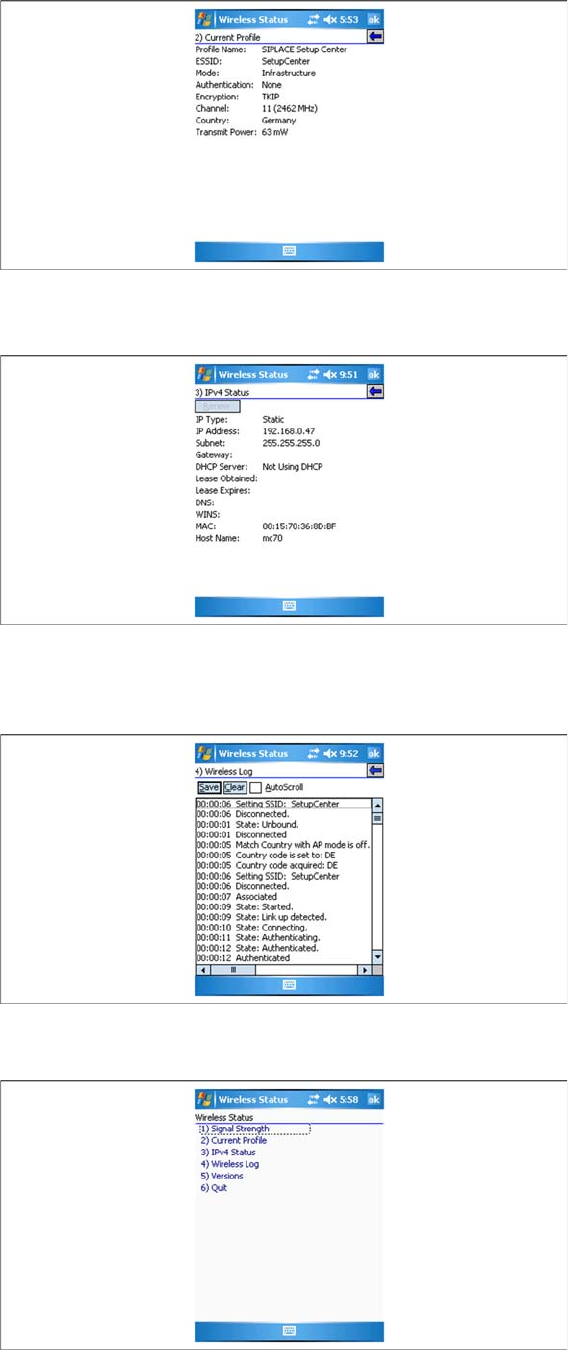
► Select Current Profile to view the current connection profile.
► Select IPv4 Status to view the TCP/IP settings for the MC70.
► Select Wireless Log to check the connection status in detail.
► This shows the current connection status of the PDA to radio cell.
► Select OK to return to the Wireless Status menu.
Components
3.5.2 Configuration Motorola MC70 PDA
Installation Manual WLAN Infrastructure for SIPLACE 53
► This shows the current WLAN connection profile for the MC70.
► Select OK to return to the Wireless Status menu.
► To view the current status of your IP-based network connection, select IPv4 Status. Since a static IP
address has been set, you should not experience any connection problems here.
► Select OK to return to the Wireless Status menu.
► To check the connection in detail, select Wireless Log. Select OK to return to the Wireless Status
menu.
► Close the Wireless Status menu with OK.
Components
Motorola MC70 PDA 3.5.2 Configuration
54 Installation Manual WLAN Infrastructure for SIPLACE
3.5.2.3
3.5.2.3 Wireless Diagnostics
Wireless Diagnostics
Sending Ping Test Packages
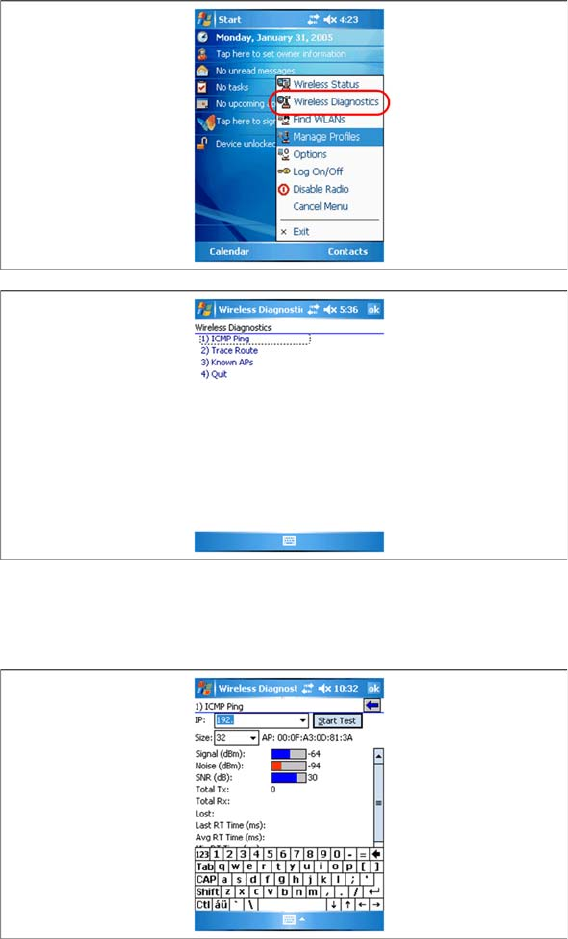
► Click on the card icon in the bottom right taskbar and select the entry Wireless Diagnostics.
► To test the connection to the Setup Center Computer, click on the ICMP Ping tab and send test pack
-
ages to the relevant IP address of the USB LAN adapter.
► Select ICMP Ping to continue.
► Enter a valid IP address (same subnet), which you want to reach, and select Start Test..