00197199-04_IM_WLAN-Infrastructure.pdf - 第63页
Components 3.6.2 Configuration Motorola MC67 / MC75 PDA Installation Manual WLAN Infrastructure for SIPLACE 63 ► Enter the password and confirm. Enter the same communication pa ssword whic h you use d for the access poin…
Components
Motorola MC67 / MC75 PDA 3.6.2 Configuration
62 Installation Manual WLAN Infrastructure for SIPLACE
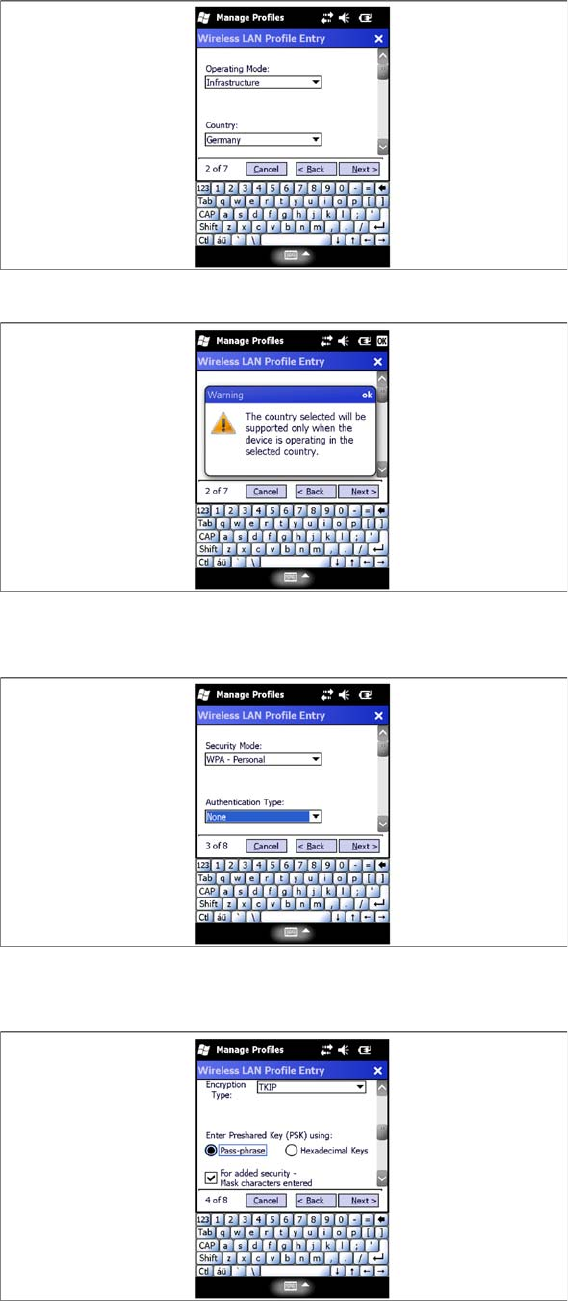
► Select your country.
► If you change the country, acknowledge the warning issued with OK.
► Select Next to continue.
► Select the Security Mode –WPA-Personal.
► Select the Authentication Type –None.
► Select the Encryption Type - TKIP.
► Select Next to continue.
Components
3.6.2 Configuration Motorola MC67 / MC75 PDA
Installation Manual WLAN Infrastructure for SIPLACE 63
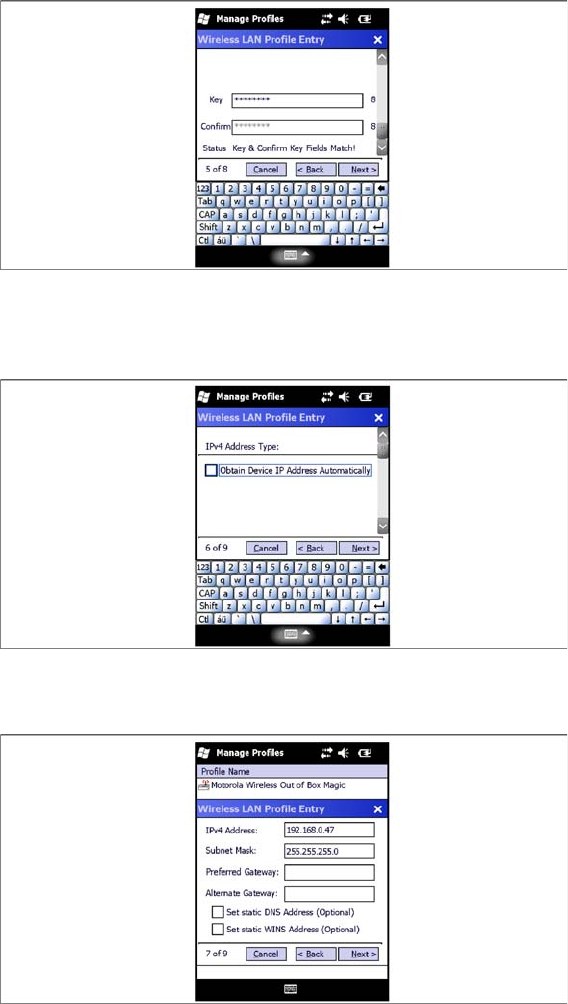
► Enter the password and confirm. Enter the same communication password which you used for the
access point and client module.
► Select Next to continue.
► Deactivate the check box Obtain Device IP Adress Automatically.
► Select Next to continue.
► Configure the IP address for the MC67 / MC75. Make sure that you use the correct IP address and
network mask. W788 Access Point , W744 Client Module, USB LAN adapter and MC67 / MC75 must
be in the same subnet.
► Select Next to continue.
Components
Motorola MC67 / MC75 PDA 3.6.2 Configuration
64 Installation Manual WLAN Infrastructure for SIPLACE
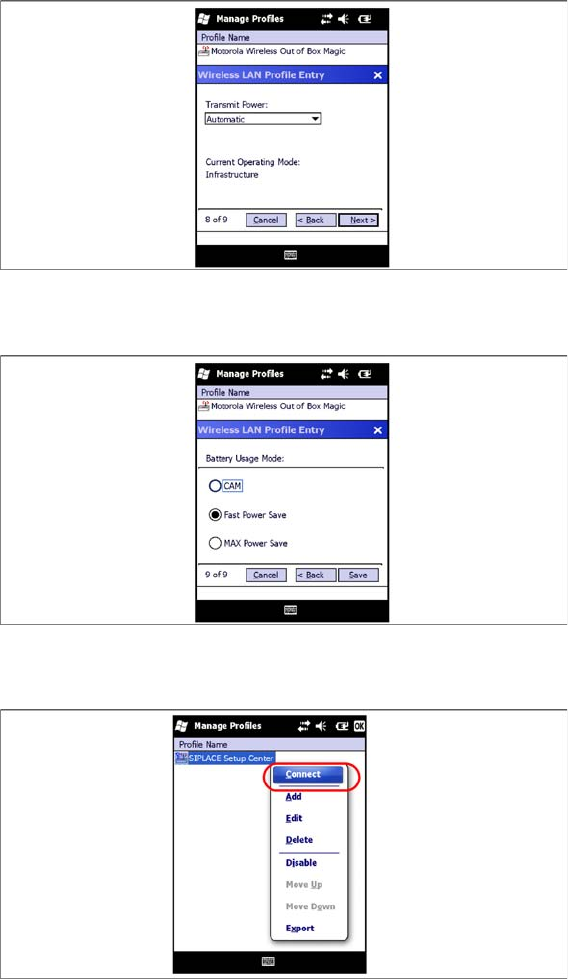
► Select Automatic for the power supply settings for the card.
► Select Next to continue.
► Select Fast Power Save.
► Select Save to continue.
► You will now see the WLAN profile for the PDA. Select the profile you have just parameterized and
named and click on Connect.
► Close the menu with OK.