00197199-04_IM_WLAN-Infrastructure.pdf - 第49页
Components 3.5.2 Configuration Motorola MC70 PDA Installation Manual WLAN Infrastructure for SIPLACE 49 ► Select Next to cont inue. ► Select your country. ► If you change the co untry, ackn owledge the warning issue d wi…
Components
Motorola MC70 PDA 3.5.2 Configuration
48 Installation Manual WLAN Infrastructure for SIPLACE
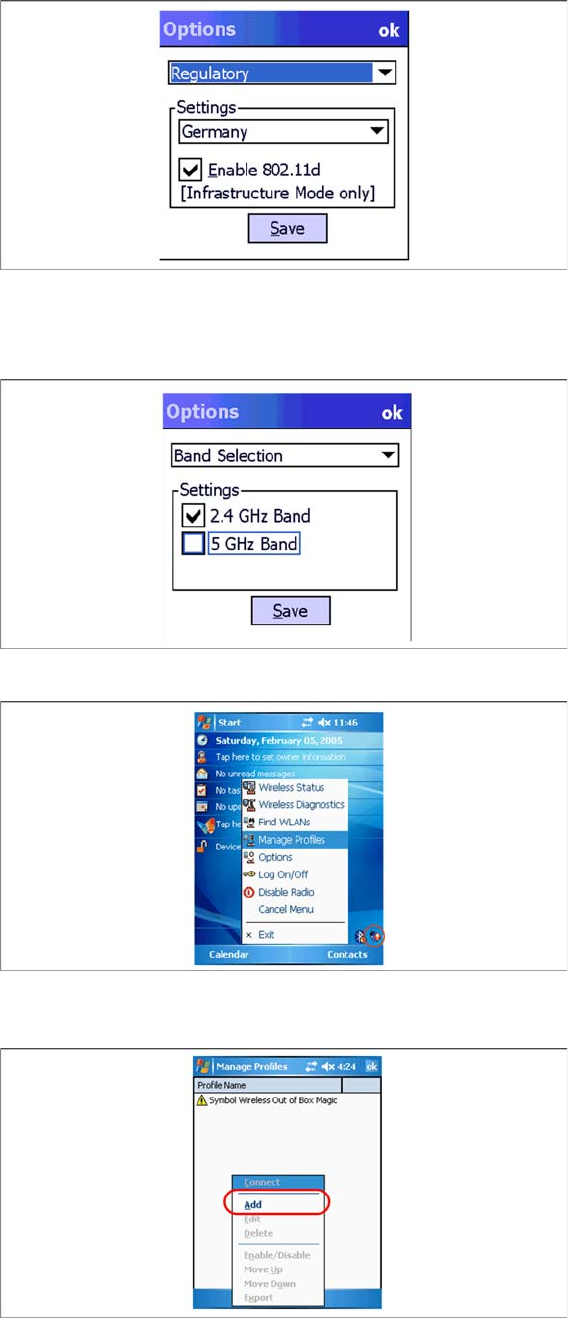
► Select the entry Band Selection from the drop down list.
► In the next screen select the band of use. The selected band must be identical with the setting of the
appropriate Access Point.
► Click on Save.
► Select the WLAN icon from the task bar and the select the entry Manage Profiles from the context
menu.
► Click on Add to add a new profile.
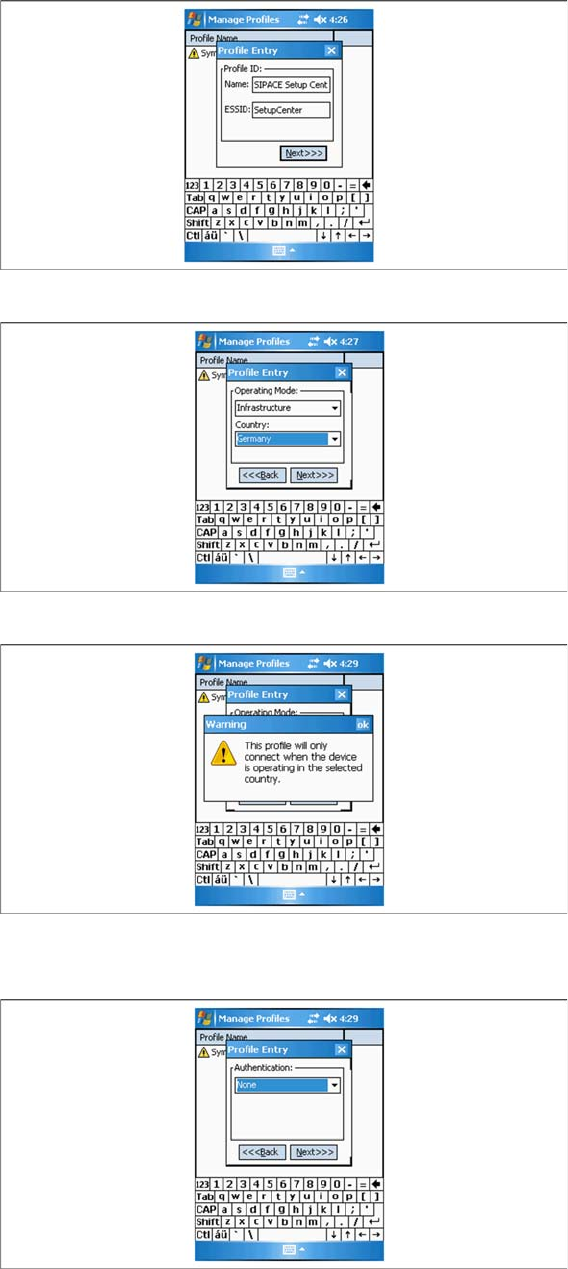
► In the next screen, select a profile name and enter the SSID (network name) set in the access point.
Components
3.5.2 Configuration Motorola MC70 PDA
Installation Manual WLAN Infrastructure for SIPLACE 49
► Select Next to continue.
► Select your country.
► If you change the country, acknowledge the warning issued with OK.
► Select Next to continue.
► You do not need to define any settings in the Authentication tab, since all security settings will be
specified in the next tab, Encryption.
Components
Motorola MC70 PDA 3.5.2 Configuration
50 Installation Manual WLAN Infrastructure for SIPLACE
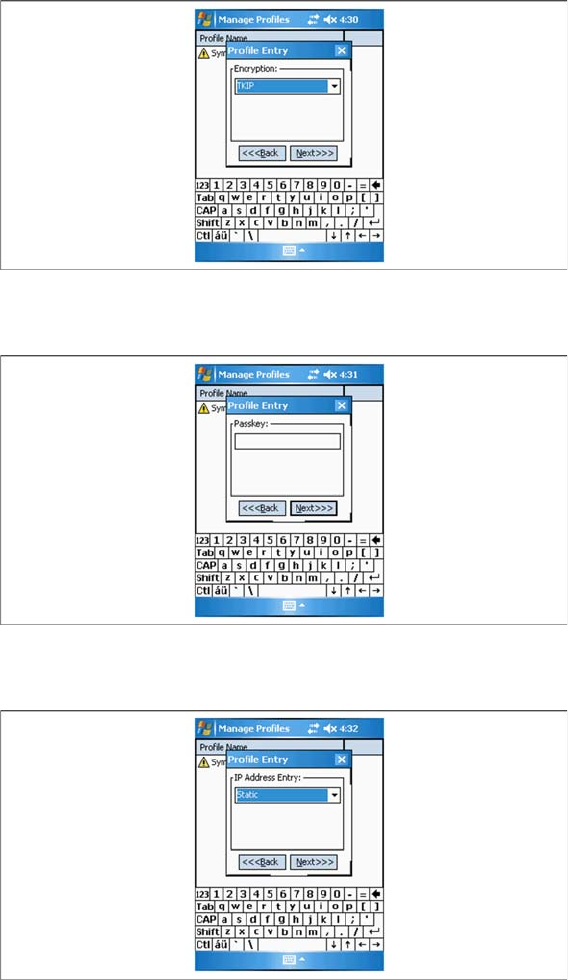
► Proceed to the Encryption tab and select TKIP (WPA) .
► Select Next to continue.
► Enter the same communication password which you used for the access point and client module.
► Select Next to continue.
► Set Static as IP address at IP Address.
► Select Next to continue.