00197199-04_IM_WLAN-Infrastructure.pdf - 第26页
Components Siemens SCALANCE W788-1Pro Access Point 3.3.3 Configuration 26 Installation Manual WLAN Infrastructure for SIPLACE ► Change the stand ard ad ministrator passwo rd to preve nt un authori zed access. Enter the o…
Components
3.3.3 Configuration Siemens SCALANCE W788-1Pro Access Point
Installation Manual WLAN Infrastructure for SIPLACE 25
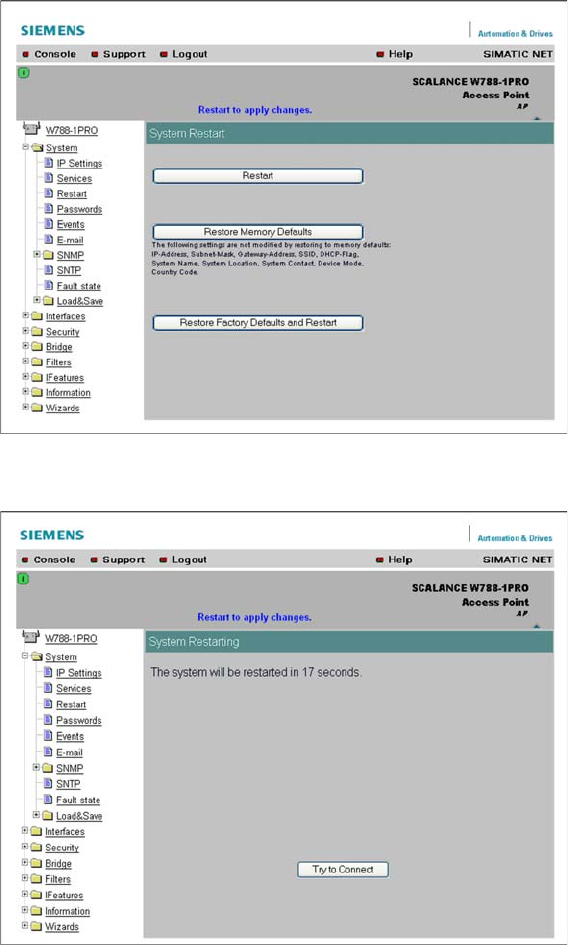
► Click on the Restart button. Booting takes 20 seconds, after which you can log in again with your
administrator account.
► If the page is not loaded or if you receive an error message, refresh the whole page with View →
Refresh or by pressing F5!
► After you have logged in, start the Security Wizard.
Components
Siemens SCALANCE W788-1Pro Access Point 3.3.3 Configuration
26 Installation Manual WLAN Infrastructure for SIPLACE
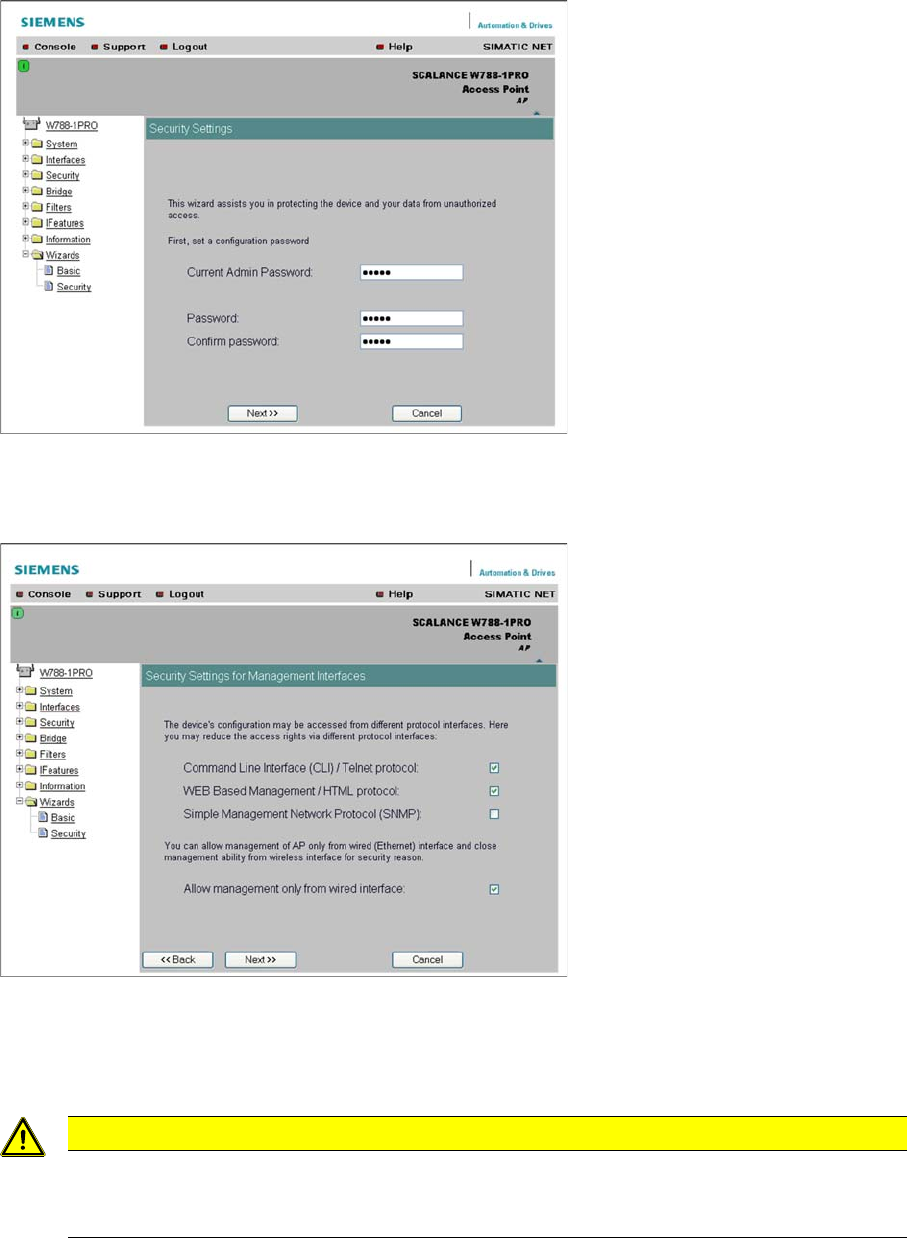
► Change the standard administrator password to prevent unauthorized access. Enter the old and new
passwords twice, as prompted.
► Click on Next. You will see the next input mask.
► This is where you select the setup type and can restrict setup to the Ethernet interface. The key setup
type is the web browser; the other two types should be treated as optional .
► We recommend limiting parameterization to the wired Ethernet interface, to prevent unauthorized
access to the setup process via a WLAN client.
► Click on Next. You will see the next input mask.
CAUTION
Configuration of the access point
Configuration of the access point will then only be possible in connection with the USB LAN
adapter or with another network card. It is not possible to configure this via a switch or HUB.
Components
3.3.3 Configuration Siemens SCALANCE W788-1Pro Access Point
Installation Manual WLAN Infrastructure for SIPLACE 27
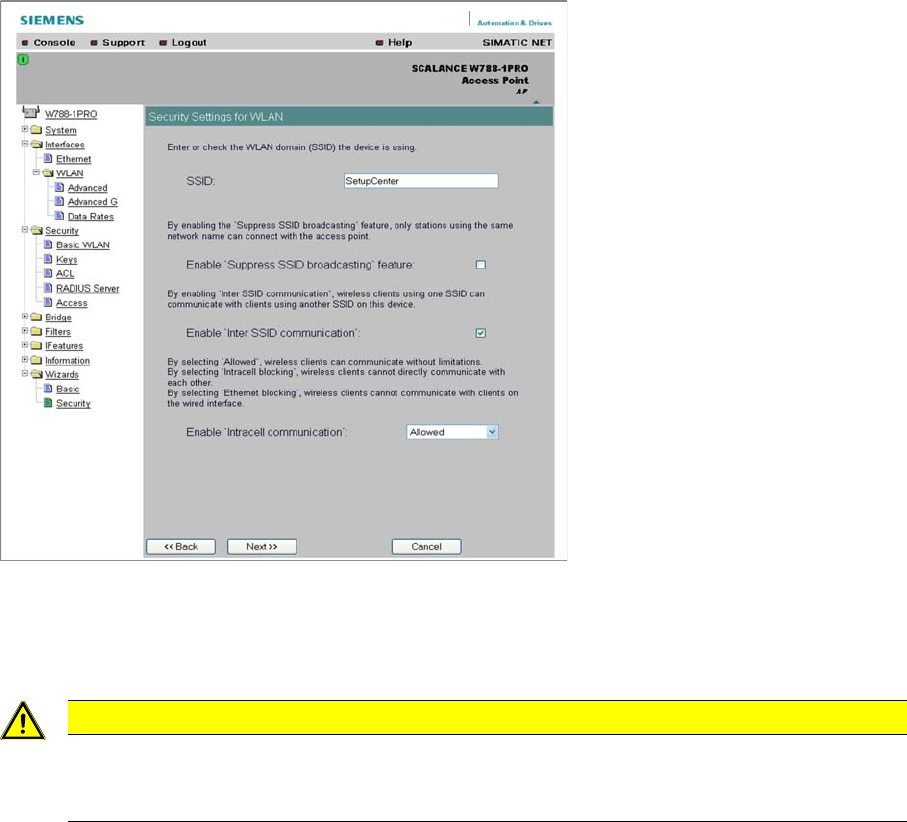
► Enter the network name of your radio cell in the SSID field. To hide this, click on Enable Closed Wire
-
less System feature.
► For intracell mode, select Enable Intracell communication from the drop down list and then click on
the entry Allowed.
► Click on Next. You will see the next input mask.
CAUTION
Intracell mode must be enabled
If this setting is not enabled, communication between the MC70 and W744 client module will
not be possible.