00197199-04_IM_WLAN-Infrastructure.pdf - 第23页
Components 3.3.3 Configuration Siemens SCALANCE W788-1Pro Access Point Installation Manual WLAN Infrastructure for SIPLACE 23 ► Select the re levant country of use for the access point. The di fferent regulation s for li…
Components
Siemens SCALANCE W788-1Pro Access Point 3.3.3 Configuration
22 Installation Manual WLAN Infrastructure for SIPLACE
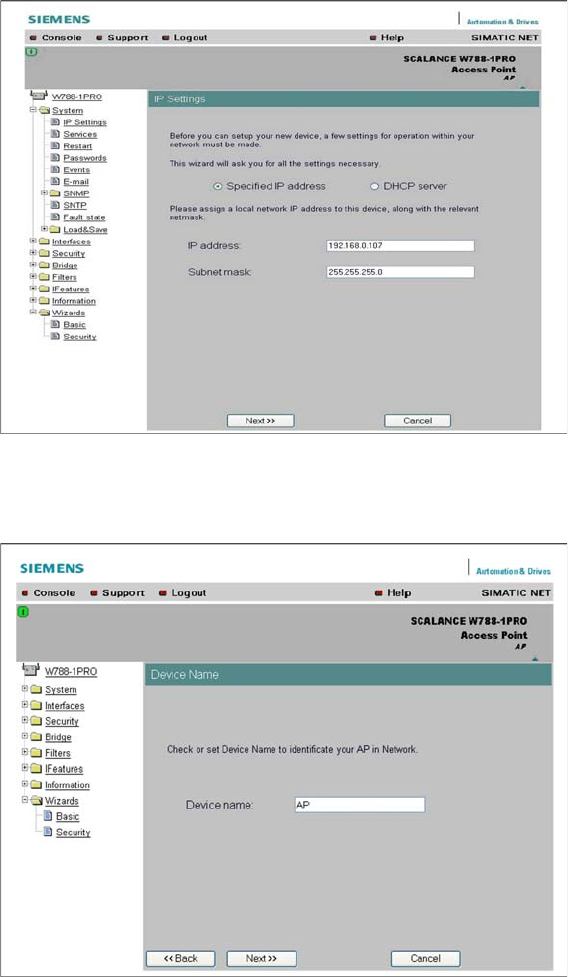
► You can either assign a static or dynamic IP address to the access point. Simply enable Specified
IP address or DHCP server.
► Change or confirm the settings and click on Next. You will see the next input mask.
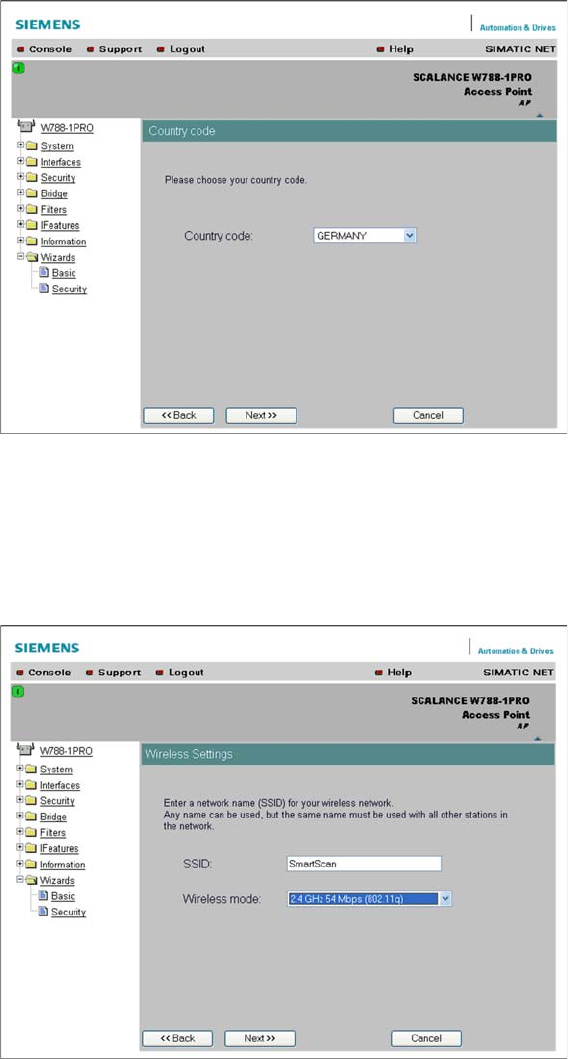
► Assign a name to the access point in the Device Name field.
► After specifying the name, click on Next. You will see the next input mask.
Components
3.3.3 Configuration Siemens SCALANCE W788-1Pro Access Point
Installation Manual WLAN Infrastructure for SIPLACE 23
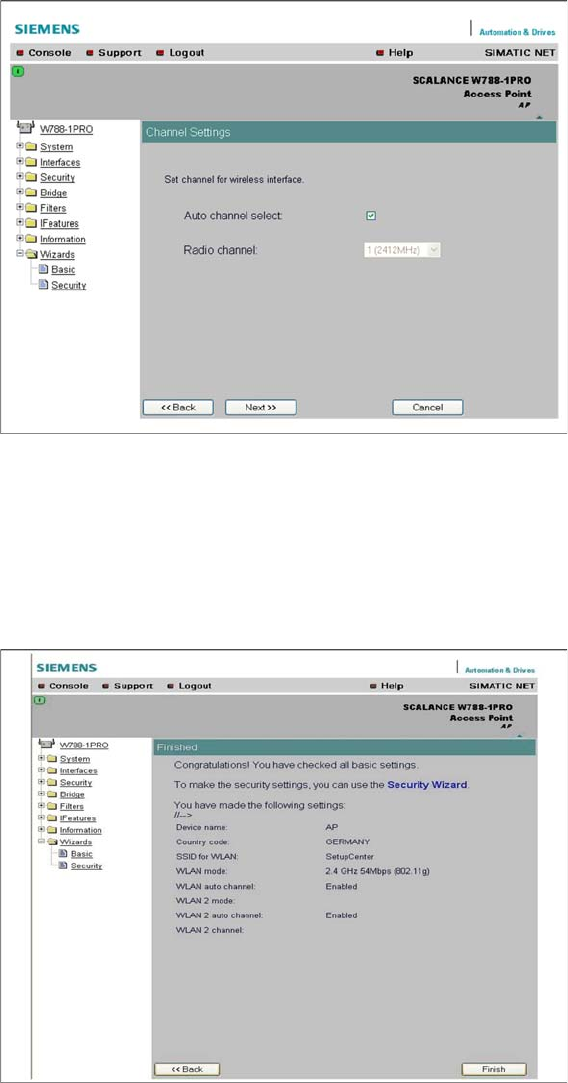
► Select the relevant country of use for the access point. The different regulations for license-free fre
-
quencies mean that the channels approved for WLAN vary between countries. This setting config
-
ures the available channels to be used by the access point.
► For details about the released frequencies and channels, please refer to the manufacturer's docu
-
mentation or internet site.
► After selecting the country of use, click on Next. You will see the next input mask.
► Enter the network name of your radio cell in the SSID field. The SSID presents the first hurdle to log
-
ging a client in with the radio cell. The client must know the correct SSID in order to log itself in. This
SSID can also be hidden, so that the access point does not send it to all clients in the available range.
► Enter the transmission standard in the Wireless mode field. Selection of the transmission mode de
-
pends on the client used. 802.11g has downwards compatibility with 802.11b but not to 802.11a! The
so-called turbo mode is a special procedure which has not been standardized and which only func
-
tions between the SCALANCE components. Please use 802.11g for this Setup Center case.
► Click on Next. You will see the next input mask.
Components
Siemens SCALANCE W788-1Pro Access Point 3.3.3 Configuration
24 Installation Manual WLAN Infrastructure for SIPLACE
► Define the parameters for the access point channel. You can either select a preset static channel or
allow the access point to perform its own automatic selection.
► If you enable Auto channel select, the access point will scan all occupied channels and choose the
first free channel it finds. However, since the 2.4GHz channels can experience overlapping, the op
-
eration of multiple access points could result in interference, a fact which can be prevented by using
static preset channels. For Setup Center, enable Auto channel select.
► Click on Next. You will see the next input mask.
► At the end of the Basic Wizard process, you will see a summary of your settings. To activate these
settings, restart the access point . Follow the link Restart to apply changes.
► You will see the next input mask.