00197199-04_IM_WLAN-Infrastructure.pdf - 第42页
Components Siemens SCALANCE W744-1Pro Client Module 3.4.3 Configuration 42 Installation Manual WLAN Infrastructure for SIPLACE ► Select the country of use and e nter the client modu le name in t he System name field. ► C…
Components
3.4.3 Configuration Siemens SCALANCE W744-1Pro Client Module
Installation Manual WLAN Infrastructure for SIPLACE 41
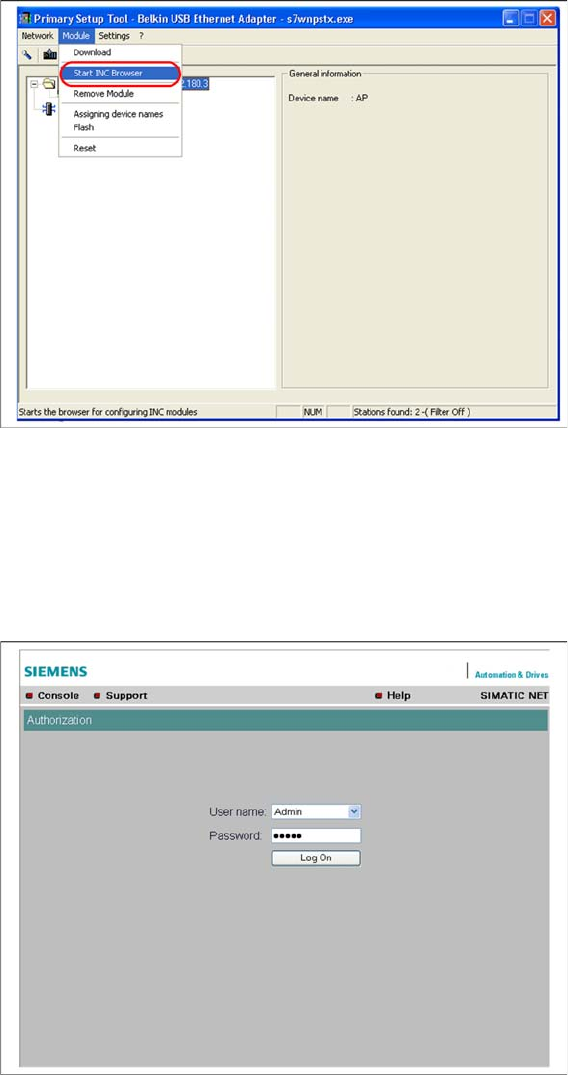
► Start the browser configuration via Module → INC Browser or by using the start icon for the browser.
3.4.3.2
3.4.3.2 Manual Setup of Client Module
Manual Setup of Client Module
In contrast to the access point, the client module does not have a wizard function, which means that all
settings have to be defined manually.
► Log into the setup interface with the standard administrator account. This is factory set to "Admin" /
"admin" or warehouse set (Siemens) to "Admin" / "Access4(SmartScan)!".
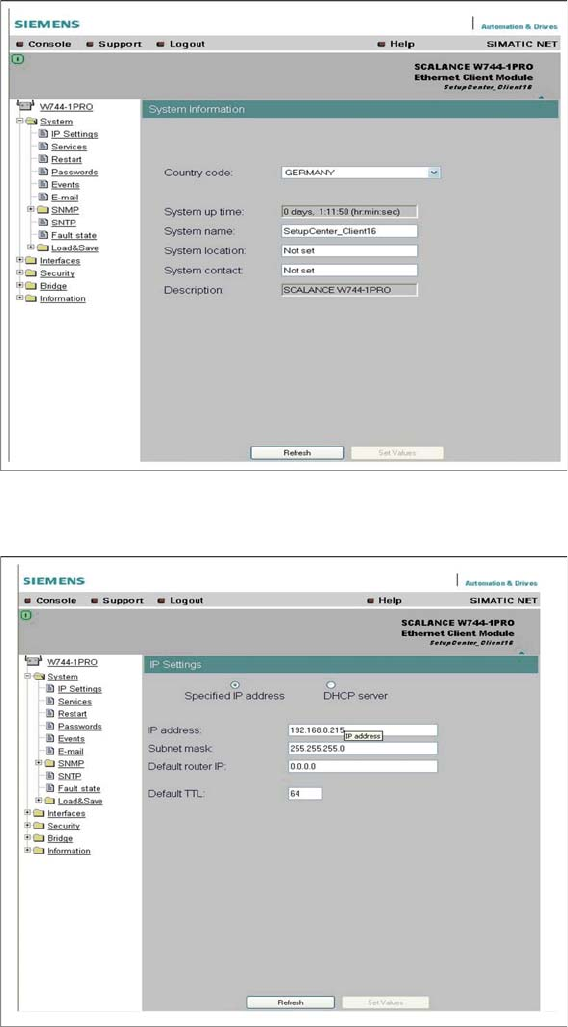
► Start the system menu.
Components
Siemens SCALANCE W744-1Pro Client Module 3.4.3 Configuration
42 Installation Manual WLAN Infrastructure for SIPLACE
► Select the country of use and enter the client module name in the System name field.
► Click on the Set Values button, to confirm your entries.
► If necessary, set the IP parameters at System → IP Settings.
► Click on the Set Values button, to confirm your entries.
Components
3.4.3 Configuration Siemens SCALANCE W744-1Pro Client Module
Installation Manual WLAN Infrastructure for SIPLACE 43
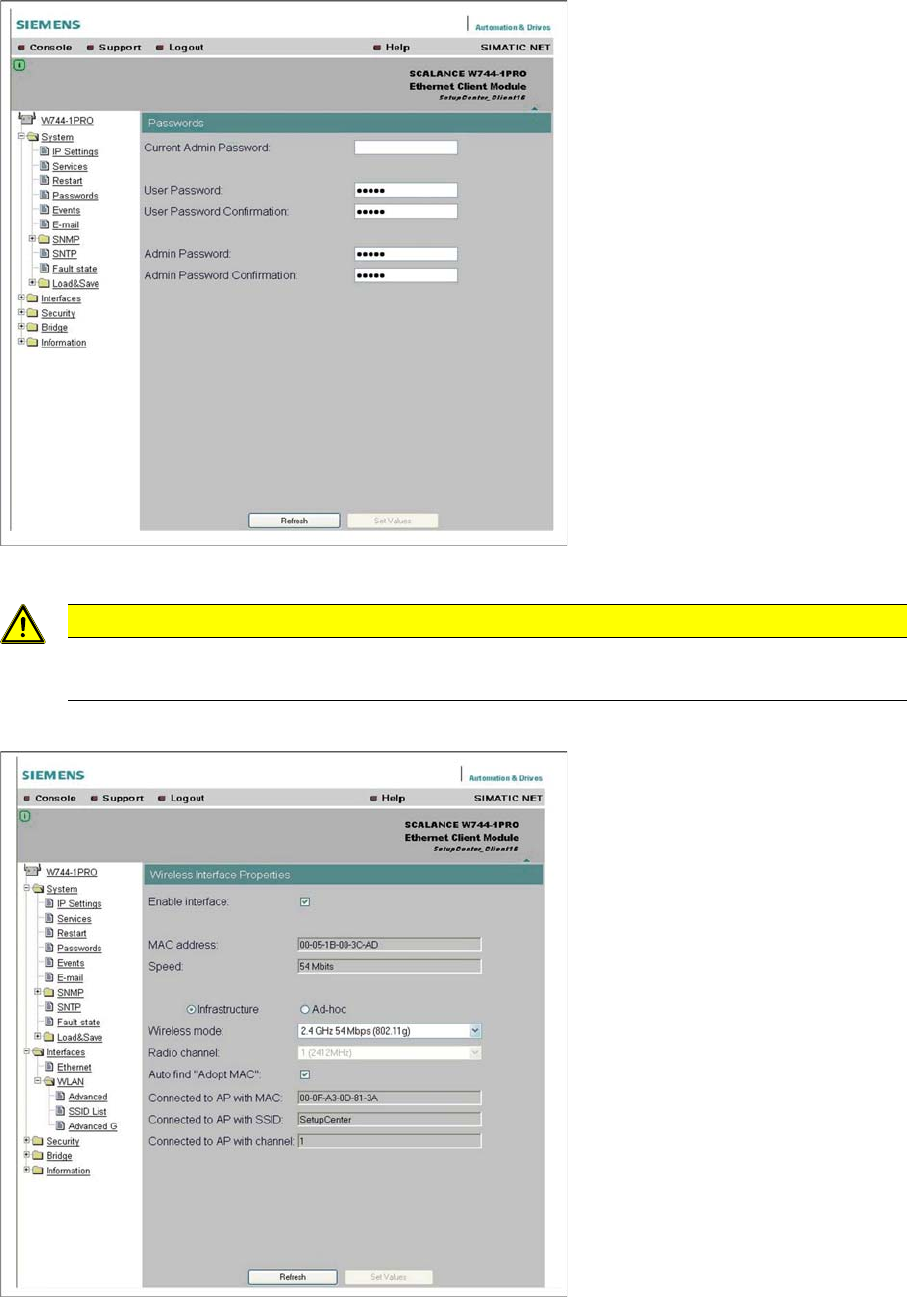
► You can change the standard administration password at System → Passwords.
► Click on the Set Values button, to confirm your entries.
► Go to Interfaces → WLAN, select the infrastructure mode and set the transmission standard to
802.11g. Enable Auto find "Adopt MAC" to adopt the computer MAC address for the client module.
► Click on the Set Values button, to confirm your entries.
CAUTION
Make your passwords complex
Make your passwords as complex as possible and always change the default password!