00197199-04_IM_WLAN-Infrastructure.pdf - 第16页
Components Motorola AP6522 Access Point 3.1.3 Configuration 16 Installation Manual WLAN Infrastructure for SIPLACE 3.2 3 . 2 M o t o r o la A P 6 5 2 2 A c c e s s P o in t Motorola AP6522 Access Point Information The AP…
Components
3.1.3 Configuration Motorola AP6521 Access Point
Installation Manual WLAN Infrastructure for SIPLACE 15
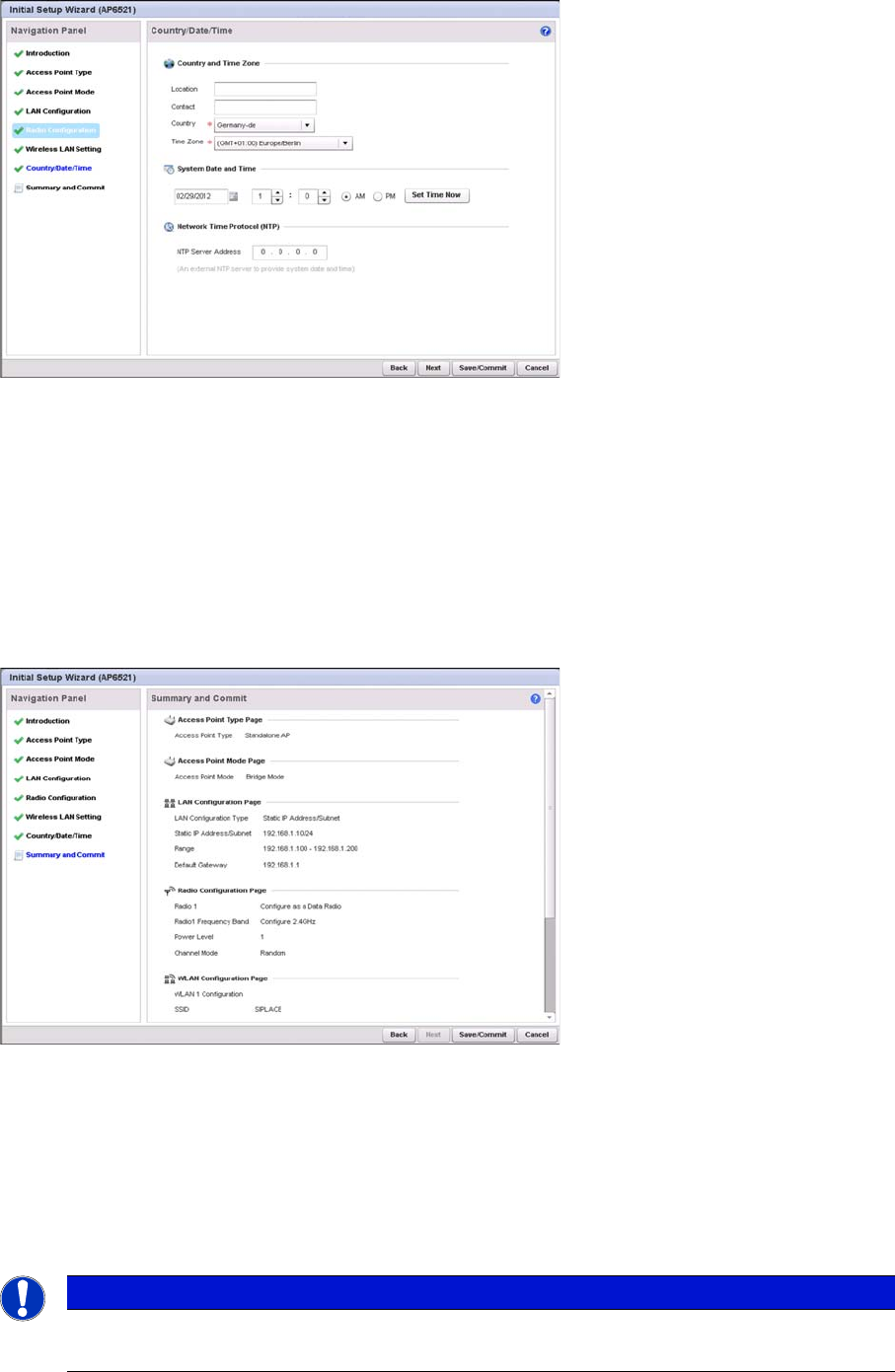
► Select the Country where the access point is deployed. This is a required parameter. The access
point prompts for the correct country code on the first login. A warning message also displays stating
an incorrect country setting may result in illegal radio operation. Selecting the correct country is cen
-
tral to legal operation. Each country has its own regulatory restrictions concerning electromagnetic
emissions and the maximum RF signal strength that can be transmitted.
► Set the Time Zone where the access point is deployed. This is a required parameter. The setting
should be complimentary with the selected deployment country.
► Click the Next button.
⇨ The Initial AP Setup Wizard displays the Summary and Commit screen to summarize the screens
(pages) and settings updated using the Initial AP Setup Wizard.
This screen requires no user intervention or additional settings. It is an additional means of validating the
configuration before it is deployed. However, if a screen displays settings not intended as part of the in
-
itial configuration, the screen can be selected from within the Navigation Panel and its settings modified
accordingly.
► If the configuration displays as intended, select the Save/Commit button to implement these settings
to the access point’s configuration. If additional changes are warranted based on the summary, ei
-
ther select the target page from the Navigational Panel, or use the Back and Next buttons to scroll
to the target screen.
NOTICE
Boot-up time
Booting or rebooting the AP6521 can take up to 3 minutes.
Components
Motorola AP6522 Access Point 3.1.3 Configuration
16 Installation Manual WLAN Infrastructure for SIPLACE
3.2
3.2 Motorola AP6522 Access Point
Motorola AP6522 Access Point
Information
The AP6522 is the successor of AP652. The AP6521 and AP6522 access points can use WiNG software
as its onboard operating system. The unique WiNG software enables the access point to function as a
Standalone “thick” access point, or a Virtual Controller AP capable of adopting and managing up to 24
access points of the same model.
For Installation, please refer to the WiNG 5.8 ACCESS POINT SYSTEM REFERENCE GUIDE.
https://atgsupportcentral.motorolasolutions.com/content/emb/docs/manuals/MN002229A01.pdf
Components
3.1.3 Configuration Siemens SCALANCE W788-1Pro Access Point
Installation Manual WLAN Infrastructure for SIPLACE 17
3.3
3.3 Siemens SCALANCE W788-1Pro Access Point
Siemens SCALANCE W788-1Pro Access Point
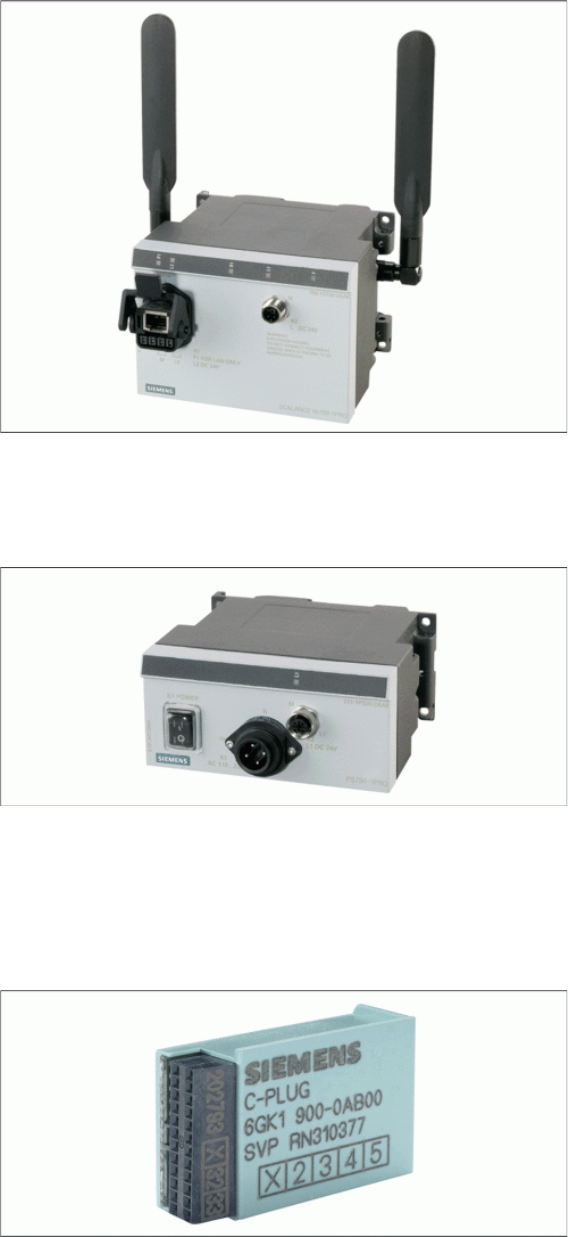
Use the PS791-1PRO power supply to feed the access point.
Use the Siemens C-Plug as an external memory for storing the configuration of the access point.
PS791-1PRO Power Supply
Power supply, suitable for industrial application, in accordance with IP65, suitable for worldwide applica
-
tion, low heat emission.
Siemens C-Plug
If an access point or client module fails, this memory unit can be removed and connected to the spare
part. The original setup configuration will be adopted.