00197199-04_IM_WLAN-Infrastructure.pdf - 第62页
Components Motorola MC67 / MC75 PDA 3.6.2 Configuration 62 Installation Manual WLAN Infrastructure for SIPLACE ► Select your country. ► If you change the co untry, ackn owledge the warning issue d with OK. ► Select Next …
Components
3.6.2 Configuration Motorola MC67 / MC75 PDA
Installation Manual WLAN Infrastructure for SIPLACE 61
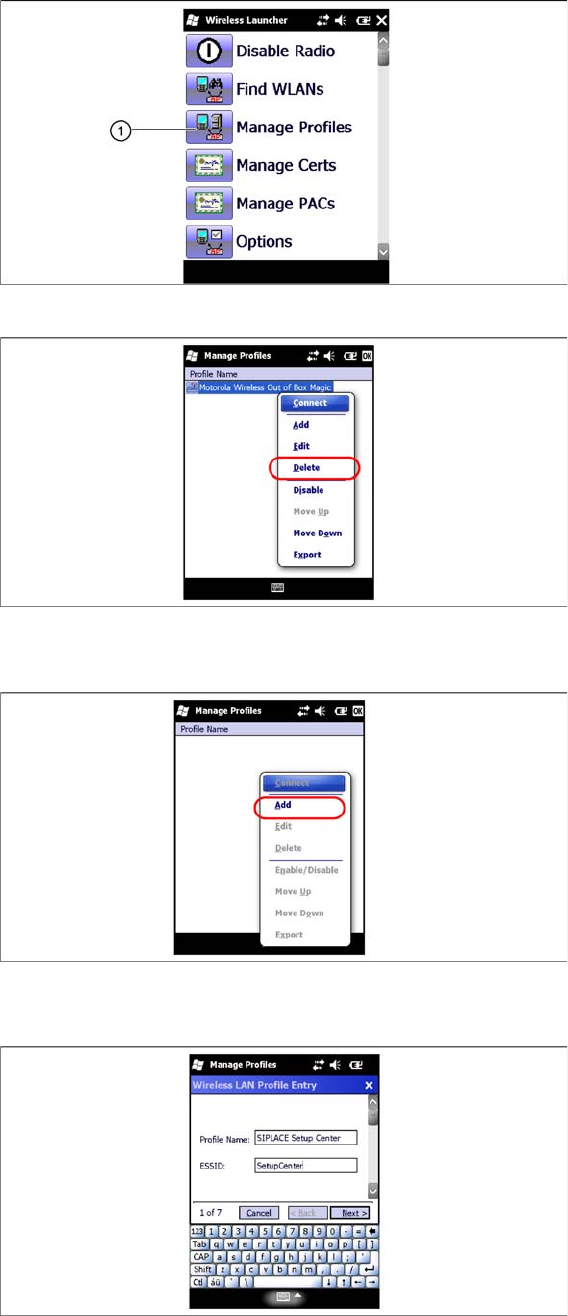
► Select the Manage Profiles icon (1).
► Select the „Out of the box profile and open the context menu.
► Click on Delete.
► Click on Add to add a new profile.
► In the next screen, select a profile name and enter the SSID (network name) set in the access point.
► Select Next to continue.
Components
Motorola MC67 / MC75 PDA 3.6.2 Configuration
62 Installation Manual WLAN Infrastructure for SIPLACE
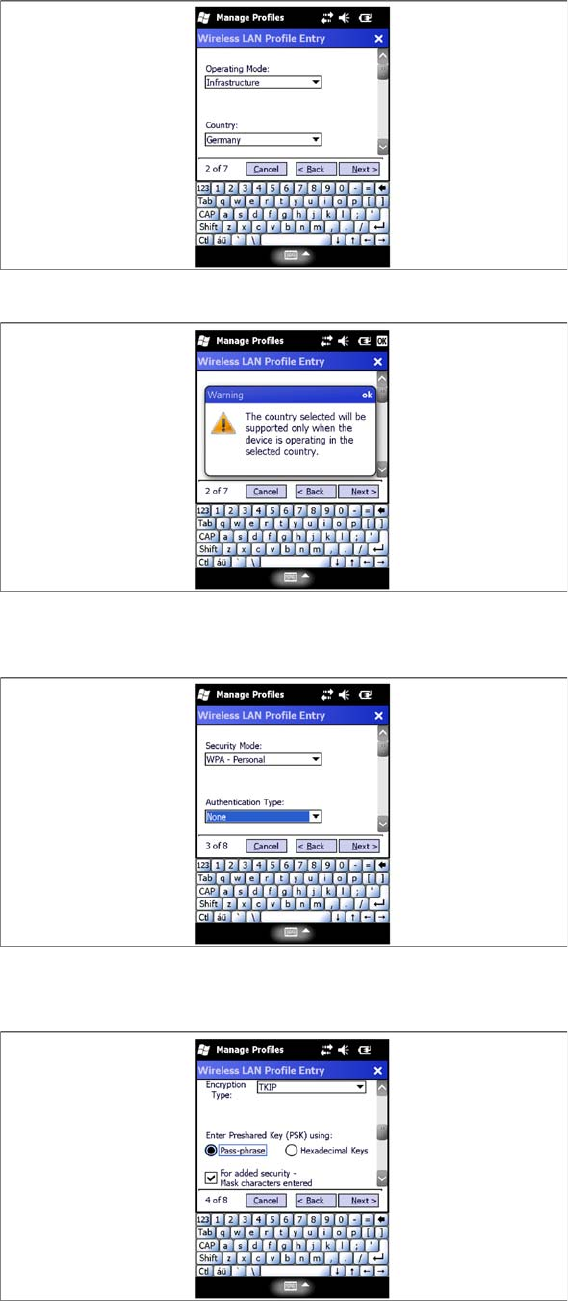
► Select your country.
► If you change the country, acknowledge the warning issued with OK.
► Select Next to continue.
► Select the Security Mode –WPA-Personal.
► Select the Authentication Type –None.
► Select the Encryption Type - TKIP.
► Select Next to continue.
Components
3.6.2 Configuration Motorola MC67 / MC75 PDA
Installation Manual WLAN Infrastructure for SIPLACE 63
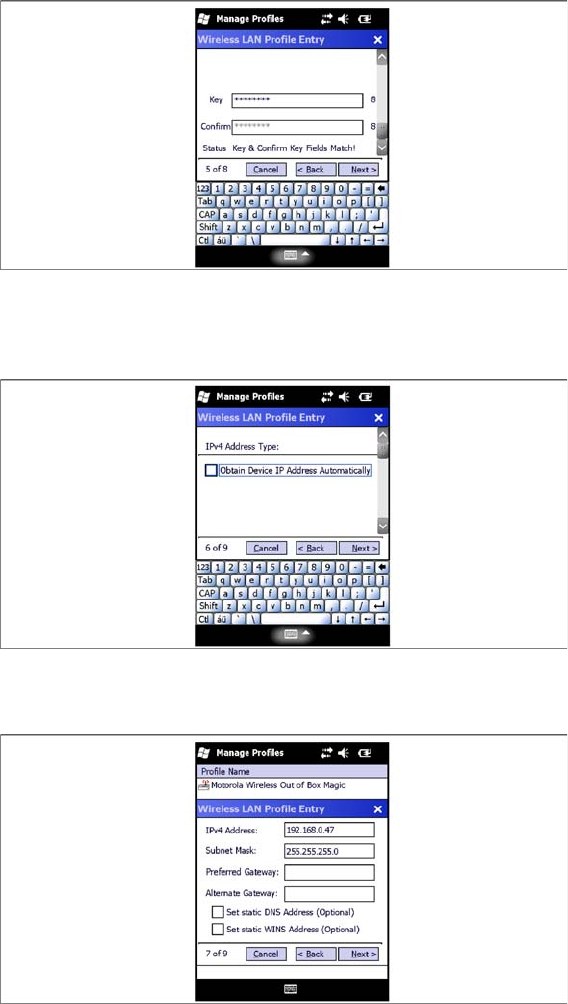
► Enter the password and confirm. Enter the same communication password which you used for the
access point and client module.
► Select Next to continue.
► Deactivate the check box Obtain Device IP Adress Automatically.
► Select Next to continue.
► Configure the IP address for the MC67 / MC75. Make sure that you use the correct IP address and
network mask. W788 Access Point , W744 Client Module, USB LAN adapter and MC67 / MC75 must
be in the same subnet.
► Select Next to continue.