00197199-04_IM_WLAN-Infrastructure.pdf - 第50页
Components Motorola MC70 PDA 3.5.2 Configuration 50 Installation Manual WLAN Infrastructure for SIPLACE ► Proceed to the Encryption tab and selec t TKIP (WPA) . ► Select Next to cont inue. ► Enter the same communicatio n…
Components
3.5.2 Configuration Motorola MC70 PDA
Installation Manual WLAN Infrastructure for SIPLACE 49
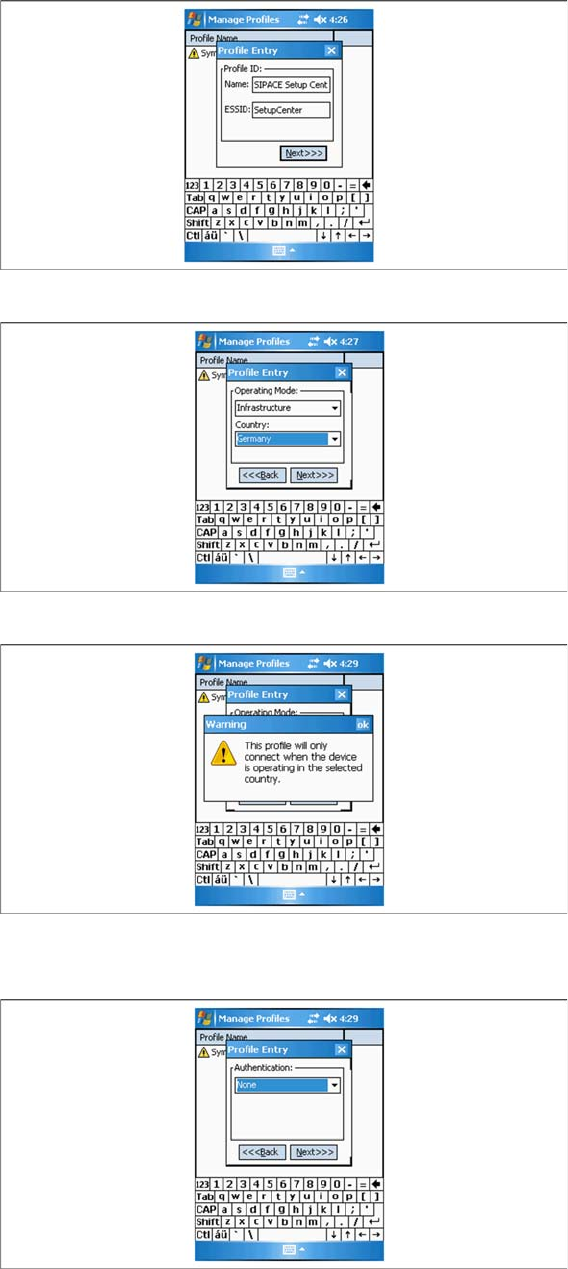
► Select Next to continue.
► Select your country.
► If you change the country, acknowledge the warning issued with OK.
► Select Next to continue.
► You do not need to define any settings in the Authentication tab, since all security settings will be
specified in the next tab, Encryption.
Components
Motorola MC70 PDA 3.5.2 Configuration
50 Installation Manual WLAN Infrastructure for SIPLACE
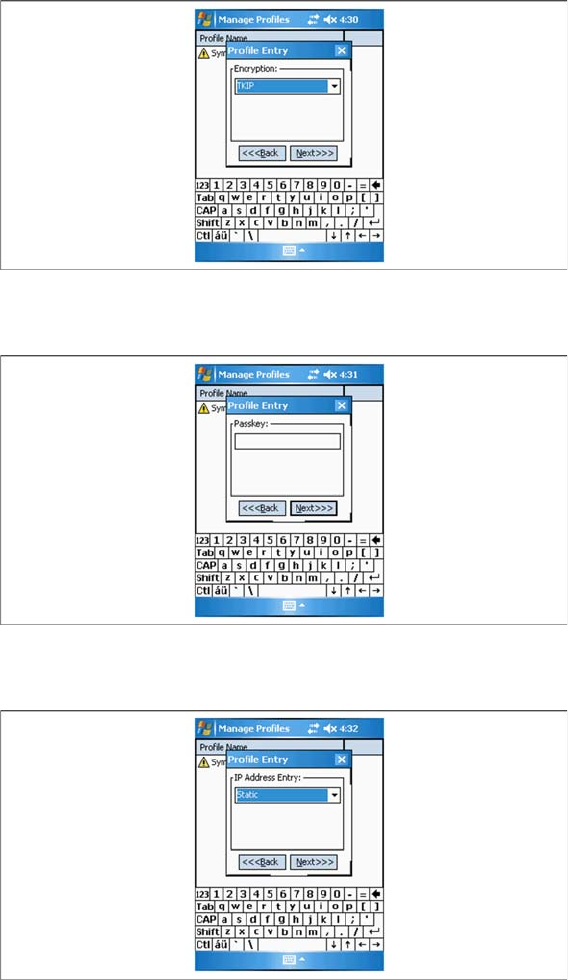
► Proceed to the Encryption tab and select TKIP (WPA) .
► Select Next to continue.
► Enter the same communication password which you used for the access point and client module.
► Select Next to continue.
► Set Static as IP address at IP Address.
► Select Next to continue.
Components
3.5.2 Configuration Motorola MC70 PDA
Installation Manual WLAN Infrastructure for SIPLACE 51
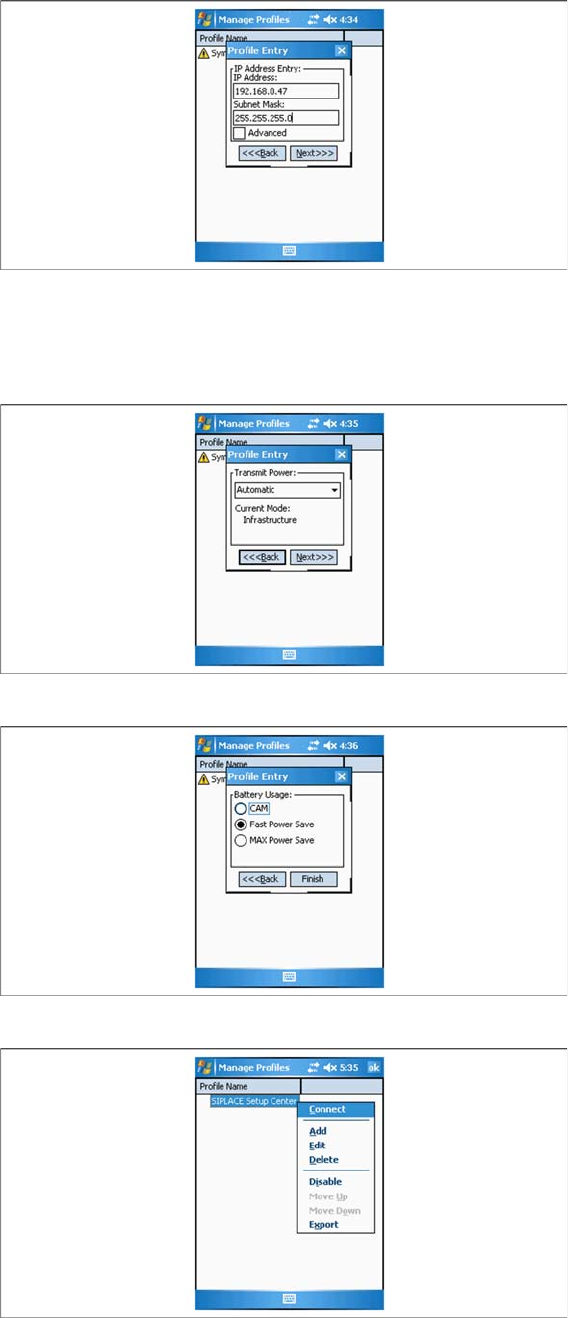
► Configure the IP address for the MC70. Make sure that you use the correct IP address and network
mask. W788 Access Point , W744 Client Module, USB LAN adapter and MC70 must be in the same
subnet.
► Select Next to continue.
► Do not change the power supply settings for the card. Pass over these with Next.
► Select Finish to confirm and apply your settings.
► You will now see the WLAN profile for the PDA. Select the profile you have just parameterized and
named and click on Connect.
► Close the menu with OK.