00197199-04_IM_WLAN-Infrastructure.pdf - 第19页
Components 3.3.3 Configuration Siemens SCALANCE W788-1Pro Access Point Installation Manual WLAN Infrastructure for SIPLACE 19 3.3.3 3 . 3 . 3 C o n f ig u r a t io n Configuration 3.3.3.1 3 . 3 . 3 . 1 P r im a r y S e t…
Components
Siemens SCALANCE W788-1Pro Access Point 3.3.1 Features
18 Installation Manual WLAN Infrastructure for SIPLACE
3.3.1
3.3.1 Features
Features
▪ Metal casing
▪IP65
▪ Temperature range: -20 to +60°C
▪ Cyclical data transmission
▪ Power over Ethernet (PoE in accordance with 802.3af)
▪ WEP encryption
▪ 802.11i support (WPA & TKIP, WPA & AES)
▪ RADIUS support (802.1x with EAP-TLS)
▪ 802.11b/g - to 108 Mbit/s in 2.4GHz band
▪ 802.11a - to 54 Mbit/s in 5GHz band
3.3.2
3.3.2 Installation
Installation
Complete the following preparatory steps before installing and using the access point:
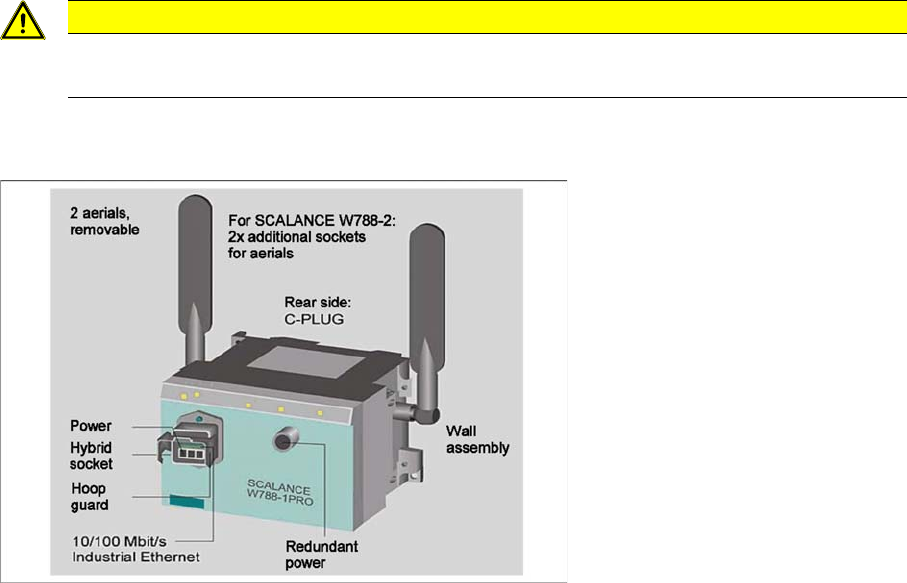
► Connect the C-Plug to the rear of the access point, by removing the cover and plugging the flash
memory into the duct below.
► Screw the aerial supplied into the sockets at the side of the access point.
► Use the M12 cable to connect the access point to the PS791-1Pro power supply and switch on.
CAUTION
Disconnected from the power supply
Make sure that the components are disconnected from the power supply.
Components
3.3.3 Configuration Siemens SCALANCE W788-1Pro Access Point
Installation Manual WLAN Infrastructure for SIPLACE 19
3.3.3
3.3.3 Configuration
Configuration
3.3.3.1
3.3.3.1 Primary Setup
Primary Setup
Before the access point or the client module can be configured via the integrated web interface, you must
define basic network settings for these components.
Starting the PST Tool
► After the USB LAN adapter has been configured, start the PST tool via Start → SIMATIC → Primary
Setup Tool → Primary Setup Tool. (For instructions on installing the PST Tool, please refer to "4.1
Primary Setup Tool" [ ➙ 73]).
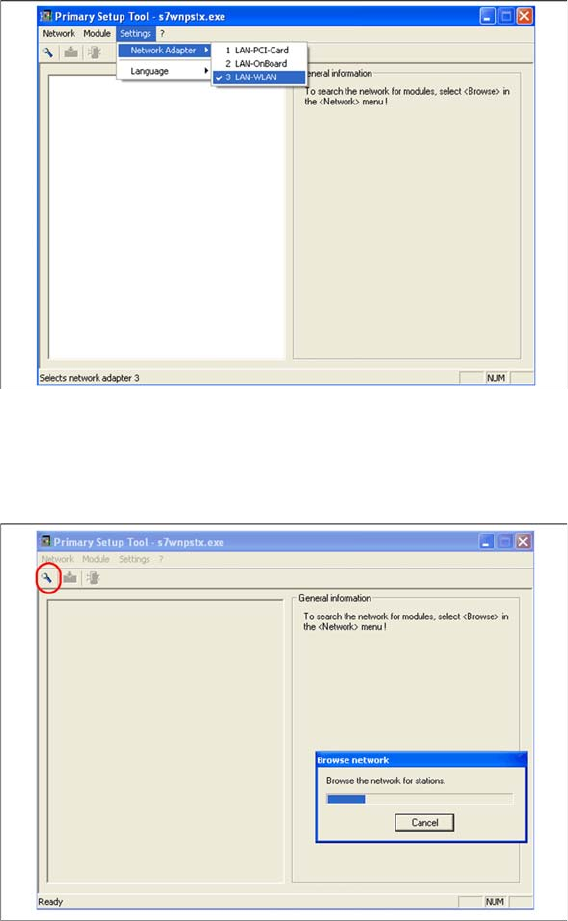
► Now set your network card. Select Settings → Network Adapter.
► Select the USB LAN Adapter as network card and perform the following setup steps for the SCA
-
LANCE W788. Connect the modules one after the other to the USB LAN adapter, via a RJ45 patch
cable.
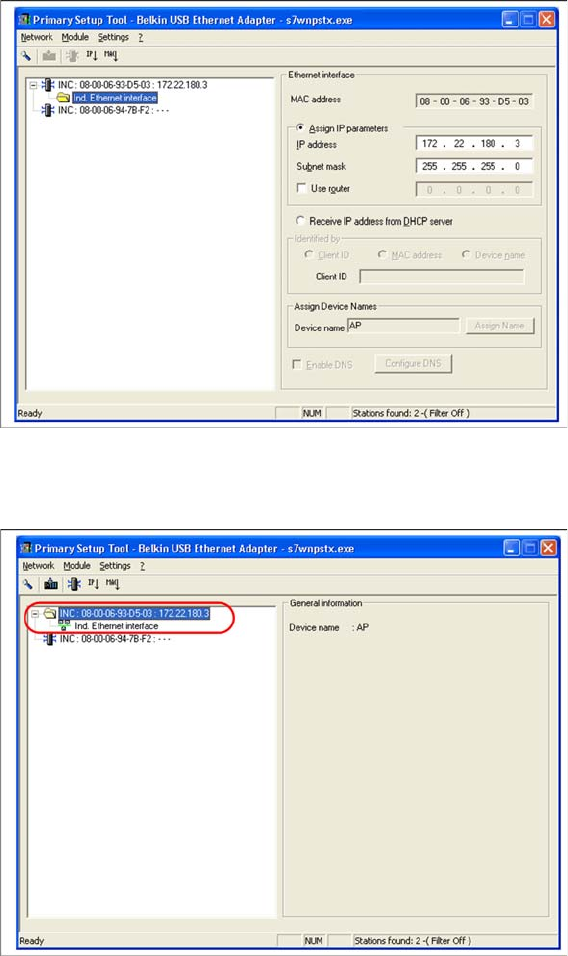
► Search the network for the connected access point or client module by selecting Network → Browse
or using the magnifying glass search icon:
Components
Siemens SCALANCE W788-1Pro Access Point 3.3.3 Configuration
20 Installation Manual WLAN Infrastructure for SIPLACE
► Select the required station and enter the network parameters of the access point or client module.
Please note that all components - Scalance W788, W744, MC70/MC75 and USB LAN adapter need
to be in the same subnet in the end.
► Select the station again and then select Module → Download or the load icon from the menu bar.