00197199-04_IM_WLAN-Infrastructure.pdf - 第45页
Components 3.4.3 Configuration Siemens SCALANCE W744-1Pro Client Module Installation Manual WLAN Infrastructure for SIPLACE 45 ► Go to Security → Basic W LAN and s et the secur ity level (a ut hentication type) to WPA-PS…
Components
Siemens SCALANCE W744-1Pro Client Module 3.4.3 Configuration
44 Installation Manual WLAN Infrastructure for SIPLACE
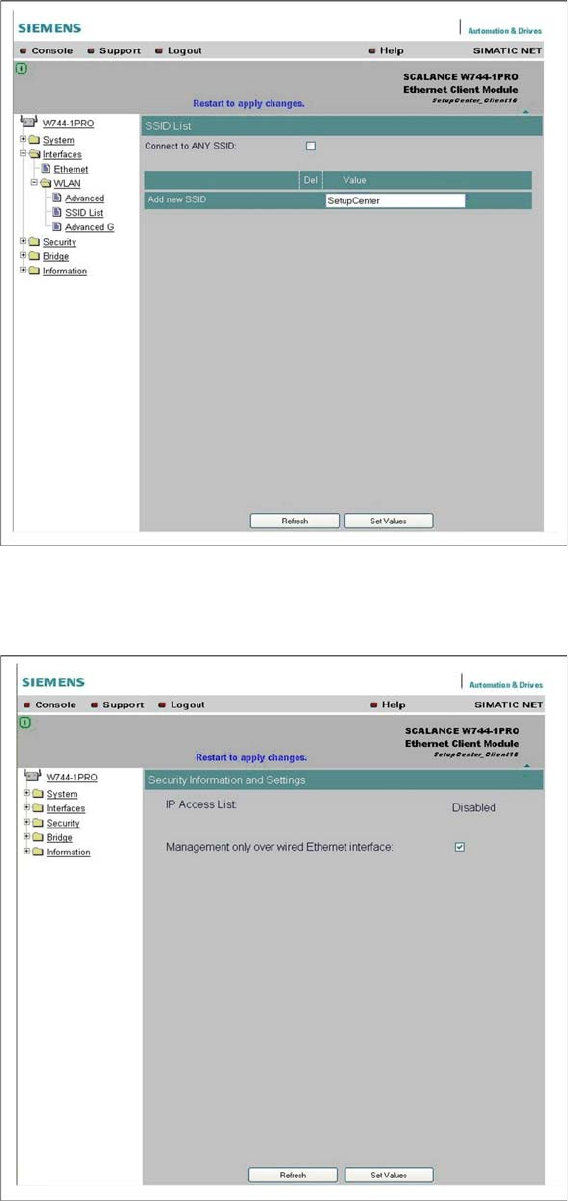
► Enter the name of your radio cell, to which the client module is to be connected, at Interfaces →
WLAN → SSID List. Disable Connect to ANY SSID.
► Click on the Set Values button, to confirm your entries.
► Restrict setup to the wired Ethernet interface at Security.
► Click on the Set Values button, to confirm your entries.
Components
3.4.3 Configuration Siemens SCALANCE W744-1Pro Client Module
Installation Manual WLAN Infrastructure for SIPLACE 45
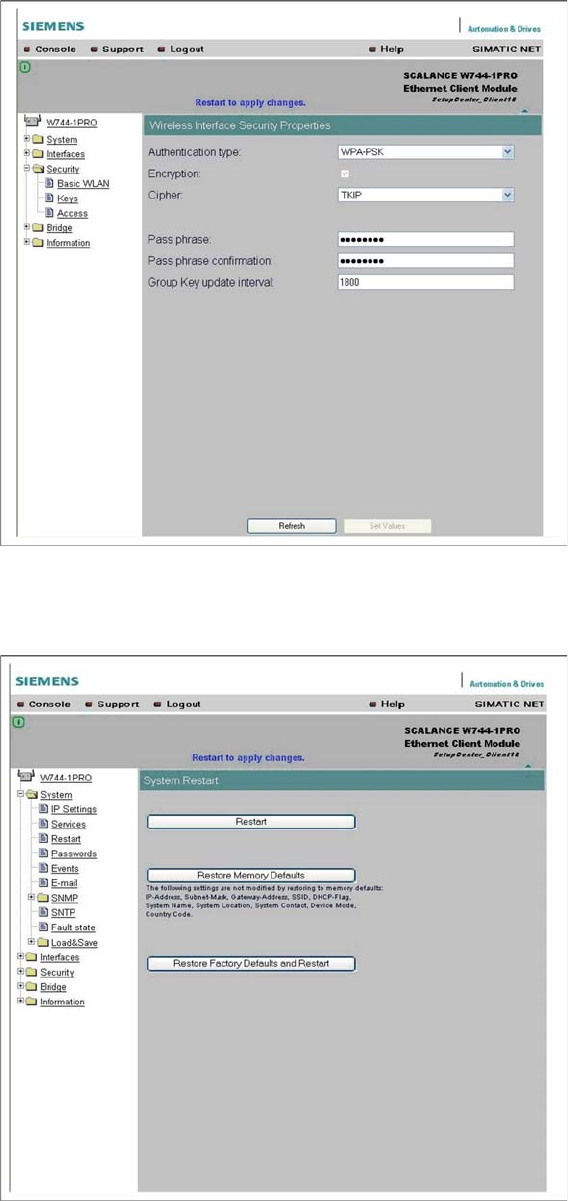
► Go to Security → Basic WLAN and set the security level (authentication type) to WPA-PSK, the ci
-
pher code to TKIP and enter the communication password which you specified at the access point.
► Click on the Set Values button, to confirm your entries.
► Restart the client module at System → Restart, to enable your settings.
► The client module has now been configured and is ready for use.
Components
Motorola MC70 PDA 3.5.1 Features
46 Installation Manual WLAN Infrastructure for SIPLACE
3.5
3.5 Motorola MC70 PDA
Motorola MC70 PDA
Motorola MC70 PDA
3.5.1
3.5.1 Features
Features
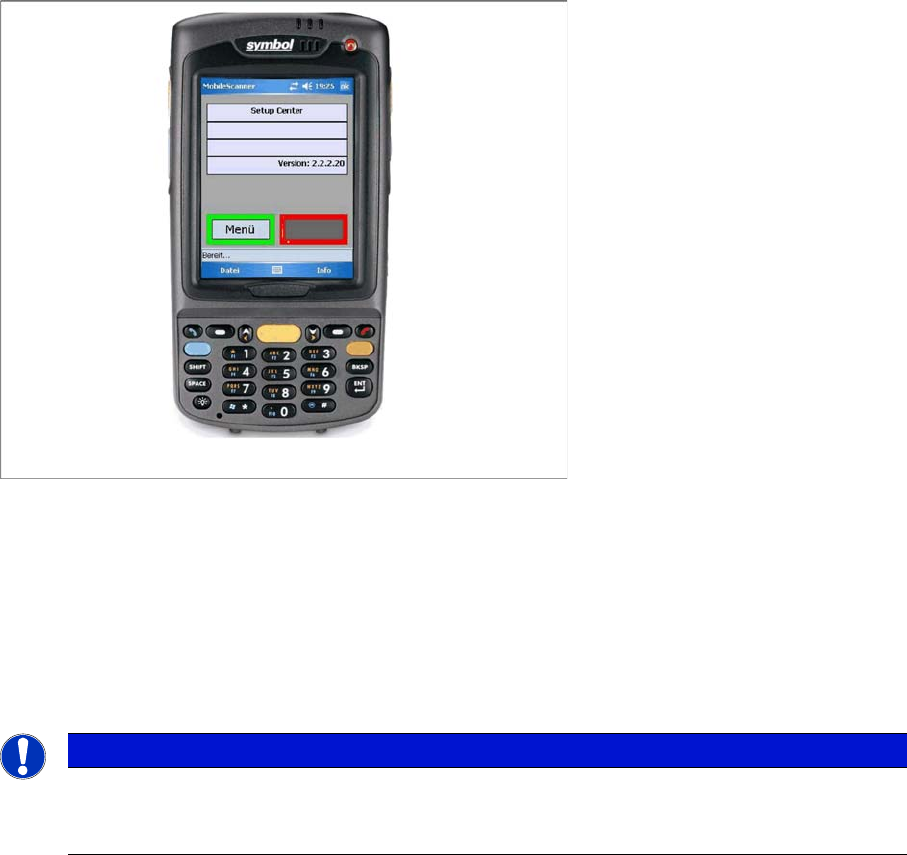
▪ Manufacturer: Motorola
▪ Model: MC70 (model MC7090)
▪ Operating system: Windows Mobile 5.0
▪ Processor: PXA270-624MHz
▪ Screen resolution: 240 x 320 pixel
See also
3.1.2 Installation [ ➙ 10]
NOTICE
Installation of the hardware components
For information about installation of the hardware components, see the "Installation" section for
the relevant component.