00197199-04_IM_WLAN-Infrastructure.pdf - 第17页
Components 3.1.3 Configuration Siemens SCALANCE W788-1Pro Access Point Installation Manual WLAN Infrastructure for SIPLACE 17 3.3 3 . 3 S ie m e n s S C A L A N C E W 7 8 8 - 1 P r o A c c e s s P o in t Siemens SCALANCE…
Components
Motorola AP6522 Access Point 3.1.3 Configuration
16 Installation Manual WLAN Infrastructure for SIPLACE
3.2
3.2 Motorola AP6522 Access Point
Motorola AP6522 Access Point
Information
The AP6522 is the successor of AP652. The AP6521 and AP6522 access points can use WiNG software
as its onboard operating system. The unique WiNG software enables the access point to function as a
Standalone “thick” access point, or a Virtual Controller AP capable of adopting and managing up to 24
access points of the same model.
For Installation, please refer to the WiNG 5.8 ACCESS POINT SYSTEM REFERENCE GUIDE.
https://atgsupportcentral.motorolasolutions.com/content/emb/docs/manuals/MN002229A01.pdf
Components
3.1.3 Configuration Siemens SCALANCE W788-1Pro Access Point
Installation Manual WLAN Infrastructure for SIPLACE 17
3.3
3.3 Siemens SCALANCE W788-1Pro Access Point
Siemens SCALANCE W788-1Pro Access Point
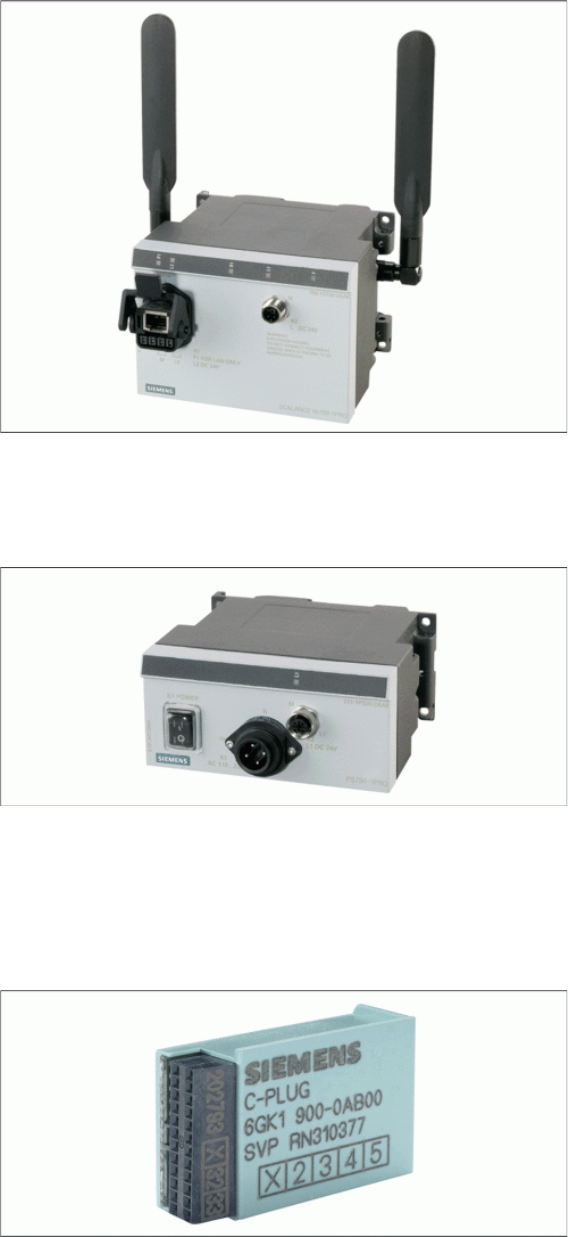
Use the PS791-1PRO power supply to feed the access point.
Use the Siemens C-Plug as an external memory for storing the configuration of the access point.
PS791-1PRO Power Supply
Power supply, suitable for industrial application, in accordance with IP65, suitable for worldwide applica
-
tion, low heat emission.
Siemens C-Plug
If an access point or client module fails, this memory unit can be removed and connected to the spare
part. The original setup configuration will be adopted.
Components
Siemens SCALANCE W788-1Pro Access Point 3.3.1 Features
18 Installation Manual WLAN Infrastructure for SIPLACE
3.3.1
3.3.1 Features
Features
▪ Metal casing
▪IP65
▪ Temperature range: -20 to +60°C
▪ Cyclical data transmission
▪ Power over Ethernet (PoE in accordance with 802.3af)
▪ WEP encryption
▪ 802.11i support (WPA & TKIP, WPA & AES)
▪ RADIUS support (802.1x with EAP-TLS)
▪ 802.11b/g - to 108 Mbit/s in 2.4GHz band
▪ 802.11a - to 54 Mbit/s in 5GHz band
3.3.2
3.3.2 Installation
Installation
Complete the following preparatory steps before installing and using the access point:
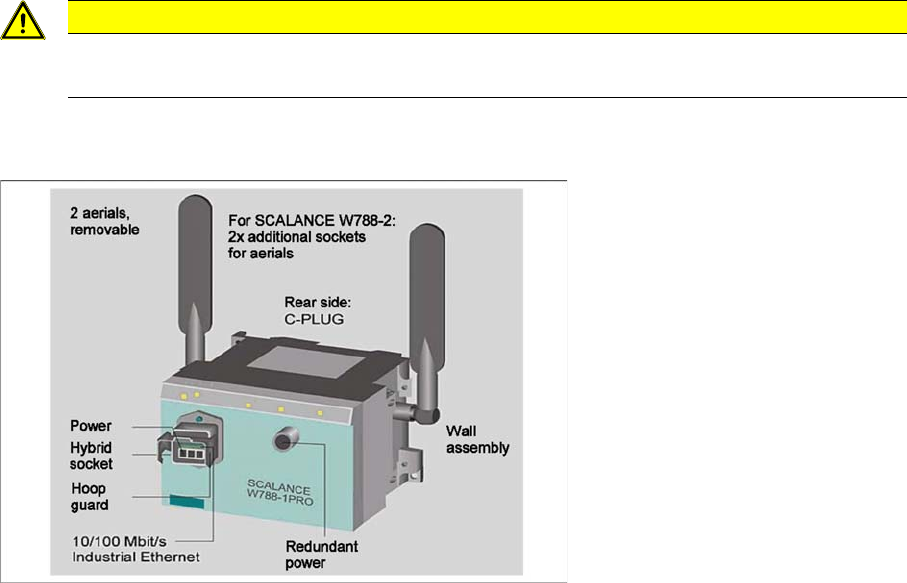
► Connect the C-Plug to the rear of the access point, by removing the cover and plugging the flash
memory into the duct below.
► Screw the aerial supplied into the sockets at the side of the access point.
► Use the M12 cable to connect the access point to the PS791-1Pro power supply and switch on.
CAUTION
Disconnected from the power supply
Make sure that the components are disconnected from the power supply.