00197199-04_IM_WLAN-Infrastructure.pdf - 第31页
Components 3.3.3 Configuration Siemens SCALANCE W788-1Pro Access Point Installation Manual WLAN Infrastructure for SIPLACE 31 ► You can change the standar d administration passw ord at System → Passwords . ► Click on the…
Components
Siemens SCALANCE W788-1Pro Access Point 3.3.3 Configuration
30 Installation Manual WLAN Infrastructure for SIPLACE
3.3.3.3
3.3.3.3 Manual Setup of Access Point
Manual Setup of Access Point
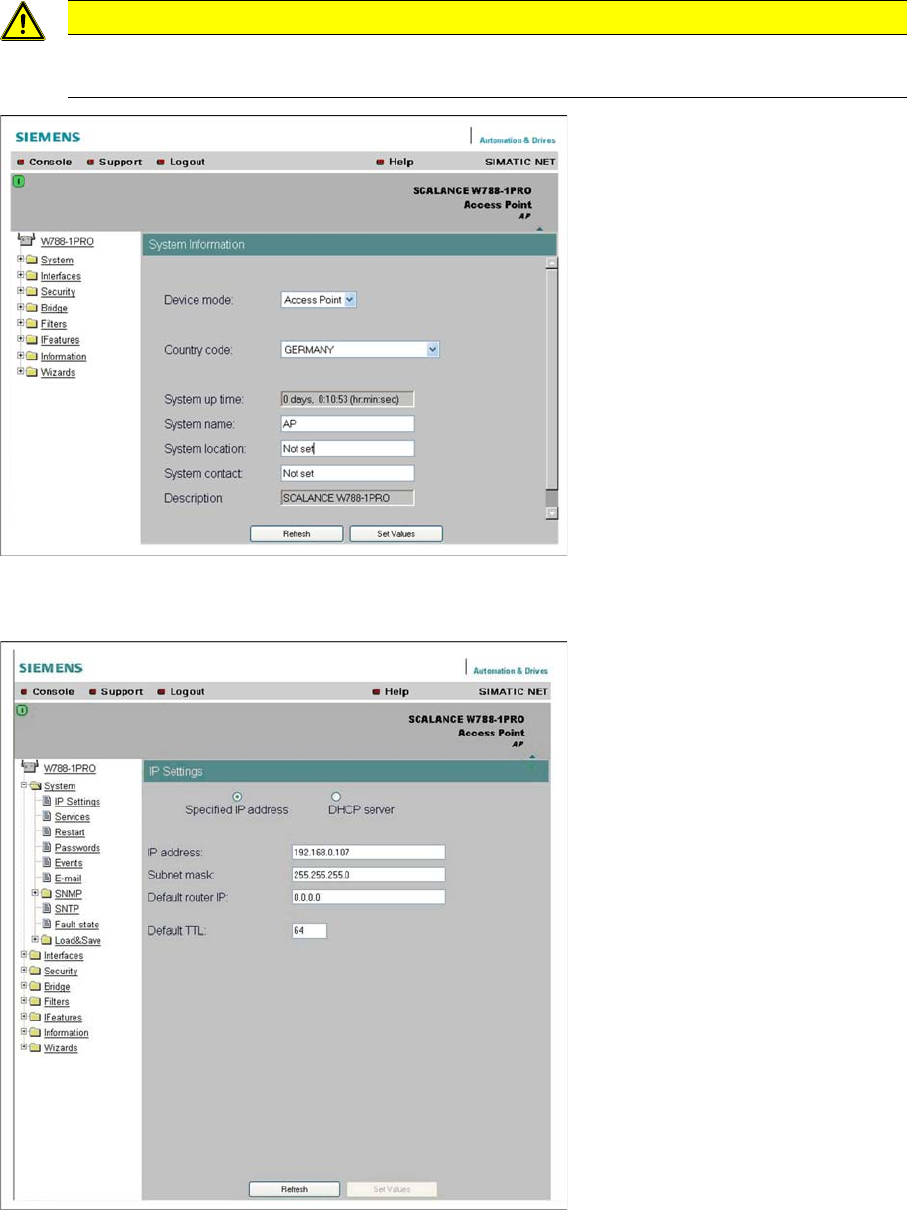
The settings can be configured with the wizards or manually via the menus.
► Select the country of use and enter the access point name in the System name field.
► Click on the Set Values button, to confirm your entries.
► Set the IP parameters at System → IP Settings.
► Click on the Set Values button, to confirm your entries.
CAUTION
After completing all entries and changes
After completing all entries and changes, click on the Set Values button to save your changes.
Components
3.3.3 Configuration Siemens SCALANCE W788-1Pro Access Point
Installation Manual WLAN Infrastructure for SIPLACE 31
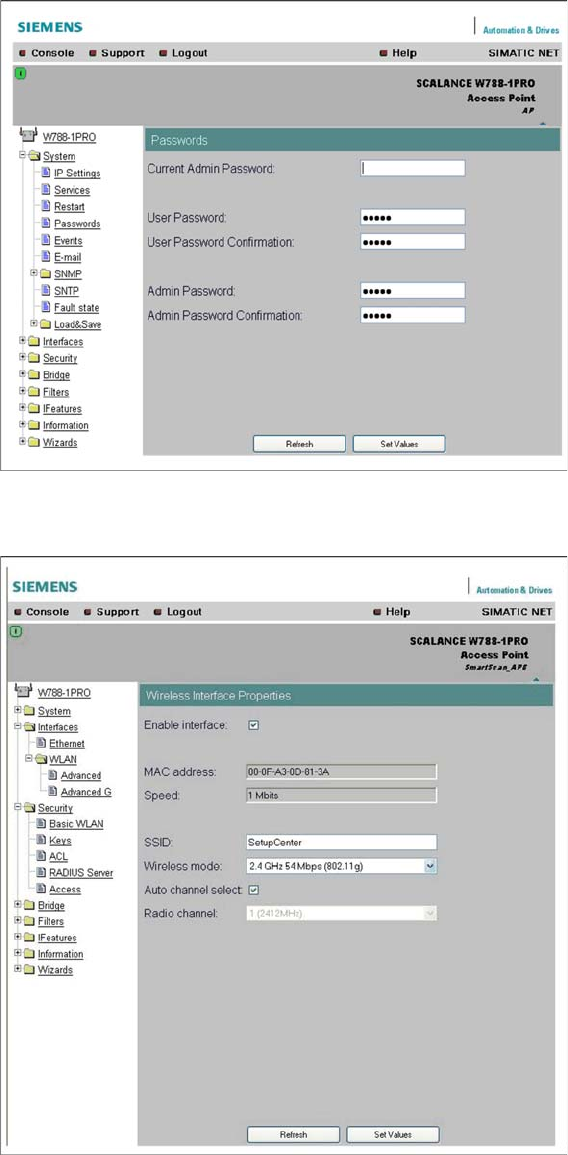
► You can change the standard administration password at System → Passwords.
► Click on the Set Values button, to confirm your entries.
► Set the SSID, the transmission standard and the channel to be used at Interfaces → WLAN.
► Click on the Set Values button, to confirm your entries.
Components
Siemens SCALANCE W788-1Pro Access Point 3.3.3 Configuration
32 Installation Manual WLAN Infrastructure for SIPLACE
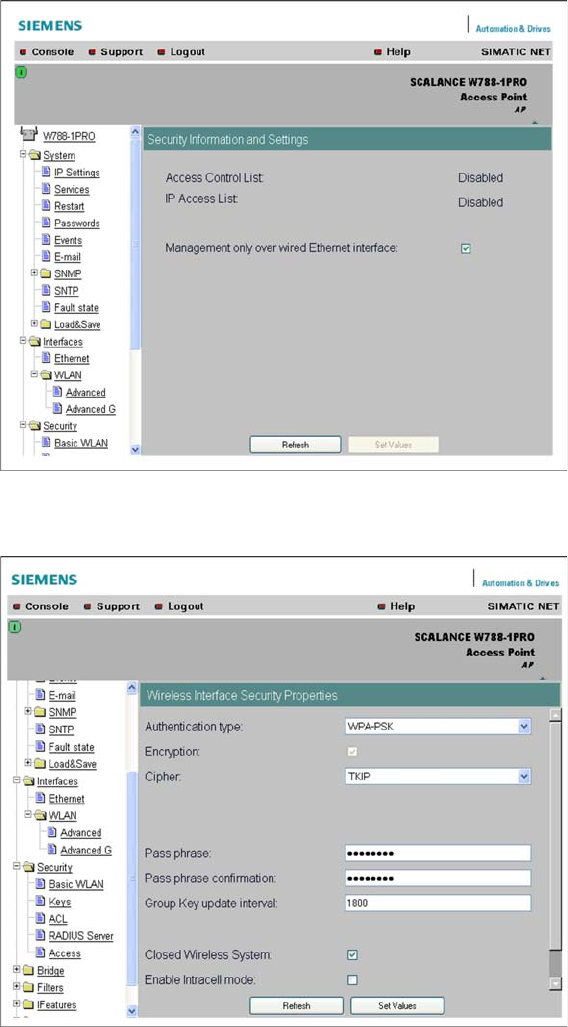
► Limit access point setup to the wired Ethernet interface at Security.
► Click on the Set Values button, to confirm your entries.
► Set the security level WPA-PSK with the code TKIP, the required WPA password and hide the SSID
at Security → Basic WLAN.
► Click on the Set Values button, to confirm your entries.