00197199-04_IM_WLAN-Infrastructure.pdf - 第34页
Components Siemens SCALANCE W788-1Pro Access Point 3.3.3 Configuration 34 Installation Manual WLAN Infrastructure for SIPLACE ► To use the notification option via SNMP Trap, specify the IP ad dress of the station which w…
Components
3.3.3 Configuration Siemens SCALANCE W788-1Pro Access Point
Installation Manual WLAN Infrastructure for SIPLACE 33
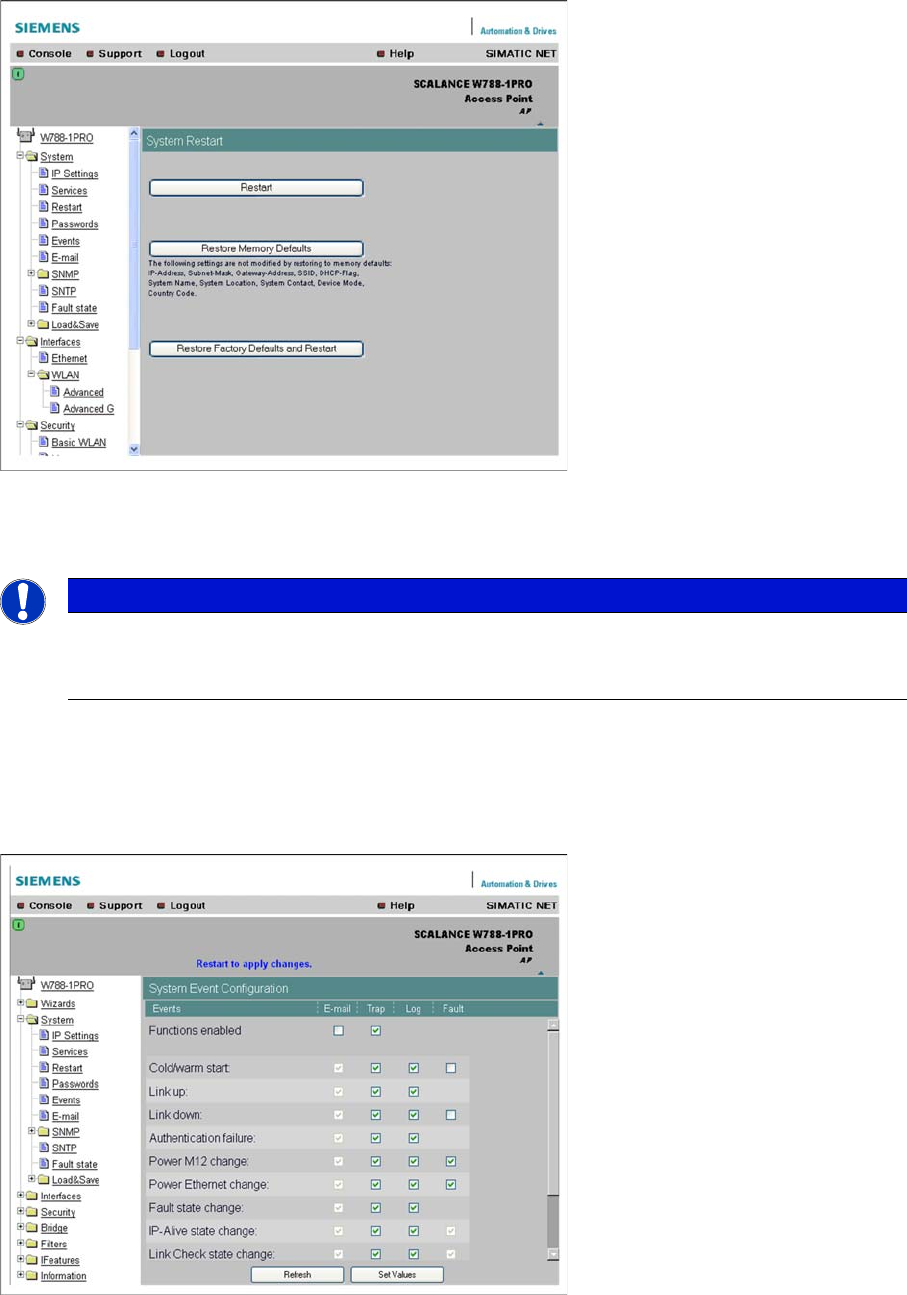
► Restart the access point at System → Restart, to enable your settings.
3.3.3.4
3.3.3.4 Monitoring Options
Monitoring Options
An access point makes a radio cell available for communication but can also perform other tasks. These
include the monitoring of the connected WLAN client and the corresponding notification of a manage
-
ment station via e-mail or SNMP trap, should errors occur.
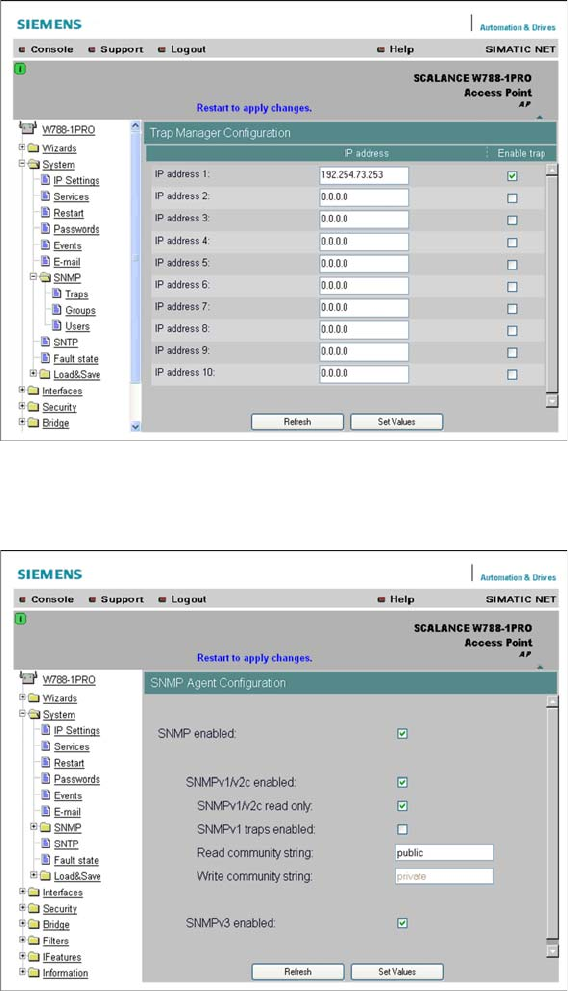
► At System → Events you can define the cases in which a message is to be issued and can set the
type of message and how it is to be issued.
► Click on the Set Values button, to confirm your entries.
NOTICE
Use of monitoring options
Although the use of monitoring options is not essential for operating SIPLACE Setup Center,
we recommend it so that problems can be detected at an early stage.
Components
Siemens SCALANCE W788-1Pro Access Point 3.3.3 Configuration
34 Installation Manual WLAN Infrastructure for SIPLACE
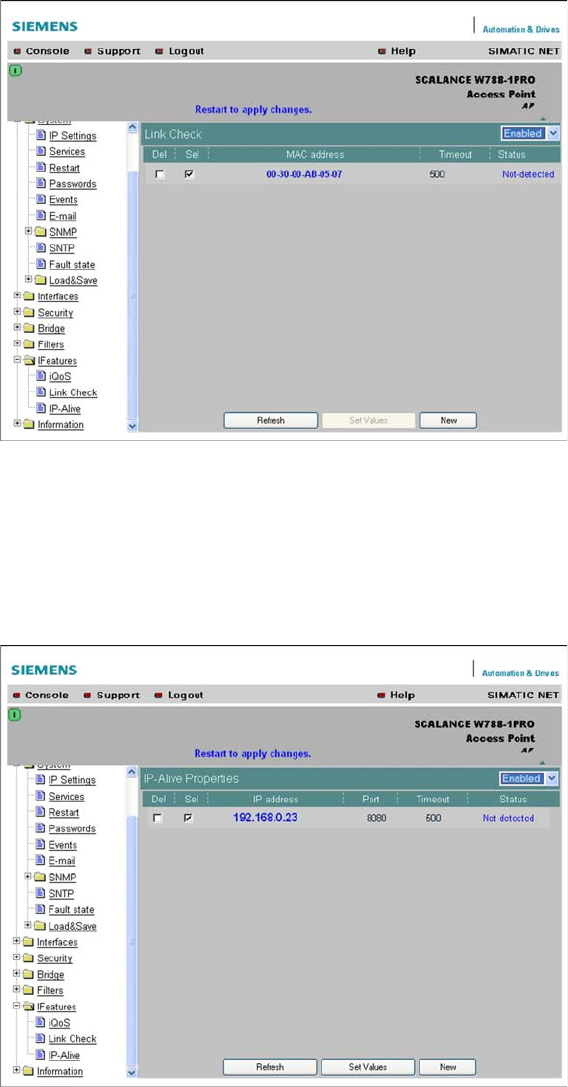
► To use the notification option via SNMP Trap, specify the IP address of the station which will receive
these traps. Go to System → SNMP → Traps and enter the IP address of the station concerned.
► Click on the Set Values button, to confirm your entries.
► Go to System → SNMP and enable the option SNMPv1 Traps enabled.
► Click on the Set Values button, to confirm your entries.
► The SNMP trap function can be enabled at System → Events.
Components
3.3.3 Configuration Siemens SCALANCE W788-1Pro Access Point
Installation Manual WLAN Infrastructure for SIPLACE 35
3.3.3.5
3.3.3.5 Link Check
Link Check
One of the client monitoring options is the so-called Link Check.
► To use this function, enable it at IFeatures → Link-Check and enter the MAXC addresses to be mon
-
itored for the client and the maximum timeout for the polling interval.
► The SNMP trap function can be enabled at System → Events.
3.3.3.6
3.3.3.6 IP Alive
IP Alive
The IPAlive option function is similar to that of Link Check. However, this monitoring option uses the IP
address of the client, which is difficult to realize with dynamic addresses. Once again, you need to enter
the IP address for the client, the IPPort to be addressed and the maximum timeout here. Then, enable
the function.
► The SNMP trap function can be enabled at System → Events.