00197199-04_IM_WLAN-Infrastructure.pdf - 第74页
Annex Primary Setup Tool 4.1.2 Installing the PST T ool (Primary Setup Tool) 74 Installation Manual WLAN Infrastructure for SIPLACE ► Select the path at which the PST tool is to b e installed. Se lec t Next to continue. …
Annex
4.1.1 Installing the USB LAN Adapter Primary Setup Tool
Installation Manual WLAN Infrastructure for SIPLACE 73
4
4 Annex
Annex
4.1
4.1 Primary Setup Tool
Primary Setup Tool
The PST tool is used to perform the primary network settings for the Scalance W788 and W744.
4.1.1
4.1.1 Installing the USB LAN Adapter
Installing the USB LAN Adapter
Install the network card on the Setup Center computer with the help of the driver CD and documentation
supplied.
4.1.2
4.1.2 Installing the PST Tool (Primary Setup Tool)
Installing the PST Tool (Primary Setup Tool)
Start the installation from the Setup Center CD by executing the file \3rdparty installer\Sca
-
lance\PST\Setup.exe.
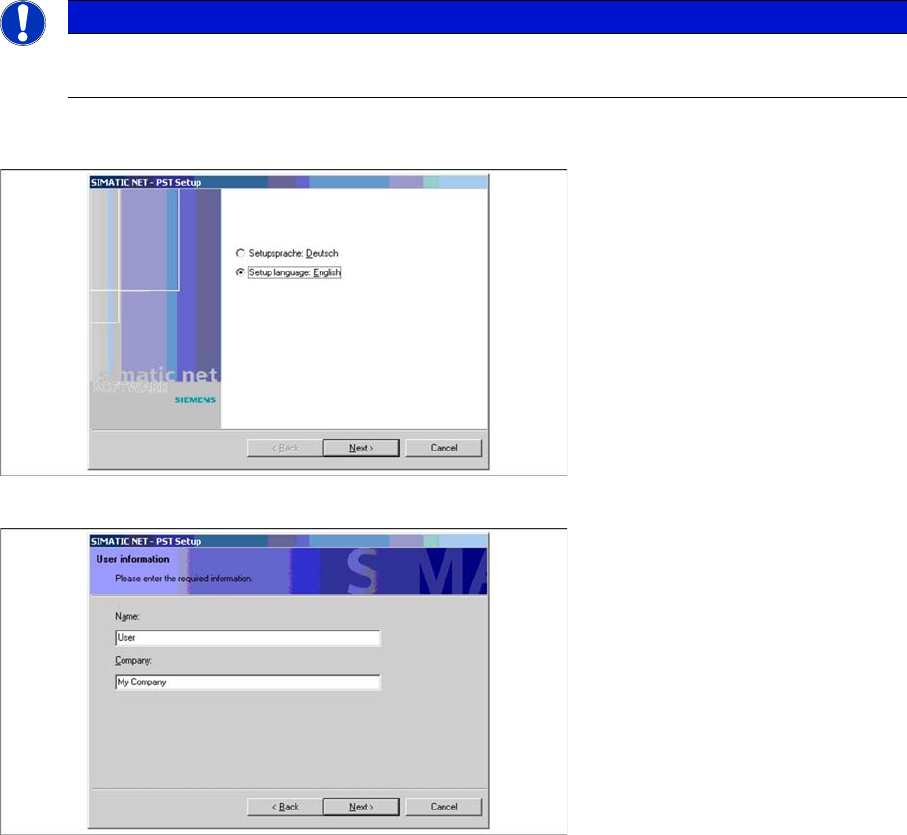
► Select your required language for the installation procedure and continue.
► Enter the user information and continue.
NOTICE
PST Tool
The PST tool does not run under Windows Vista.
Annex
Primary Setup Tool 4.1.2 Installing the PST Tool (Primary Setup Tool)
74 Installation Manual WLAN Infrastructure for SIPLACE
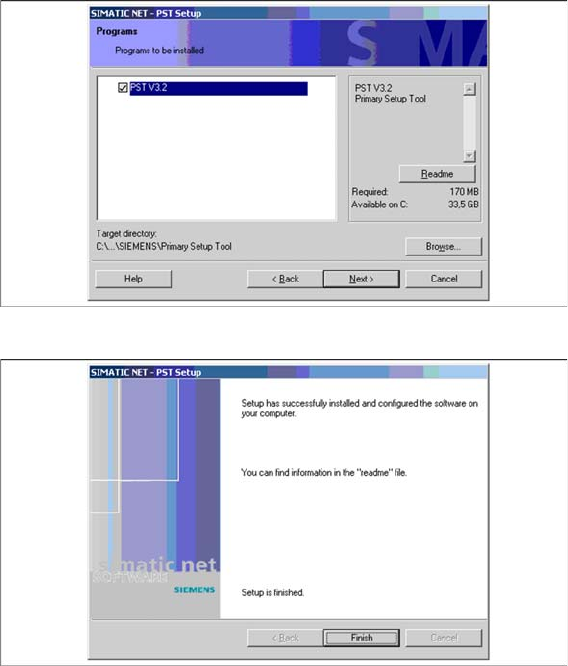
► Select the path at which the PST tool is to be installed. Select Next to continue.
► The installation is now complete and can be ended.
Annex
4.1.3 Configuring the USB LAN Adapter Primary Setup Tool
Installation Manual WLAN Infrastructure for SIPLACE 75
4.1.3
4.1.3 Configuring the USB LAN Adapter
Configuring the USB LAN Adapter
The network card must support the DLC protocol, to ensure that the PST tool is able to perform config
-
uration of the Scalance W788 and W744.
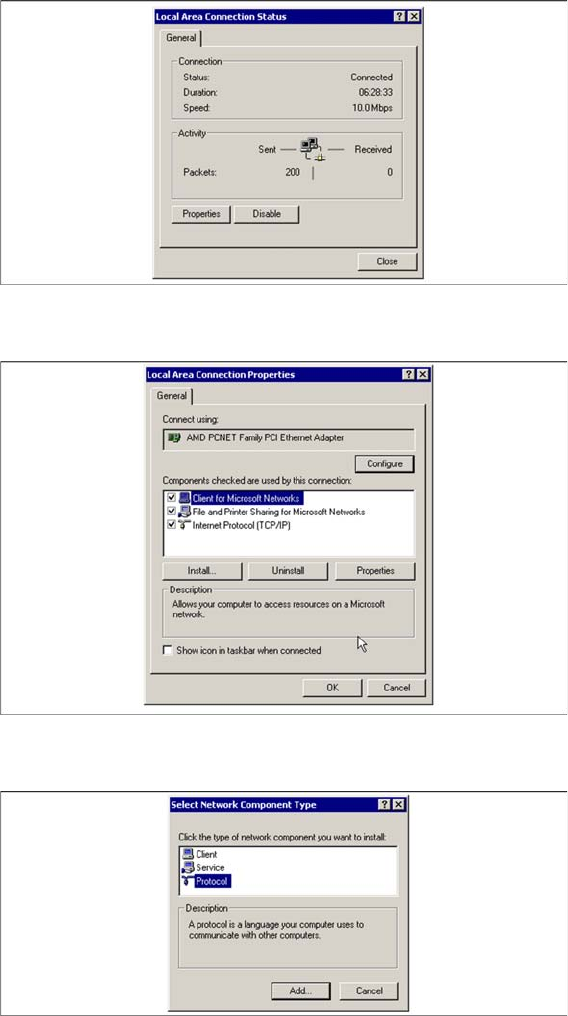
► Check whether the DLC protocol has been installed.
► From the Windows Start menu, select → Settings → Network and Dial Up Connections → Local
Area Connection Status.
The Local Area Connection Status dialog box will open:
► Click on the Properties button.
The Local Area Connection Properties dialog box will open:
► All installed protocols will be shown. If the DLC protocol is not installed, click on the Install button.
The Select Network Component Type dialog box will open:
► Click on Protocol and then on the Add button.
The Select Network Protocol dialog box will open: