00197199-04_IM_WLAN-Infrastructure.pdf - 第41页
Components 3.4.3 Configuration Siemens SCALANCE W744-1Pro Client Module Installation Manual WLAN Infrastructure for SIPLACE 41 ► Start the browser configuration via Module → INC Browser or by u sing the start i con for t…
Components
Siemens SCALANCE W744-1Pro Client Module 3.4.3 Configuration
40 Installation Manual WLAN Infrastructure for SIPLACE
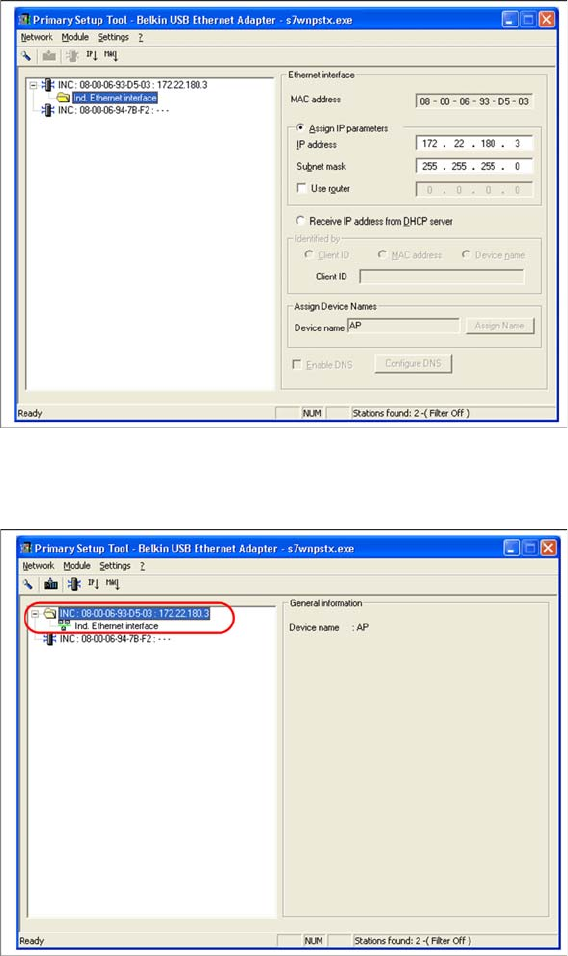
► Select the required station and enter the network parameters of the access point or client module.
Please note that all components - Scalance W788, W744, MC70/MC75 and USB LAN adapter need
to be in the same subnet in the end.
► Select the station again and then select Module → Download or the load icon from the menu bar.
Components
3.4.3 Configuration Siemens SCALANCE W744-1Pro Client Module
Installation Manual WLAN Infrastructure for SIPLACE 41
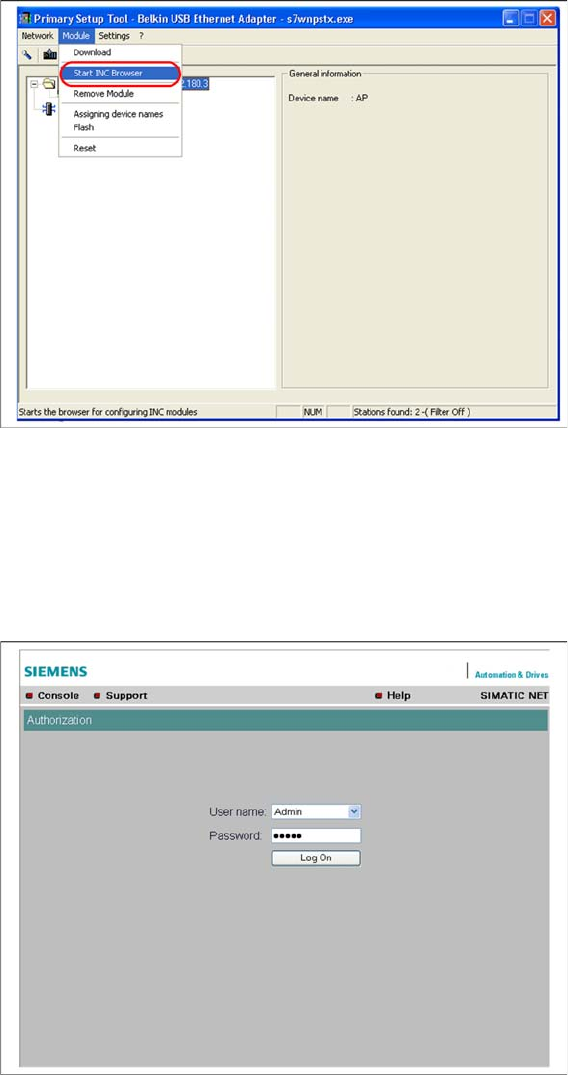
► Start the browser configuration via Module → INC Browser or by using the start icon for the browser.
3.4.3.2
3.4.3.2 Manual Setup of Client Module
Manual Setup of Client Module
In contrast to the access point, the client module does not have a wizard function, which means that all
settings have to be defined manually.
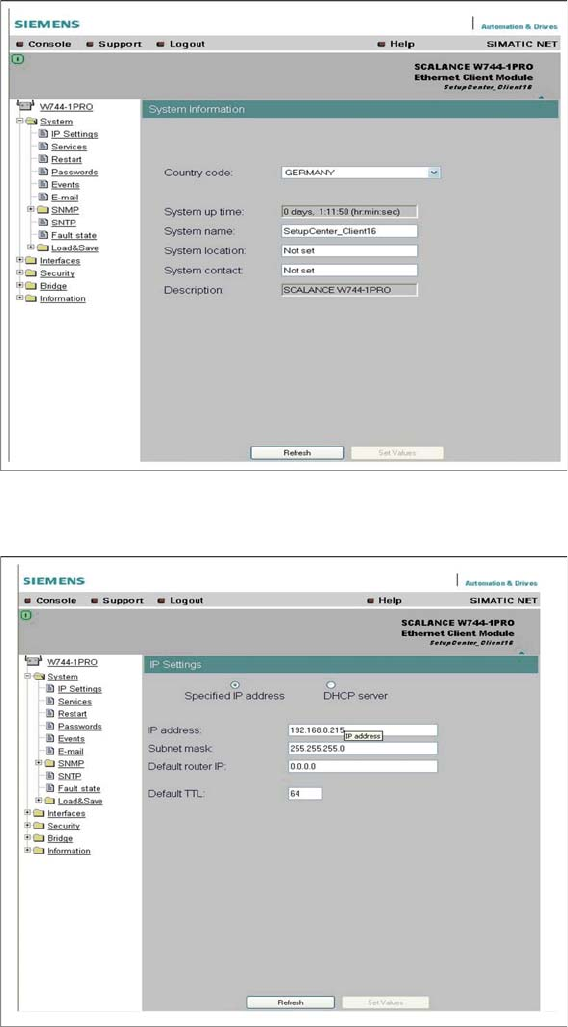
► Log into the setup interface with the standard administrator account. This is factory set to "Admin" /
"admin" or warehouse set (Siemens) to "Admin" / "Access4(SmartScan)!".
► Start the system menu.
Components
Siemens SCALANCE W744-1Pro Client Module 3.4.3 Configuration
42 Installation Manual WLAN Infrastructure for SIPLACE
► Select the country of use and enter the client module name in the System name field.
► Click on the Set Values button, to confirm your entries.
► If necessary, set the IP parameters at System → IP Settings.
► Click on the Set Values button, to confirm your entries.