00196497-07_SM_SXDX12_en.pdf - 第128页
Service Work Conveyor Placement heads 3.5.4 Replacing the CPP Head 128 Service Manual SIPLACE SX1/SX2/DX1/DX2 FS02 3.5.4 3 . 5 . 4 R e p la c in g t h e C P P H e a d Replacing the CPP Head Vacuum Test Before Removal CPP…

Service Work Conveyor
3.5.3 Replacing the C&P20/A/M Head Placement heads
Service Manual SIPLACE SX1/SX2/DX1/DX2 FS02 127
Installation
► Follow the removal instructions in reverse order for installation. Also observe the following instruc-
tions:
See also
3.5.7 Installation Positions on the Head Plate [ ➙ 138]
1.2 Preparatory Work... [ ➙ 13]
3.5.1 Fast Head Exchange [ ➙ 119]
CAUTION
Installation instructions
► If you replace the head without the component camera, you will need to fit the old camera
into the new head. Read the service manual for your placement head for more information.
► In vacuum pump mode, you need to dismantle the silencer from the old head and fit it to the
new one. Refer to the appropriate vacuum pump assembly instructions for details.
► Make sure that the assembly position on the head plate is correct.
► Tighten the four head fastening screws (M4) with a torque of 2.7 Nm.
Service Work Conveyor
Placement heads 3.5.4 Replacing the CPP Head
128 Service Manual SIPLACE SX1/SX2/DX1/DX2 FS02
3.5.4
3.5.4 Replacing the CPP Head
Replacing the CPP Head
Vacuum Test Before Removal
CPP Not on DX Series
Parts, Equipment and Tools
▪ CPP placement head with camera SST29 [03070108-xx] or
CPP placement head without camera [03053528-xx]
▪ Torque screwdriver 1-5 Nm [03078400-xx]
▪ Extension/straight TX20 [03073256-xx]
▪ Bit holder for Torque Vario-S screwdriver [03078706-xx]
▪ Component sensor protective cap [03080984-xx]
▪ Torx Allen screwdriver TX8 [03080081-xx]
▪ Calibration tool version 3 [03010565-xx]
▪ Calibration tool version SST23 [03034148-xx]
▪ For additional work on the placement head:
Head assembly stand [03056231-xx
Service manual "CPP head" [DE: 00197462-xx]. [EN: 00197463-xx]
Overview
NOTICE
Vacuum test
► If required, perform a vacuum test before removing the placement head.
Read the "Service manual Vacuum test at C&P placement head" [DE+EN: 00196101-xx]
for this.
NOTICE
Fast Head Exchange (FHE)
► Observe the instructions in section "3.5.1 Fast Head Exchange" [➙119] when exchanging
a head.
NOTICE
DX series
CPP heads are not supported by the DX series.
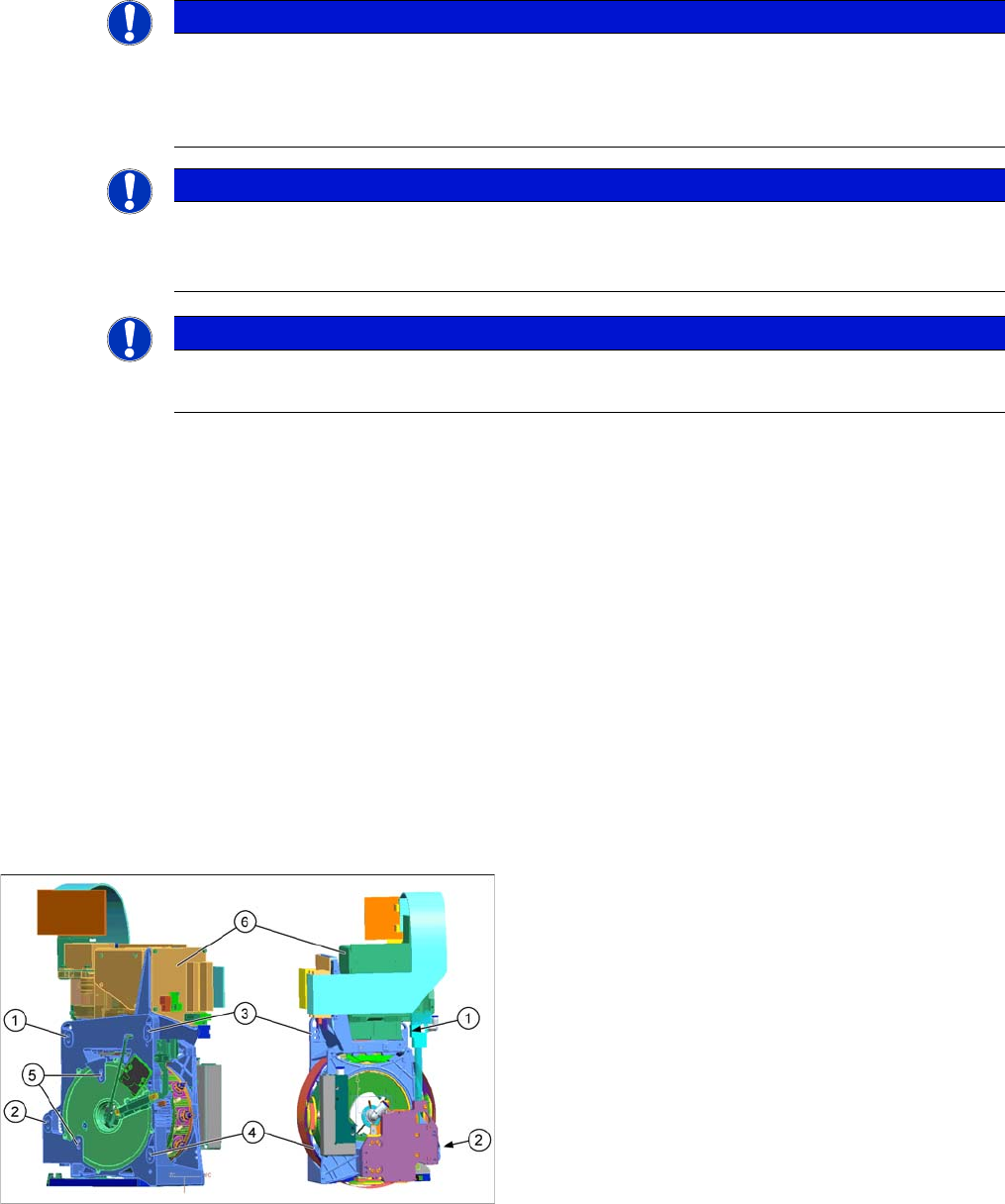
1 to 4: Fixture holes (two each, depends on installation
height).
5: Dowel holes for the index pins
6: Component camera
Service Work Conveyor
3.5.4 Replacing the CPP Head Placement heads
Service Manual SIPLACE SX1/SX2/DX1/DX2 FS02 129
Removal
► Switch off the machine, disconnect it from the power supply and secure it to prevent unauthorized
reactivation. Observe the instructions in section "1.2 Preparatory Work..." [ ➙ 13].
CAUTION
Take great care when dismantling the placement head!
The component sensor prisms, underneath the placement head, could be damaged.
► Never place the CPP head down on the component sensor.
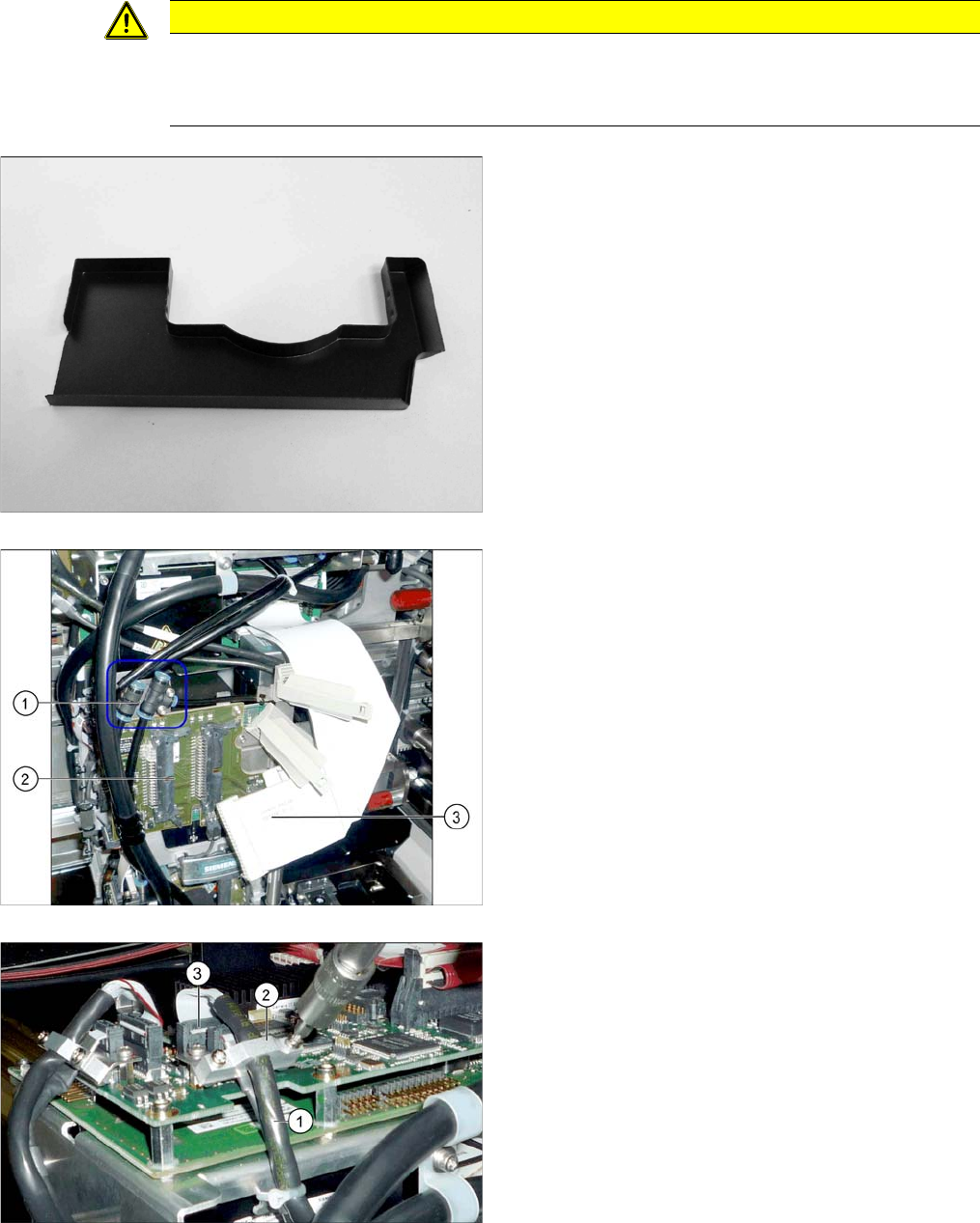
► Fit the protective cap onto the component sensor for
the placement head.
► Unplug the compressed air connections (1) from the
placement head. You may want to mark the positions,
to make clear assignment easier later on.
► Disconnect the flat ribbon cables (3) from the inter-
mediate distributor (2). You may want to mark the po-
sitions, to make clear assignment easier later on.
► Remove the screws fastening the strain relief (2) on
the component camera cable (1) and carefully unplug
the cable. While unplugging the cable, press the
clamps on both sides of the connector (3). You may
want to mark the positions, to make clear assignment
easier later on.