00196497-07_SM_SXDX12_en.pdf - 第156页
Service Work Conveyor Conveyor 3.6. 4 Width Adjustment and Adjustment Unit 156 Service Manual SIPLACE SX1/SX2/DX1/DX2 FS02 3.6.4.3 3 . 6 . 4 . 3 R e p la c in g t h e S o le n o id V a lv e ( W id t h A d ju s t m e n t …
Service Work Conveyor
3.6.4 Width Adjustment and Adjustment Unit Conveyor
Service Manual SIPLACE SX1/SX2/DX1/DX2 FS02 155
3.6.4.2
3.6.4.2 Replacing the Short-Stroke Cylinder on the Adjustment Unit (Width Adjustment) [00356862-xx] (DC Only)
Replacing the Short-Stroke Cylinder on the Adjustment Unit (Width Adjustment) [00356862-xx]
(DC Only)
Parts, equipment and tools
▪ Short-stroke cylinder ADVU-16-20-P-A-SA [00356862-xx]
Overview
Removal
► Loosen the clamps on the conveyor sides (see "3.6.1 Loosening the Conveyor Side Clamps"
[ ➙ 143]).
► Switch off the machine, disconnect it from the power supply and secure it to prevent unauthorized
reactivation. Observe the instructions in section "1.2 Preparatory Work..." [ ➙ 13].
► Remove the cylinder unit from the machine (see "3.6.4.1 Replacing the Cylinder Unit on the Adjust-
ment Unit (Width Adjustment) (DT only)" [ ➙ 153]).
► Loosen the two screws of the short-stroke cylinder.
► Loosen the pneumatic connections. Mark their positions, to make clear assignment easier later on.
► Loosen the trailing cable down on the cylinder unit and "swing" this carefully to one side.
► Carefully pull the cylinder unit our of the adapter plate.
Installation
► Follow the removal instructions in reverse order for installation.
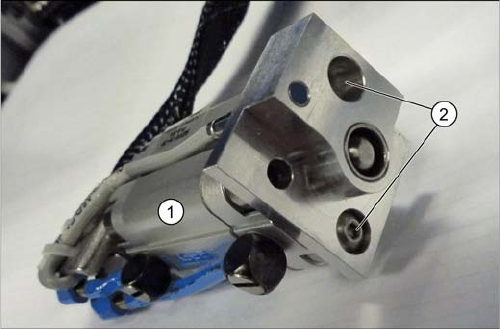
Overview cylinder unit
1. Short-stroke cylinder
2. Screws fastening the short-stroke cylinder
Service Work Conveyor
Conveyor 3.6.4 Width Adjustment and Adjustment Unit
156 Service Manual SIPLACE SX1/SX2/DX1/DX2 FS02
3.6.4.3
3.6.4.3 Replacing the Solenoid Valve (Width Adjustment) [03089866-xx]
Replacing the Solenoid Valve (Width Adjustment) [03089866-xx]
Parts, equipment and tools
▪ Solenoid valve 5/2-micro-way valve 518 [03089866-xx]
Removal
► Use the software to move the conveyor sides into the position which allows you best access. Alter-
natively, you can also loosen the conveyor side clamps on the dual conveyor (see "3.6.1 Loosening
the Conveyor Side Clamps" [ ➙ 143]).
► Switch off the machine, disconnect it from the power supply and secure it to prevent unauthorized
reactivation. Observe the instructions in section "1.2 Preparatory Work..." [ ➙ 13].
► Loosen the screws fastening the right-hand lifting table plate (viewed in the direction of transport)
and remove this lifting table plate.
► Unthread the electrical connection of the solenoid valve as far as the conveyor control and unplug.
You may want to mark the positions, to make clear assignment easier later on. Open the correspond-
ing cable ties to help you, if needed.
► Remove the solenoid valve from the machine.
Installation
► Follow the removal instructions in reverse order for installation. Also observe the following instruc-
tions:
NOTICE
Retrofit kit
If an old "solenoid valve MZH-5/2-M3-L-LED" [00332940-xx] is replaced with a new "solenoid
valve 5/2-micro-way valve 518" [03089866-xx], you will also need to replace a cable.
In this case, order the "Retrofit kit Festo valve SX12" [03090562-xx]. This contains the following
parts:
► Solenoid valve 5/2-micro-way valve 518 [03089866-xx]
► Cable valve adjustment unit 1 [03089964-xx]
► Cable valve adjustment unit 2 [03090483-xx]
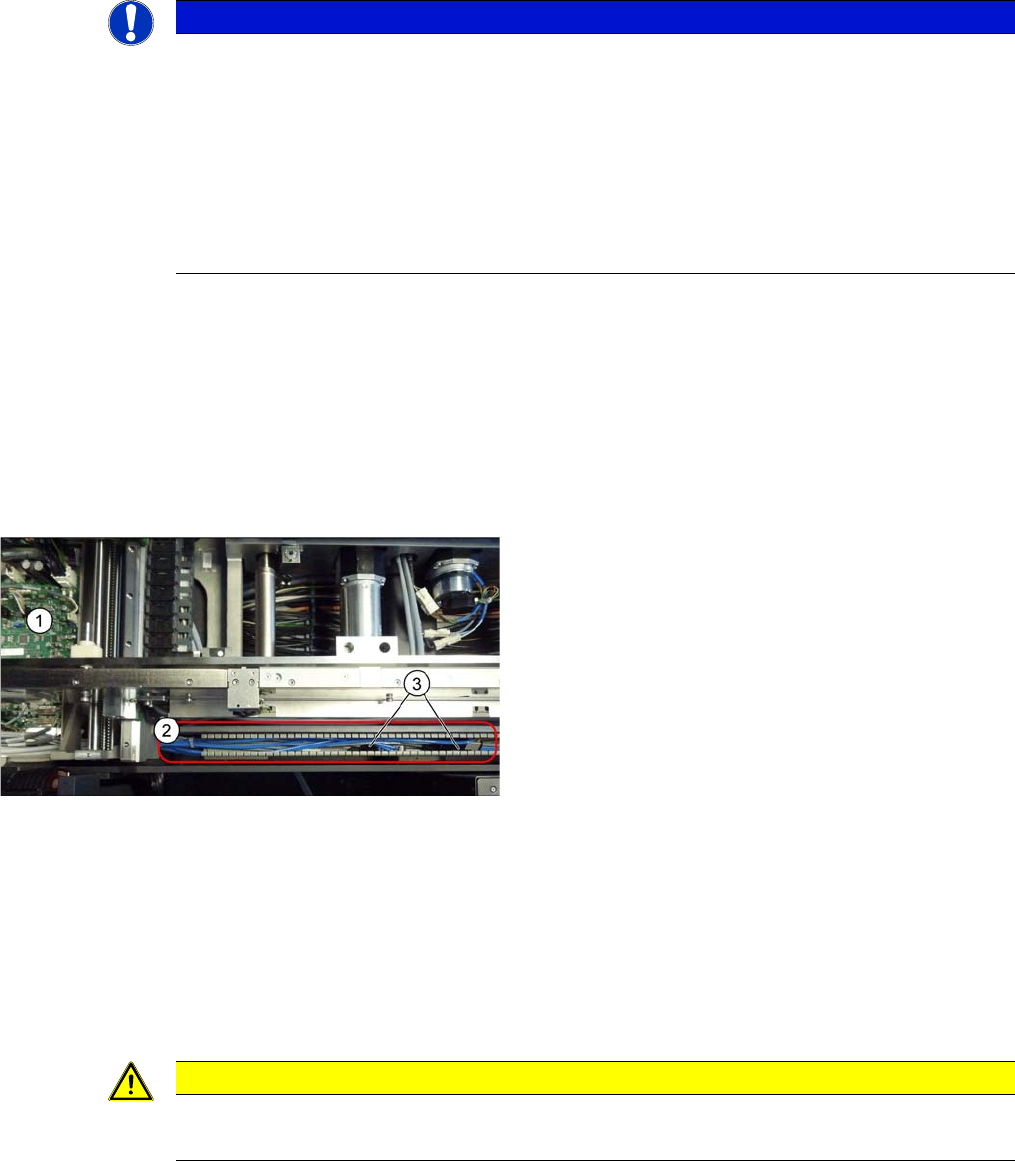
► Remove the cover from the cable duct (2).
► Remove the cover from the right conveyor control (1).
► Unplug the pneumatic connections for the relevant
solenoid valve (3). You may want to mark the posi-
tions, to make clear assignment easier later on.
CAUTION
Installation instructions
► Replace any opened cable ties.
Service Work Conveyor
3.6.4 Width Adjustment and Adjustment Unit Conveyor
Service Manual SIPLACE SX1/SX2/DX1/DX2 FS02 157
3.6.4.4
3.6.4.4 Replacing the Width Adjustment Deflection Pulley [00337887-xx]
Replacing the Width Adjustment Deflection Pulley [00337887-xx]
Parts, equipment and tools
▪ Deflection pulley assembly for width adjustment [00337887-xx]
Overview
Removal
► Use the software to move the conveyor sides into the position which allows you best access. Alter-
natively, you can also loosen the conveyor trolley clamps (see "3.6.1 Loosening the Conveyor Side
Clamps" [ ➙ 143]).
► Switch off the machine and secure it to prevent unauthorized reactivation. Observe the instructions
in section "1.2 Preparatory Work..." [ ➙ 13].
► Loosen the screws fastening the width adjustment drive unit. This toothed belt is now loose.
▪ To check the adjustment unit stoppers, you need two
suitably sized and identical pieces of metal (see be-
low).
You could also use two lifting table plate guides if
needed.
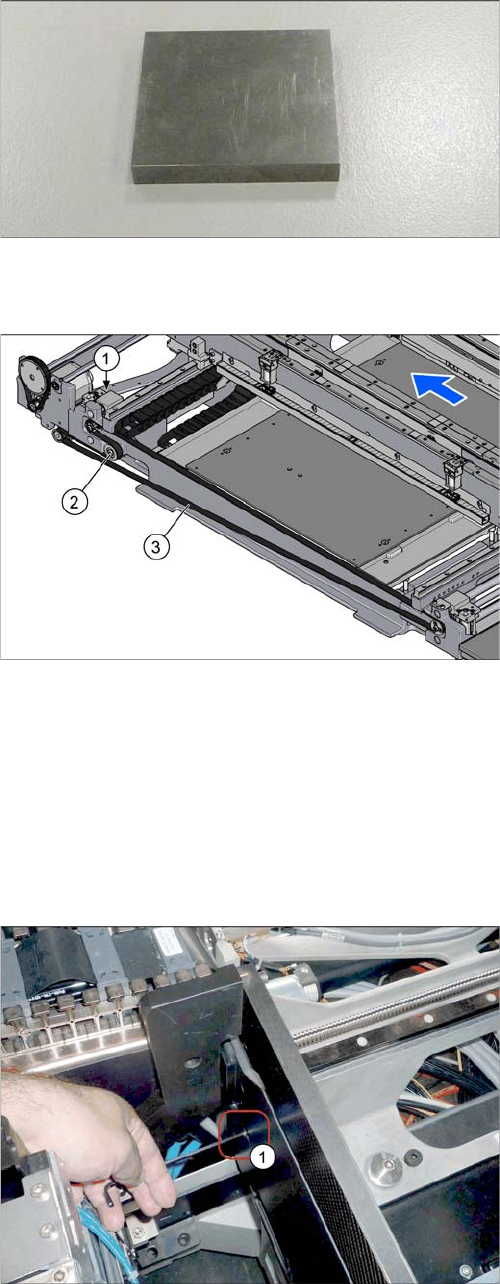
1. Drive unit of width adjustment
2. Deflection pulley for width adjustment
3. Toothed belt of width adjustment
► Loosen the fastening screw on the deflection pulley
and take the deflection pulley out of the machine.
The screw fastening the deflection pulley can be
reached via a hole (1) in the machine base.
You might have to push the COT insert outwards (see
"3.10.2 Replacing the SX1/SX2 Component Trolley
Feed Device Assembly [03059353-xx]" [ ➙ 207]).