00196497-07_SM_SXDX12_en.pdf - 第188页
Service Work Conveyor Component Trolley SX 3.7.4 Replacing the Locking Latch [03069205-xx] 188 Service Manual SIPLACE SX1/SX2/DX1/DX2 FS02 3.7.4 3 . 7 . 4 R e p la c in g t h e L o c k in g L a t c h [ 0 3 0 6 9 2 0 5 - …
Service Work Conveyor
3.7.3 Replacing the Tension Spring [03010352-xx] Component Trolley SX
Service Manual SIPLACE SX1/SX2/DX1/DX2 FS02 187
3.7.3
3.7.3 Replacing the Tension Spring [03010352-xx]
Replacing the Tension Spring [03010352-xx]
Parts, Equipment and Tools
▪ Tension spring d=0.63* D=5.6* Lo=23.3 [03010352-xx]
Overview
Removal
► Move the component trolley out of the machine.
► Unhook the tension spring.
Installation
► Follow the removal instructions in reverse order for installation.
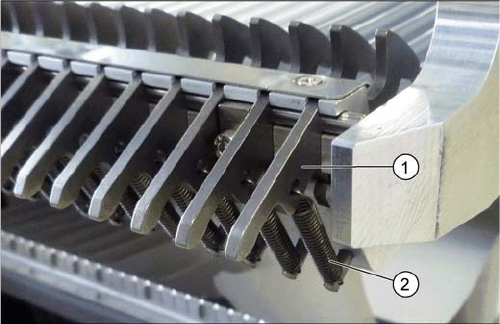
1. Locking latch
2. Tension spring
Service Work Conveyor
Component Trolley SX 3.7.4 Replacing the Locking Latch [03069205-xx]
188 Service Manual SIPLACE SX1/SX2/DX1/DX2 FS02
3.7.4
3.7.4 Replacing the Locking Latch [03069205-xx]
Replacing the Locking Latch [03069205-xx]
Parts, equipment and tools
▪ Single locking latch [03069205-xx]
Overview
Preparation
► Move the component trolley out of the machine.
► Remove the waste tape container and empty it, before inserting it again. This makes sure that any
parts which fall down are not lost.
Removal
► Loosen the 3 screws fastening the cover. Use a suitable Phillips screwdriver, to avoid damaging the
screws.
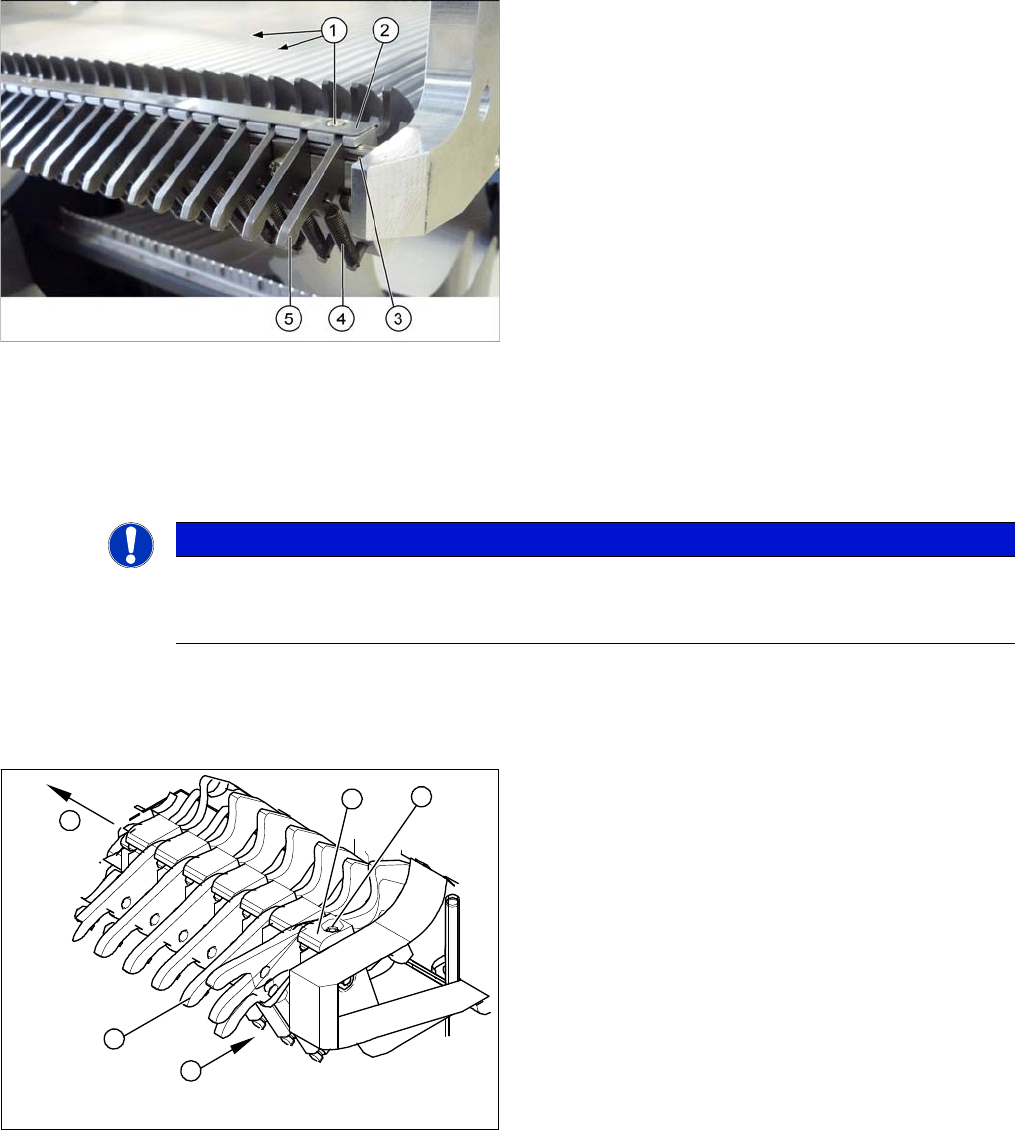
1. 3x fastening screws for the cover
2. Cover plate for locking strip
SX1/SX2: [03053248-xx]
X/SX4: [03077142-xx]
3. Shaft
4. Tension spring
5. Locking latch
NOTICE
Tape waste container
You can use the waste tape container as a surface on which to place small parts e.g. tension
springs, locking latches etc.
► Unhook all tension springs (1) from the locking latch-
es (2).
► Loosen the screws (3) fastening the pressure plates
(4).
► Pull out the locking latches with the shaft (5).
► The locking latches can now be pushed off the shaft.
4
5
1
3
2
Service Work Conveyor
3.7.5 Replacing the Centering Sleeves [03009987-xx] Component Trolley SX
Service Manual SIPLACE SX1/SX2/DX1/DX2 FS02 189
Installation
► Return the locking latches, including the new one, to the shaft.
► Fit the locking latches and shaft.
► During reassembly, take care to keep the pressure plates in their correct position. These are not
symmetrical and will not hold the shaft properly if placed in a certain (incorrect) position.
► When tightening the fastening screws, make sure that the pressure plates are not at an incorrect an-
gle and that the locking latches do not jam.
► Hook the tension springs back up.
► Refit the cover.
3.7.5
3.7.5 Replacing the Centering Sleeves [03009987-xx]
Replacing the Centering Sleeves [03009987-xx]
Parts, Equipment and Tools
▪ Centering sleeve [03009987-xx]
▪ Loctite 243 [00334892-xx]
Overview
Removal
► Undo the screw fastening the centering sleeve and then remove the centering sleeve.
Installation
► Follow the removal instructions in reverse order for installation. Also observe the following instruc-
tions:
NOTICE
Replacing all sleeves.
We recommend that you always replace all sleeves belonging to a changeover table at the
same time.
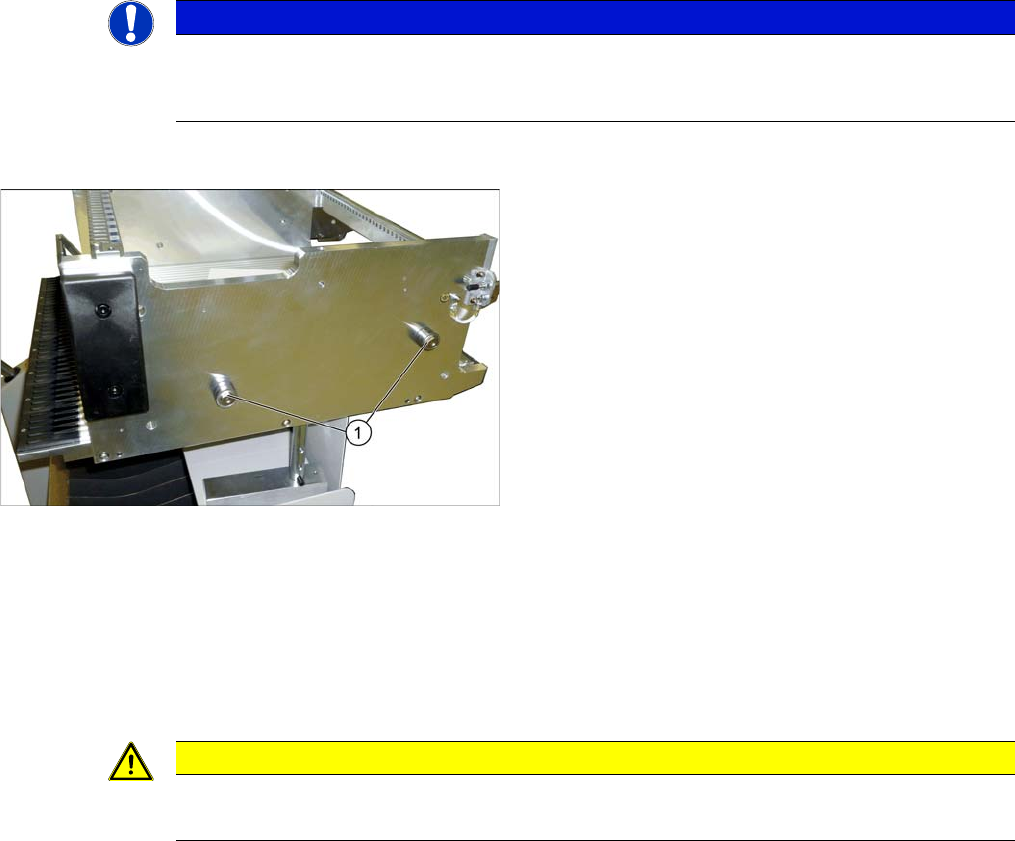
1. Centering sleeves (4 per table)
CAUTION
Installation instructions
► Secure the screws with Loctite 243.