00196497-07_SM_SXDX12_en.pdf - 第130页
Service Work Conveyor Placement heads 3.5.4 Replacing the CPP Head 130 Service Manual SIPLACE SX1/SX2/DX1/DX2 FS02 ► Remove all four screw s fastening the head with a long T orx scre wdriver. ► Carefully lift the head ou…
Service Work Conveyor
3.5.4 Replacing the CPP Head Placement heads
Service Manual SIPLACE SX1/SX2/DX1/DX2 FS02 129
Removal
► Switch off the machine, disconnect it from the power supply and secure it to prevent unauthorized
reactivation. Observe the instructions in section "1.2 Preparatory Work..." [ ➙ 13].
CAUTION
Take great care when dismantling the placement head!
The component sensor prisms, underneath the placement head, could be damaged.
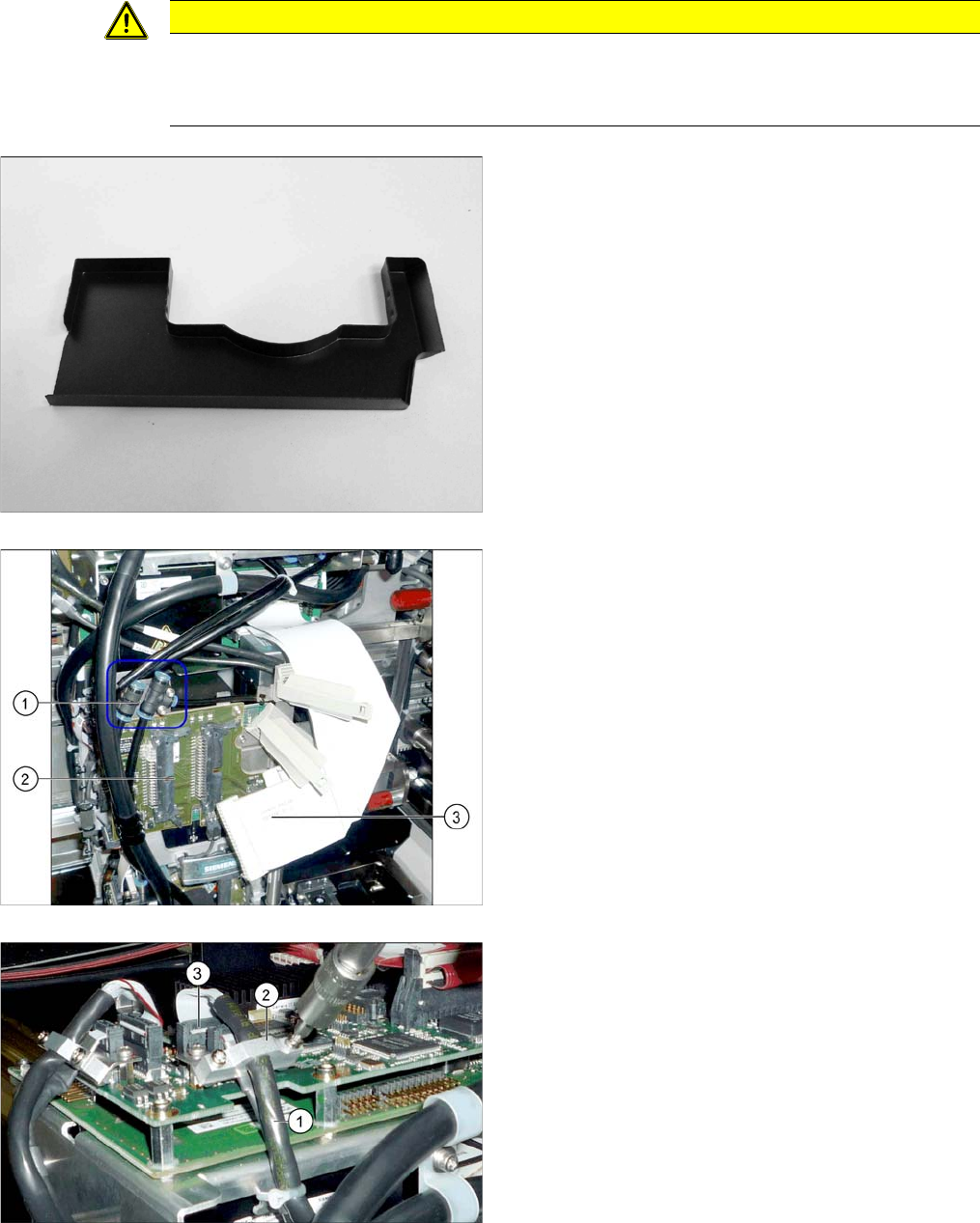
► Never place the CPP head down on the component sensor.
► Fit the protective cap onto the component sensor for
the placement head.
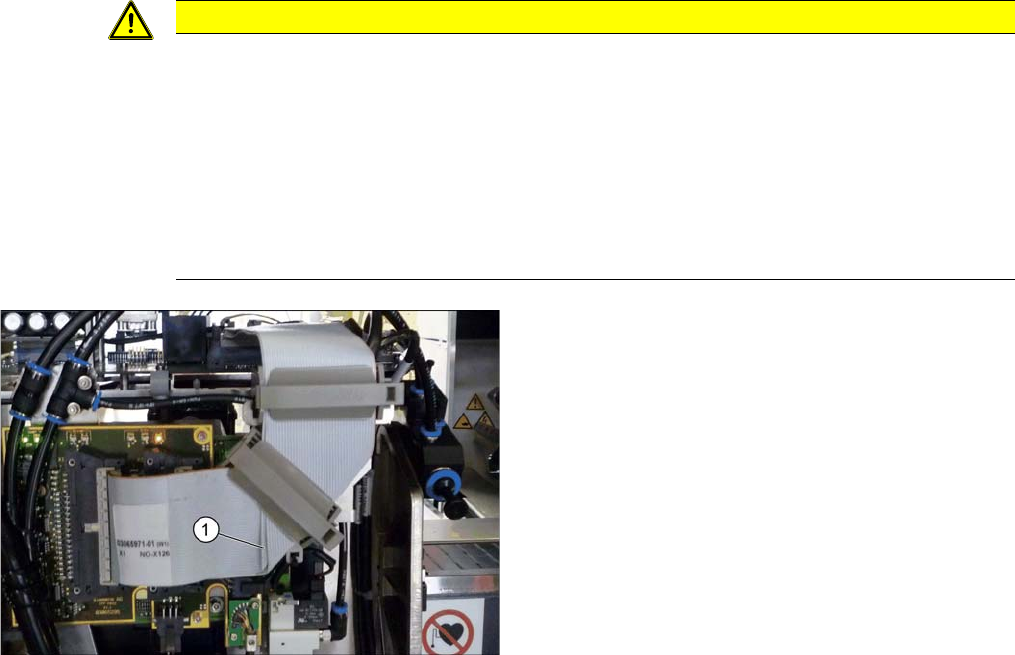
► Unplug the compressed air connections (1) from the
placement head. You may want to mark the positions,
to make clear assignment easier later on.
► Disconnect the flat ribbon cables (3) from the inter-
mediate distributor (2). You may want to mark the po-
sitions, to make clear assignment easier later on.
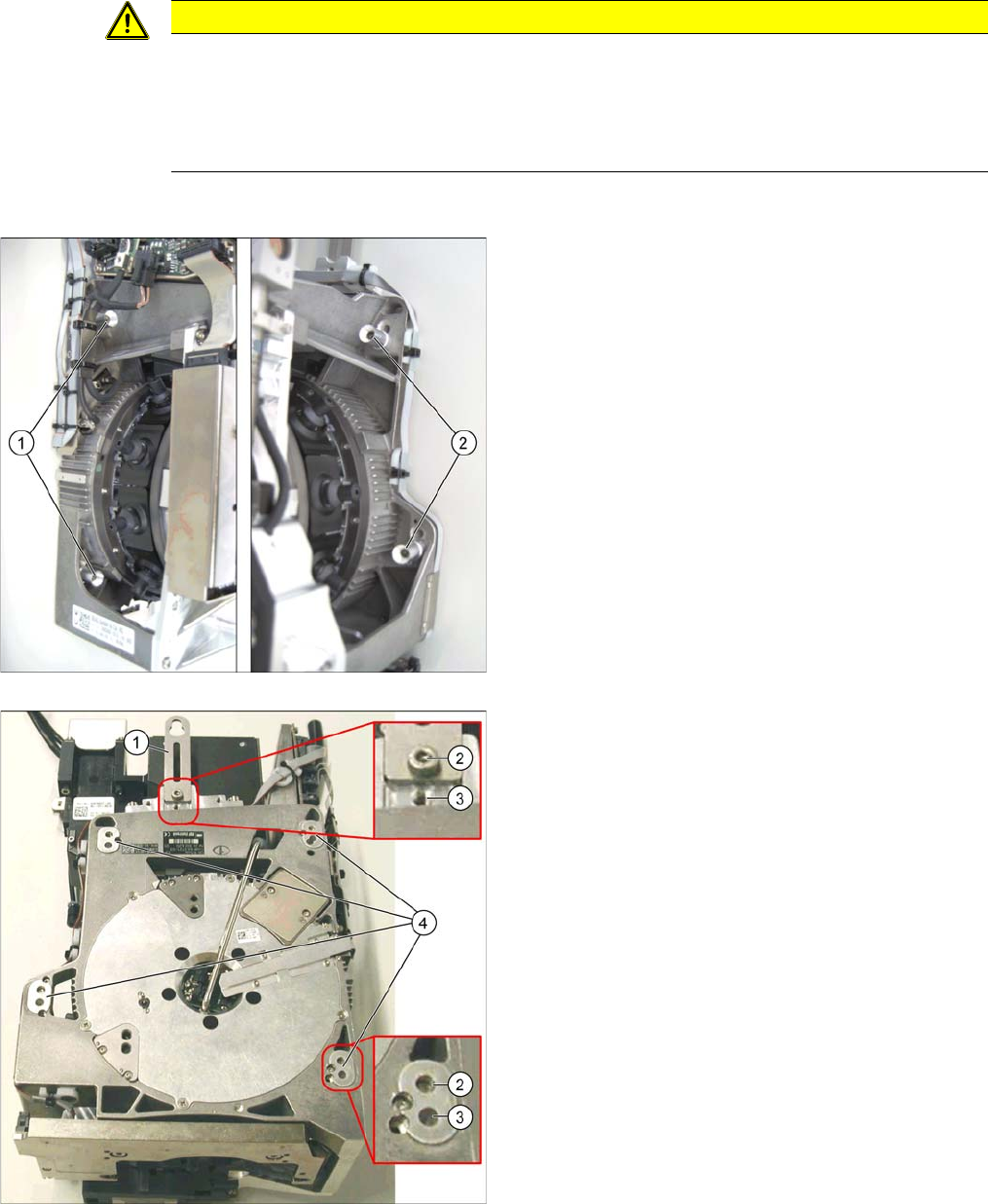
► Remove the screws fastening the strain relief (2) on
the component camera cable (1) and carefully unplug
the cable. While unplugging the cable, press the
clamps on both sides of the connector (3). You may
want to mark the positions, to make clear assignment
easier later on.
Service Work Conveyor
Placement heads 3.5.4 Replacing the CPP Head
130 Service Manual SIPLACE SX1/SX2/DX1/DX2 FS02
► Remove all four screws fastening the head with a long Torx screwdriver.
► Carefully lift the head out of the locating pins on the head plate/from the hook.
► If you need to perform further work on this head (e.g. replacing spare parts), fit the head to the head
mount [03056231-xx].
Installation
► Follow the removal instructions in reverse order for installation. Also observe the following instruc-
tions:
See also
3.5.4.1 Preparing the Head for the Installation Height [ ➙ 131]
3.5.7 Installation Positions on the Head Plate [ ➙ 138]
CAUTION
Installation instructions
► Observe the correct installation height of the head! Read the service manual for your place-
ment head for more information.
► If you replace the head without the component camera, you will need to fit the old camera
onto the new head. Read the service manual for your placement head for more information.
► Make sure that the assembly position on the head plate is correct.
► Tighten the four fastening screws with a torque of 2.7 Nm.
► Make sure that the flat ribbon cable is run correctly to the head adapter. (see below)
Correct running of flat ribbon cable to head adapter
► Make sure that the flat ribbon cable is run correctly to
the head adapter. In particular, the cables must lie in-
side one another at the 90 degrees turn (1) and not
on top of one another, otherwise the connections on
the head adapter could be easily confused.
Service Work Conveyor
3.5.4 Replacing the CPP Head Placement heads
Service Manual SIPLACE SX1/SX2/DX1/DX2 FS02 131
3.5.4.1
3.5.4.1 Preparing the Head for the Installation Height
Preparing the Head for the Installation Height
Overview
CAUTION
Different heights
The placement head can be installed at two different heights. CPP_L corresponds to a compo-
nent height of six mm. CPP_H corresponds to a component height of 11.5 mm.
If the CPP head is used in a placement area with stationary camera, TwinHead or WPC, it may
only be used in the upper position.
1. Fastening screws on the left side
2. Fastening screws on the right side
This diagram shows the fastening screws in the "head at
top" position.
1. Holding bracket
2. "Head at bottom" position
3. "Head at top" position
4. Fixture holes with bushings