00196497-07_SM_SXDX12_en.pdf - 第303页
Description of the Circuit Boards 5.1.3 I/O control unit [03116049-xx] Electrics and Control Service Manual SIPLACE SX1/SX2/DX1/DX2 FS02 303 5.1.3 5 . 1 . 3 I / O c o n t r o l u n it [ 0 3 1 1 6 0 4 9 - x x ] I/O contro…
Description of the Circuit Boards
Electrics and Control 5.1.2 GCU/MGCU
302 Service Manual SIPLACE SX1/SX2/DX1/DX2 FS02
5.1.2.2
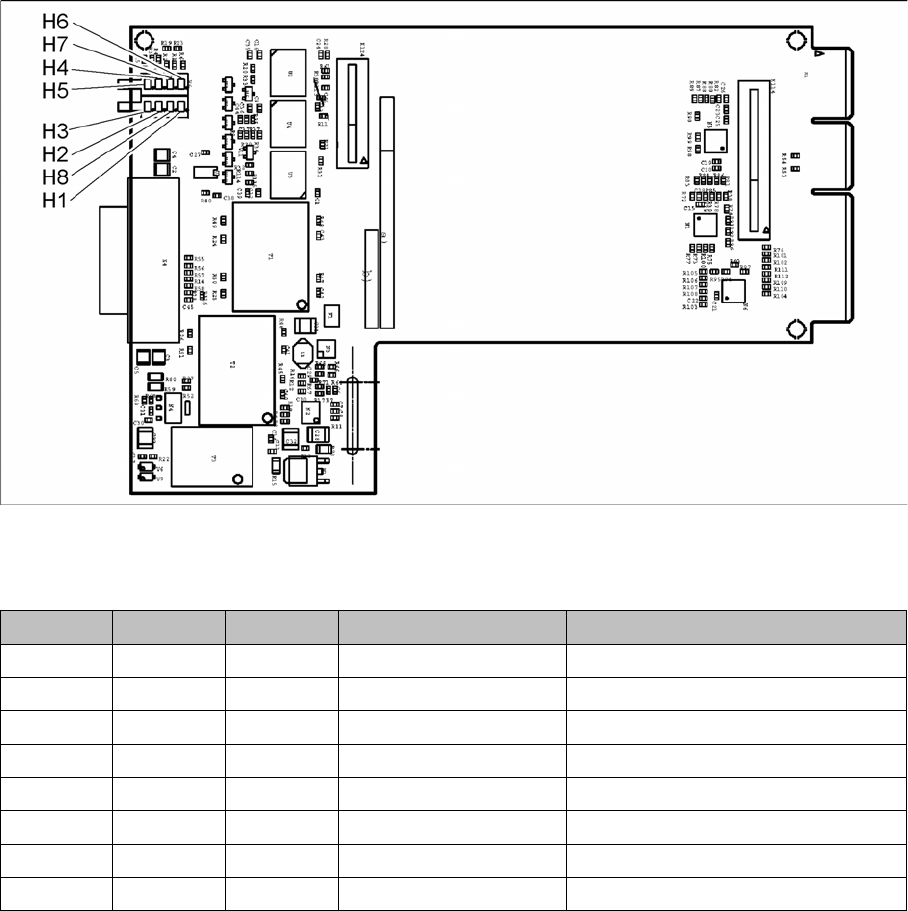
5.1.2.2 Diagnosis interface [03075813-xx]
Diagnosis interface [03075813-xx]
03075813-01
This board is fitted in the GCU.
LED [03075813-01]
LED Color Status Signal name Description
H1 RD ON LED_ERROR Error display
H2 GN ON A1_LED_PM_ON_N Power module activated, axis 1
H3 GN ON A2_LED_PM_ON_N Power module activated, axis 2
H4 GN ON A1_LED_END End position signal, axis 1
H5 GN ON A2_LED_END End position signal, axis 2
H6 GN ON LED_READY Ready
H7 GN ON P24V +24VDC
H8 GN ON P5V +5VDC
Description of the Circuit Boards
5.1.3 I/O control unit [03116049-xx] Electrics and Control
Service Manual SIPLACE SX1/SX2/DX1/DX2 FS02 303
5.1.3
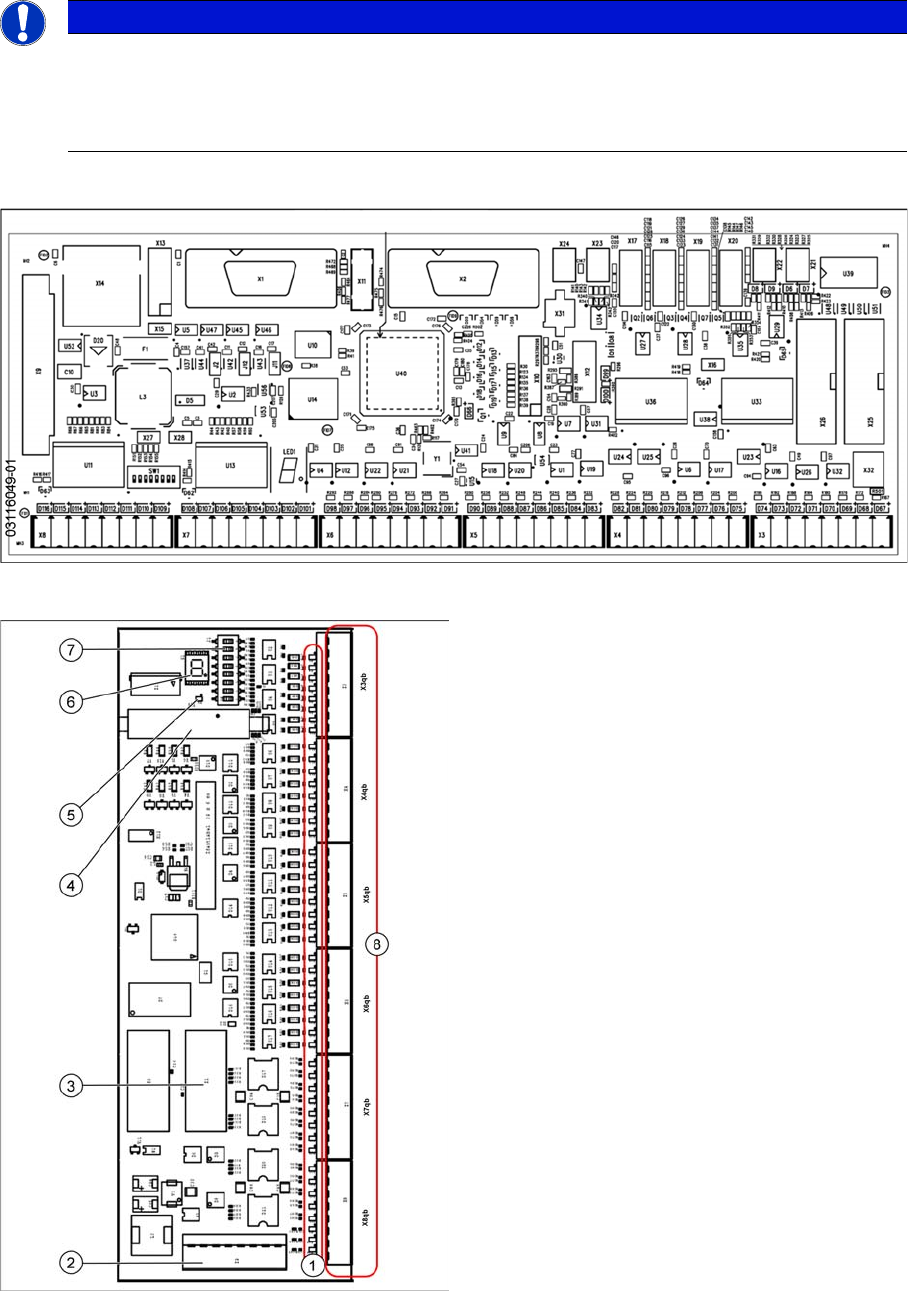
5.1.3 I/O control unit [03116049-xx]
I/O control unit [03116049-xx]
Overview
03116049-01
NOTICE
Downwards compatibility
The I/O control unit II [03116049-xx] is downwards compatible with I/O control unit [03052315-
xx].
All connections and designations are identical.
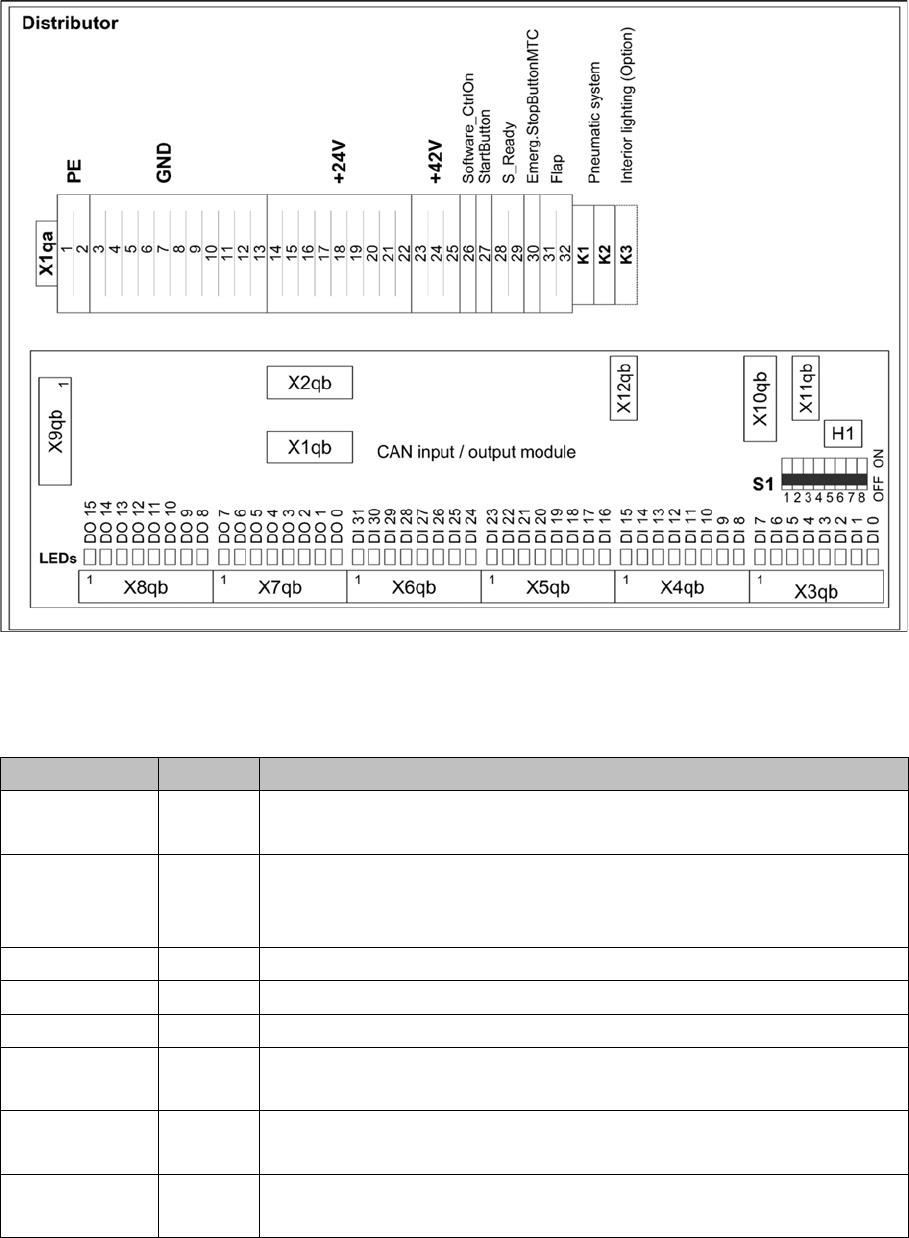
Overview of I/O control unit [03052315-xx]
1. Status LEDs
2. X9qb: Power supply
3. X1qb: CAN bus 1
4. X10qb: Connection of other I/O modules possi-
ble
5. Red LED
This signals a RESET.
6. H1: 7 segment display
(flashing = O.K.)
7. DIP switch S1
8. Outputs X3qb to X8qb
Description of the Circuit Boards
Electrics and Control 5.1.3 I/O control unit [03116049-xx]
304 Service Manual SIPLACE SX1/SX2/DX1/DX2 FS02
Overview 03052315-02
Settings
DIP switch block S1 [03052315-02] [03116049-01]
Switch Status Description
S1.1 ON/OFF ON: SX4/DX4, X-Series S
OFF: SX1/SX2, DX1/DX2
S1.2 ON/OFF Ballast resistance
ON: SX1/SX2 from machine no.: N001
OFF: SX4/DX4; X-Series S, SX1/SX2 up to machine no.: Mxxx
S1.3 OFF Reserved
S1.4 OFF Reserved
S1.5 OFF Reserved
S1.6 OFF ON: serial bootstrap mode, make sure that S1.7 must be OFF
OFF: Standard mode
S1.7 OFF ON: CAN bootstrap mode, make sure that S1.6 must be OFF
OFF: Standard mode
S1.8 OFF ON: module in the RESET status
OFF: Standard mode