00196497-07_SM_SXDX12_en.pdf - 第63页
Service Work Conveyor 3.2.17 Replacing the Cover Fan [03094598-xx] Electrical System Service Manual SIPLACE SX1/SX2/DX1/DX2 FS02 63 3.2.17 3 . 2 . 1 7 R e p la c in g t h e C o v e r F a n [ 0 3 0 9 4 5 9 8 - x x ] Repla…
Service Work Conveyor
Electrical System 3.2.16 Replacing the Cover Switch [03055263-xx]
62 Service Manual SIPLACE SX1/SX2/DX1/DX2 FS02
3.2.16
3.2.16 Replacing the Cover Switch [03055263-xx]
Replacing the Cover Switch [03055263-xx]
Parts, Equipment and Tools
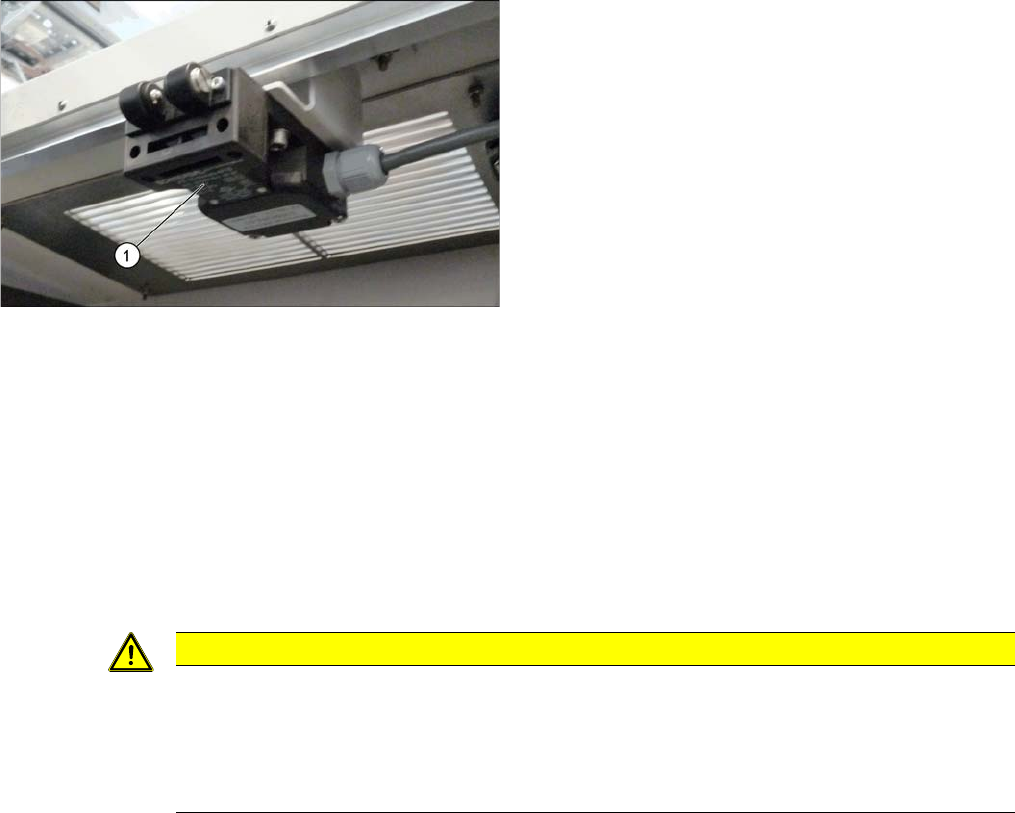
▪ Safety switch AZ 16-03zvrk-M16 3Oe [03055263-xx]
Overview
Removal
► Switch off the machine, disconnect it from the power supply and secure it to prevent unauthorized
reactivation. Observe the instructions in section "1.2 Preparatory Work..." [ ➙ 13].
► Unplug the connection cable from the cover switch.
► Remove the screws fastening the cover switch.
Installation
► Follow the removal instructions in reverse order for installation. Also observe the following instruc-
tions:
1. Cover switch
CAUTION
Installation instructions
► Make the adjustments for the cover switch (see "4.2.1.4 Setting the Cover Switch"
[ ➙ 251]).
► Switch the machine on and make sure that the cover switch activates the safety circuit,
when the protective covers are opened.
Service Work Conveyor
3.2.17 Replacing the Cover Fan [03094598-xx] Electrical System
Service Manual SIPLACE SX1/SX2/DX1/DX2 FS02 63
3.2.17
3.2.17 Replacing the Cover Fan [03094598-xx]
Replacing the Cover Fan [03094598-xx]
Parts, Equipment and Tools
▪ Cover fan 1 part [03094598-xx]
Overview
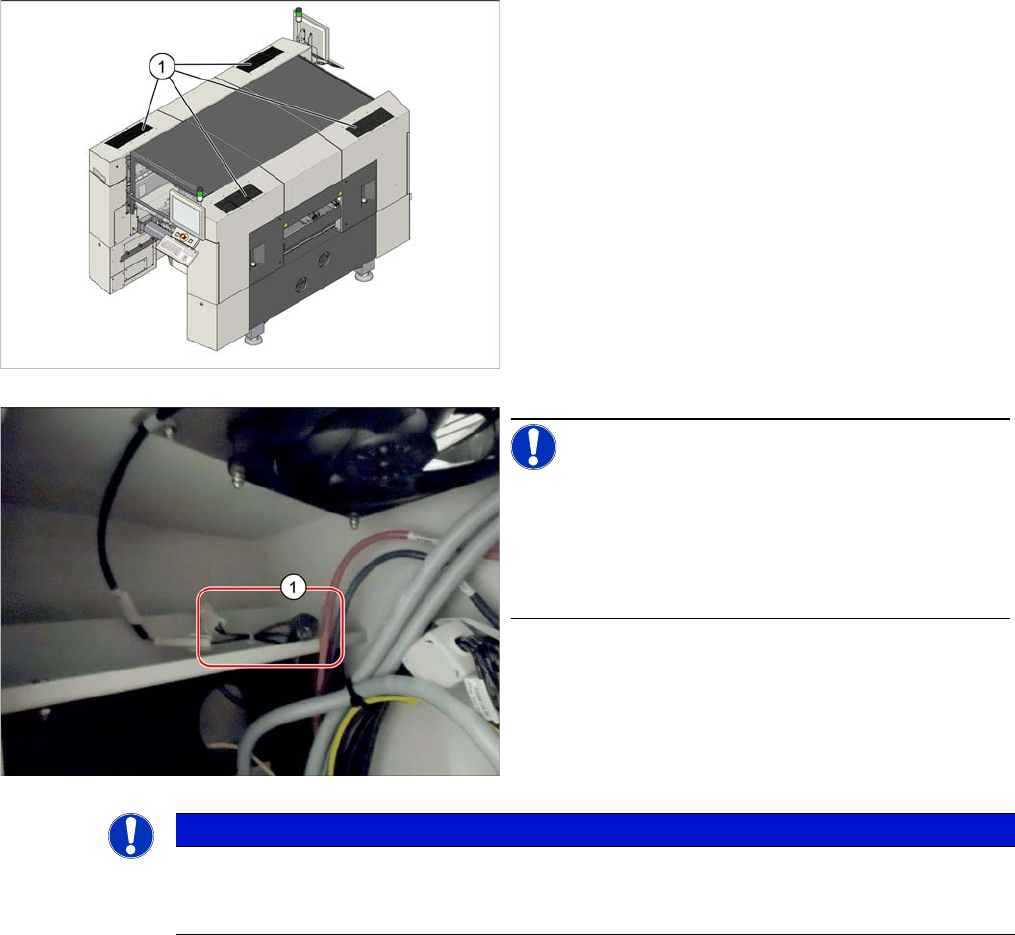
1. Cover fan (under the mesh covers)
NOTICE!
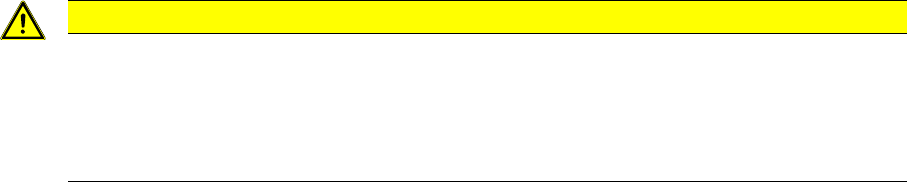
NTC resistors on machines from No. N001 upwards:
On machines from serial number N001 upwards, two
NTC resistors each (1) are connected upstream in series
on all four cover fans to limit the inrush current.
Inrush current limiter cover fan [03124362-xx]
NOTICE
NTC resistors on machines from No. N001 upwards
On machines from serial number N001 upwards, two NTC resistors each are connected up-
stream in series on all four cover fans to limit the inrush current.
Service Work Conveyor
Electrical System 3.2.17 Replacing the Cover Fan [03094598-xx]
64 Service Manual SIPLACE SX1/SX2/DX1/DX2 FS02
Removal
► Switch off the machine, disconnect it from the power supply and secure it to prevent unauthorized
reactivation. Observe the instructions in section "1.2 Preparatory Work..." [ ➙ 13].
► Disconnect the cover fan from the power supply.
► Undo the screws fastening the cover fan and remove the cover fan.
Installation
► Follow the removal instructions in reverse order for installation. Also observe the following instruc-
tions:
CAUTION
Installation instructions
► Note the direction of air flow from the cover fan. The air must flow upwards, out of the ma-
chine.
► If an old version of the fan is replaced by a new version, it may be necessary to reconnect
the crimp contacts.