00197369-02_AI_PPW_2te_Reihe_X-Serie-S_de_en.pdf - 第68页
Installation X4i S - Installing the NC Row 2 3.1.1 Prepar atory Steps 68 NC Row 2 - NC in Front of MTC 2/WPC PPW 2te R eihe - PPW vor MTC 2/WPC 3.1.1.3 3 . 1 . 1 . 3 A d ju s t in g t h e H a n d G u a r d Adjusting the …
Installation
3.1.1 Preparatory Steps X4i S - Installing the NC Row 2
NC Row 2 - NC in Front of MTC 2/WPC PPW 2te Reihe - PPW vor MTC 2/WPC 67
3.1.1.2
3.1.1.2 Adjusting the Y Buffer
Adjusting the Y Buffer
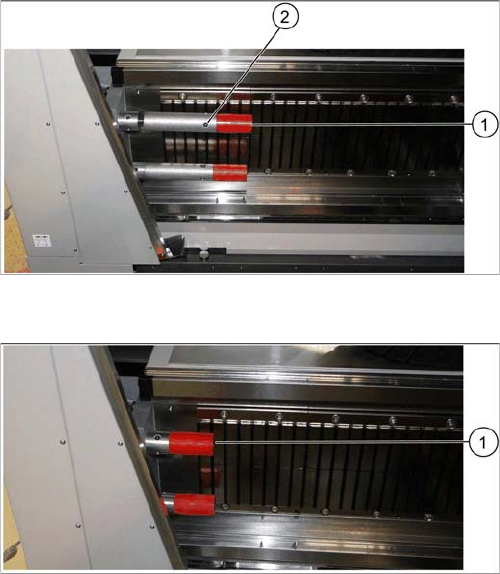
Before the COT insert can be moved to position 2, you need to shorten the length of the Y buffer at the
relevant location.
Length of Y buffer at table position 1
► Unscrew the top red buffer with the help of an Allen
key (1). Pay attention to the bushing.
► Insert the Allen key into one of the auxiliary holes (2)
and remove the middle section of the buffer.
► Repeat these steps for the lower buffer.
Length of Y buffer at table position 2
► Reinsert the red buffer and screw it tight (1).
Installation
X4i S - Installing the NC Row 2 3.1.1 Preparatory Steps
68 NC Row 2 - NC in Front of MTC 2/WPC PPW 2te Reihe - PPW vor MTC 2/WPC
3.1.1.3
3.1.1.3 Adjusting the Hand Guard
Adjusting the Hand Guard
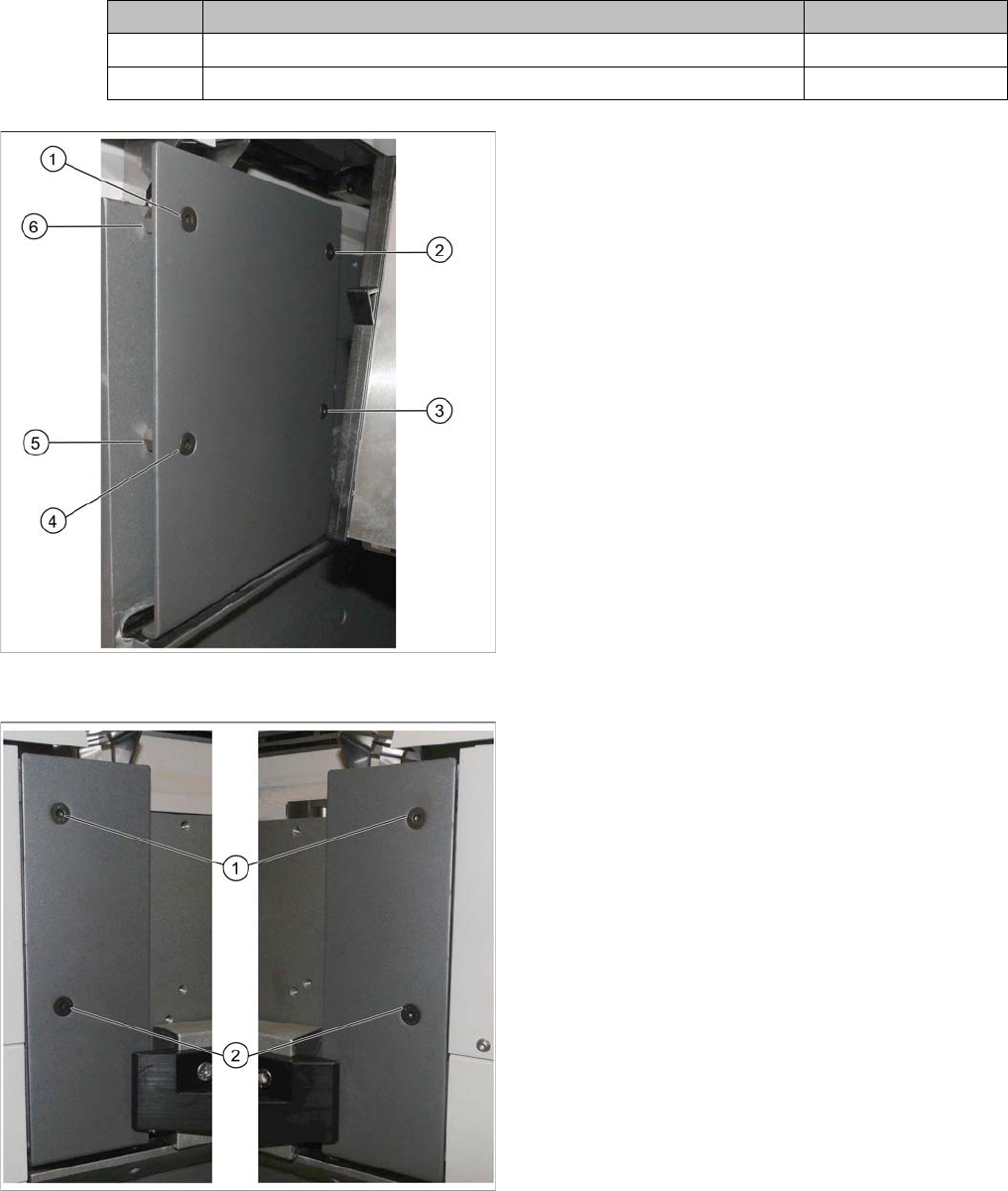
Before the COT insert can be moved to position 2, you need to replace the original hand guard at the
relevant location with the shorter cover on the left and right.
Parts required
Quantity Designation Item number
1 Short cover, right on location 1 and 3 03086067-xx
1 Short cover, left on location 2 and 4 03086070-xx
Hand guard on left at table position 1
► Remove the screws at (1) to (4).
► Remove the spacer bolts underneath points (2) and
(3).
The two spacer bolts at (5) and (6) remain.
Short covers on left and right at table position 2
► Insert the short cover:
⇨ Short cover, right on location 1 and 3
⇨ Short cover, left on location 2 and 4
► Use the spacer bolts to screw the cover into place at
(1) and (2).
Installation
3.1.1 Preparatory Steps X4i S - Installing the NC Row 2
NC Row 2 - NC in Front of MTC 2/WPC PPW 2te Reihe - PPW vor MTC 2/WPC 69
3.1.1.4
3.1.1.4 Moving the COT Insert to the Second Table Position
Moving the COT Insert to the Second Table Position
Removing the side cover
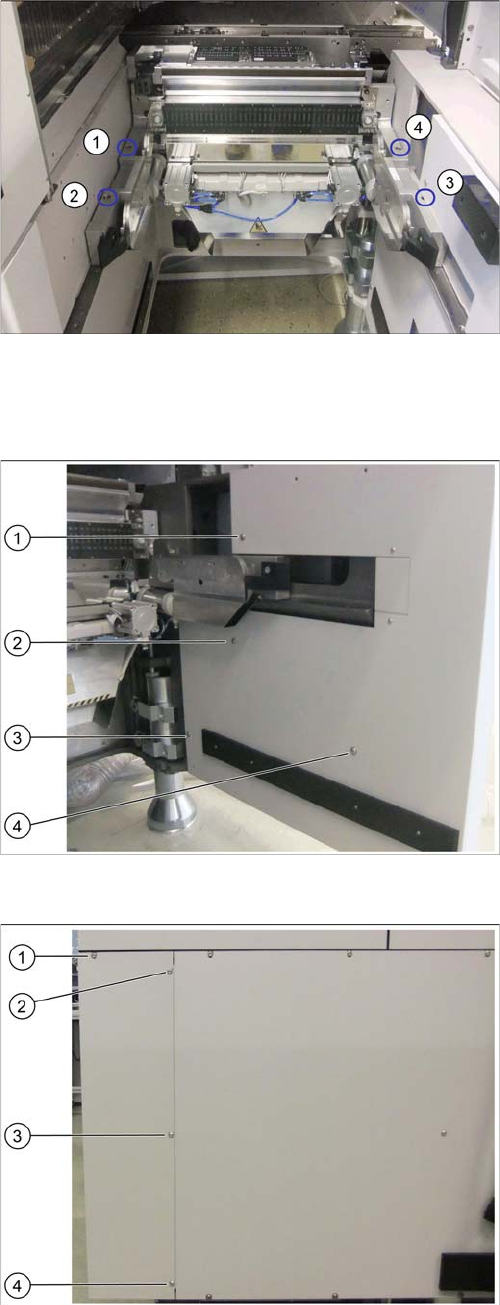
Location 4 on the X4i S – at first table position
(1) to (4): Fastening screw positions of the COT insert
To gain access to the screw at (3), you need to remove
the outer side cover.
See also"4.1.2 Installation Positions of COT Insert and
Manual Table (Table Positions)" [ ➙ 102]
Location 4 on X4i S – inner side cover
(1) to (4): Positions of fastening screws
► Remove the screws at (1) to (4).
Location 4 on X4i S – outer side cover
(1) to (4): Positions of fastening screws
► Remove the screw at (1).
► Loosen the screws at (2) to (4).
► Remove the side cover.