00197369-02_AI_PPW_2te_Reihe_X-Serie-S_de_en.pdf - 第76页
Installation X4i S - Installing the NC Row 2 3.1.6 Location 2 and 4 - Install ing the "NC Option Mount" 76 NC Row 2 - NC in Front of MTC 2/WPC PPW 2te R eihe - PPW vor MTC 2/WPC 3.1.6 3 . 1 . 6 L o c a t io n 2…
Installation
3.1.5 Location 2 and 4 – Installing the "Support Option ASP Speed Flex Row 2 SP1/3" X4i S - Installing the NC Row 2
NC Row 2 - NC in Front of MTC 2/WPC PPW 2te Reihe - PPW vor MTC 2/WPC 75
3.1.5
3.1.5 Location 2 and 4 – Installing the "Support Option ASP Speed Flex Row 2 SP1/3"
Location 2 and 4 – Installing the "Support Option ASP Speed Flex Row 2 SP1/3"
Parts required from "Support option ASP speed flex row 2" [03090225-xx]
Support option ASP speed flex row 2
Installation
Quantity Designation Item number
1 NC option mount 03005337-xx
1 ISO4762 - M5 x 14-A2-70 03043120-xx
1 ASP adapter 03089973-xx
2 ISO4762 - M5 x 14-A2-70 03043120-xx
Support option ASP speed flex row 2
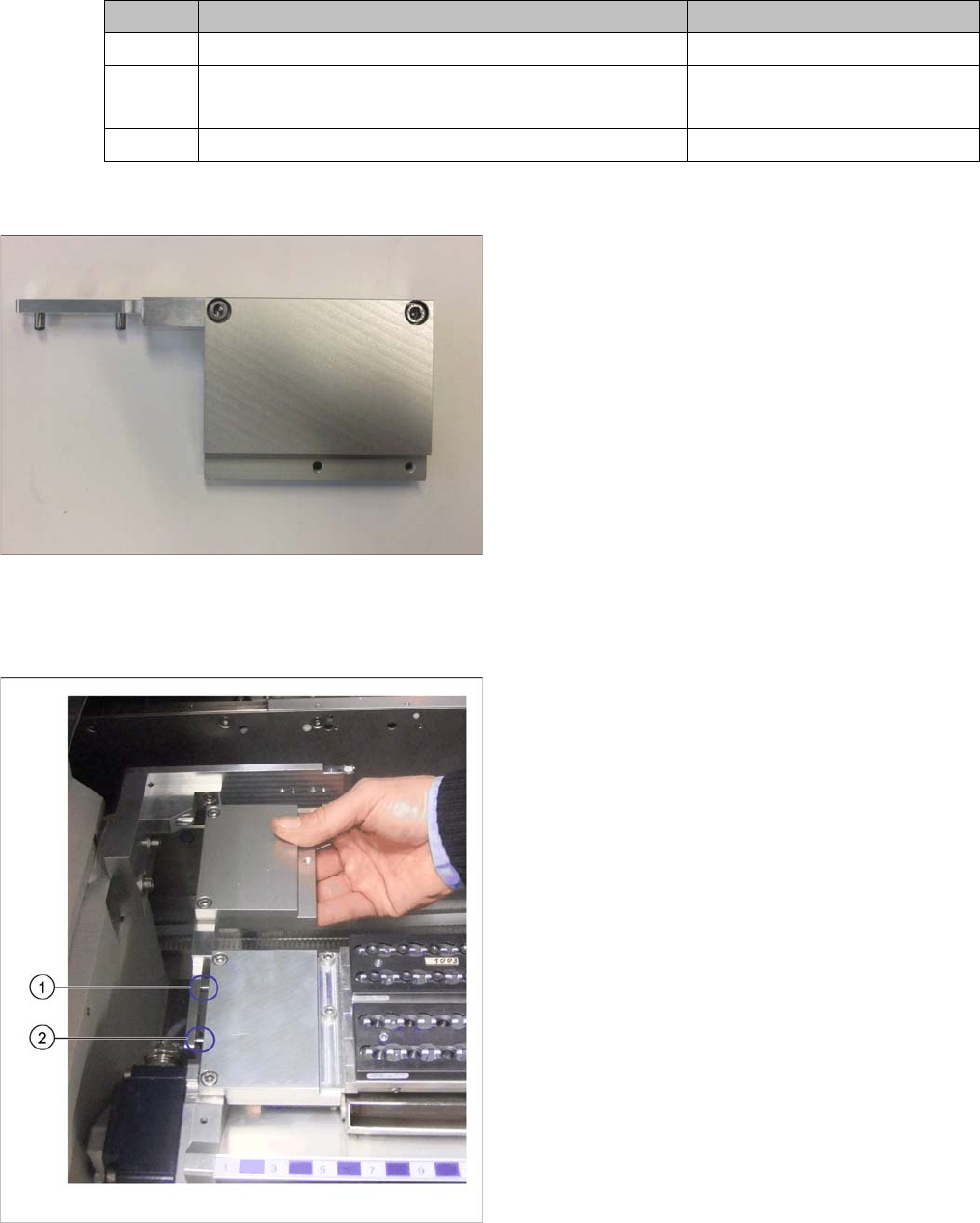
Locations 2 and 4 require the preassembled support op-
tion ASP speed flex row 2 for the left side.
Attaching the support
► Fit the support for the second row onto the mount for
the first row of nozzle changers.
► Press the support down firmly so that the two align-
ment pins (1) and (2) are completely inserted into the
relevant holes on the front mount.
Installation
X4i S - Installing the NC Row 2 3.1.6 Location 2 and 4 - Installing the "NC Option Mount"
76 NC Row 2 - NC in Front of MTC 2/WPC PPW 2te Reihe - PPW vor MTC 2/WPC
3.1.6
3.1.6 Location 2 and 4 - Installing the "NC Option Mount"
Location 2 and 4 - Installing the "NC Option Mount"
Parts required from the upgrade kit
NC option mount
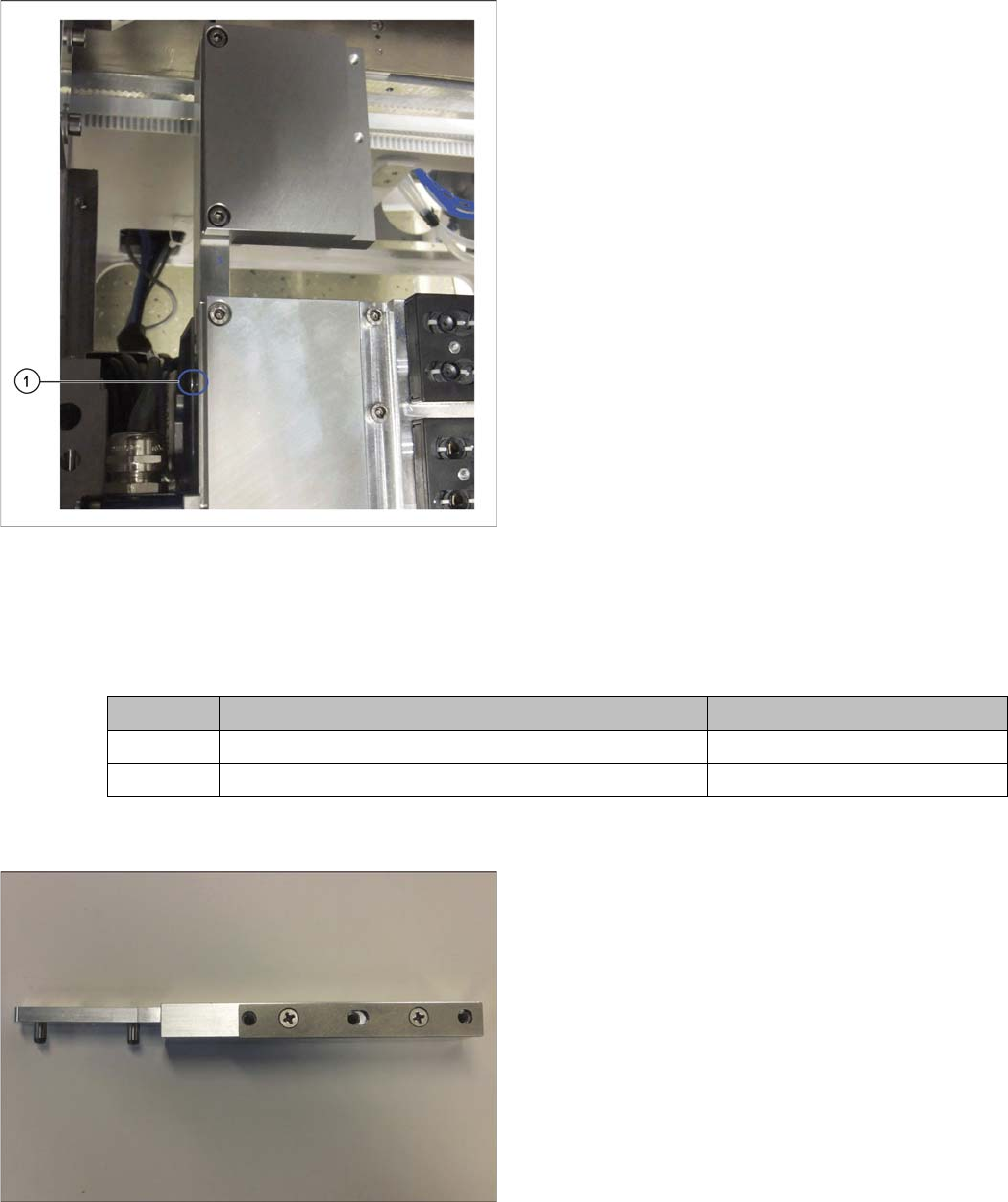
Support fixed
► Screw the support for the second row into place (1).
Quantity Designation Item number
1 NC option mount 03005337-xx
1 ISO4762 - M5 x 14-A2-70 03043120-xx
NC option mount [03005337-xx]
At locations 2 and 4 you need the NC option mount
[03005337-xx] with preassembled shim plates for the
right side.
Installation
3.1.6 Location 2 and 4 - Installing the "NC Option Mount" X4i S - Installing the NC Row 2
NC Row 2 - NC in Front of MTC 2/WPC PPW 2te Reihe - PPW vor MTC 2/WPC 77
Installation
► For configurations without Smart Pin Support, continue with section "3.1.8 Checking the Height"
[➙80].
► For configurations with Smart Pin Support, continue with section "3.1.7 Inserting the NC ASP Sup-
port Plate" [ ➙ 78].
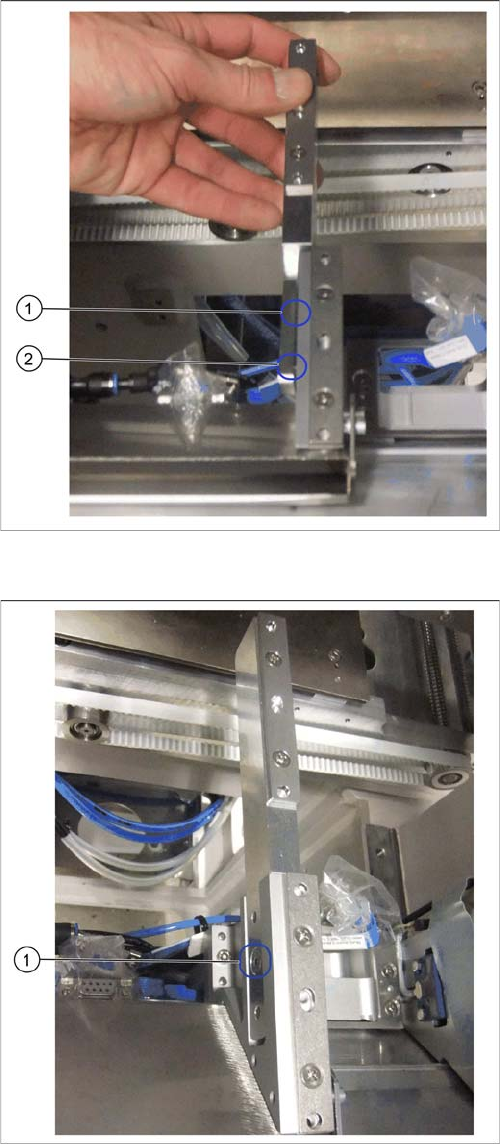
Attaching the mount
► Fit the mount for the second row, onto the mount for
the first row.
► Press the mount down firmly so that the two align-
ment pins (1) and (2) are completely inserted into the
relevant holes on the front mount.
Mount fixed into place
► Screw the mount for the second row into place (1).