BM料架治具使用手册.pdf - 第78页
Z slider Feeder side Bolt (Loosen the bolt during adjustment and tighten when fixing the camera.) Nameplate Rotate the camera. 5.1 Daily Check Items Feeder Inspection Unit 5.1−3 DX1OEC−80−070−A0 3. Loosen the bolt for lo…
Set the view
select lever in
the middle
between L and
R.
NG (Adjustment is required.)
Two marks
appear dimly.
Feeder Inspection Unit
5.1 Daily Check Items
5.1−2
DX1OEC−80−070−A0
5.1.1 Adjusting the Camera Position
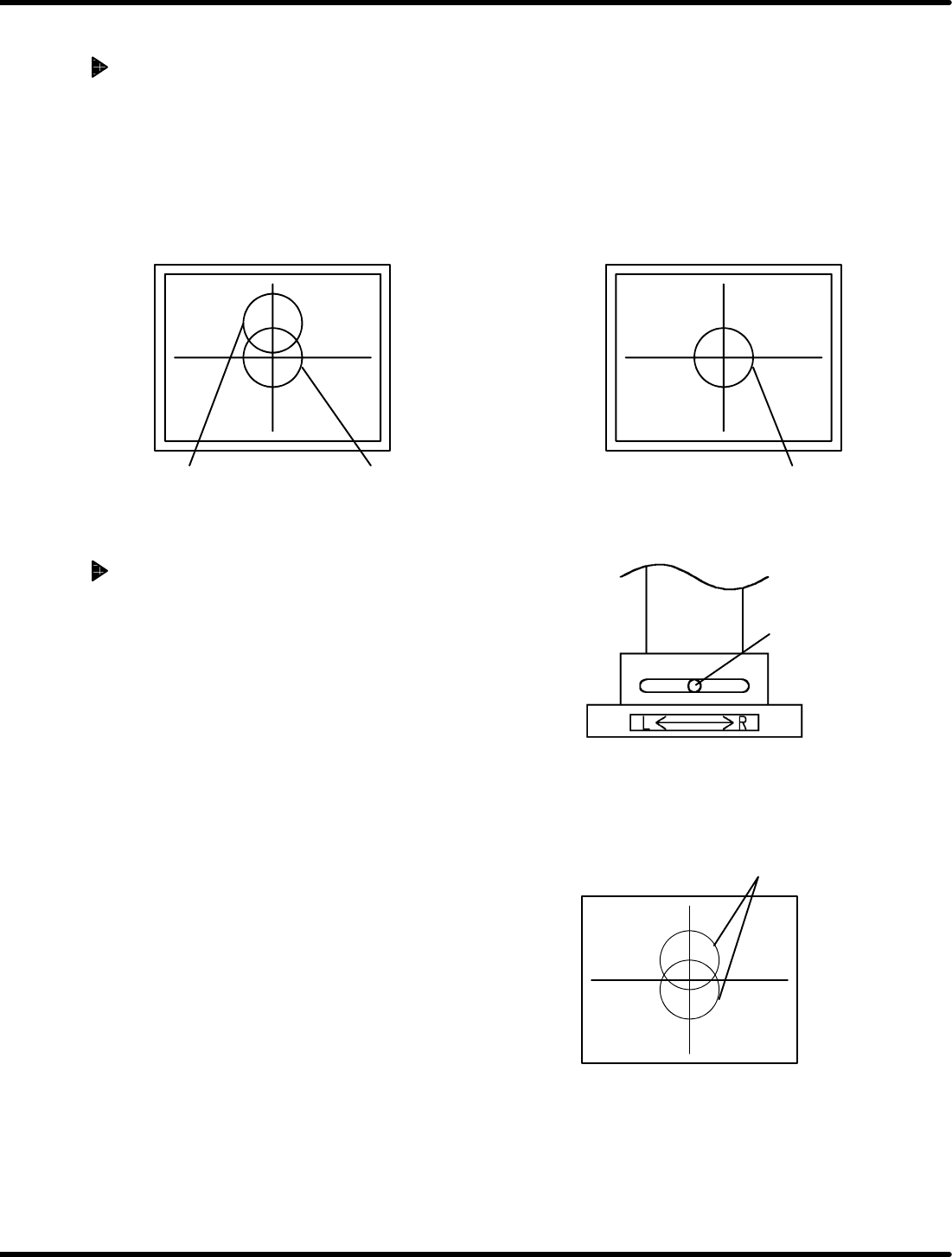
Checking the Camera Position
=REFERENCE=
Refer to ‘4.1.3 Adjusting the Camera Position’ for details.
1. Attach the gauge jig to the clamp stand.
2. Set the camera view select lever to the R side.
3. Align the gauge hole (V
R
) with the center of the monitor by adjusting the knobs (X, Y and Z).
4. Positioning is correct when the gauge hole (V
L
) appears at the center of the monitor when the camera
view select lever is set to the L side.
OK
OK: Two marks appear to be overlapped
and matched.
NG: Two marks appear to be misaligned.
After switching camera
view select lever (L)
Before switching camera
view select lever (R)
Adjusting the Camera Position
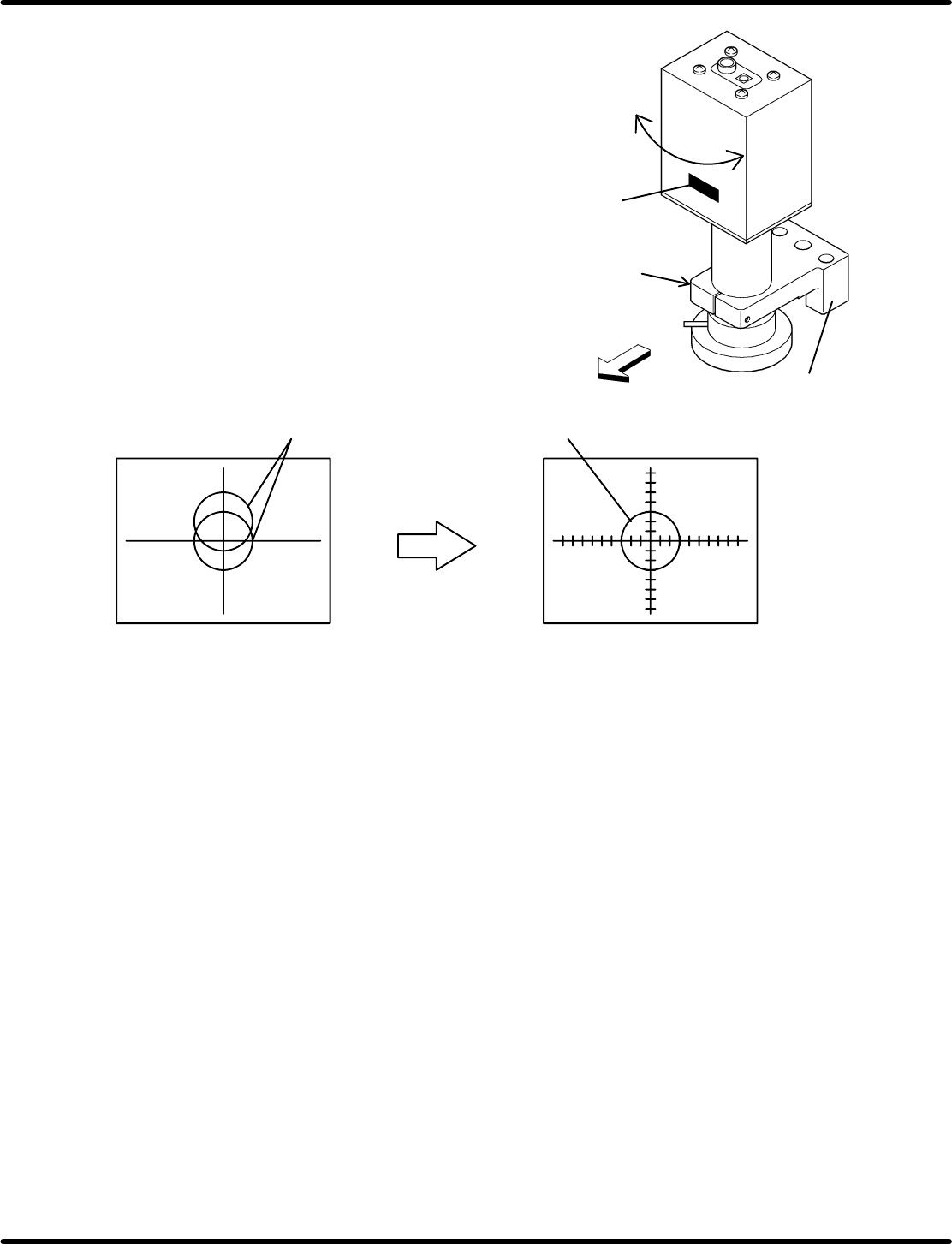
1. With the camera secured at the pickup position (see step
3in‘" Checking the Camera Position’), set the view
select lever almost in the middle position between L and
R.
2. At this time, both the gauge holes V
L
and V
R
appear
dimly on the monitor.
Z slider
Feeder side
Bolt
(Loosen the bolt
during adjustment and
tighten when fixing the
camera.)
Nameplate
Rotate the
camera.
5.1 Daily Check Items
Feeder Inspection Unit
5.1−3
DX1OEC−80−070−A0
3. Loosen the bolt for locking the camera of the Z
slider to enables the camera to be rotated.
While observing the display on the monitor, turn
the camera until the gauge holes V
L
and V
R
match. Then, tighten the bolt to secure the
camera.
=REMARKS=
Install the camera so that the nameplate
can be placed on the feeder side as shown
in the drawing right.
Two marks appear to be misaligned.
Adjust so that two
marks overlap.
OK (After adjustment)
Positioning is OK if two holes overlap.
NG (Adjustment is required.)
=CHECK=
Perform the procedure in ‘" Checking the Camera Position’ again to make sure the camera for
proper position. If there is nothing wrong with the adjustment, complete the setting.
Feeder Inspection Unit
5.1 Daily Check Items
5.1−4
DX1OEC−80−070−A0
= MEMO =