AL1_SiplaceX-en.pdf - 第256页
1 - 2 S tudent Guide SI PLACE X -Series Contents Edition 02/2005 2

Student Guide SIPLACE X -Series
Edition 02/2005 Contents
1
Chapter
Table of Contents
7 Sitest . . . . . . . . . . . . . . . . . . . . . . . . . . . . . . . . . . . . . . . . . . . . . . . . . . . . . . . . . . . . . 3
7.1 Overview SITEST . . . . . . . . . . . . . . . . . . . . . . . . . . . . . . . . . . . . . . . . . . . . . . . . . . . . . . . . . . . . . . . . 3
7.1.1 Starting/Terminating the Test Program . . . . . . . . . . . . . . . . . . . . . . . . . . . . . . . . . . . . 3
7.1.1.1 Starting. . . . . . . . . . . . . . . . . . . . . . . . . . . . . . . . . . . . . . . . . . . . . . . . . . . . . . . . . 3
7.1.1.2 Terminating . . . . . . . . . . . . . . . . . . . . . . . . . . . . . . . . . . . . . . . . . . . . . . . . . . . . . 4
7.1.2 Main view Sitest. . . . . . . . . . . . . . . . . . . . . . . . . . . . . . . . . . . . . . . . . . . . . . . . . . . . . . 5
7.1.3 Icons in the main view and their sub menus . . . . . . . . . . . . . . . . . . . . . . . . . . . . . . . . 6
7.2 Calibration . . . . . . . . . . . . . . . . . . . . . . . . . . . . . . . . . . . . . . . . . . . . . . . . . . . . . . . . . . . . . . . . . . . . . 9
7.2.1 Calibration in general. . . . . . . . . . . . . . . . . . . . . . . . . . . . . . . . . . . . . . . . . . . . . . . . . 10
7.2.2 Precondition for calibrate the machine . . . . . . . . . . . . . . . . . . . . . . . . . . . . . . . . . . . 11
7.2.3 Determination of Z- and Star axes zero point correction (Sitest) :. . . . . . . . . . . . . . . 12
7.2.4 Calibration positions in the machine . . . . . . . . . . . . . . . . . . . . . . . . . . . . . . . . . . . . . 14
7.2.5 Operation for calibrating the entire machine . . . . . . . . . . . . . . . . . . . . . . . . . . . . . . . 15
7.2.6 ALL heads and cameras . . . . . . . . . . . . . . . . . . . . . . . . . . . . . . . . . . . . . . . . . . . . . . 16
7.2.6.1 C&P head. . . . . . . . . . . . . . . . . . . . . . . . . . . . . . . . . . . . . . . . . . . . . . . . . . . . . . 17
7.2.6.2 Twin head. . . . . . . . . . . . . . . . . . . . . . . . . . . . . . . . . . . . . . . . . . . . . . . . . . . . . . 18
7.2.7 Calibrate the conveyor edges . . . . . . . . . . . . . . . . . . . . . . . . . . . . . . . . . . . . . . . . . . 19
7.2.8 Calibrate the conveyor widths . . . . . . . . . . . . . . . . . . . . . . . . . . . . . . . . . . . . . . . . . . 19
7.2.9 Calibrate the PCB reference corner . . . . . . . . . . . . . . . . . . . . . . . . . . . . . . . . . . . . . 20
7.2.10 Calibrate the Pick up position . . . . . . . . . . . . . . . . . . . . . . . . . . . . . . . . . . . . . . . . . 21
7.2.11 LP- Mapping . . . . . . . . . . . . . . . . . . . . . . . . . . . . . . . . . . . . . . . . . . . . . . . . . . . . . . 22
7.2.12 Head- Mapping . . . . . . . . . . . . . . . . . . . . . . . . . . . . . . . . . . . . . . . . . . . . . . . . . . . . 22
7.2.13 Basically description of all calibration steps . . . . . . . . . . . . . . . . . . . . . . . . . . . . . . 23
7.2.14 Calibrate and teach machine positions . . . . . . . . . . . . . . . . . . . . . . . . . . . . . . . . . . 28
7.2.14.1 Conveyor edges (Conveyor rails). . . . . . . . . . . . . . . . . . . . . . . . . . . . . . . . . . . 28
7.2.14.2 Conveyor width calibration . . . . . . . . . . . . . . . . . . . . . . . . . . . . . . . . . . . . . . . . 28
7.2.14.3 PCB reference corner. . . . . . . . . . . . . . . . . . . . . . . . . . . . . . . . . . . . . . . . . . . . 28
7.2.14.4 Pick up position (Calibrate the component table Track 1- 90) . . . . . . . . . . . . . 29
7.2.14.5 Pick up position (Calibrate the X- tables Track 1- 40) . . . . . . . . . . . . . . . . . . . 29
7.2.15 PCB mapping . . . . . . . . . . . . . . . . . . . . . . . . . . . . . . . . . . . . . . . . . . . . . . . . . . . . . 30
7.2.16 Head mapping( C&P,Twin head). . . . . . . . . . . . . . . . . . . . . . . . . . . . . . . . . . . . . . . 31
7.2.17 New function in the Sitest program . . . . . . . . . . . . . . . . . . . . . . . . . . . . . . . . . . . . . 32
7.2.17.1 Menu of transport . . . . . . . . . . . . . . . . . . . . . . . . . . . . . . . . . . . . . . . . . . . . . . . 32
7.2.17.2 Function Firmware download. . . . . . . . . . . . . . . . . . . . . . . . . . . . . . . . . . . . . . 33
7.2.17.3 Head modularity Siplace X. . . . . . . . . . . . . . . . . . . . . . . . . . . . . . . . . . . . . . . . 34

1 - 2
Student Guide SIPLACE X -Series
Contents Edition 02/2005
2
1 - 3
Student Guide SIPLACE X
Ausgabe 02/2005 7 Sitest
3
7 Sitest
WARNING
The SITEST test program may only be used by staff members of SIEMENS AG L&A EA, or spe-
cially trained customer staff. Improper use of this test program will result in severe damage to the
machine and will pose a hazard to the operating personnel.
7.1 Overview SITEST
SITEST is a program which allows the various functions of the individual modules of the
SIPLACE X to be tested.
Overview of SITEST functions
– General SITEST functions
–Functions for machine settings
– Functions for setting the dynamics of the axes
– Calibration functions
– Mapping functions
You can execute these functions using SITEST. You will find information on how to do this and
details on the interfaces in this chapter, software instruction for Sitest and by using the online Help
function while working with SITEST. In addition, you will find a number of practical examples de-
scribed in the online Help system.
7.1.1 Starting/Terminating the Test Program
7.1.1.1 Starting
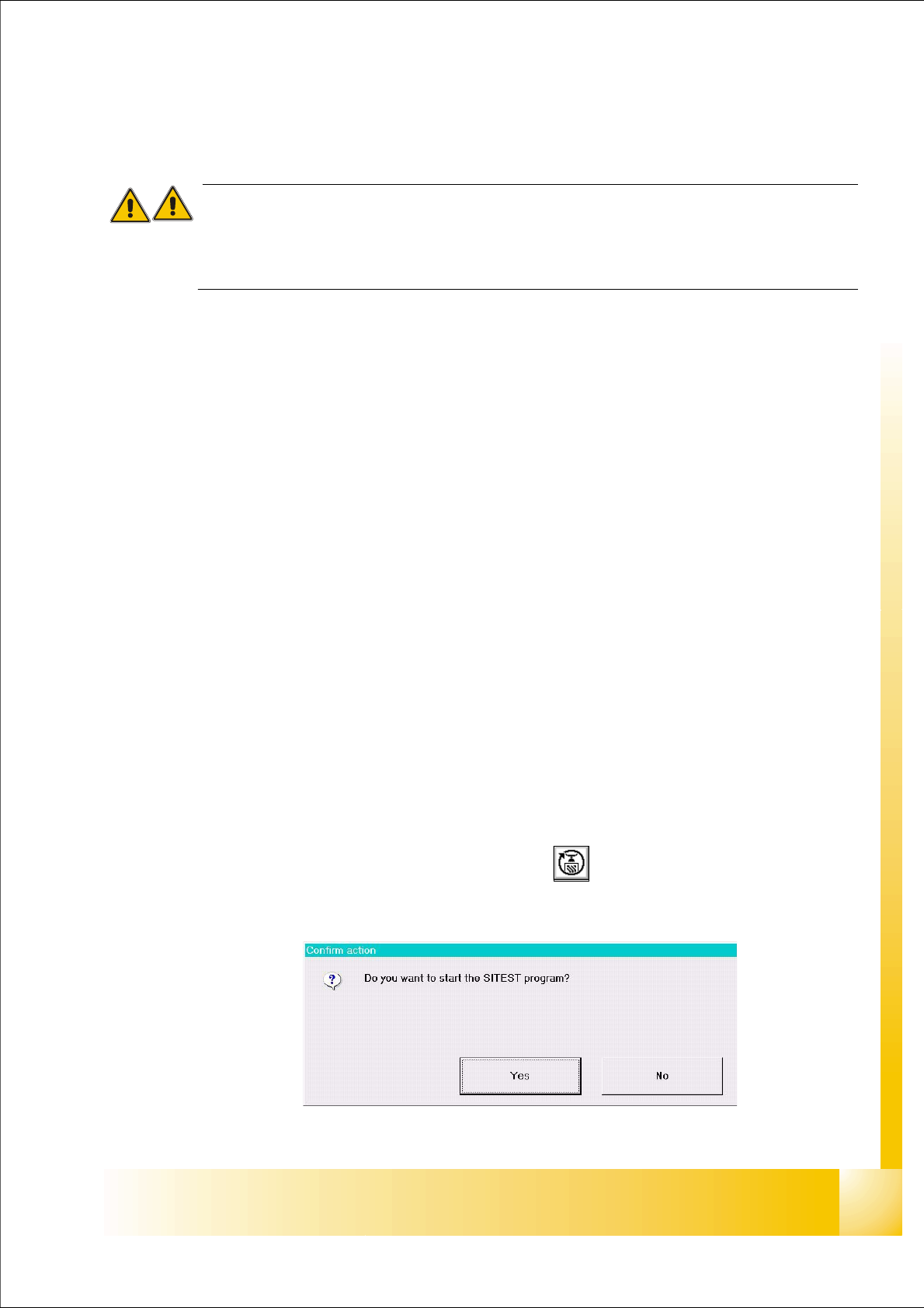
➠ On the user interface for the station, click on the icon (see User’s Manual SIPLACE )
The test program is started.
Fig 7.1 - 1 Confirmation "Start Sitest"