AL1_SiplaceX-en.pdf - 第298页
1 - 8 S tudent Guide SIPLACE X 8 Siplace Vision Edition 02/2005 8 8.1.9 Pattern for bad marks Other shapes and structures ar e taught for th e posi tive and negativ e case. All taught pictur es are shown with their resul…
1 - 7
Student Guide SIPLACE X
Edition 02/2005 8 Siplace Vision
7
8.1.6 Pattern as fiducials
Learn patterns with an automatic algorithm for 2D fiducial:
=> first is the search area the so-called Region Of Interest ROI defined.
=> the reference point of the pattern have to be calculated (recommended) or manual selected
(more imprecise with this manual definition). (This is the point where the placement refers to).
=> the pattern is calculated to determine the reference point.
=> test pattern on reliability using a few different individual fiducials (stability of measuring results).
The precision of the Reference point defines the placement accuracy later. Best is to determine
the reference point automatically and check it.
8.1.7 Bad mark recognition
Bad mark recognition could be programmed on following different ways.
8.1.8 Synthetic bad mark
There are 9 different synthetic shapes offered for synthetic bad mark. Similar teaching fiducials:
the shape, the dimension and the optical impression - bright or dark - of the 'positive bad mark'
have to be taught. Is the shape recognized the positive bad mark for placement is recognized. Is
the shape in search area not recognized is a negative bad mark recognized (no time waste at
missing structure) and no placement is done respective as a global bad mark the local bad mark
of the single circuits are measured. (See 4.1.1)
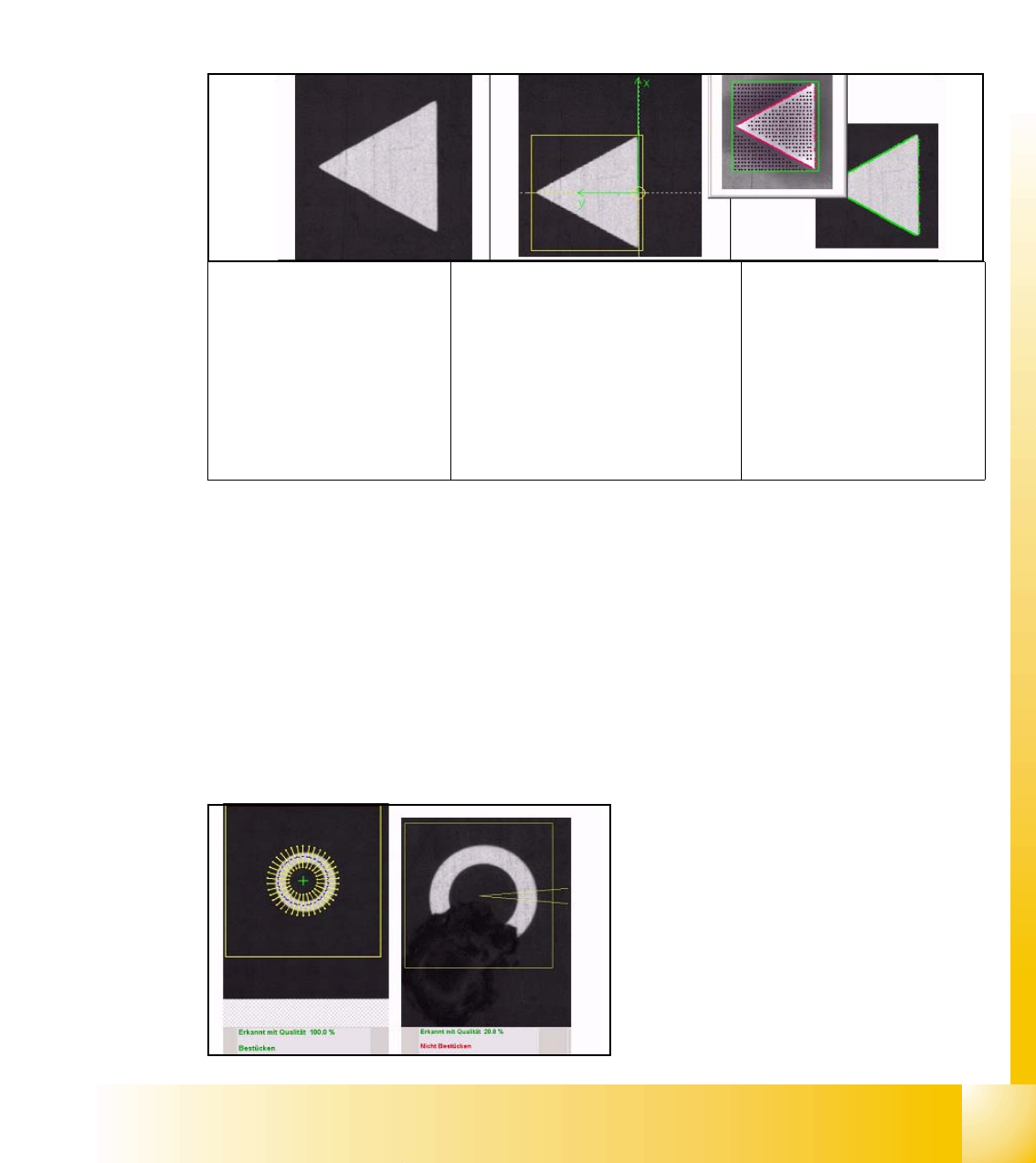
This -left- picture shows the fine search of the
synthetic Bad Mark teachings with result.
This -right- picture is the result of the negative
marked bad mark.
Camera picture of trian-
gle fiducial
Defined reference point:The
reference point of a fiducial
defines the placement positions.
Therefore this has to be as pre-
cise as possible because the
basic coordinates of the PCB-
position are set here. -Here the
position with the largest bright-
ness difference was selected -.
Learned pattern:
Referring to the reference
point learn the system the
shape of pattern and save
this outline as 'Teach pic-
ture'.
1 - 8
Student Guide SIPLACE X
8 Siplace Vision Edition 02/2005
8
8.1.9 Pattern for bad marks
Other shapes and structures are taught for the positive and negative case. All taught pictures are
shown with their results in a separate area.
The teaching is done in 2 steps before starting of the placement:
First the positive bad mark is taught on the PCB and than the negative bad mark is taught, possibly
on another board.
These bad mark have 3 areas:
=> positive bad mark for the placement
=> negative bad mark for skipping placement
=> in doubt - if the bad mark could not be assigned e.g. the bad mark was not correctly strike out -.
=> Select after teaching the ‚Automatic- Button'.
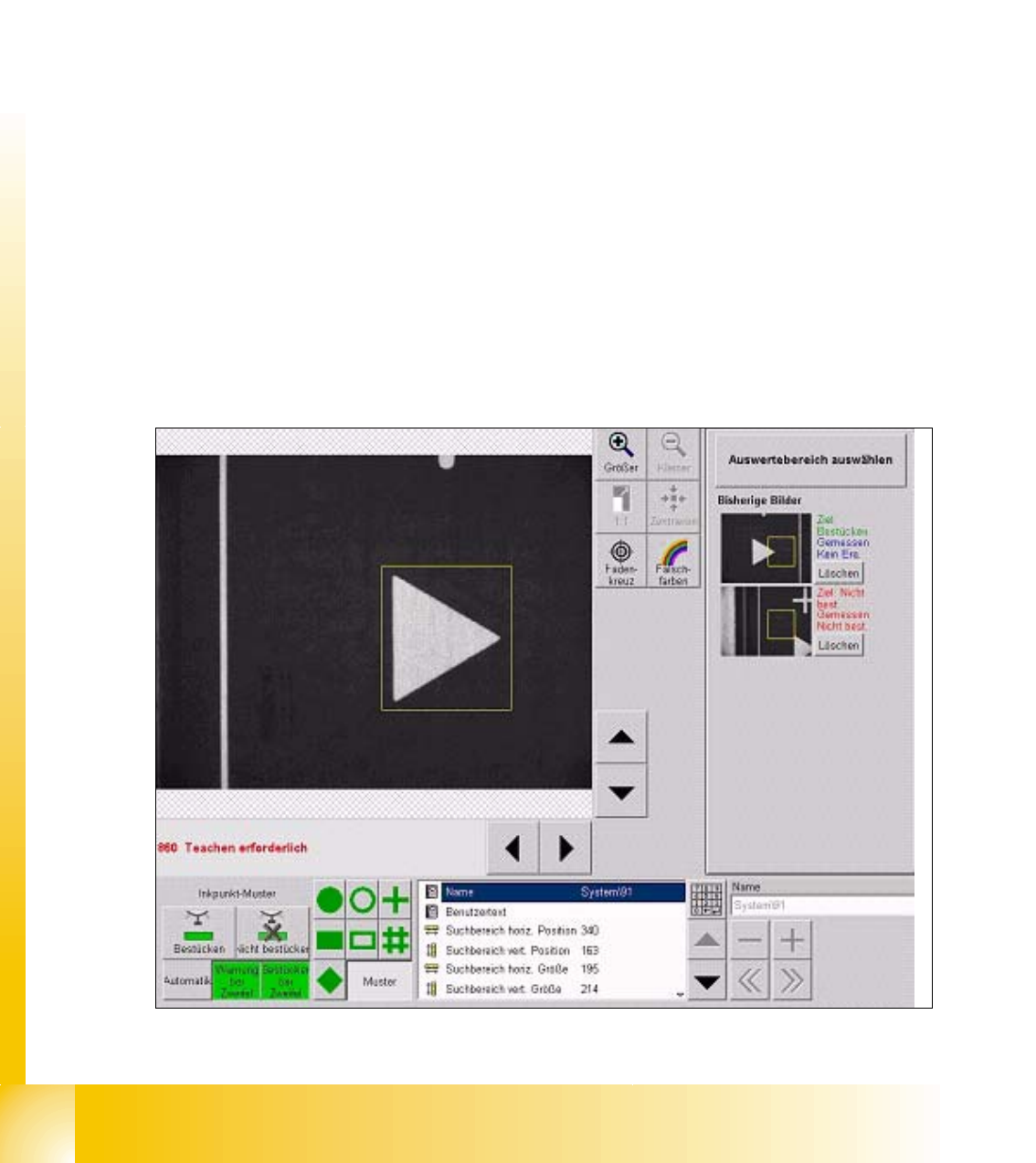
Function and sequence of the 2D Bad Mark teaching:
=> select the teaching bad mark from fiducial list
=> put PCB (with different bad marks) into input conveyor press 'center fiducial' button and the
PCB is transported in processing area and clamped the gantry move to fiducial 1 position.
=> teach the respective 'positive' or 'negative' bad mark with the menu 'Geometry'.
=> move to the other kind of bad mark with 'next fiducial' button.
=> teach this bad mark with he same evaluation area.
=> to finish the Teach procedure press Button 'Automatic'. (see Fig. 12.2-2 at left bottom)
Fig. 8.1 - 1 Triangle teached as a bad mark (positiove for placement)
1 - 9
Student Guide SIPLACE X
Edition 02/2005 8 Siplace Vision
9
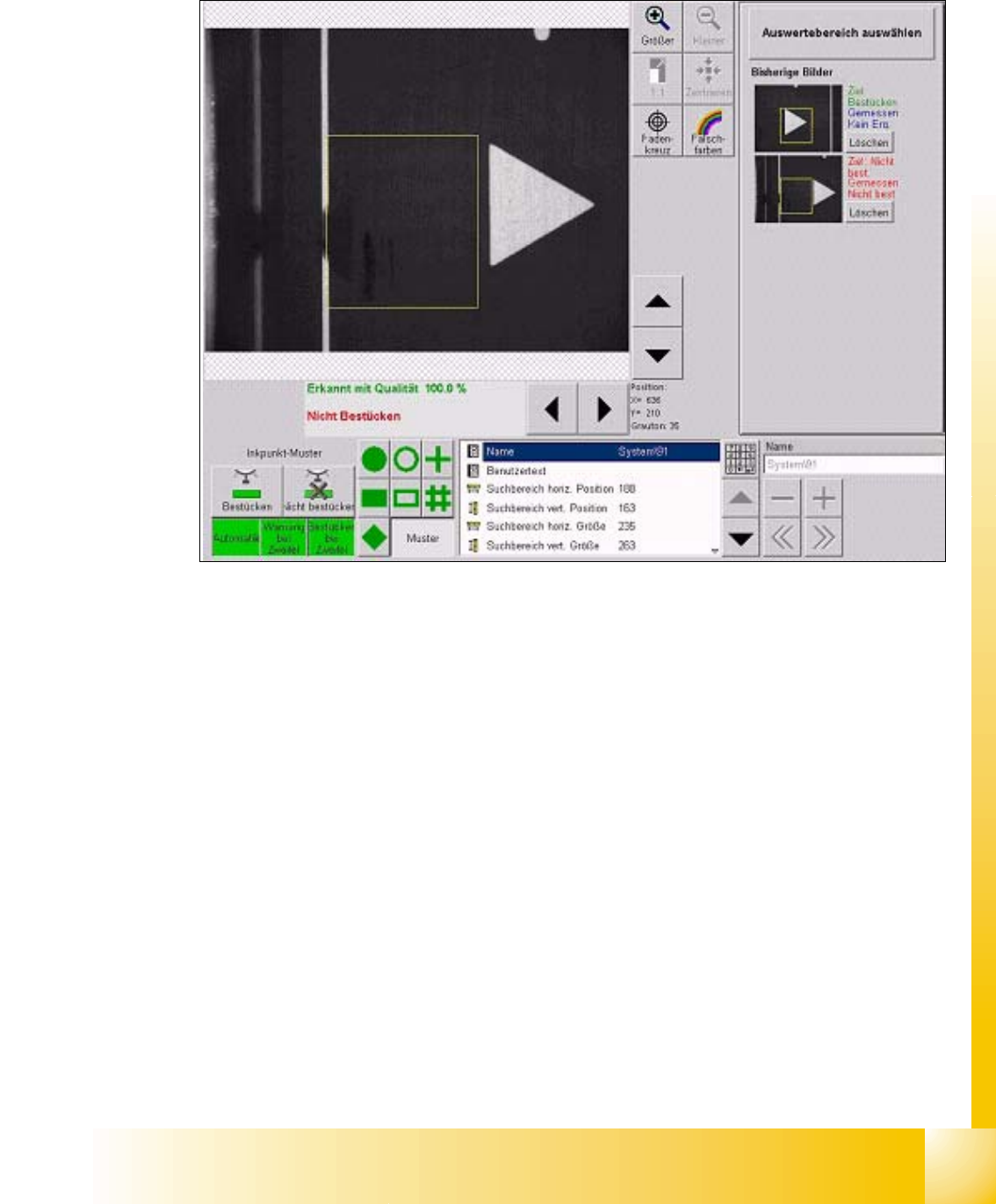
The camera moves to the programmed bad mark coordinates. The dimension of the evaluation
area have to be programmed only one time.
Fig. 8.1 - 2 Triangle teached as a bad mark (negative to skip placement)
For the negative bad mark move the camera above another fiducial or:
teach camera manual to the position of the sticker; or:
mark the positive bad mark respective.