AL1_SiplaceX-en.pdf - 第301页
1 - 1 1 S tudent Guide SIPLACE X Edition 02/2005 8 Siplace Vision 11 Charachteristic: 8 · => V ery quick proc edure · => Classification b ased on g lobal charac teristics of the pictur e therefor e is no defi ned s…
1 - 10
Student Guide SIPLACE X
8 Siplace Vision Edition 02/2005
10
8.1.9.1 The histogram method
Each of the teach picture is brightness normed a middled histogram is determined. The model
consists on a histogram for positive respective negative case. At the classification is the histogram
of the evaluation of the actual picture calculated and deviation to the histograms of the pos. /neg.
model is determined. The picture histogram is assigned to the class where the smallest difference
is.
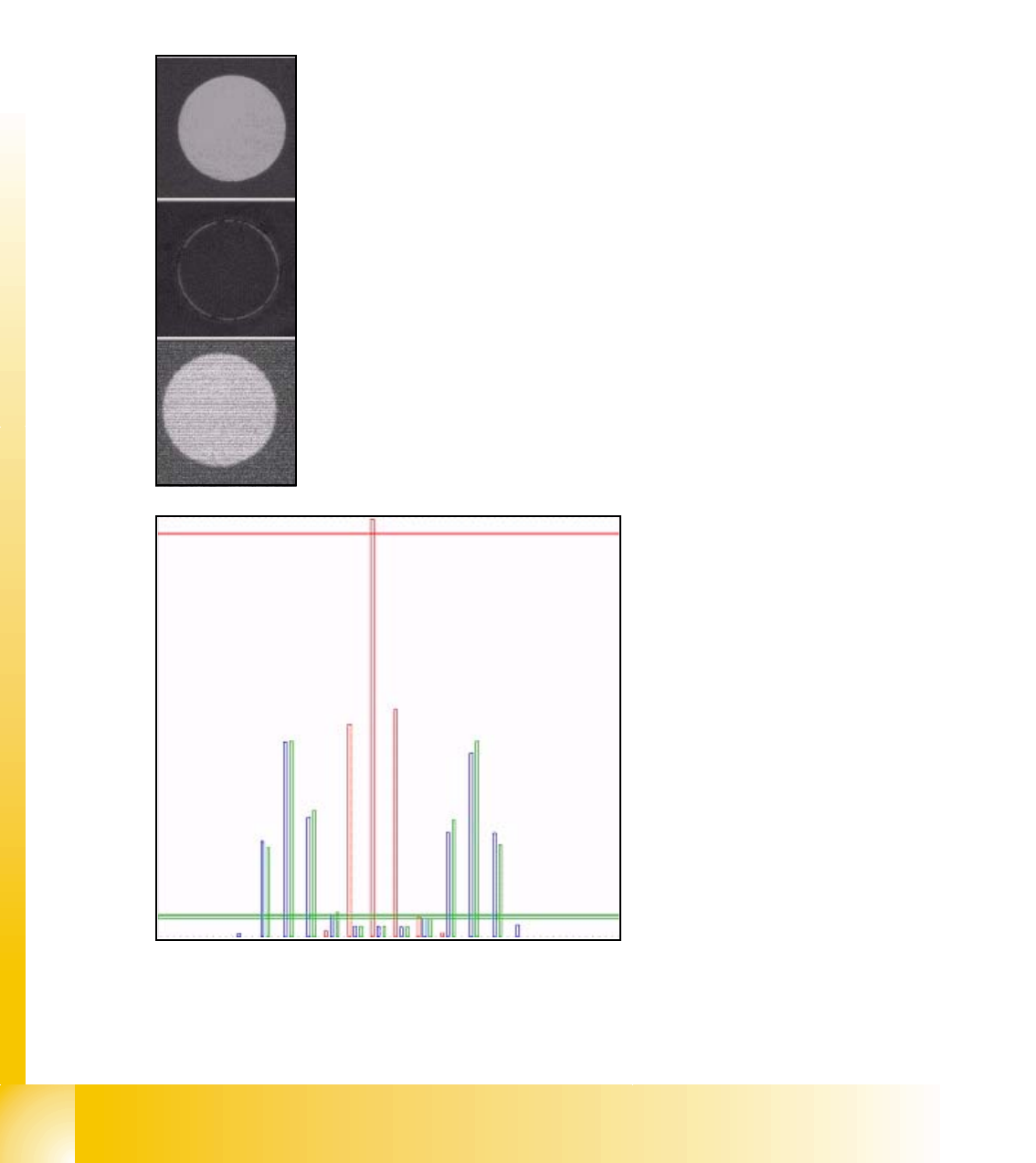
Following show the process with an example:
Teach picture "placement": bright circle on dark background.
Teach picture "no placement": fiducial is colored with black 'Edding'
Picture to classify
red length bar: teached histogram
"no placement"
green length bar: teached histogram
"placement"
blue length bar: actual histogram of
the evaluation picture
cross bar: distance to teach-histo-
gram.
here has the blue histogram a low dis-
tance to the green bar --> "place"
1 - 11
Student Guide SIPLACE X
Edition 02/2005 8 Siplace Vision
11
Charachteristic: 8
· => Very quick procedure
· => Classification based on global characteristics of the picture therefore is no defined shape
necessary
· => Is an extended contrast method of SW-Platform II (50x SW)
· => Independent on changing in brightness
· => It has to be sure that the evaluated picture is on the same position of the board than the
Teach picture; this mean before bad mark recognition is the PCB-position recognition done.
· => The method could be changed in 'Geometry menu'.
8.1.9.2 The brightness method
The brightness method is a general method, which is influent from brightness changing at the
PCB-Cameras in the line.
At this method is the model information learned by teaching the characteristic of the positive and
negative case is determined. From all the procedures this one is the simplest. From the teach pic-
tures of the positive / negative case is the respective middle brightness per picture determined.
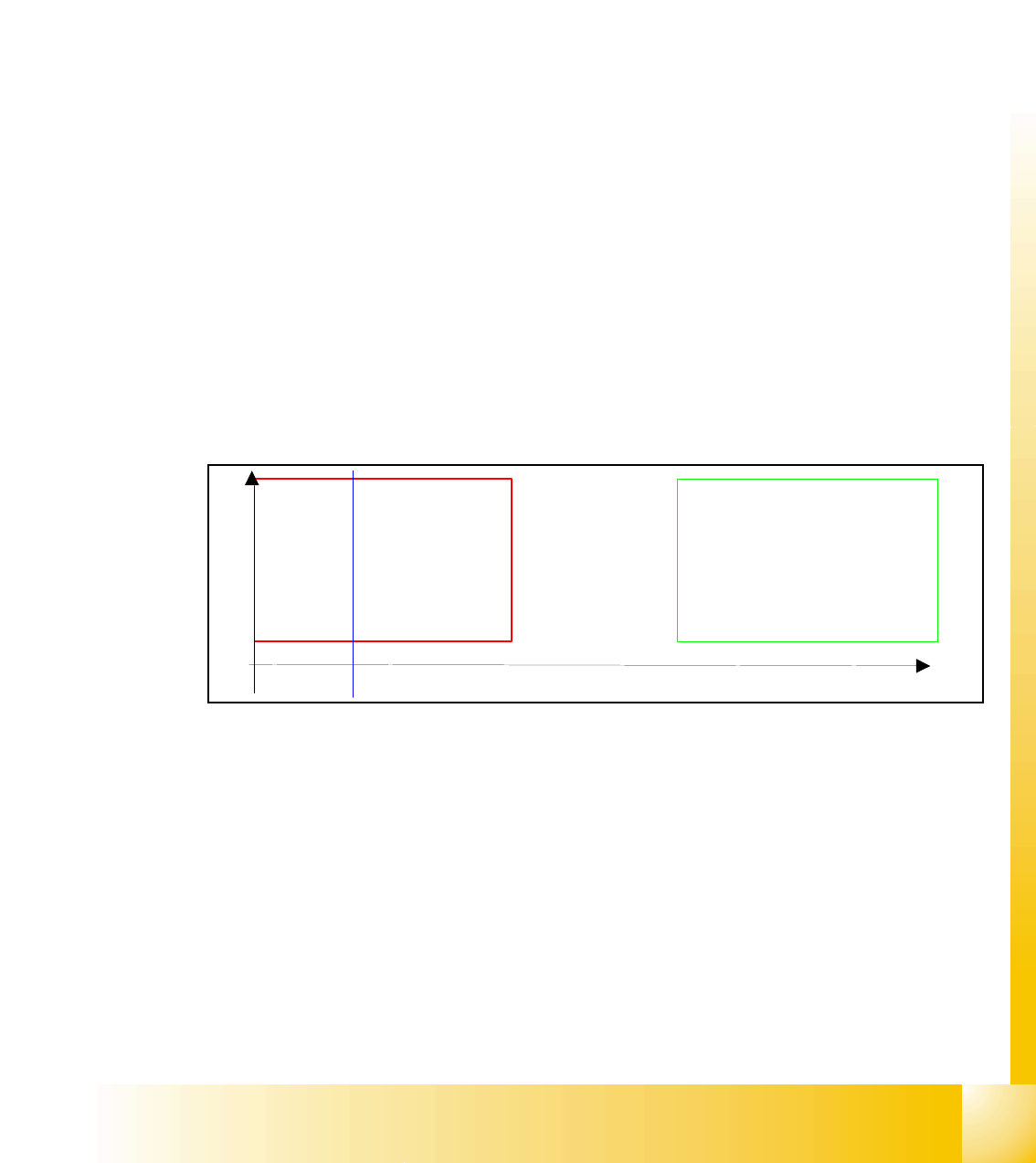
The system defines 2 brightness limits. This split the gray values into three areas: negative case
- in doubt - positive case. At the classification is the middle brightness of the evaluation range is
determined and according the two thresholds to one of the three areas assigned.
Result drawing of classification: the blue length bar shows the evaluated difference of the bright-
ness value and show, that it was classified for "no placement".
Characteristic: 8
· => Very quick procedure
· => Classification base on global characteristics of the picture, therefore no defined shape is
necessary
· => Sensitive against changing of brightness, therefore the use in lines with different PCB-cam-
era brightness is critical.
· => PCB recognition before bad mark recognition necessary.
Brightness 1
Range
’placement’
Range ’NO
placement’
In doubt
1 - 12
Student Guide SIPLACE X
8 Siplace Vision Edition 02/2005
12
8.1.9.3 Template-process for LASER-labeling
As a third possibility of a teached bad mark are fiducials on ceramic, which are crossed out with
a Laser.
To recognize these relative small lines on a fiducial a pattern comparison could be programmed.
The sequence is following:
1. For classification "placement" is a Template recognized. This Template is a middled eval-
uation range if a few Teach pictures for this class available.
2. A correlation value for each picture with this Template is calculated. This has a value be-
tween -1 and +1 and mean how good the gray values in the picture fit with the one of the teach
templates (+1: picture is identical; 0: no matching between the 2 pictures; -1: picture is, com-
pared with the template inverted). All correlation values of the pictures, which the operator for
"placement" classified, should have high correlations values near +1. The correlation values
for pictures of the negative case should be essential lower.
3. The System define from the correlation values 2 thresholds which divide the value range
of -1 to +1 into 3 sections: "no placement", "in doubt" and "placement"
At the evaluation of the picture is the correlation to the Template defined. The classification is done
comparing the value with the two thresholds.
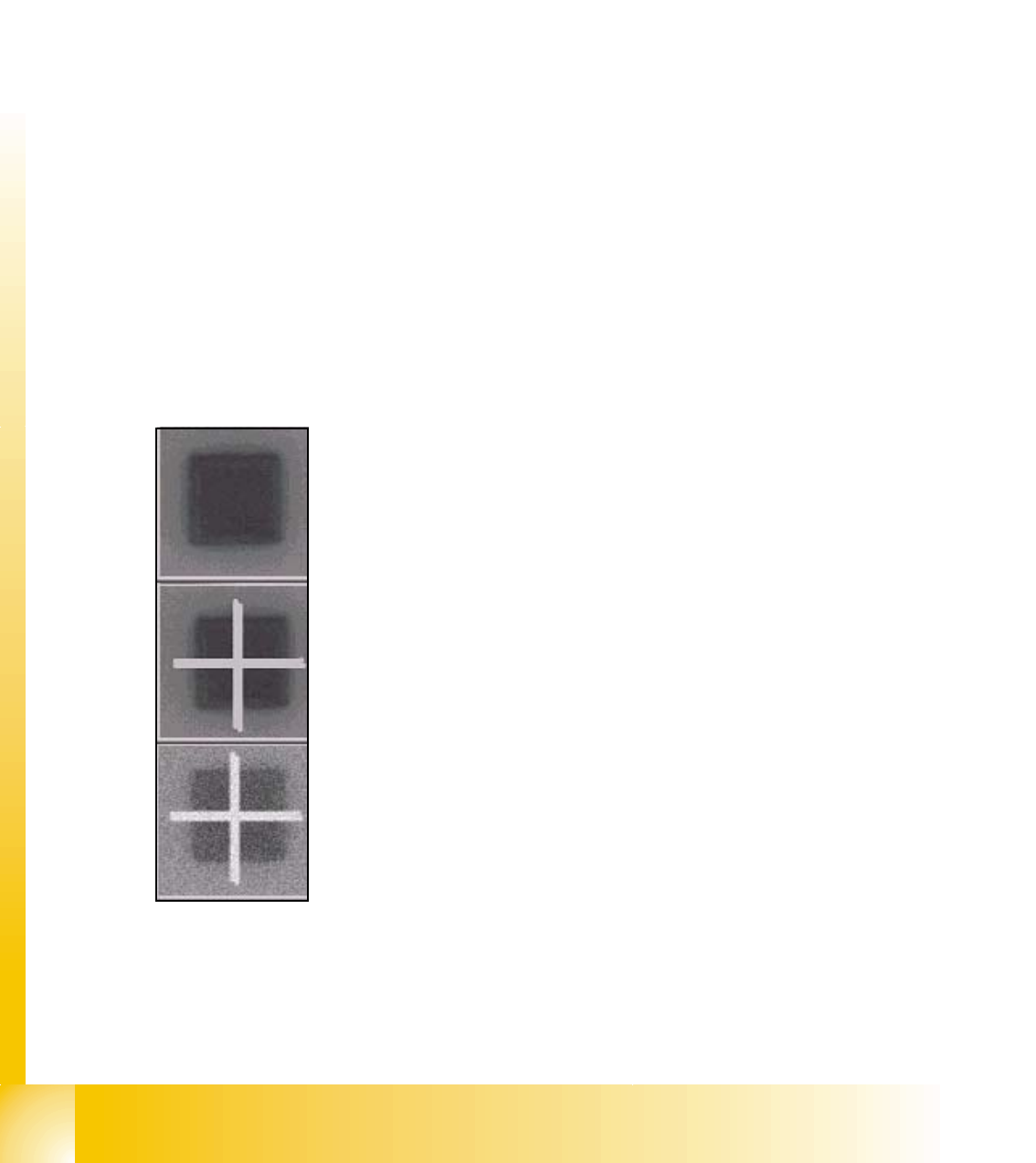
Here an example for the recognition and classification to the Templates of both, positive and neg-
ative cases:
Teach picture 1: classified from Operator for "placement" (positive).
Square fiducial
Teach picture 2: classified from Operator for "no placement" (negative).
Crossed out square
Picture to classify