EUKYX-199-4110_G5S2_Instruction_Vol4_E.pdf - 第73页
EUKYX 1-24 199-4100 4.3 Component Recognition Camera Section 4.3.2 Component Storage Box Cleaning NOTICE Before removing the accumulated components from the box, eliminate the static electricity from your body. Otherwise…
EUKYX
1-23199-4100
4.3 Component Recognition Camera Section
4.3 Component Recognition Camera Section
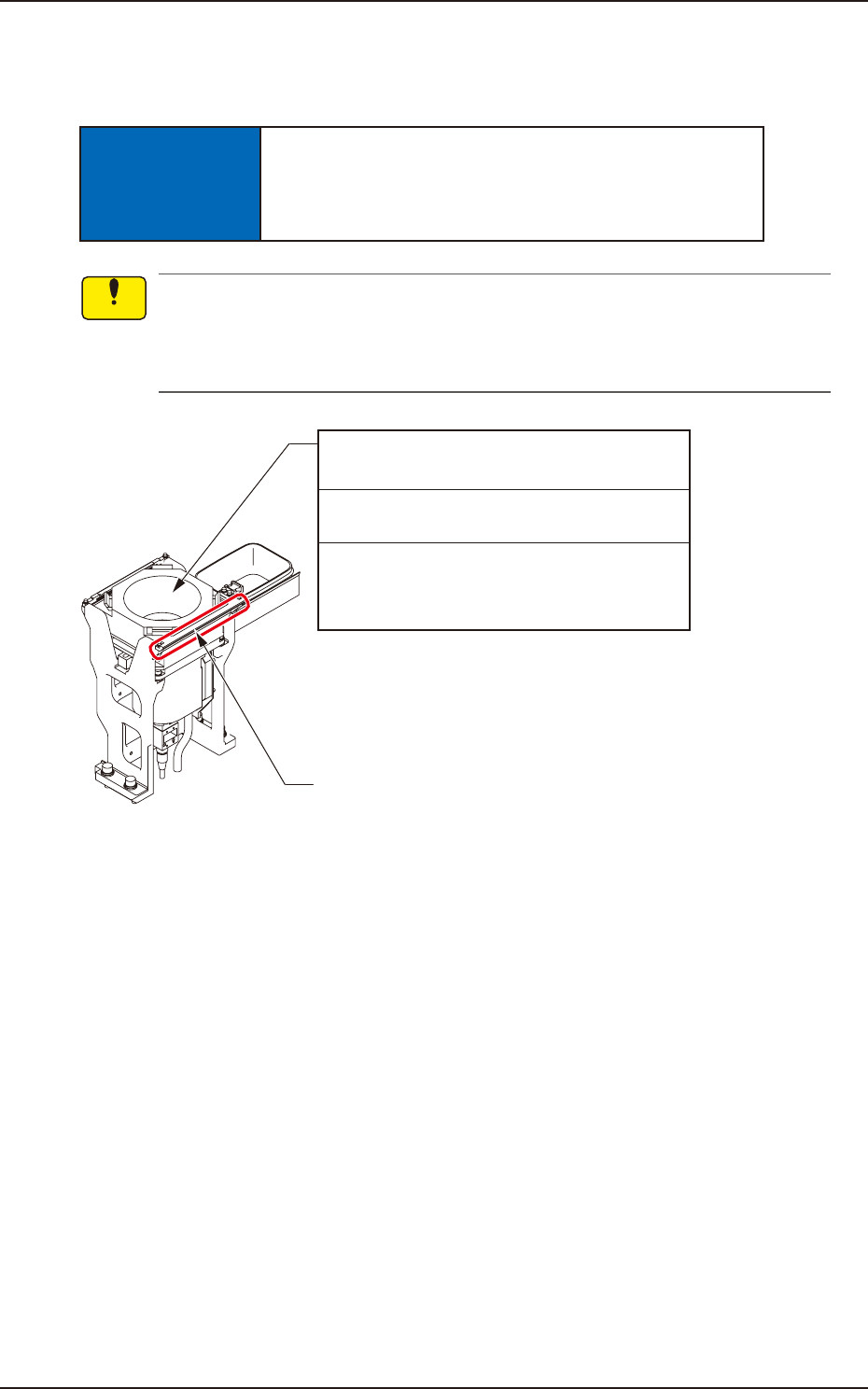
4.3.1 Component Recognition Camera Cleaning
NOTICE
Do not put your hand onto the reference mark block.
If too much force is given to the reference mark
block, it may become deformed.
Use a suction force such as a vacuum cleaner for the cleaning.
Do not blow air to any cleaning section with an air gun.
When air is blown, the dirt and dust inside the machine will disperse, causing the recognition
system and the machine to malfunction.
Fiducial Mark Block
Component Recognition Camera
(2 locations)
Every Day Cleaning
Required Time: 4 minutes
Remove the components that have fallen with a
pair of vacuum tweezers and wipe off dust with
a lens cleaning cloth.
F4A16
Notice
EUKYX
1-24199-4100
4.3 Component Recognition Camera Section
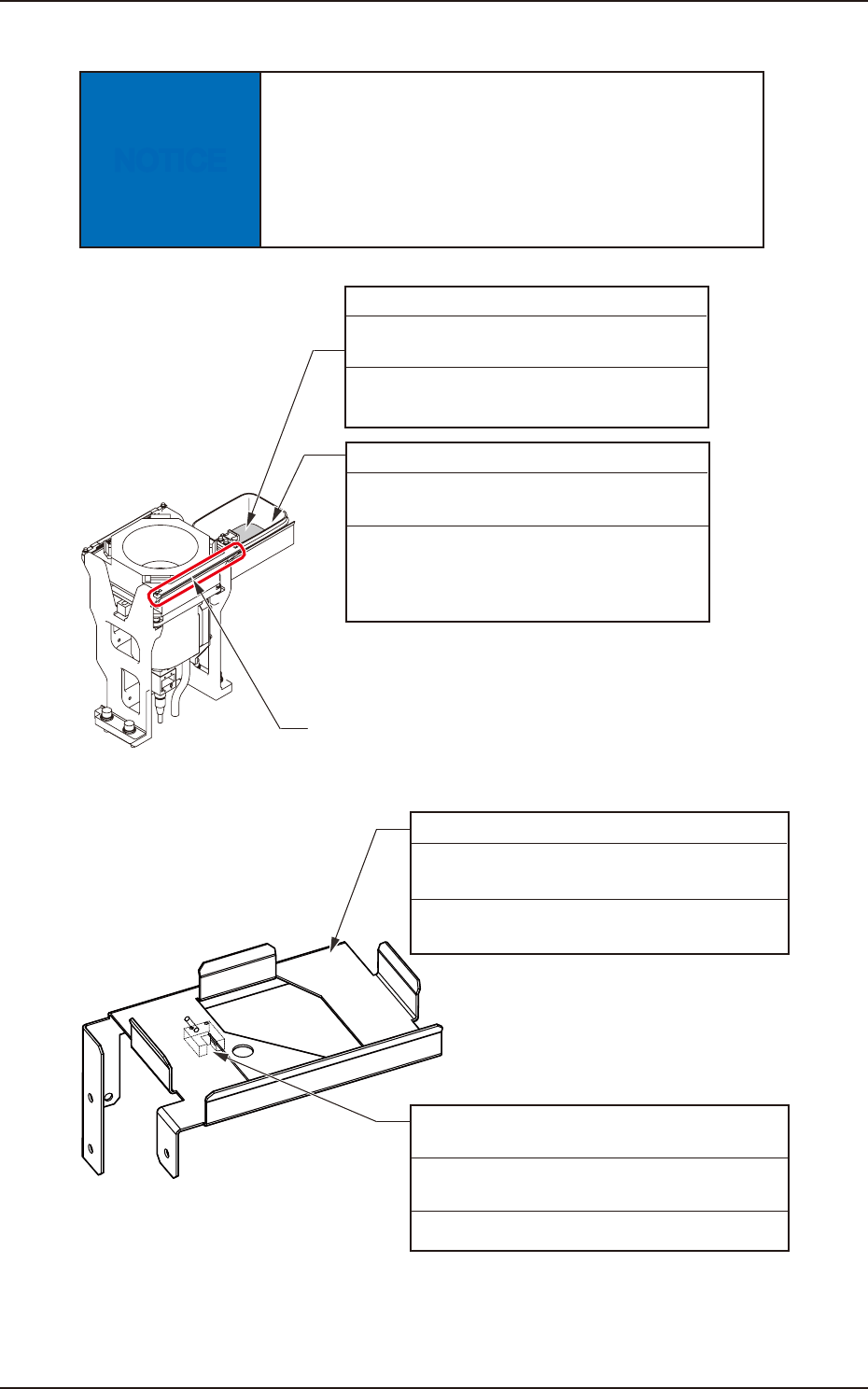
4.3.2 Component Storage Box Cleaning
NOTICE
Before removing the accumulated components from
the box, eliminate the static electricity from your
body.
Otherwise, some components may be damaged due
to static electricity.
Fiducial Mark Block
Component Storage Box
Every Day Cleaning
Required Time: 1 minute
Remove components collected in the box.
• If foreign objects are adhered to a shielding
plate and a magnet at the bottom of the box,
remove them.
Hanenite (Vibration Proof Rubber)
Every Day Cleaning
Required Time: 1 minute
Take out Hanenite from the component storage
box and clean it with a vacuum cleaner.
F4A18
Component Storage Box Base
Every Day Cleaning
Required Time: 1 minute
In the case that there is any foreign object
dropped on to the base section, remove it.
Component Storage Box
Detection Sensor (Rear Side)
Every Day Cleaning
Required Time: 1 minute
Clean the sensor using a cotton swab.
F4A18-1
EUKYX
1-25199-4100
4.3 Component Recognition Camera Section
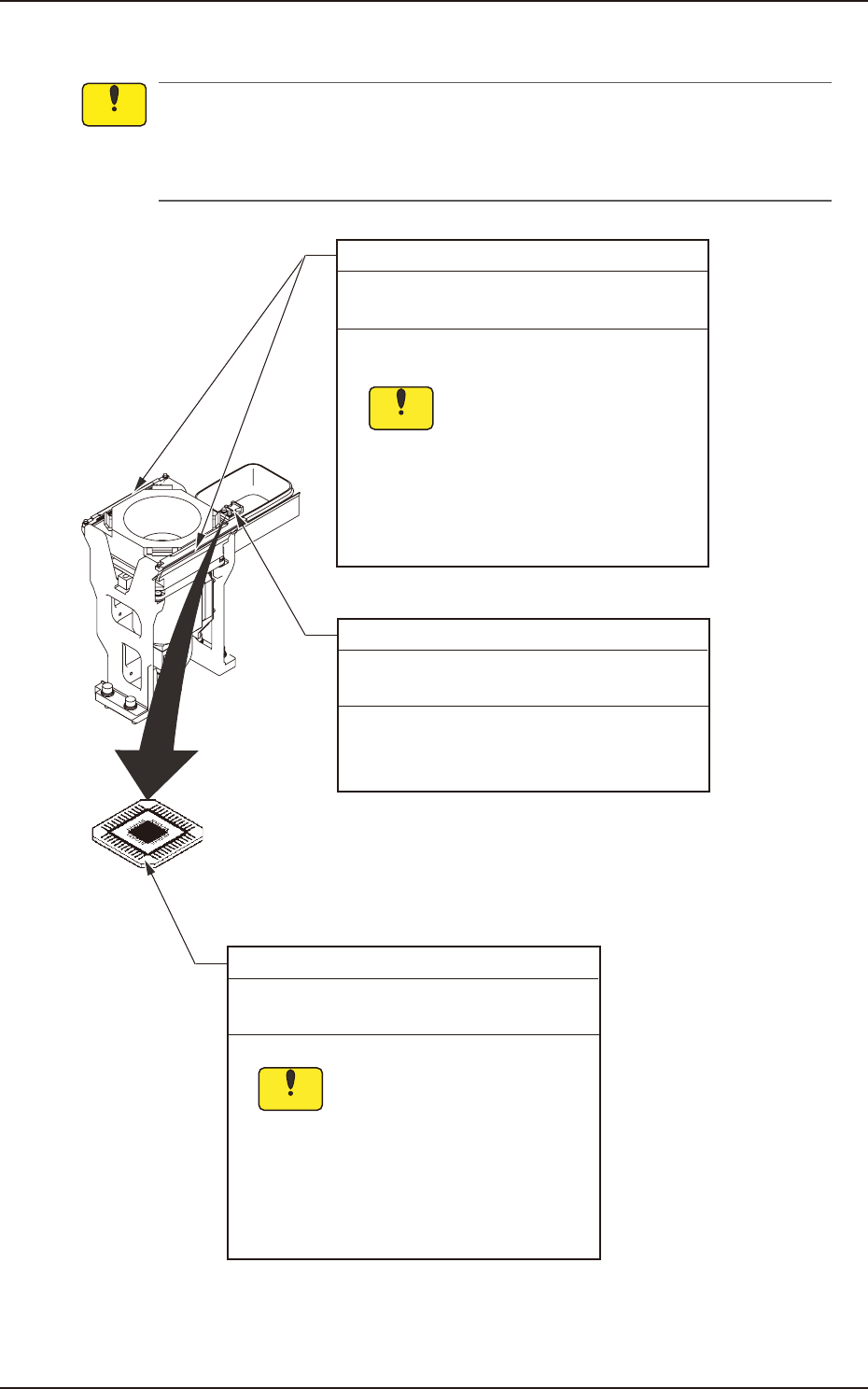
4.3.3 Fiducial Marks (4 locations) Cleaning
Use a suction force such as a vacuum cleaner for the cleaning.
Do not blow air to any cleaning section with an air gun.
When air is blown, the dirt and dust inside the machine will disperse, causing the recognition
system and the machine to malfunction.
QFP Glass Plate Jigs (2 pcs.)
Every Month Cleaning
Required Time: 1 minute
Wipe the jigs with a dry lens cleaning cloth.
Sebum (fingerprint) or oil
should not adhere to the QFP
glass plate jigs.
If sebum or oil adheres, wipe it
off with a lens cleaning cloth
which contains a small amount
of alcohol.
Notice
Fiducial Marks (4 locations)
Every Week Cleaning
Required Time: 2 minutes
Sebum (fingerprint) or oil
should not adhere to the
fiducial marks.
If sebum or oil adheres, wipe it
off with a lens cleaning cloth
which contains a small amount
of alcohol.
Notice
Wipe the upper surfaces of the fiducial marks
with a dry lens cleaning cloth.
Teaching Plates (2 locations)
Every Month Cleaning
Required Time: 1 minute
Remove foreign objects and unrequired
components and wipe off dirt and dust with a
rag.
F4A19
Notice