PCBRM_User_Manual_R9.pdf - 第48页
PCBRM15 & PCBRM System 5. 2 User’s Manual Chapter 4: Process es & Appl icati ons Part No. 4005.00.906 4-6 Flow Well Carrier Arms Z- Height Adjustment Wheel Flo w Well parallel PCB Solder Flow Rate Control Carrier…
PCBRM15 & PCBRM System 5.2 User’s Manual
Chapter 4: Processes & Applications
Part No. 4005.00.906 4-5
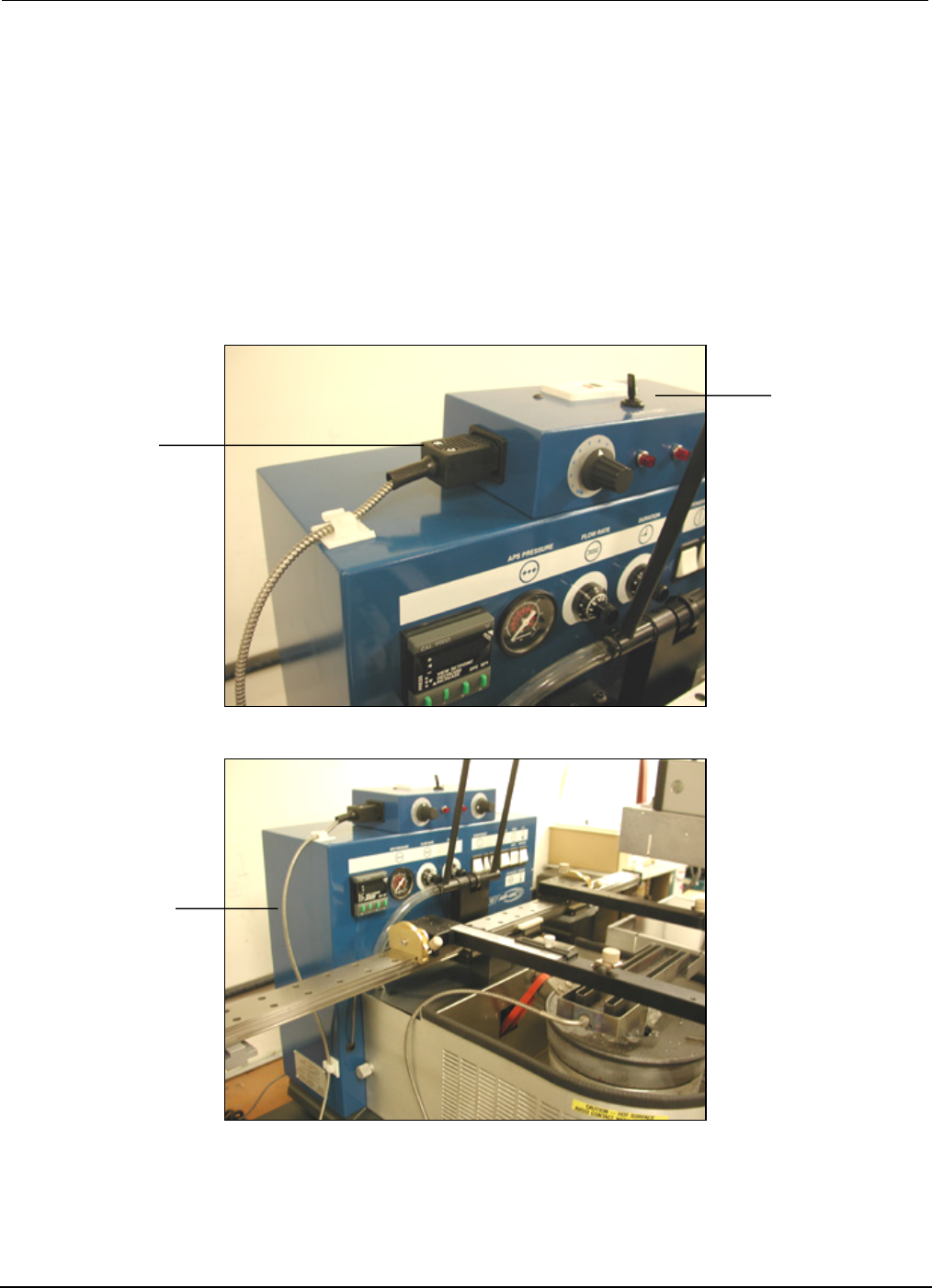
Flow Well
Heater
Heater
Control Box
Note Routing
Of Heater Cable
• Connect flow well heaters to power, if applicable. Adjust heaters as required.
• Allow machine to reach and stabilize temperature—typically 45 minutes.
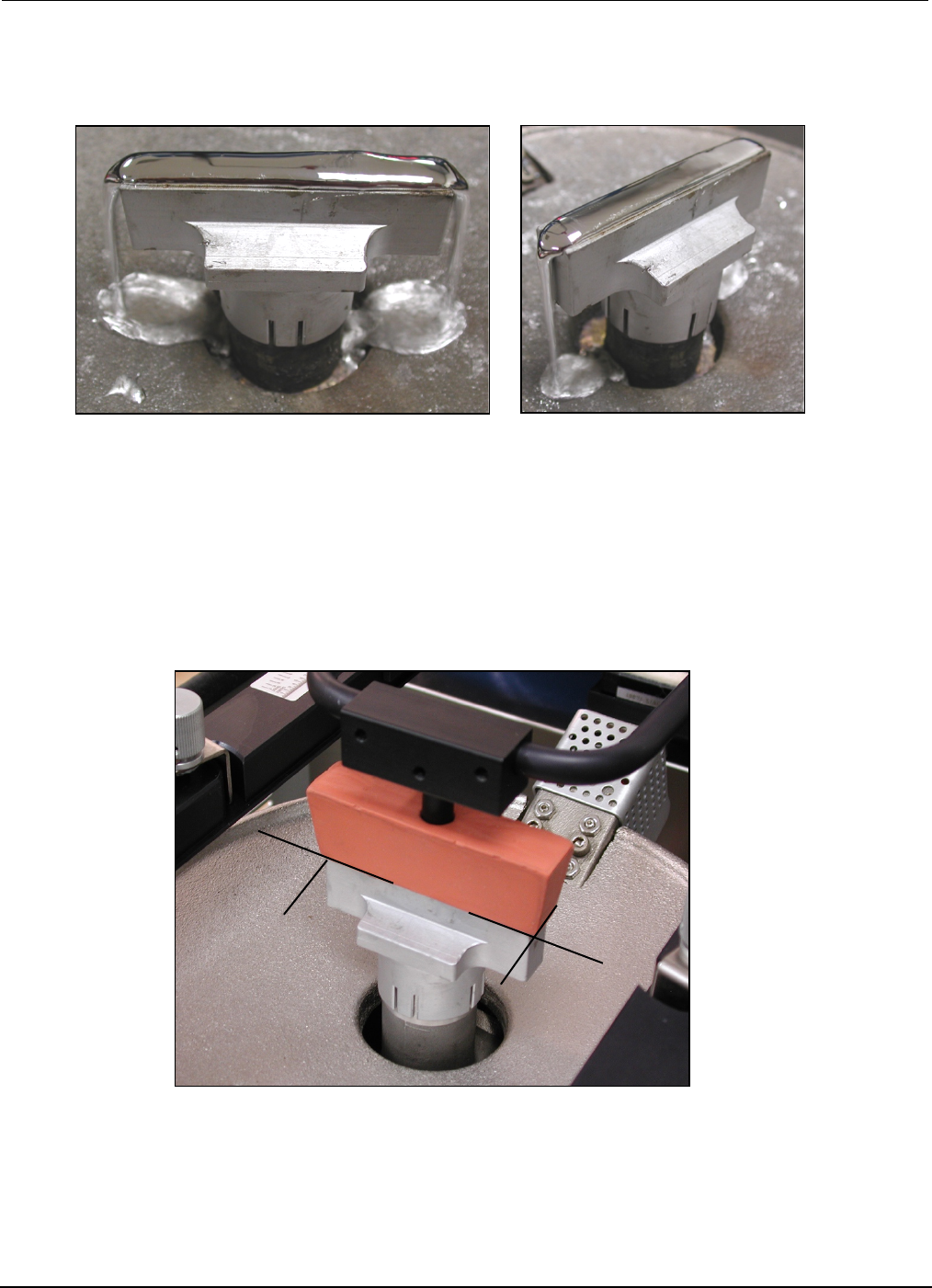
• After flow well has heat soaked for 15 minutes, set Solder Flow Rate Control to zero. Mode Switch
and Cycle Machine set to Continuous. Slowly increase Solder Flow Rate Control until solder fills the
flow well and starts flowing over the ends.
• Solder may solidify in flow well if not heat soaked. Do not increase flow rate. Allow flow well to
heat soak further.
• Select Mode Switch to Off position (center).
PCBRM15 & PCBRM System 5.2 User’s Manual
Chapter 4: Processes & Applications
Part No. 4005.00.906 4-6
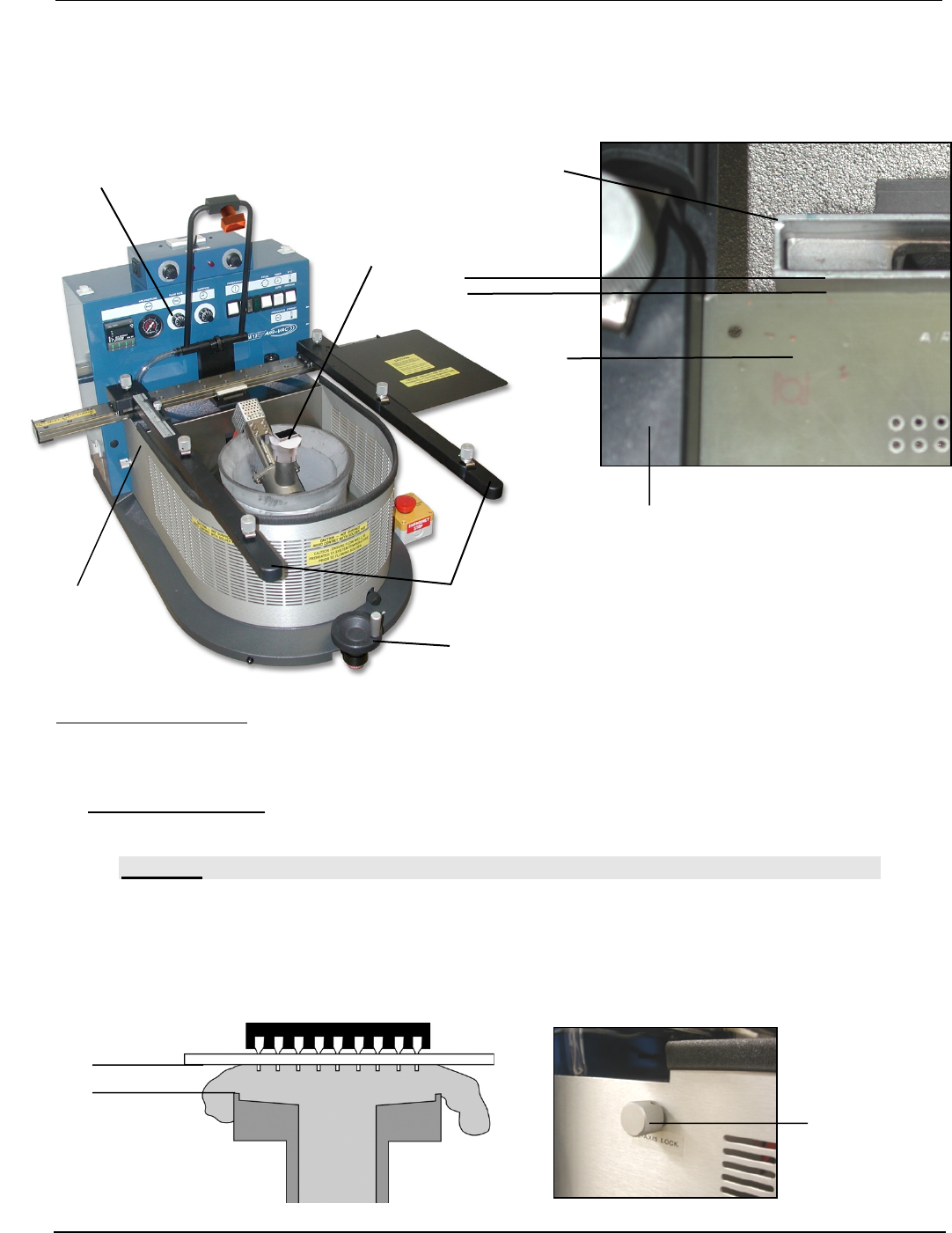
Flow Well
Carrier Arms
Z-Height Adjustment Wheel
Flow Well
parallel
PCB
Solder Flow Rate Control
Carrier Arm
(A)
(A)
•
• Using the Z-Axis Height Adjustment Wheel, lower carrier to allow Carrier Arms to touch side of Flow
Well.
• Adjust Flow Well parallel to carrier arms or use edge of a pcb as a guide to square the flow well as
shown in photo.
Adjusting PCB Height:
• A space of approximately 1/16” between the top of the flow well and the bottom of the pcb. Molten
solder needs to flow through this space, contact all leads and flow freely back into the solder pot.
Use Z-height adjustment wheel to adjust.
• PCBRM System 5.2 – Once height is set, loosen and then lock the z-height adjust (A). Once set,
unit is set for repetative processes.
CAUTION:
INSUFFICIENT CLEARANCE COULD FORCE THE SOLDER TO FLOW UP THROUGH THE BARRELS
OF THE BOARD AND FLOOD THE TOP OF THE BOARD. IT COULD ALSO CREATE A SAFETY
CONCERN FOCING SOLDER UNDER PRESSURE OUT OF NARROW FLOW WELL/PCB
OPENINGS.SOLDER CAN DEFLECT ALONG THE BOTTOM OF THE PCB TO ADJACENT AREAS.
Bottom of
PCB
Top of
Flow Well
1/16”
PCBRM15 & PCBRM System 5.2 User’s Manual
Chapter 4: Processes & Applications
Part No. 4005.00.906 4-7
• Too great of a clearance could prevent the solder from reaching the entire lead pattern.
• Cycle machine. With flow rate at zero, switch mode switch to “continuous” mode and slowly adjust
Solder Flow Rate Control to produce a level flowing solder wave.
4.3 Cleaning Hood Set Up (option)
Hood must be positioned exactly over flow well with the faces of the hood and flow well parallel and
square to one another.