PCBRM_User_Manual_R9.pdf - 第92页
Pcbrm15 & PCBRM Syst em 5.2 User ’s Manual Chapter 6: Troubl eshootin g Part No. 4005.00.906 6- 6
Pcbrm15 & PCBRM System 5.2 User’s Manual Chapter 6: Troubleshooting
Part No. 4005.00.906 6-5
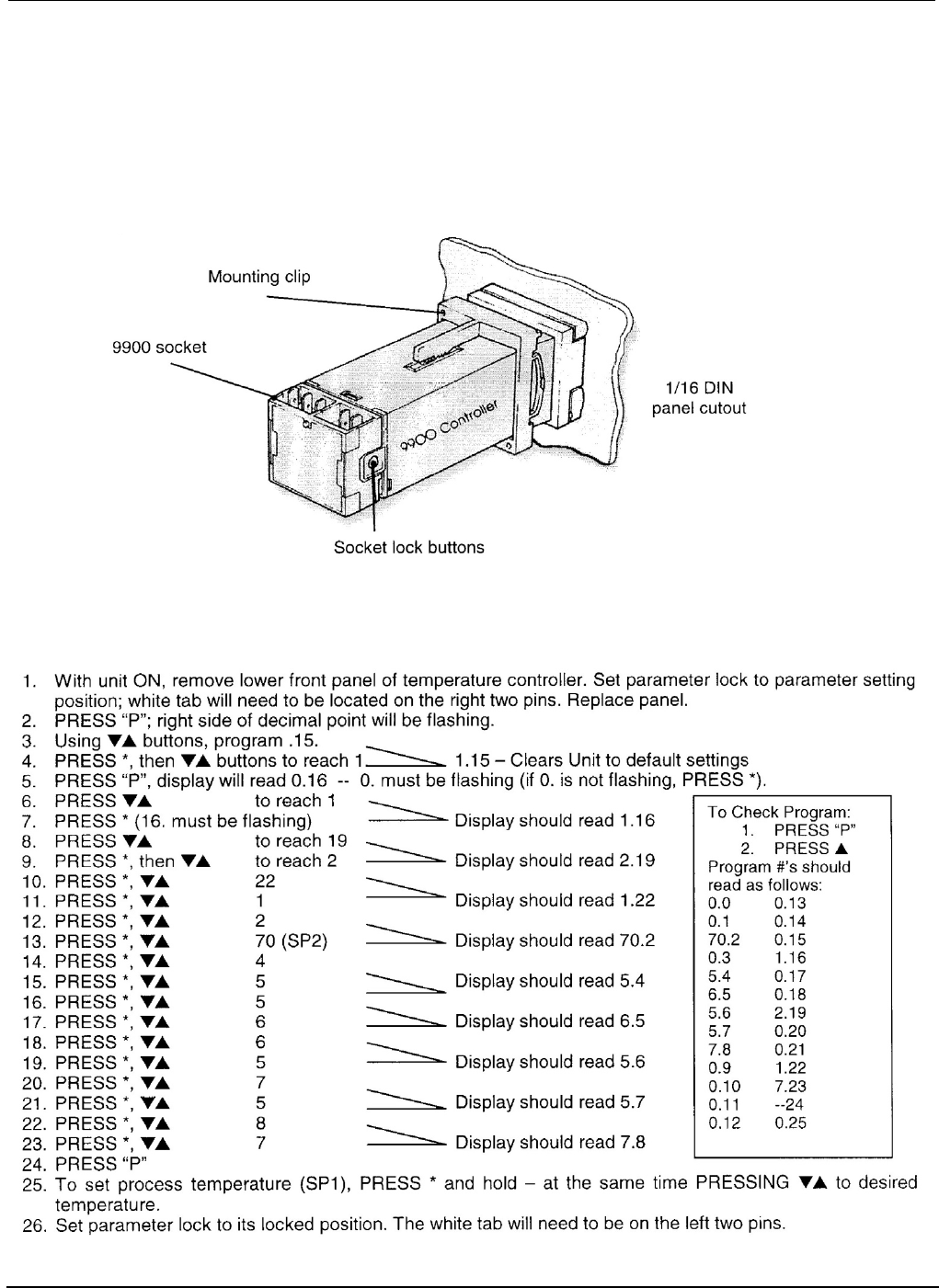
6.2 Temperature Controller Installation (CAL 9900 only)
1. Remove the socket by pressing in the lock buttons.
2. Slide the controller into the cut-out.
3. Fit the mounting clip by pressing it firmly against the panel, jacking screws optional.
4. Plug on the socket.
6.2.1 Setting Parameters of the CAL 9900 Temp Controller (also refer to Cal control booklet)

Pcbrm15 & PCBRM System 5.2 User’s Manual Chapter 6: Troubleshooting
Part No. 4005.00.906 6-6

Pcbrm15 & PCBRM System 5.2 User’s Manual Chapter 7: Schematics
Part No. 4005.00.906 7-1
7: Schematics