PCBRM_User_Manual_R9.pdf - 第56页
PCBRM15 & PCBRM System 5. 2 User’s Manual Chapter 4: Process es & Appl icati ons Part No. 4005.00.906 4- 14 Center Bracket X- Axis Lock (left) Micro Switc h 5. Move X - Axis carrier to the ri ght. Be certain ther…
PCBRM15 & PCBRM System 5.2 User’s Manual
Chapter 4: Processes & Applications
Part No. 4005.00.906 4-13
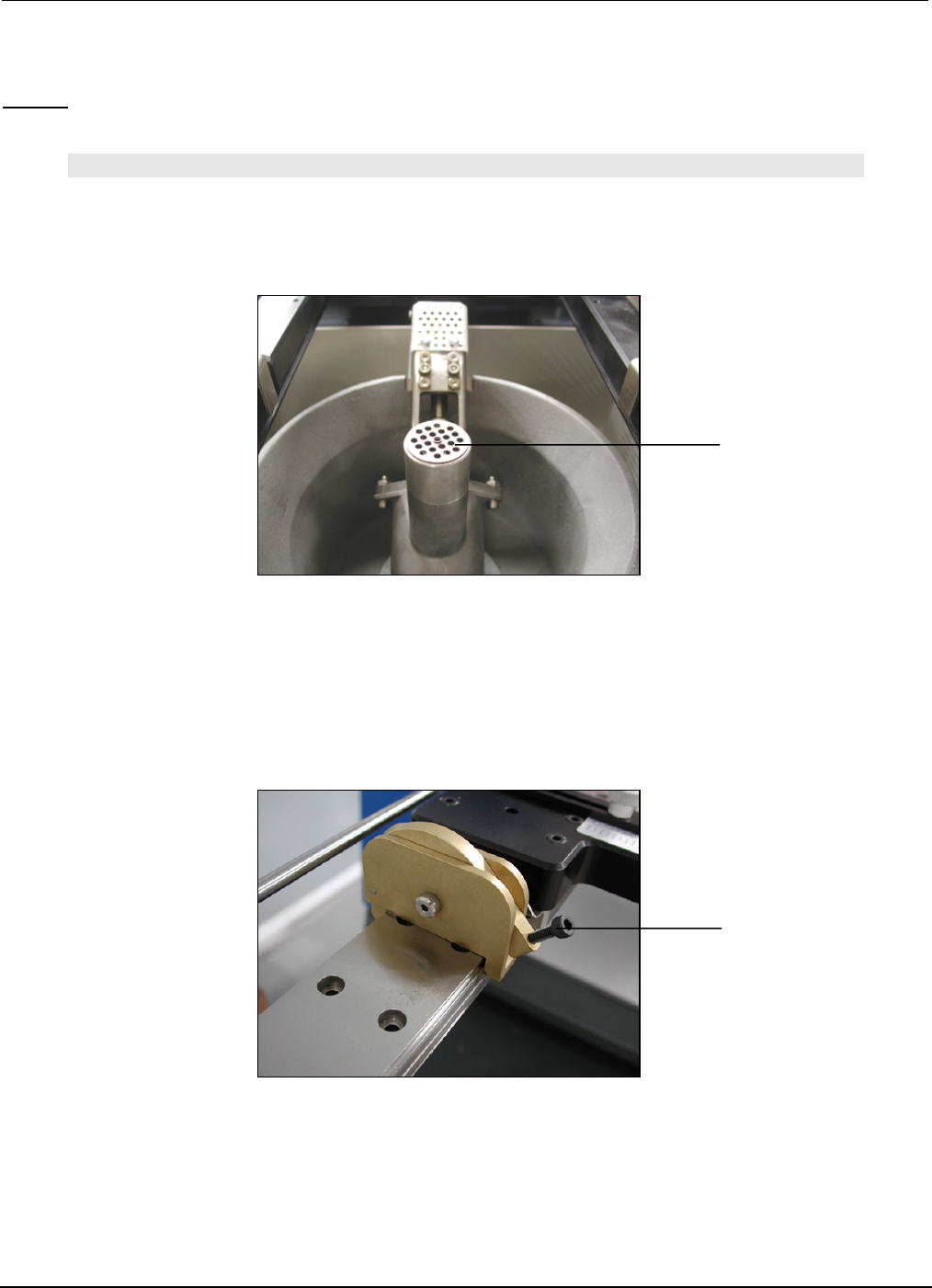
Baffle
X-Axis Compliant Arm
Lock Knob
(right anf left sides)
4.11 Set-Up and Process a PCB (step by step)
Set-up:
NOTE:
BE CERTAIN THAT THE PUMP BAFFLE IS INSTALLED INTO THE PUMP. ADJUST Z-AXIS TO ITS
HIGHEST POSITION. INSTALL FLOW WELL AND CLEANING HOOD IF SO EQUIPPED.
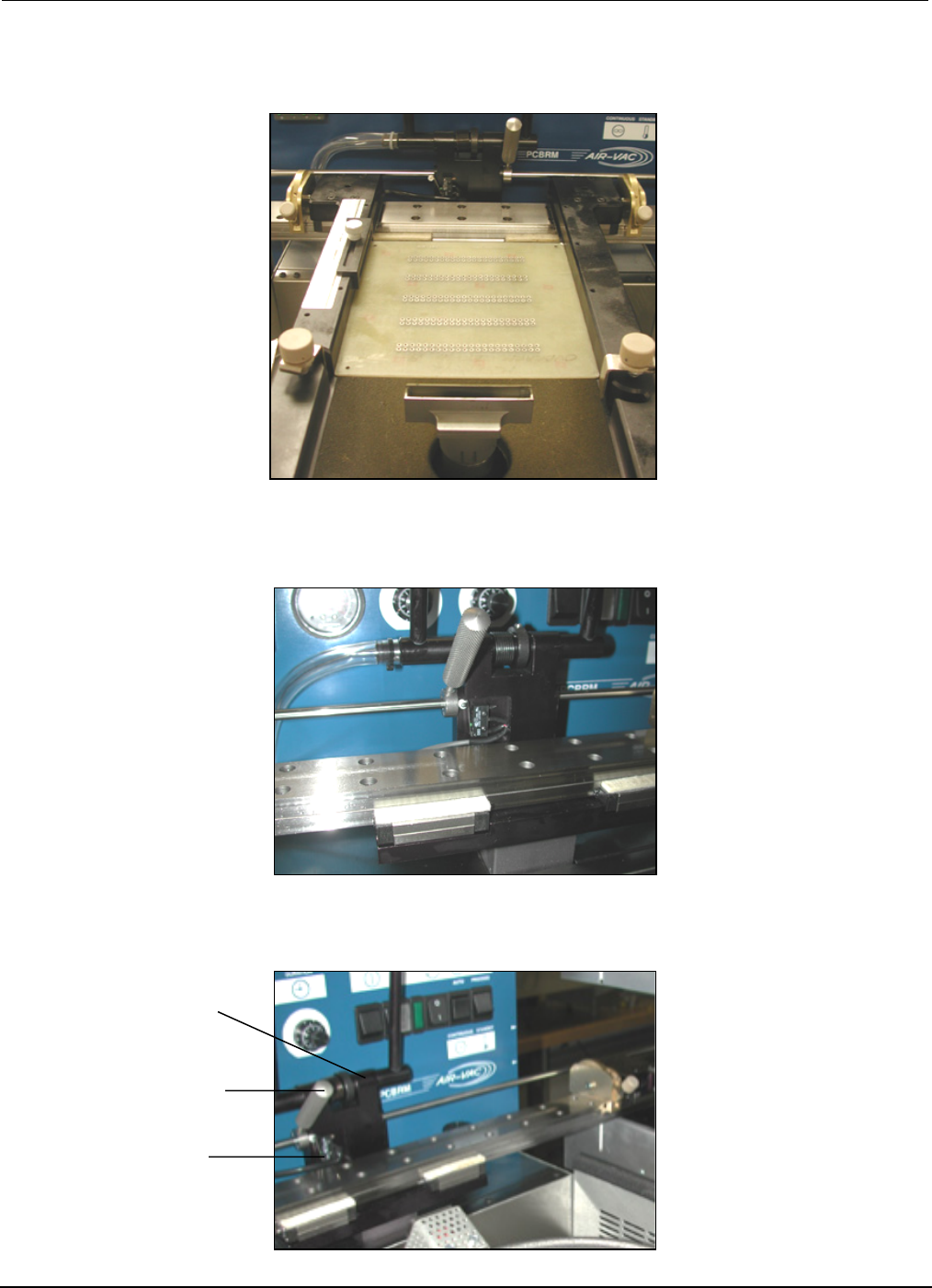
1. Move X-Axis carrier all the way to the left.
2. Move the carrier arms to an approximate position on the X-Axis to hold the board.
3. Lock the left arm to the X-Axis rail.
4. Hold PCB in left arm while moving the right arm to the board. Lock right arm.
PCBRM15 & PCBRM System 5.2 User’s Manual
Chapter 4: Processes & Applications
Part No. 4005.00.906 4-14
Center Bracket
X-Axis Lock (left)
Micro Switch
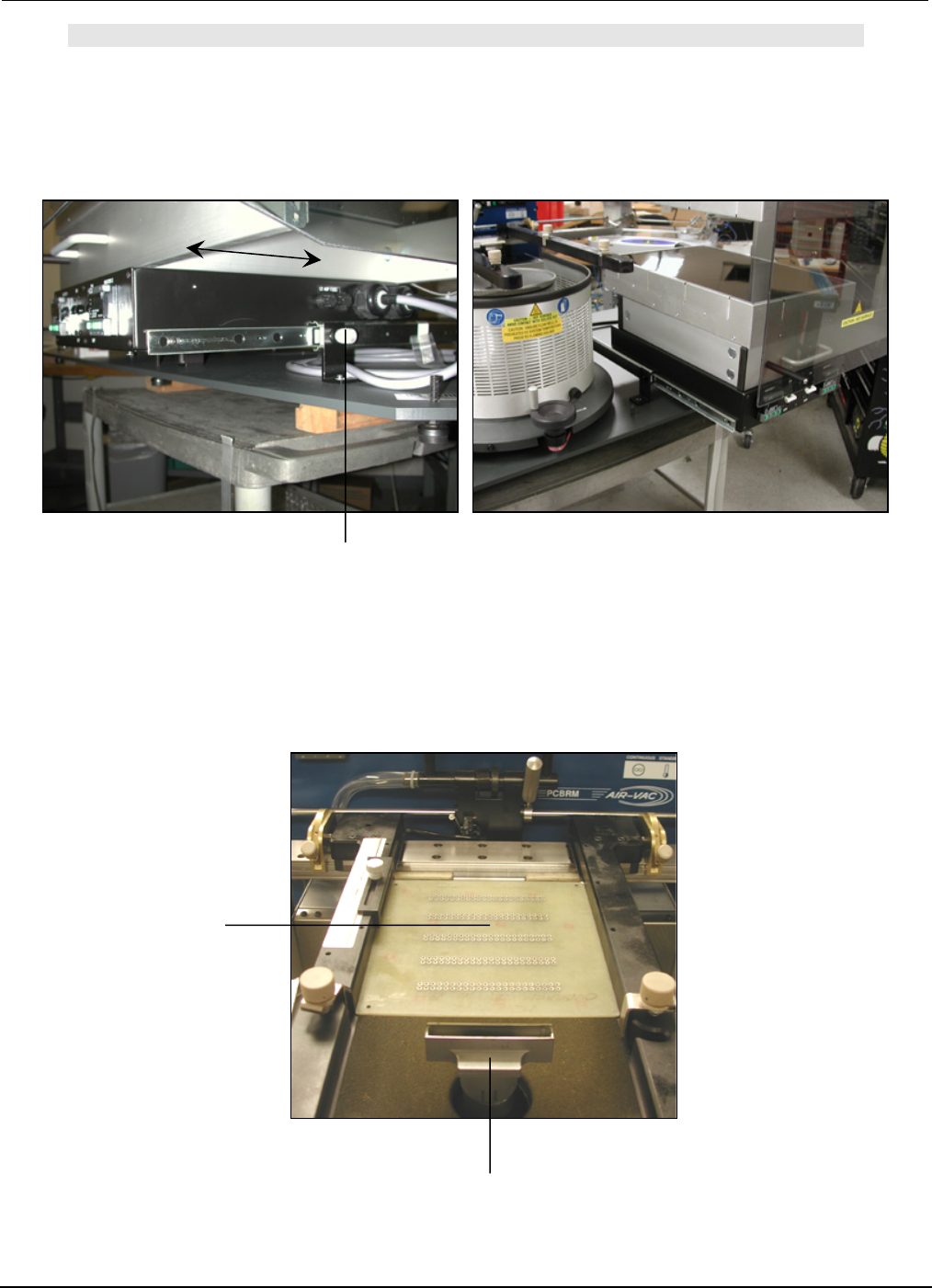
5. Move X-Axis carrier to the right. Be certain there is enough travel to locate PCB to the flow well.
Adjust arms as required.
5A For System 5.2, be certain there is enough travel to locate the PCB in the preheater. Adjust arms
left or right as required.
5B Move the left X-Axis lock to the right to hard stop the center bracket and micro switch.
PCBRM15 & PCBRM System 5.2 User’s Manual
Chapter 4: Processes & Applications
Part No. 4005.00.906 4-15
Flow Well
Lock Knob
PCB
NOTE:
FOR SYSTEM 5.2, BE CERTAIN THAT THE PREHEATER IS IN ITS FORWARD POSITION AND LOCKED
IN POSITION.
6. Move carrier to bring PCB to the flow well location.