80S-2080F480F5.pdf - 第106页
2 Introduction and Ba sic Concepts SIPLACE 80S-20/F4/F5 User Manual 2.3 Overview of the User I nterface and Menu Functions 05/99 Is sue from Software Version SR.405.xx 2 - 22 2.3.1 Flow Chart - Overall V iew Fig. 2.3.1 F…
SIPLACE 80S-20/F4/F5 User Manual 2 Introduction and Basic Concepts
05/99 Issue from Software Version SR.405.xx 2.3 Overview of the User Interface and Menu Functions
2 - 21
2.3 Overview of the User Interface and Menu Functions
2 Introduction and Basic Concepts SIPLACE 80S-20/F4/F5 User Manual
2.3 Overview of the User Interface and Menu Functions 05/99 Issue from Software Version SR.405.xx
2 - 22
2.3.1 Flow Chart - Overall View
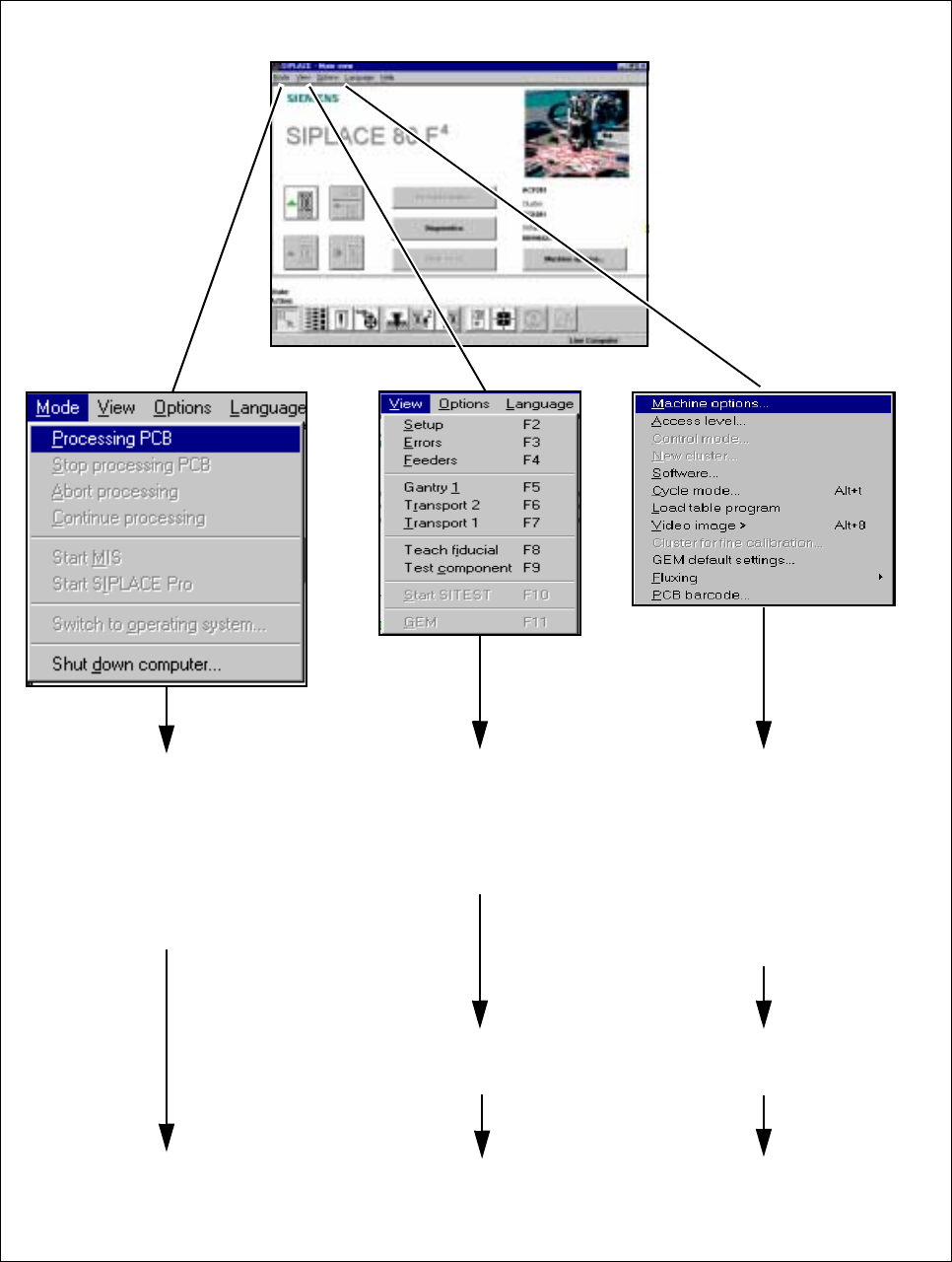
Fig. 2.3.1 Flowchart Main view - part 1
To
Section 2.4.2
To
Section 2.4.3
To
Flowchart 2.3.2
To
Section 2.4.4
To
Flowchart 2.3.3
MAIN VIEW (see Section 2.4.1)
➩ Processing PCB
➩ Stop processing PCB
➩ Abort processing
➩ Continue processing
➩ Switch to operating
system ...
➩ Shut down computer ...
➩ Placement functions
➩ Single functions
➩ Vision functions
➩ GEM functions
➩ Start SITEST
➩ View machine options
➩ Set operator control level,
operating mode, cluster
➩ Execute service technician
functions
➩ Cycle mode and video image
➩ Load table program
➩
Execute optional functions
SIPLACE 80S-20/F4/F5 User Manual 2 Introduction and Basic Concepts
05/99 Issue from Software Version SR.405.xx 2.3 Overview of the User Interface and Menu Functions
2 - 23
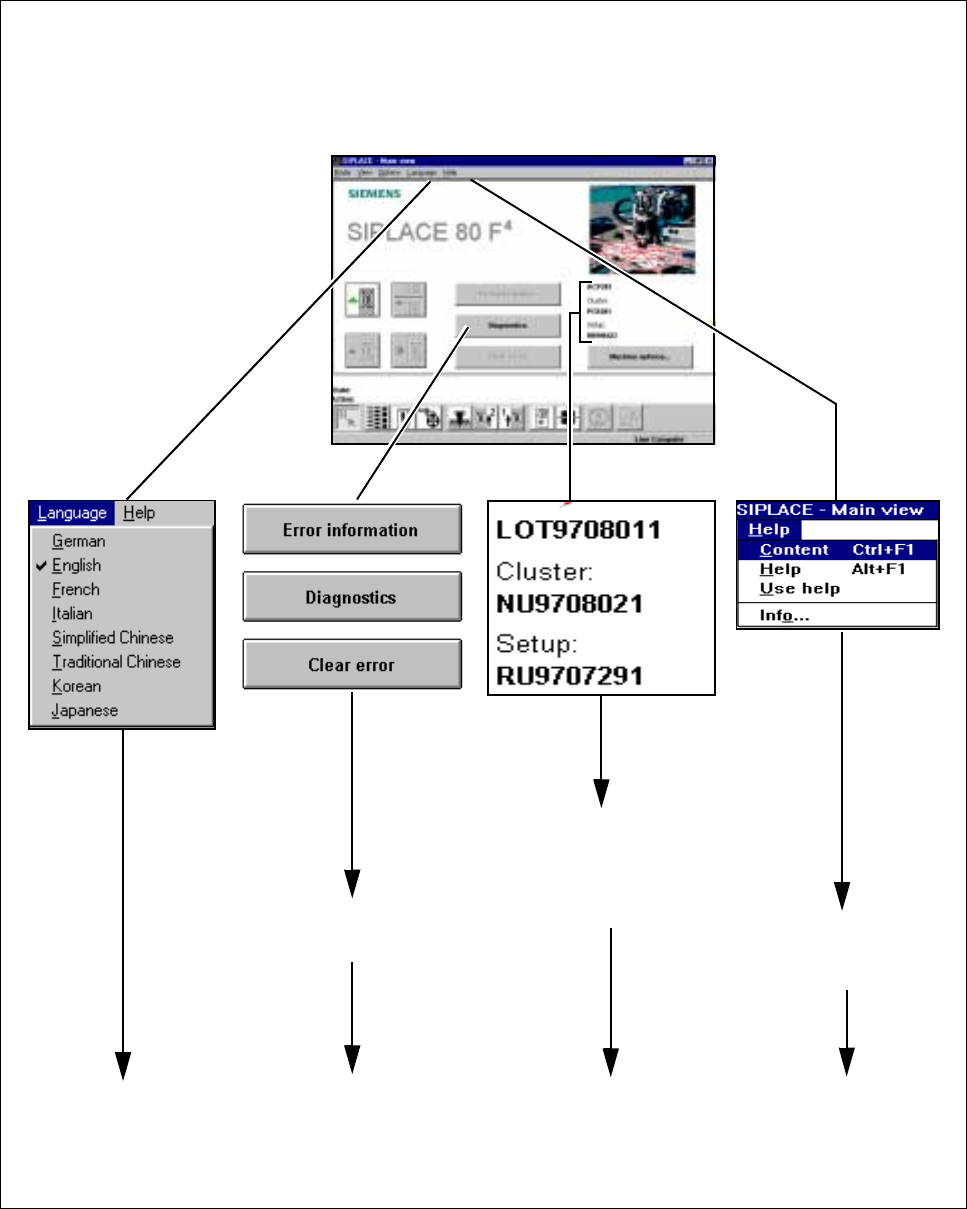
Fig. 2.3.2 Flowchart Main view - part 2
To
Section 2.4.6
To
Section 2.4.7
To
Chapter 8
To
Chapter 7
To
Section 2.4.5
To
Section 2.4.8
MAIN VIEW (see Section 2.4.1)
This displays the current
➩ job name
➩ cluster name
➩ setup name