80S-2080F480F5.pdf - 第281页
SIPLACE 80S-20/F4/F5 User M anual 5 Vision Func tions 05/99 Issue from Software Vers ion SR.405.xx 5.5 Teach Fiducial Line en gineer 5 - 49 5.5.3. 4 Define New Fiducial Opt ion With th is option you can generate a new fi…
5 Vision Functions SIPLACE 80S-20/F4/F5 User Manual
5.5 Teach Fiducial 05/99 Issue from Software Version SR.405.xx
5 - 48 Line engineer
5.5.3.3
Change Fiducial Name
Option
NOTE:
This option can only be activated if you have already loaded a fiducial. If this is not the case the
Change fidu-
cial name
button will be inactive. The grayed-out text on the button indicates this.
– Load the desired fiducial, as described in Section 5.5.3.2 from Page 5 - 47.
– Click on the
Change fiducial name
button.
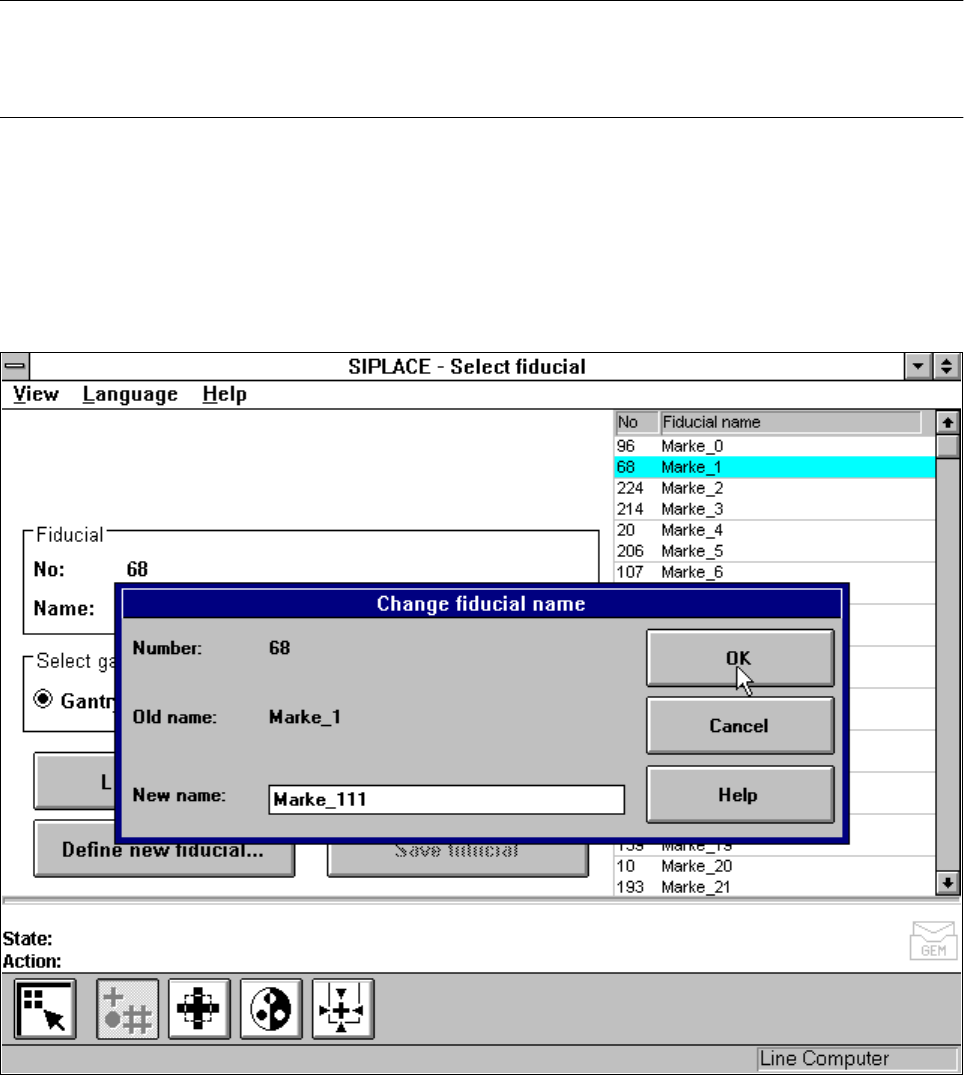
The input box will appear on the screen.
– Input the new fiducial name into the
New name
field.
– Click on
OK
if you wish the change to go ahead. The fiducial list will now be updated.
– Click on
Cancel
if you wish to discard the change.
Fig. 5.5.10
Change fiducial name
option, input box for new fiducial name
SIPLACE 80S-20/F4/F5 User Manual 5 Vision Functions
05/99 Issue from Software Version SR.405.xx 5.5 Teach Fiducial
Line engineer 5 - 49
5.5.3.4
Define New Fiducial
Option
With this option you can generate a new fiducial.
– Click on the
Define new fiducial
button.
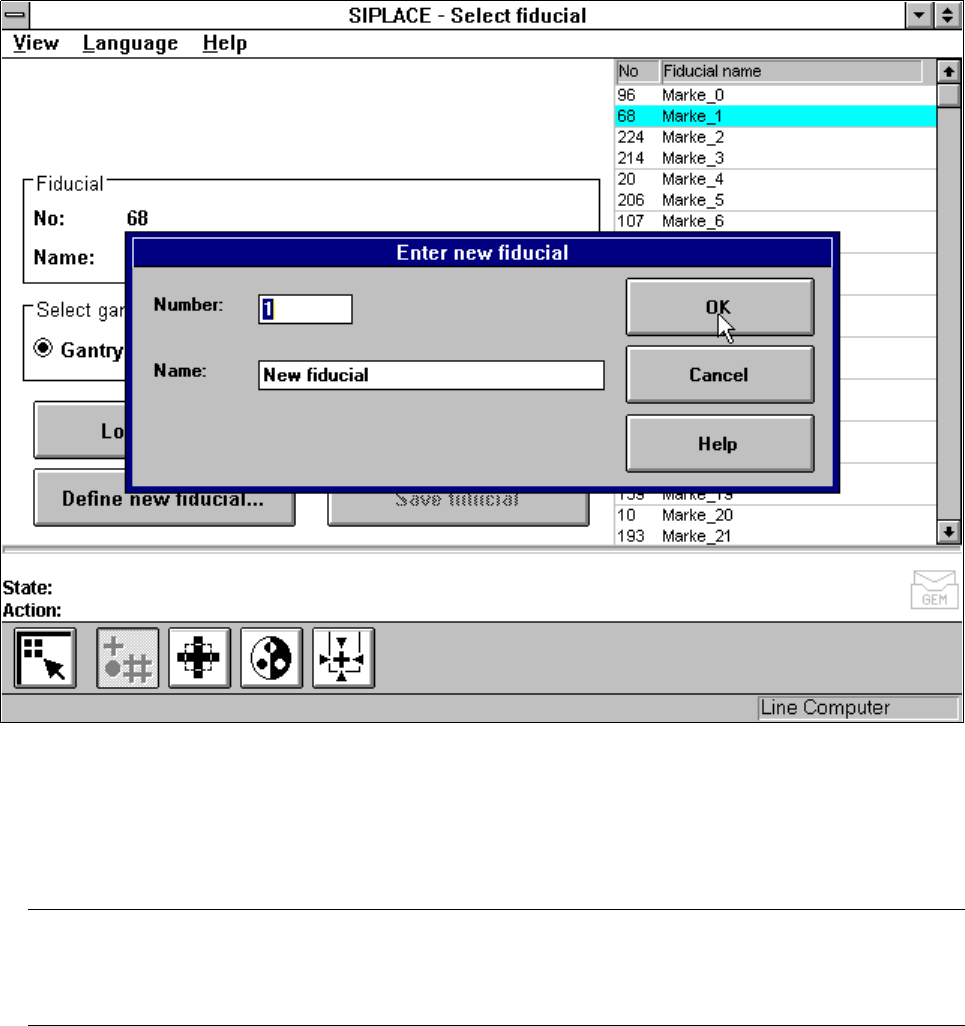
The input box for the fiducial number and the fiducial name will appear on the screen.
Fig. 5.5.11
Select fiducial
menu,
Define new fiducial
option, input box
– Input a fiducial number and the fiducial name.
– Conclude your input with
OK
or discard your input with
Cancel
.
– The new fiducial can also be taught with standard values and further processed.
– When finished save the fiducial by clicking on the
Save fiducial
button.
NOTE
If a fiducial number already exists after clicking on OK you will be asked if you want to overwrite the exist-
ing fiducial.
5 Vision Functions SIPLACE 80S-20/F4/F5 User Manual
5.5 Teach Fiducial 05/99 Issue from Software Version SR.405.xx
5 - 50 Line engineer
5.5.3.5
Save Fiducial
Option
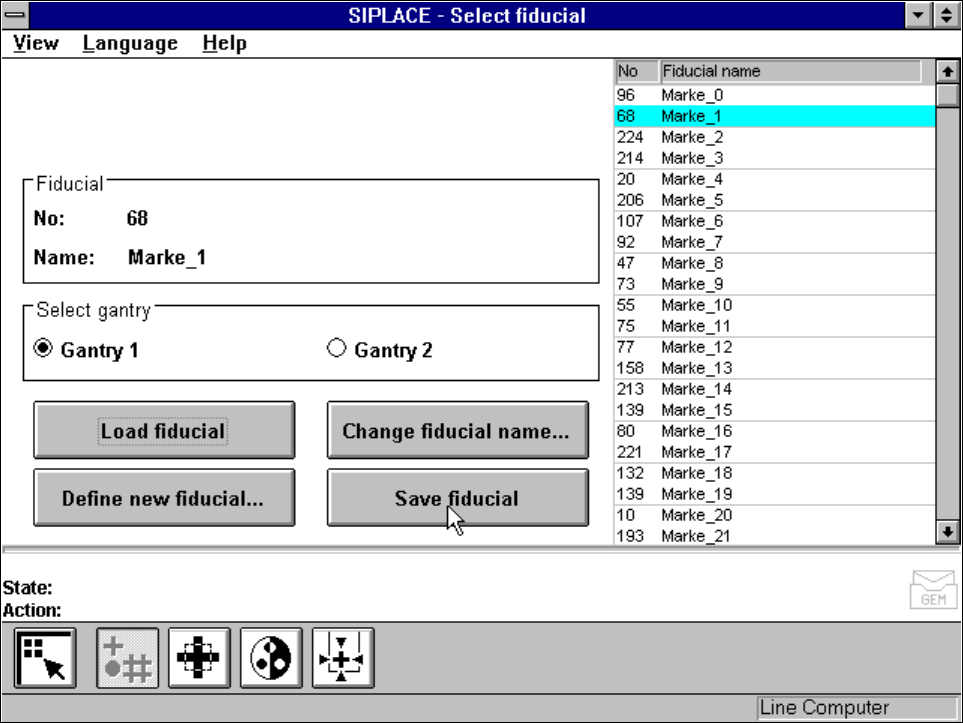
With this option you can save fiducials together with their modified parameters. The button will only become
activated if you have
– changed the fiducial name or
– generated a new fiducial.
Fig. 5.5.12
Select fiducial
menu,
Save fiducial
option