80S-2080F480F5.pdf - 第660页
11 Station Extensions/Options SIPLACE 80S-20/F4/F5 User Manual 11.7 Dispenser Flux Application Uni t for SIPLACE 80F4/F5 05/99 Issue from Software Version SR.405.xx 11 - 44 V olume: - T he q uantity of flux i n [µ l] whi…
SIPLACE 80S-20/F4/F5 User Manual 11 Station Extensions/Options
05/99 Issue from Software Version SR.405.xx 11.7 Dispenser Flux Application Unit for SIPLACE 80F4/F5
11 - 43
11.7.6.2 Editing the Package Form List
To be able to edit data for the flip-chip component which is to be placed, select the
Package form list
menu.
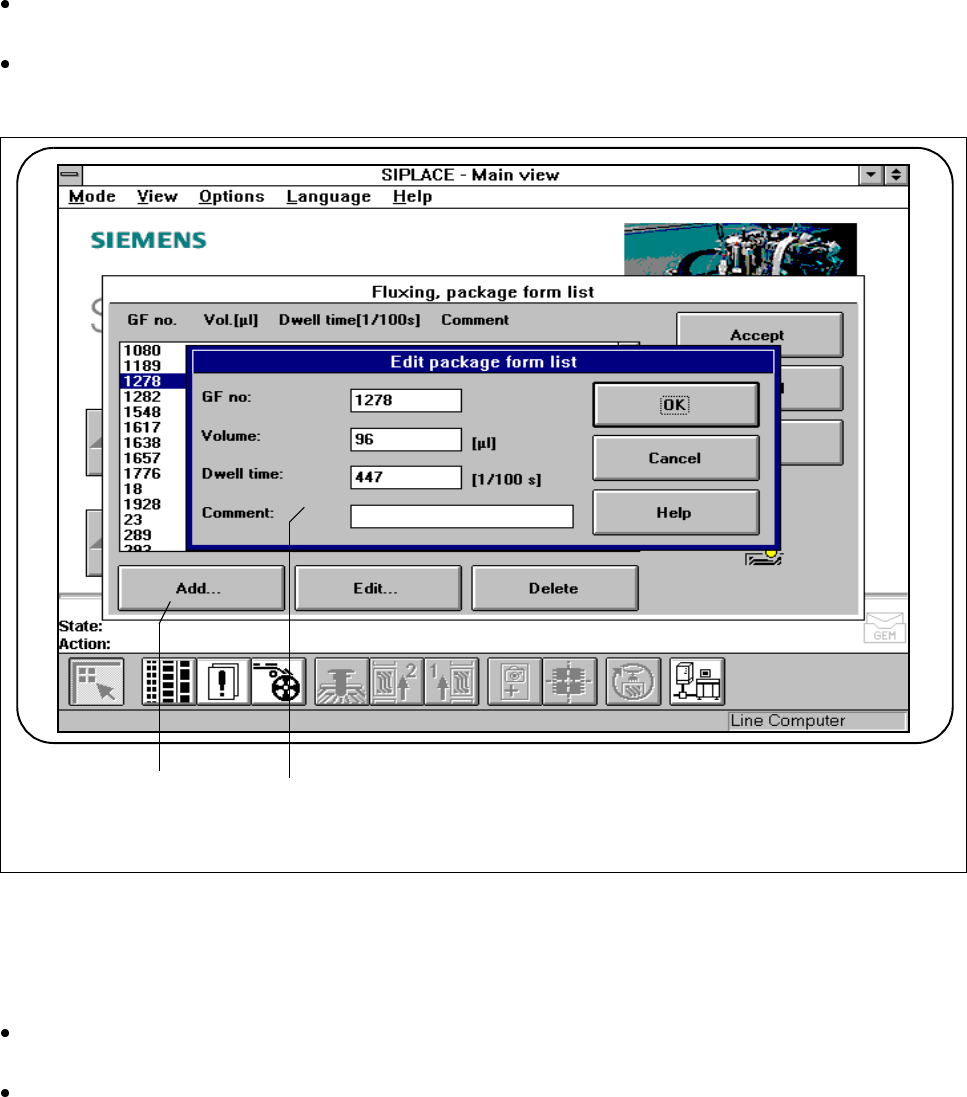
In this menu you can add flip-chip components, each with its own GF No.[package form number] and also
edit them. See Fig. 11.7.7 and Fig. 11.7.8.
Fig. 11.7.7 Fluxing, package form list
- Key to Fig. 11.7.7
1
Add
button 2 Input fields
Click on the Add button to describe a new component for fluxing and then enter the corresponding data
into the input fields.
You will need to enter the following data:
GF no.:
- The package form number of the component in question.
- You can input package form numbers between 1 and 32000.
F
2 1

11 Station Extensions/Options SIPLACE 80S-20/F4/F5 User Manual
11.7 Dispenser Flux Application Unit for SIPLACE 80F4/F5 05/99 Issue from Software Version SR.405.xx
11 - 44
Volume:
- The quantity of flux in [µl] which is to be applied for the component in question.
- You may specify a flux volume between 1 µl and 100 µl.
- You can try out the following values as guidelines:
Component 6 mm x 6 mm => 8 µl flux
Component 10 mm x 10 mm =>10-15 µl flux
Dwell time:
- The period of time for which the component should be held in the flux during placement.
- You can specify a value between 0 and 500/100 seconds. This corresponds, of course, to 0 to 5 sec-
onds.
Comment:
- You can enter a comment for each component.
Confirm what you have entered by pressing
OK
.
Save the edited package form list by pressing
Accept.
PLEASE NOTE
Up to 25 package forms can be entered on the station computer.
SIPLACE 80S-20/F4/F5 User Manual 11 Station Extensions/Options
05/99 Issue from Software Version SR.405.xx 11.7 Dispenser Flux Application Unit for SIPLACE 80F4/F5
11 - 45
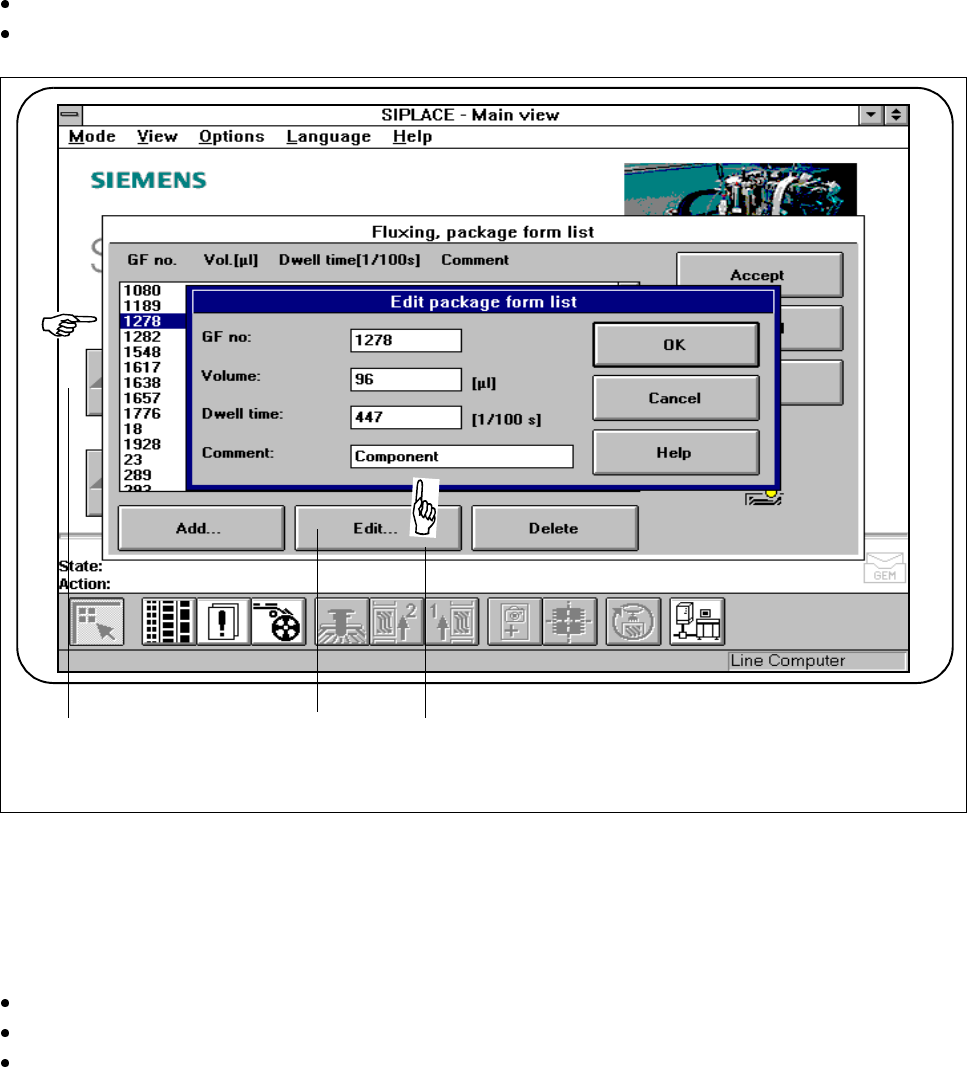
To edit a component, you will need to select the line in question (see Fig. 11.7.8 )
Click on the
Edit
button to edit an existing component.
Fig. 11.7.8 Fluxing: editing the package form list
- Key to Fig. 11.7.8
1 Select line 2
Edit
button
3 Input fields
Edit the data as described for
Add
.
Confirm what you have entered by pressing
OK
.
Save the edited package form list by pressing the
Accept
button.
3 1 2