80S-2080F480F5.pdf - 第305页
SIPLACE 80S-20/F4/F5 User M anual 5 Vision Func tions 05/99 Issue from Software Vers ion SR.405.xx 5.6 Test Comp onent Line en gineer 5 - 73 Fig. 5.6.1 Flowchart ’T est com ponent’ - ’T est component’ menu options ’Test …
5 Vision Functions SIPLACE 80S-20/F4/F5 User Manual
5.6 Test Component 05/99 Issue from Software Version SR.405.xx
5 - 72 Line engineer
5.6.2.3 Buttons
The system provides the following buttons for selecting options:
– Load GF data
Once you have selected the component you want from the lists field, click onto the
Load GF data
button.
The package form parameters will be loaded.
– Save GF data
The generated package form parameters will be saved when you click on this button.
– Pick up
The placement head picks up the selected component.
5.6.2.4 Video Images
With certain actions the camera image of the MVS systems (vision evaluation unit) are displayed on the
screen of the station computer. The screen will also contain a header and footers:
– The header may contain, for example, the currently selected menu option, the package form number, eval-
uation criteria, measurement results, and so on.
– The footers will contain command sequences, keyboard commands, camera coordinates and so on.
You can always quit video image screens by pressing the
Esc
key. The current menu window will then reap-
pear.
5.6.2.5 Messages
Messages are text fields which contain information regarding actions, warnings and so on. They will appear
under the following circumstances:
– incorrect operator actions.
– requests to the operator to carry out certain actions (for example, input package form number).
– information (for example, board is being disposed of).
– to indicate the system is busy performing an action (for example, package form data being saved).
SIPLACE 80S-20/F4/F5 User Manual 5 Vision Functions
05/99 Issue from Software Version SR.405.xx 5.6 Test Component
Line engineer 5 - 73
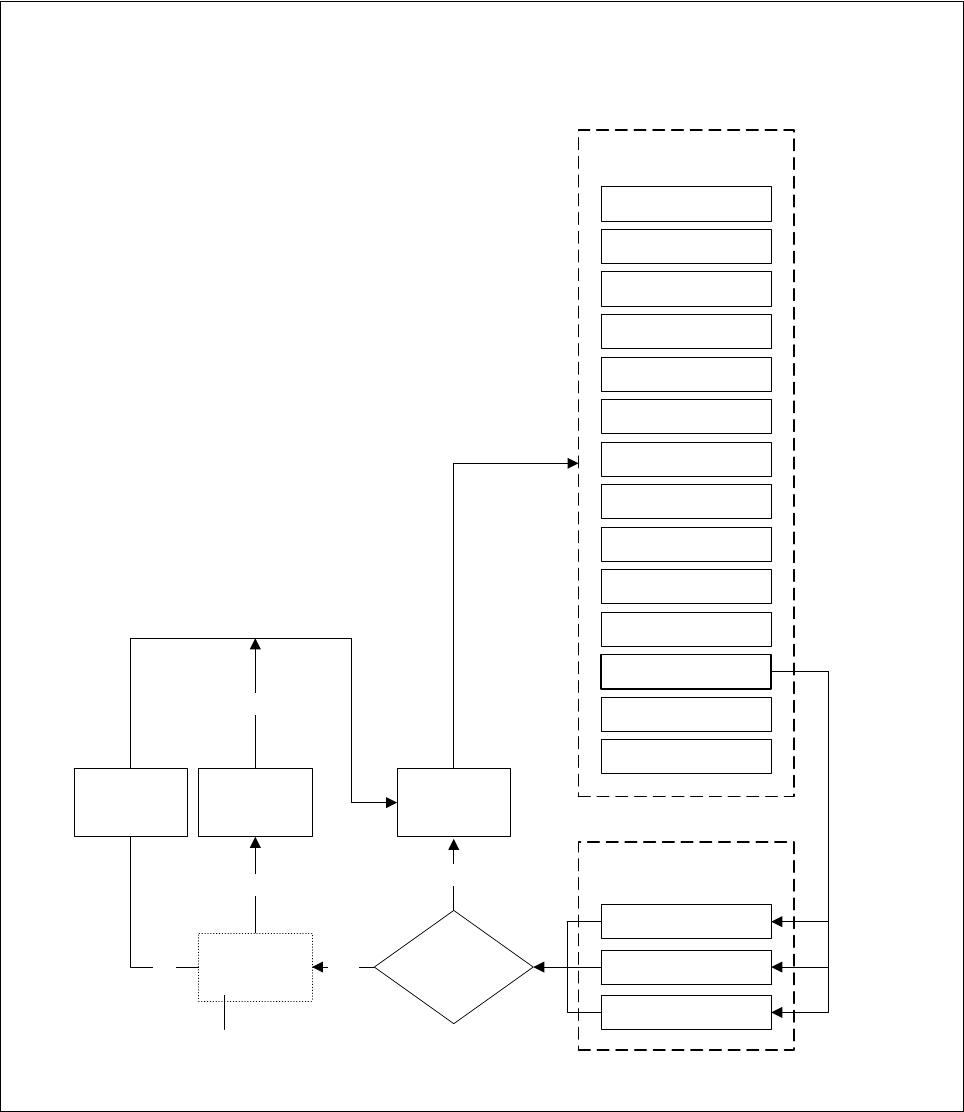
Fig. 5.6.1 Flowchart ’Test component’ - ’Test component’ menu options
’Test component’ menu options
Main view
Main view menu
Setup
Error
Feeders
Gantry 3 functions
Gantry 4 functions
PCB transport 2
PCB transport 1
Teach fiducial
Test component
SITEST
GEM
Main view
Markenauswahl
Test component
Save
GF data
Test component
menu option
Select package form
Package form
edited?
No
Gantry 1 functions
Gantry 2 functions
Yes
Discard
component
Package
form is saved
Yes
No
Package
form is
restored
Yes
’Save edited GF data’
option box
5 Vision Functions SIPLACE 80S-20/F4/F5 User Manual
5.6 Test Component 05/99 Issue from Software Version SR.405.xx
5 - 74 Line engineer
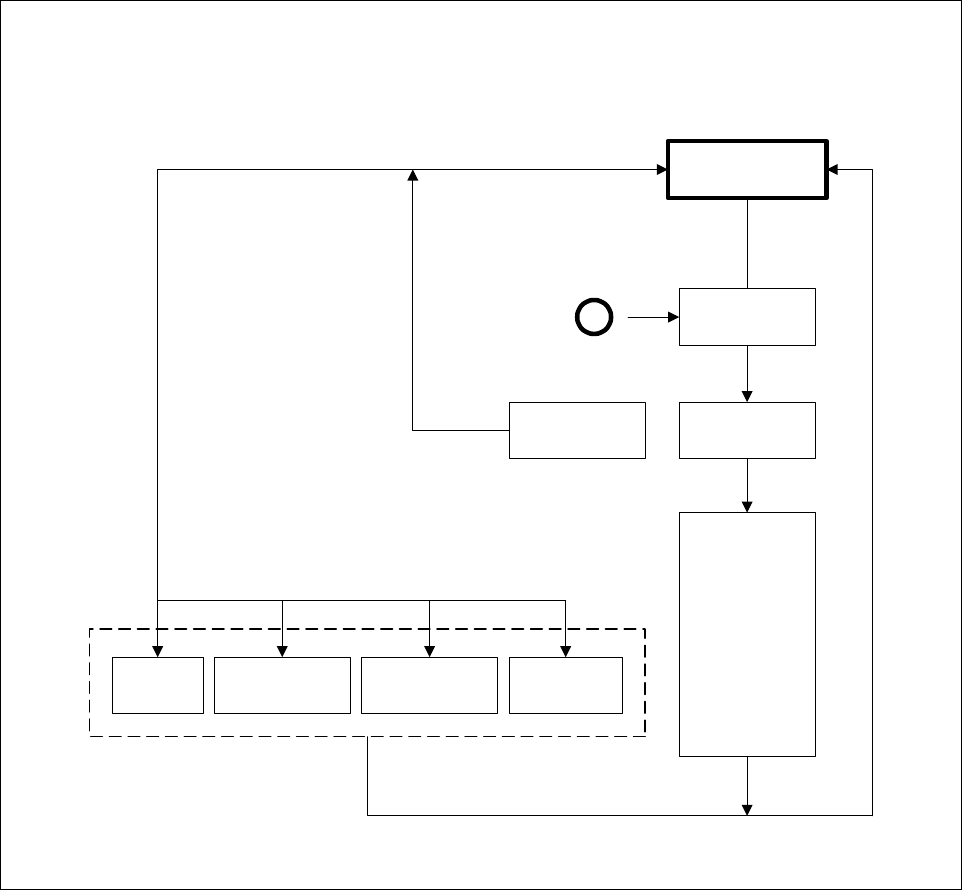
Fig. 5.6.2 Flowchart ’Test component’ - ’Select package form’ menu
Select
package form
If there is a
component on
the nozzle, it will
be discarded.
The station
computer
requests GF file
from the line
computer and
loads it down to
the MVS.
Default
Revolver head
12 seg. /DLM1 *)
Flip-chip *)
Pick & Place
head *)
Load
package form
’Select package form’ menu
A
Select
package form
Camera type
Save
GF data
*) Applies to 80F in the case that the component is to be centered not only using the standard
camera type (Default) but also another camera type.