CM88Maintenace1.pdf - 第145页
Page 1-107 REGULAR MAINTENANCE 1 Changing the Consumable Parts Every 1500 to 6000 Hours 2 . Preparing inspection jig After changing, check the proper setting. Using “Inspection jig for feeding rod and nozzle height,” che…
Page 1-106
Changing the Consumable Parts Every 1500 to 6000 Hours
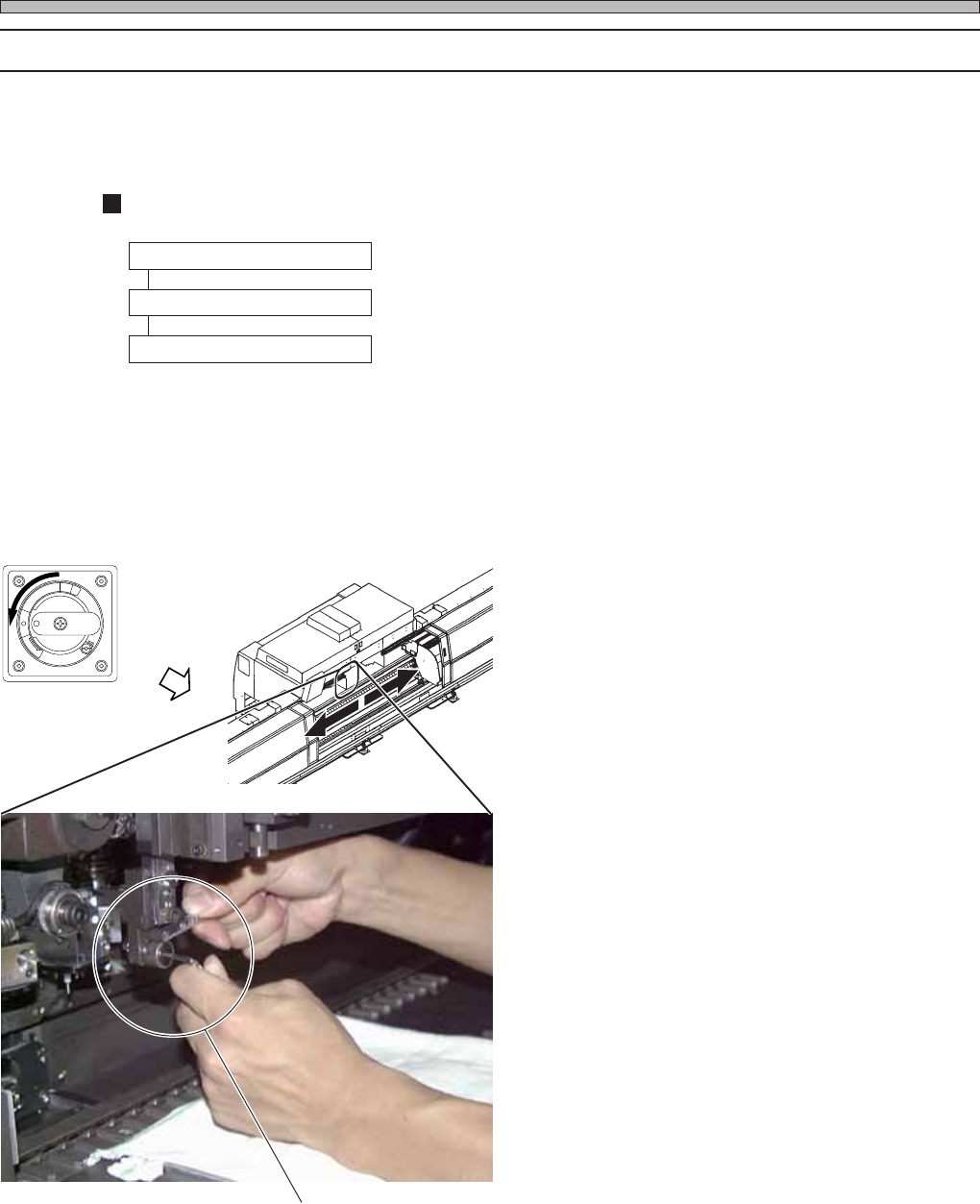
1-7-6 Changing the Tape Feeding Cam Follower [3000 Hours]
This section describes changing the tape feed cam followers on the tape feeding unit.
Tape feeding unit presses down the feeding lever on the tape feeder and sends chips to the pickup
position.
Operating Procedure
1. Changing cam followers
2. Preparing inspection jig
3. Checking after change
A. Set the inspection jig.
B. Set each item to check height.
C. Check the height of cam follower.
1. Changing cam followers
1. Turn off the power.
2. Open rear center safety cover.
3. Change cam followers with a wrench
or hexagonal key.
3Y3C-E-MMD01-A10-01
Tape feeding cam follower
R
E
L
E
A
S
E
T
R
I
P
O
F
F
O
N
R
E
S
E
T
3Y3C-AI01
3Y3C-071P
Page 1-107
REGULAR
MAINTENANCE
1
Changing the Consumable Parts Every 1500 to 6000 Hours
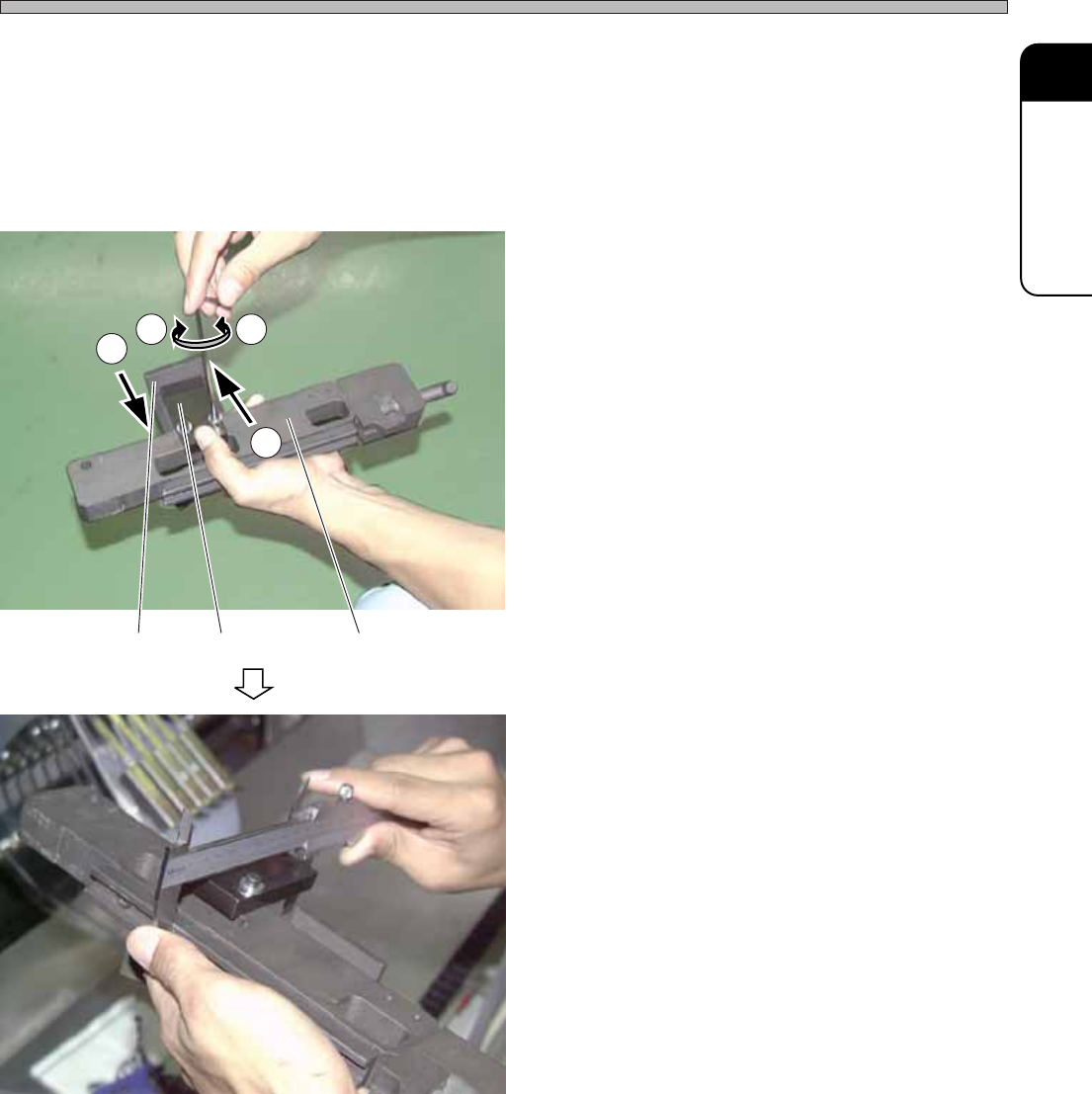
2. Preparing inspection jig
After changing, check the proper setting.
Using “Inspection jig for feeding rod and nozzle height,” check the height from the feeder table
when the tape feeding cam follower is at the lowest position.
“Inspection jig for feeding rod and nozzle height” is optional for CM88.
The same inspection jig as it is attached to our CM85C and CM86C.
1. Adjust the inspection jig.
a. Push the jig plate to the jig.
b. Loosen the bolt of jig block.
c. Align the position of jig block to the jig plate.
d. Tighten and fix the bolt of jig block.
2. Check the height of inspection jig
with a caliper.
∗ Standard value is 93.0 mm to 93.2 mm.
3Y3C-E-MMD01-A10-02
JigJig blockJig plate
a
b
c
d
3Y3C-072P
3Y3C-073P
Page 1-108
Changing the Consumable Parts Every 1500 to 6000 Hours
3. Checking after change
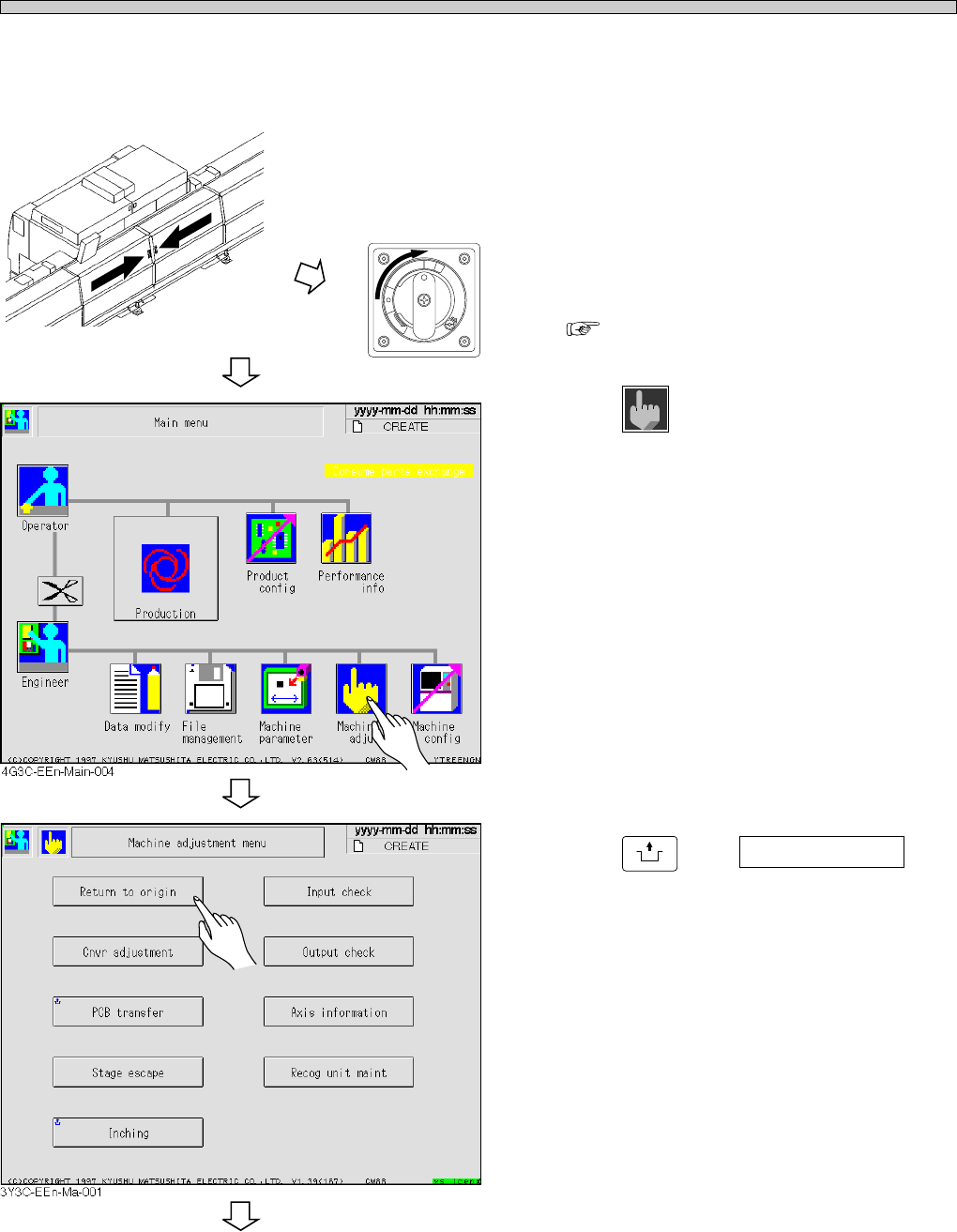
3-A Setting inspection jig
1. Close the rear center safety cover.
2. Turn on the power.
∗ Starting up the machine
“OPERATING MANUAL (for operators).”
3. Press
Machine
adjust
.
• The “Machine adjustment menu” screen
appears.
4. Press
UNLOCK
and Return to origin .
• Each axis is returned to origin.
3Y3C-E-MMD01-A10-02
To the next page
R
E
L
E
A
S
E
T
R
I
P
O
F
F
O
N
R
E
S
E
T
3Y3C-AG01