CM88Maintenace1.pdf - 第78页
Page 1-40 V acuum ON Check Every 140 Hours (Once a Week) 2. Press Output check . • The “Output check” screen appears. 3. Check . ∗ If it is , press the key holding UNLOCK to turn it to . • The vacuum pump starts to run. …
Page 1-39
REGULAR
MAINTENANCE
1
Check Every 140 Hours (Once a Week)
8. Checking the vacuum pressure at the tip of nozzle
Check the proper setting of nozzle and no trouble in the vacuum path of machine.
The pressure is measured at the transfer head on the chip pickup station of main axis.
Operating procedure
A. Preparing for measurement
Check the movement of vacuum pump.
Select the type of nozzle to measure.
Select the transfer head to measure.
Start the vacuum (ON).
B. Measuring
Set the vacuum gauge
Measure
Finish the vacuum (OFF)
Remove the vacuum gauge
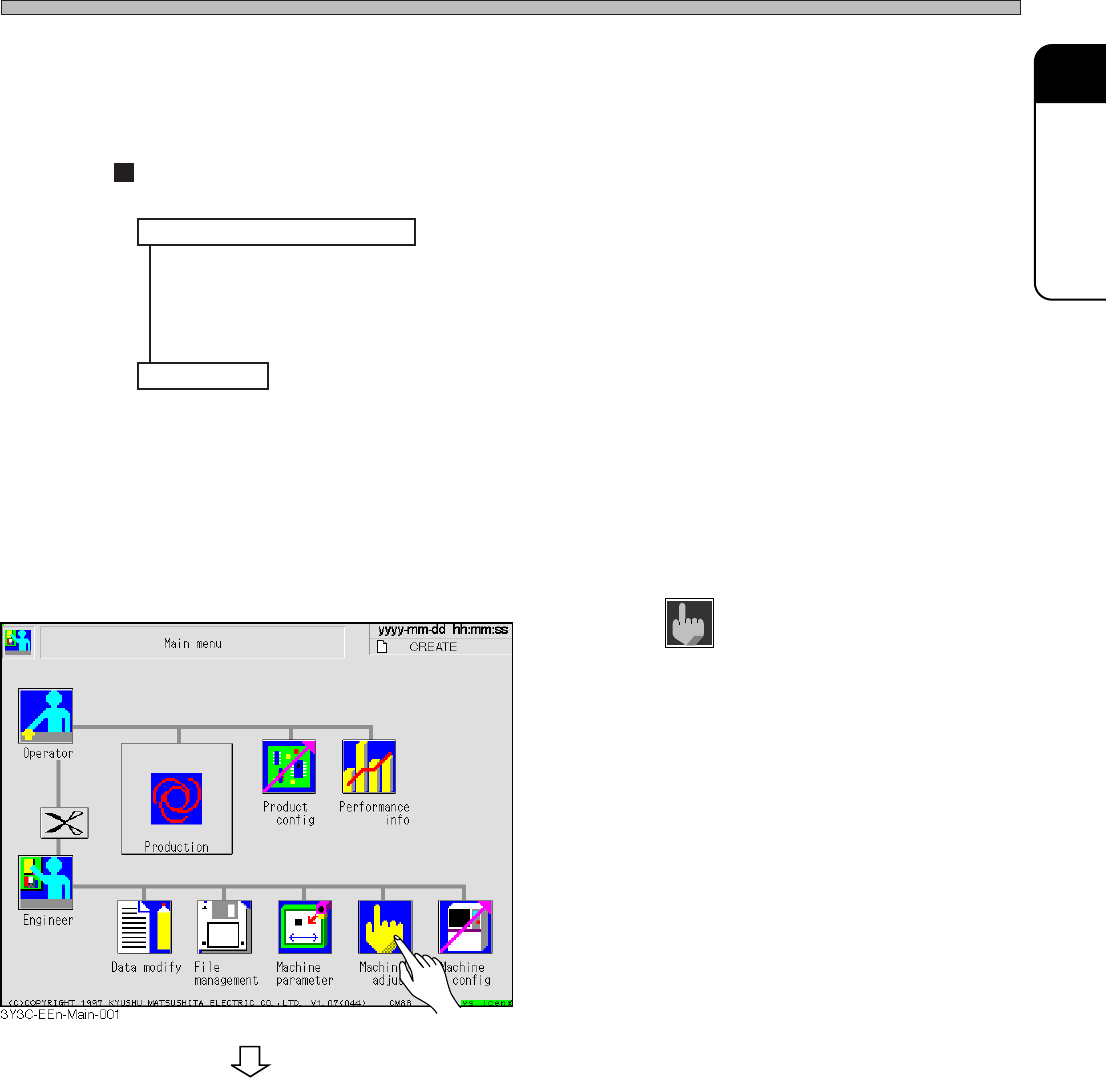
A. Preparing for measurement
1. Press
Machine
adjust
.
• The “Machine adjustment menu” screen
appears.
To the next page
3Y3C-E-MMD01-A04-01
Page 1-40
Vacuum
ON
Check Every 140 Hours (Once a Week)
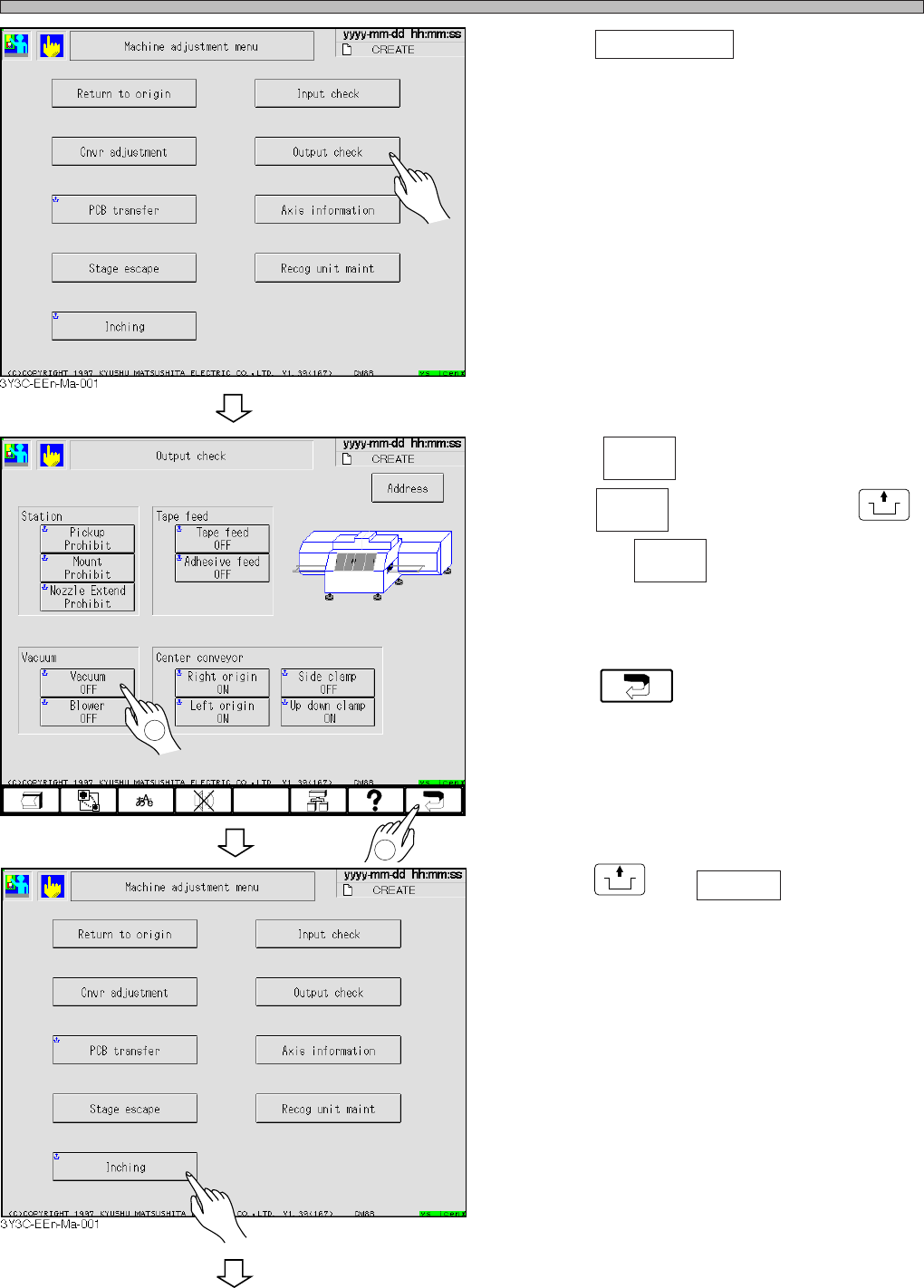
2. Press Output check .
• The “Output check” screen appears.
3. Check .
∗ If it is , press the key holding
UNLOCK
to turn it to .
• The vacuum pump starts to run.
4. Press .
• The “Machine adjustment menu” screen
reappears.
5. Press
UNLOCK
and Inching .
• The “Inching” screen appears.
To the next page
Vacuum
ON
Vacuum
OFF
3Y3C-EEn-MaOc-001
1
2
3Y3C-E-MMD01-A04-01
Page 1-41
REGULAR
MAINTENANCE
1
Check Every 140 Hours (Once a Week)
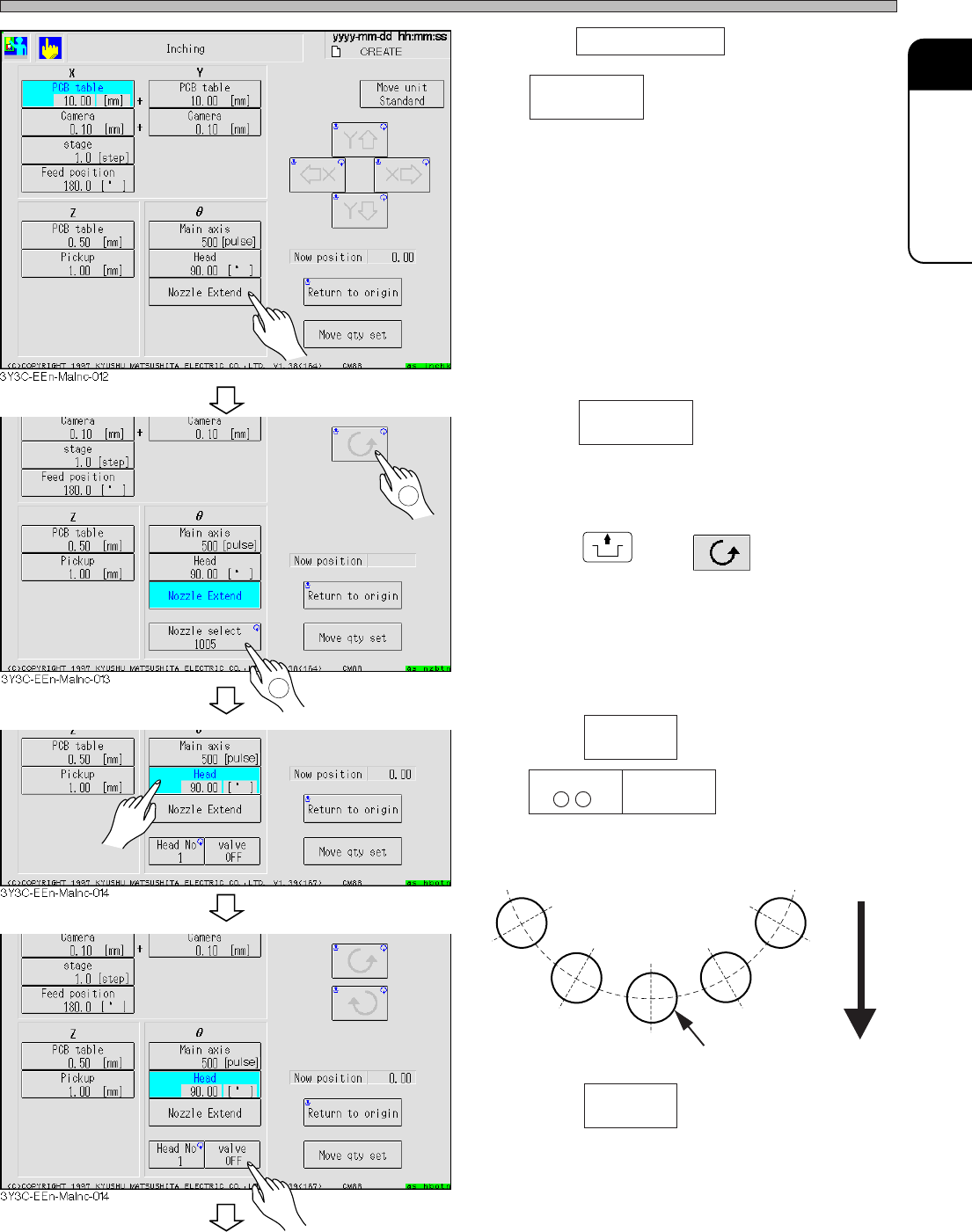
6. Press Nozzle Extend .
• appears.
7. Press .
∗ Nozzle can be optionally selected.
8. Press
UNLOCK
and .
• While the main axis goes around, the nozzle
specified at the procedure 7 is extended on all
transfer heads.
9. Press .
• are displayed.
• The number of transfer head at “Chip pickup”
station appears.
10. Press .
• The transfer head starts pickup with the
vacuum at the “Chip pickup” station.
Rear side
Main axis
Chip pickup
Nozzle select
1005
Nozzle select
1005
Head
90.00[deg]
Head No
3Y3C-084E
To the next page
3Y3C-E-MMD01-A04-01
Valve
OFF
Valve
OFF
1
2