CM88Maintenace1.pdf - 第58页
Page 1-20 Check Every 24 Hours (Routine) 1-3-3 Blower : Casting off the T ape (after Operation) Discharge the waste tape in the blower . T ape corrector W aste tape Case 3Y3C-028P 3Y3C-E-MMD01-A03-01
Page 1-19
REGULAR
MAINTENANCE
1
1-3 Check Every 24 Hours (Routine)
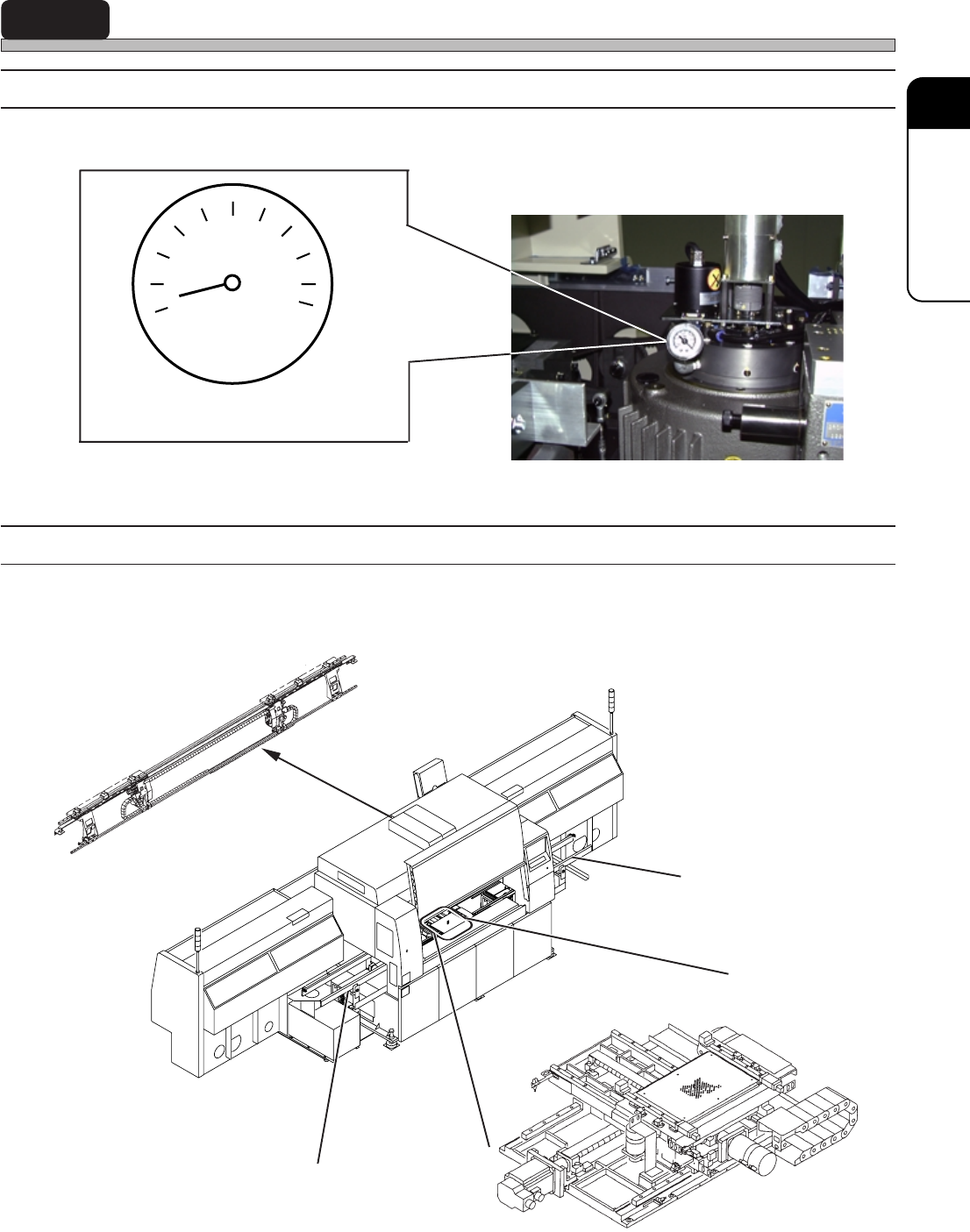
1-3-1 Checking the Vacuum Pressure (before Operation)
Check that the vacuum pressure is higher than - 93.3kPa with a pressure gauge.
∗ If any abnormal pressure is found, make
contact with the service department of us.
Make sure of the vacuum pressure
higher than - 93.3kPa
The figure viewed from the rear side with
the top cover of main body opened.
1-3-2
Checking for the Strange Noise (after Starting up and during Operation)
Check for the strange noise of X-Y table, front and rear conveyors, and feeder drive axis after
starting up and running machine.
Feeder drive axis
Rear conveyor
Front conveyor
X-Y table
3Y3C-027P
07JGC2AA00
4G3C-AB01
07JHC2AA
3Y3C-E-MMD01-A03-03
kPa
-20
-40-60
-80
-100
0
Page 1-20
Check Every 24 Hours (Routine)
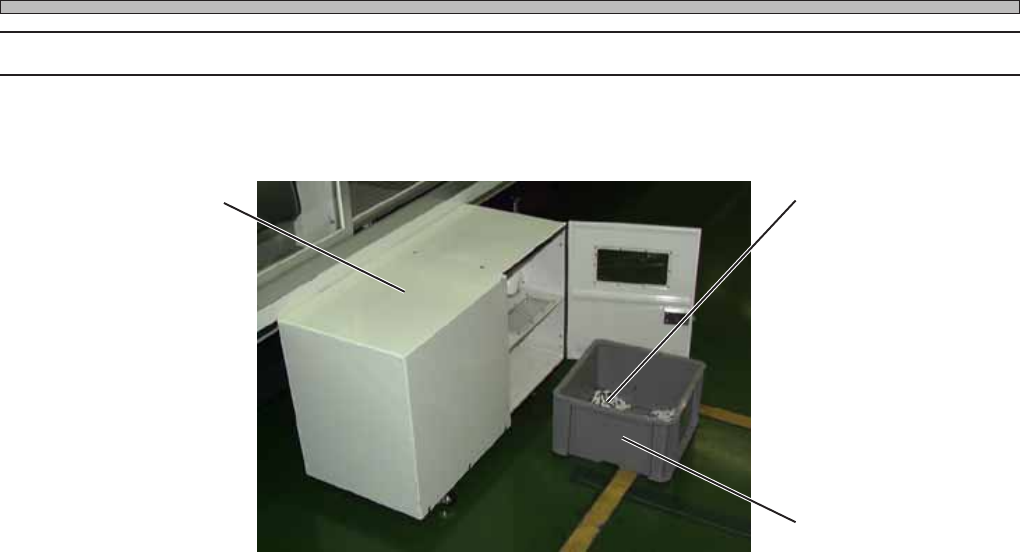
1-3-3 Blower : Casting off the Tape (after Operation)
Discharge the waste tape in the blower.
Tape corrector
Waste tape
Case
3Y3C-028P
3Y3C-E-MMD01-A03-01
Page 1-21
REGULAR
MAINTENANCE
1
Check Every 24 Hours (Routine)
1-3-4 Transfer Head : Cleaning the Head (after Operation)
Remove any foreign bodies from the head with an air gun.
∗ Before starting operation, carry out “Return to
origin” in the “Machine adjustment menu”
screen. If they have already been done, this is
unnecessary.
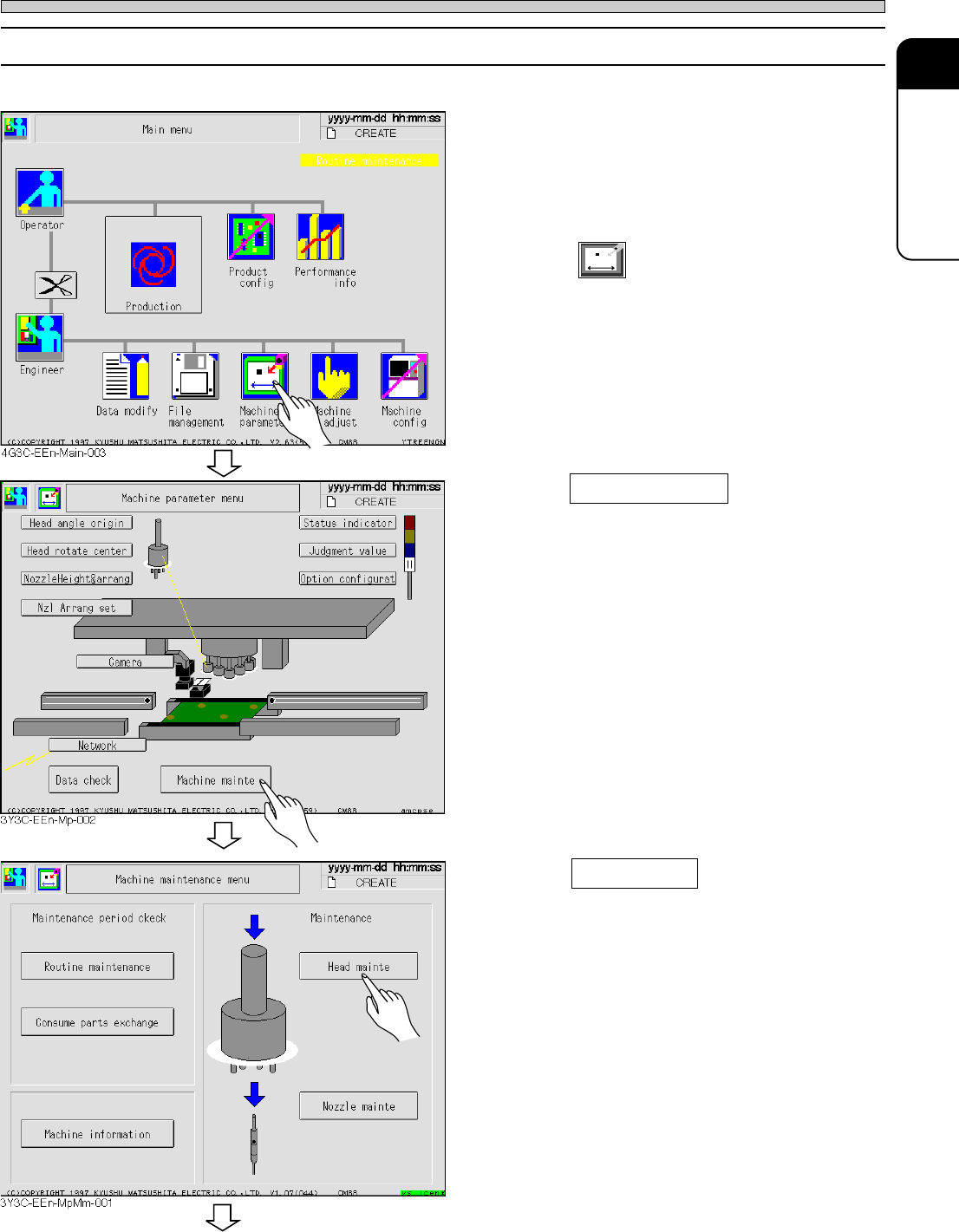
1. Press
Machine
parameter
.
• The “Machine parameter” screen appears.
2. Press Machine mainte .
• The “Machine maintenance” screen appears.
3. Press Head mainte .
• The “Head maintenance” screen appears.
3Y3C-E-MMD01-A03-03
To the next page