KE-750_MS.pdf - 第152页
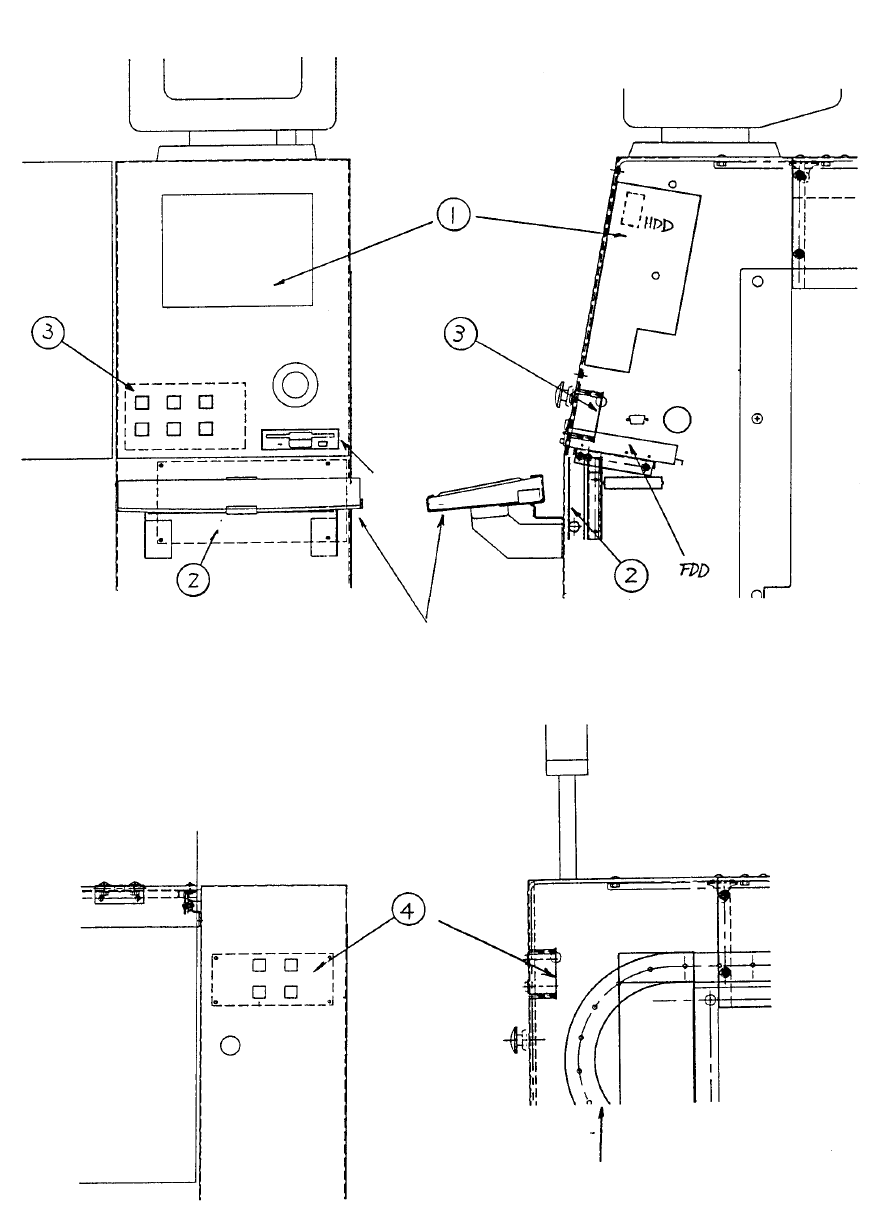
Y puller rail Keyboard Fig. 17-10-1 Front / Side Structural Diagram Fig. 17-10-2 Rear Structural Diagram 1-137
10. Cover Peripherals
10-1 Operation Unit Structure
The operation unit is comprised of the following. Dia. 17 - 10 - 1 provides front & side structural views
while Dia. 17 - 10 - 2 provides a rear view.
(1) E9601725000 Panel computer (HDD, FDD, keyboard)
(2) E86037250A0 Optional PWB assy
(3) E86047250A0 Optional switch PWB assy (Front)
(4) E8604725AA0 Optional switch PWB assy (Rear)
An ARCNET PWB is installed in the enlarged slot of the panel computer (1).
Standard: Sub CUP PWB (Main) with corresponding
E86117250A0 communications PWB assy
Optional add on:
E8651715AA0 ACRNET PWB assy (For HLC)
1-136
Y puller rail
Keyboard
Fig. 17-10-1 Front / Side Structural Diagram
Fig. 17-10-2 Rear Structural Diagram
1-137
11. Panel Computer Set-up
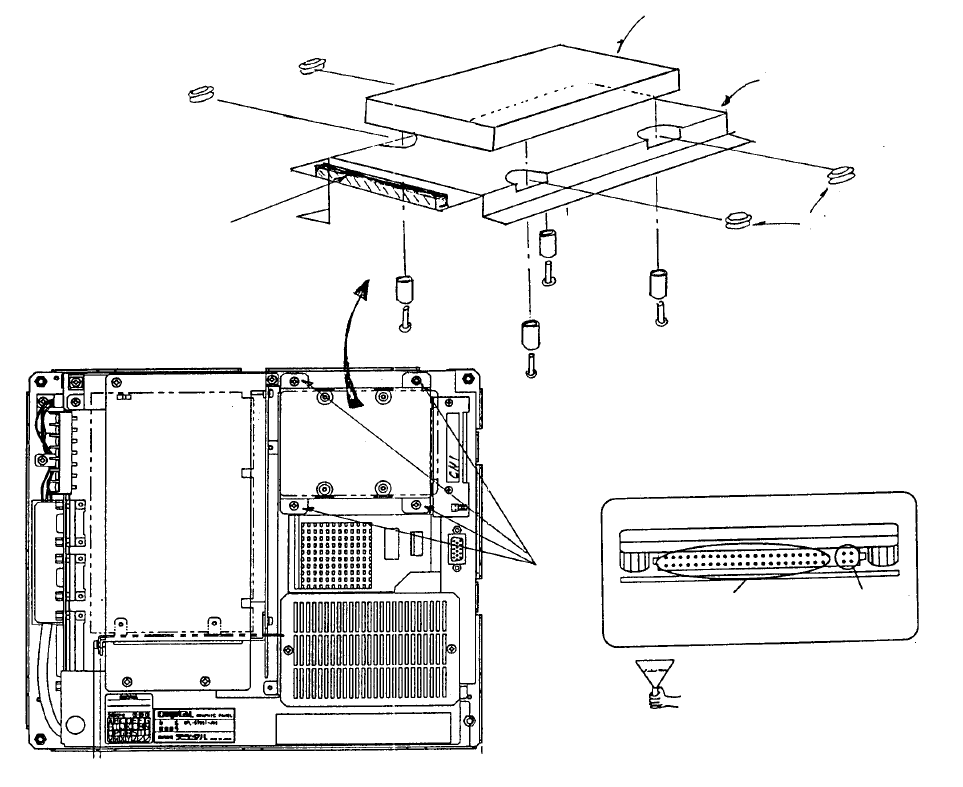
11.1 Method of Mounting Hard Disk
(1) Remove flat cable connector from CN1 of Mother 2 PWB.
(2) Remove 4 sheet metal screws from hard disk mounting plate.
(3) Insert rubber bushes into hard disk mounting plate.
(4) Place hard disk onto hard disk mounting plate.
(5) Fasten with the screws for the hard disk.
(6) Plug in flat cable connector to CN1 of Mother 2 PWB.
(7) Plug flat cable connector into hard disk.
(8) Screw hard disk mounting plate onto main body.
HDD Connector Front
Di
These 4 pins
are not used.
Cable is
plugged in here.
(Bottom)
View of back face of panel compute
r
Scre
w
(1) x 4
Mounting
plate
(Top)
Mother 2 board
Note: Screws, round column
spacers and rubber bushes are
accessories to panel computer.
Screw x 4
Spacer x 4
Caution: Imprope
r
connection may lead to
damage of the equipment
when power is supplied.
Rubber bush x 4
Panel compute
r
(Top)
Mounting plate
HDD (Hard disk drive) E9613721000
Panel computer (Bottom)
1-138