KE-750_MS.pdf - 第205页
(1) Definition of XY Offset MechP os (After setting) Sub OCC actual position Msp Sub OCC set position MechP os (Before setting) OCC (2) Method of Setting XY Offset (1) Move sub OCC std to CAL block No. 1 mark. (2) Adjust…
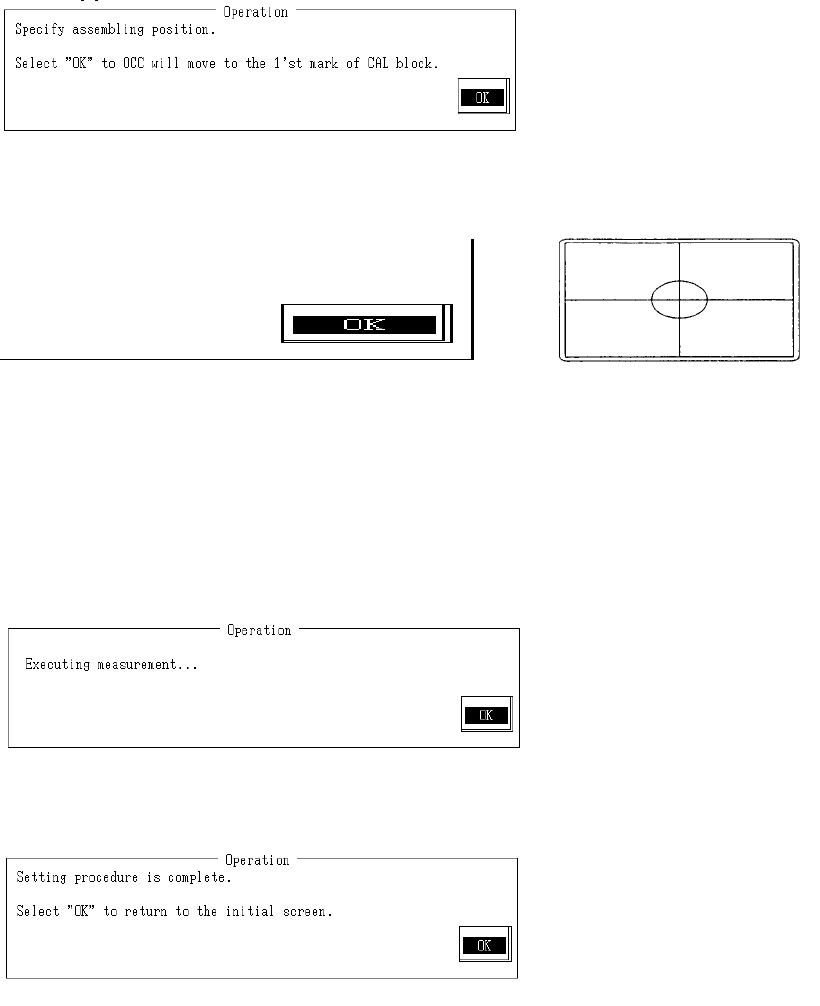
e Assembling position
When ready, select "OK".
Selecting "OK" moves the sub OCC to above CAL block No. 1 mark.
Monitor image when adjustment completed
With teaching adjust the monitor cross hair cursor so that it falls near the center of the 2 marks
and press HOD Enter key.
If no adjustment is needed, teaching is not required.
Once completed, select "OK".
Selecting "OK" measures assembling position when sub OCC recognizes CAL block No. 1
mark.
When measuring is completed, the measured value is displayed. From recognition, the
assembling position is calculated and modified.
Setting has been exited.
Select "OK" to return to default operation screen.
2-37
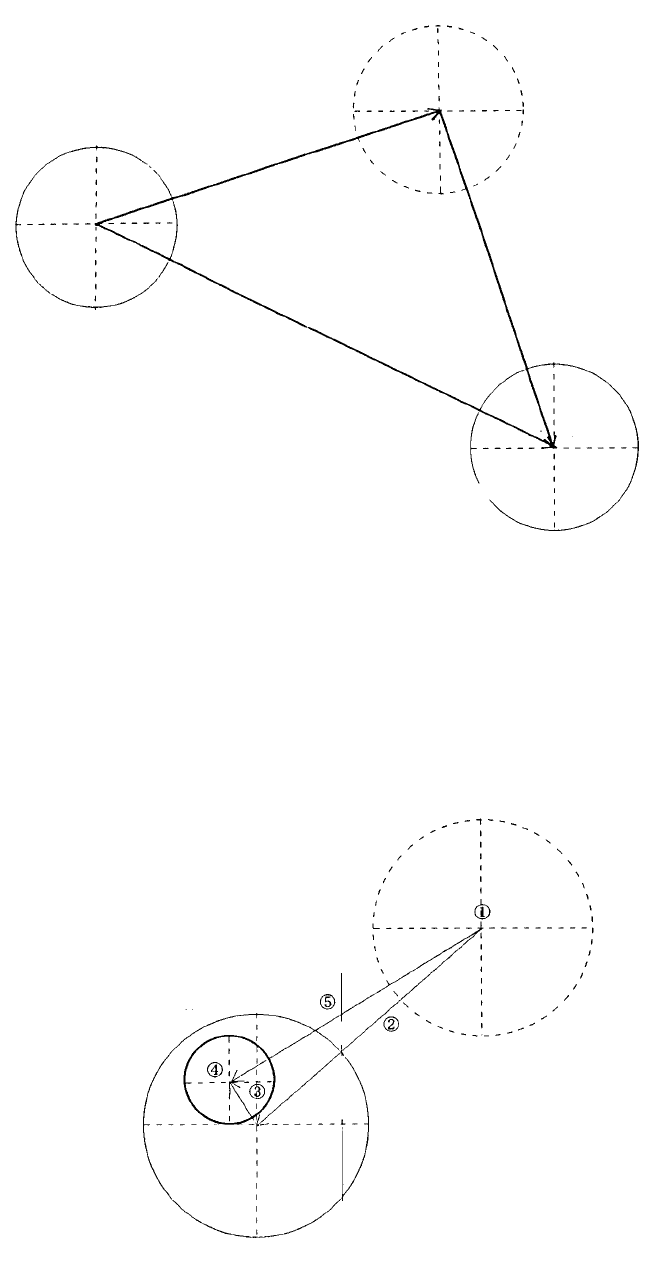
(1) Definition of XY Offset
MechPos (After
setting)
Sub OCC actual
position
Msp
Sub OCC set
position
MechPos (Before
setting)
OCC
(2) Method of Setting XY Offset
(1) Move sub OCC std to CAL block No. 1 mark.
(2) Adjust mark to near center of the image monitor with teaching.
(3) Recognize mark with sub OCC and measure distance from center of sub OCC to center of
mark.
(4) Using teaching, move (2) and compound with mark recognition result (3). Calculate distance
from original position (1) to the center of the mark.
No. 1 mark
CAL block
Default movement
position
New Msp = Center of mark position (4) - Original sub OCC position (1)
New Mechpos = Old Mechpos (1) - Old Msp (?) + New Msp (5)
2-38
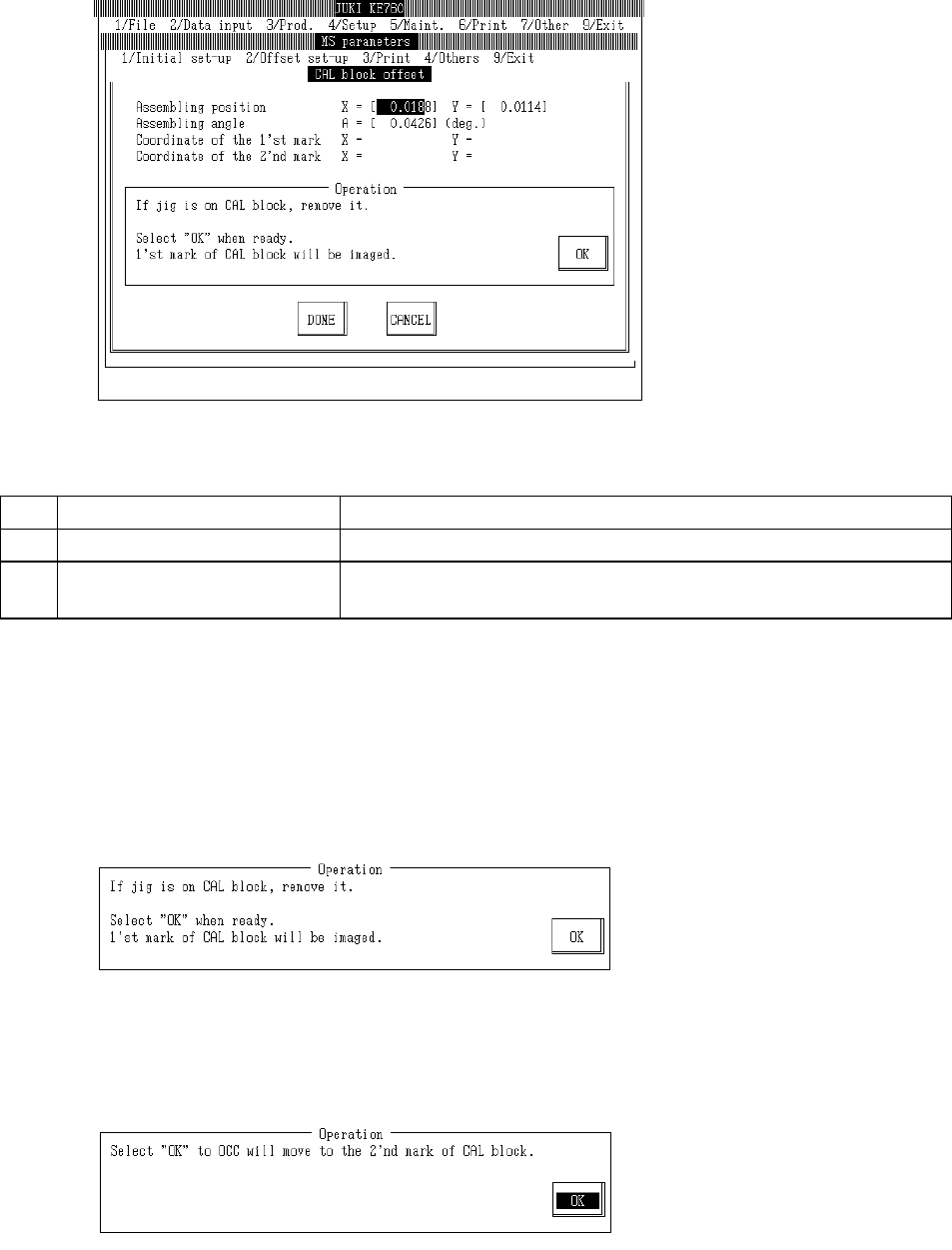
4.10 CAL Block Offset
Select "2/Offset set-up" then "2/CAL Block Offset", and the CAL block setting dialog will appear as
follows.
(1) Setting Items
No. Item Contents
1 Assembling Position Offset value based on calculated CAL block center position
2 Assembling Angle Assembling angle between CAL block & main body (main body as base)
(° )
(2) Method of Setting
– Follow operating directions for automatic input.
– Use control menu to move head if in the way.
– Select HOD device key to enter teaching.
– Operating method of automatic input
Follow instructions to operate and values will automatically acquire.
If jig is above CAL block, remove jig.
Once completed, select "OK".
Selecting "OK" causes acquired coordinates to appear when OCC recognizes the CAL block No.
1 mark.
2-39