KE-750_MS.pdf - 第35页
6. Laser Sensor Replacement 6-1 LAHD Replacement (LAHD Head) After replacement of LAHD, reentry of MS parameters for the laser is required. (Refer to section 2 - 13 for reentry.) After replacement, wipe the LAHD laser wi…
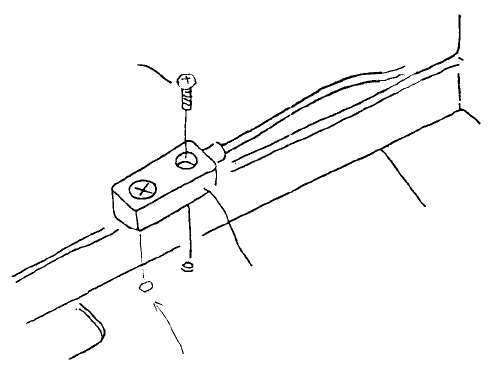
5. Z-axis Deceleration Sensor Replacement
Adjustment is not required after replacement of Z-axis deceleration sensor, but be sure it is ON when
Z-axis (Z slide bracket) is fully raised.
(1) Disconnect the wire bundle of the Z-axis deceleration sensor from head main PCB (at rear of head).
(2) Remove screw (1) and remove Z-axis deceleration sensor from head.
Note: Insert knob on the back of the
deceleration sensor into head bracket hole
to position.
Z-axis deceleration senso
r
Pot scre
w
(SM4860801SC)
Fig. 2-5-1
1-28
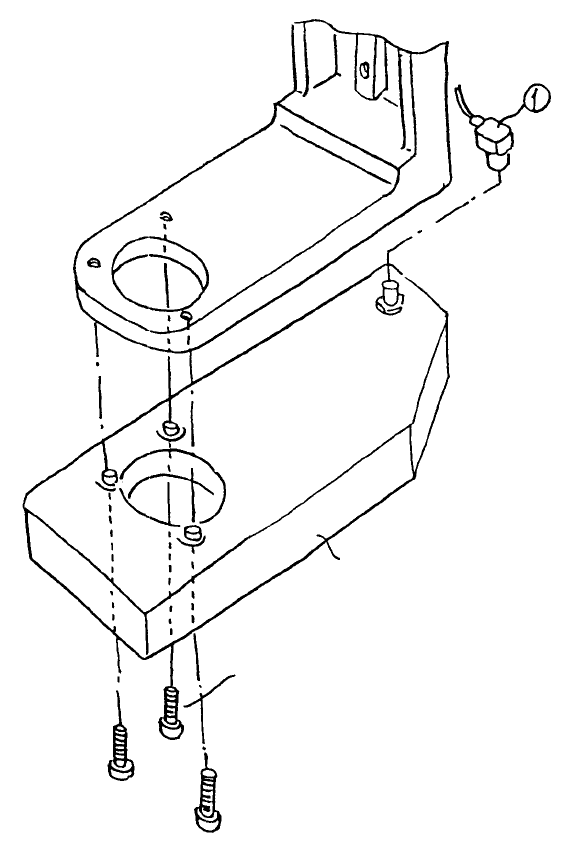
6. Laser Sensor Replacement
6-1 LAHD Replacement (LAHD Head)
After replacement of LAHD, reentry of MS parameters for the laser is required. (Refer to section 2 - 13
for reentry.) After replacement, wipe the LAHD laser window with alcohol.
– To replace, remove connector (1) and the 3 screws (2).
LAHD
A
llen head scre
w
(SM6852002TN)
Note: For the Allen head screws (2), use Locktite 242 and tighten to torque 4kg-cm.
Fig. 2-6-1
1-29
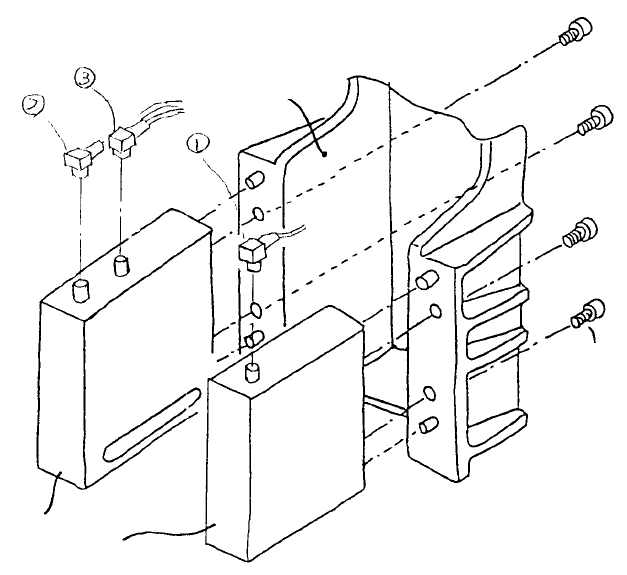
6-2 LA Sensor Replacement (LA, LAIC Head)
After replacement of LAHD, reentry of MS parameters for the laser is required. (Refer to section 2 - 13
for reentry.) After replacement, wipe the LAHD laser window with alcohol.
– To replace, remove connectors (1), (2) & (3) and the 4 screws (4).
SEMS cap scre
w
(SL6040842TN)
LA senso
r
Head bracket
Fig. 2-6-2
1-30