KE-750_MS.pdf - 第174页
(3) Printing Select "3/Print" from menu bar and commands will appear. (4) Others Select "4/Others" from menu bar and commands will appear. (5) Exit Select "9/Exit" from menu bar and commands…
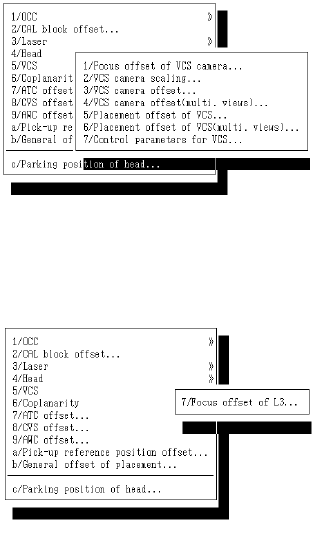
f VCS
g Coplanarity
2-6
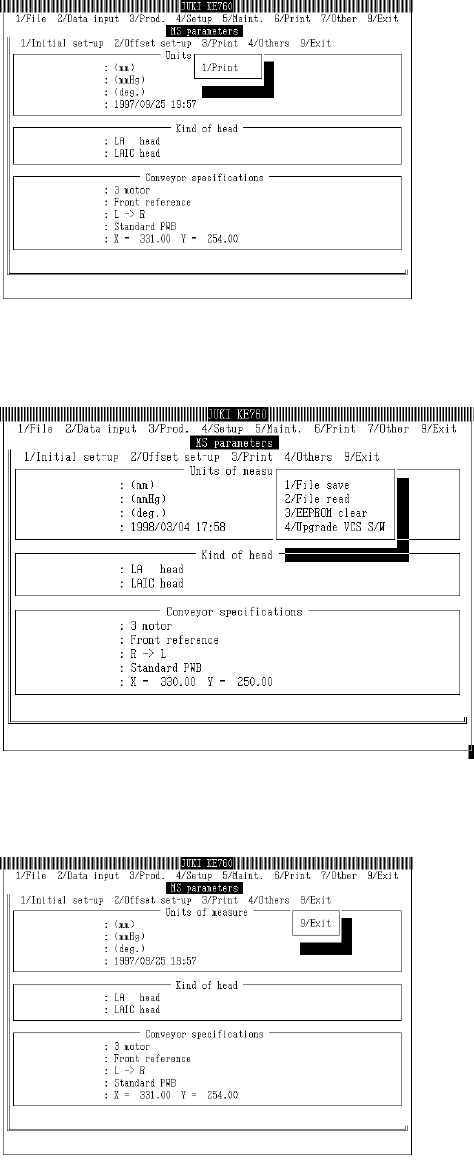
(3) Printing
Select "3/Print" from menu bar and commands will appear.
(4) Others
Select "4/Others" from menu bar and commands will appear.
(5) Exit
Select "9/Exit" from menu bar and commands will appear.
While selected command is being executed, message box displays a summary.
2-7
3.5 Saving Values
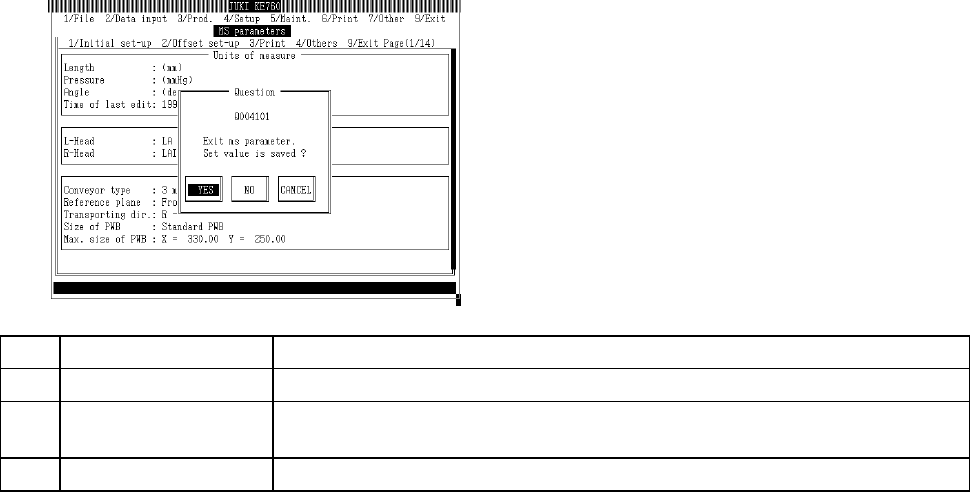
Every dialog contains push buttons for "Exit" and "Cancel".
When "Exit" is selected, EEPROM does not save.
When "9/Exit" is selected, a Save Y/N dialog appears. If "Yes" is selected, the EEPROM will save.
If "No" is selected, all set values added in dialogs are invalidated.
No. Button Selection Process
1 Yes Set values are saved in EEPROM and file*. Escape from MS Parameter Input.
2 No Set values are invalidated. Escape from MS Parameter Input. Values revert to their
previous settings.
3 Cancel Cancels exit command.
* Refer to section "4. 19. 1 File Save" for information on saving files.
2-8