KE-750_MS.pdf - 第246页
4.20 Printing Select "3/Print" then "1/Print" and the printing dialog will appear as follows. (1) Output Data – Selects output data No. Item Contents 1 MS Parameters Prints MS parameters 2 Machine Coo…
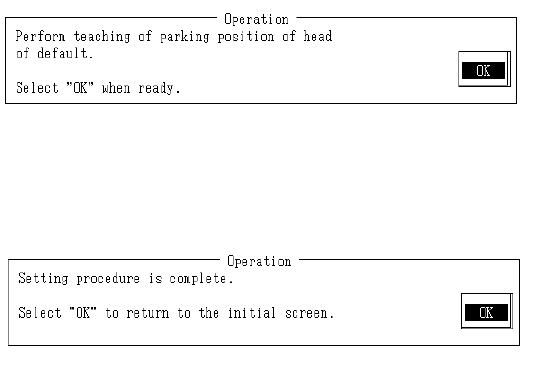
When default obtains default head waiting position, press HOD Enter key.
When teaching is completed, default head wait position is modified based on the obtained
coordinates.
When "OK" is selected, the next screen appears.
When modification of the last head wait position is completed, system will return to default
operating screen.
Setting is completed.
Select "OK" to return to default operating screen.
2-78
4.20 Printing
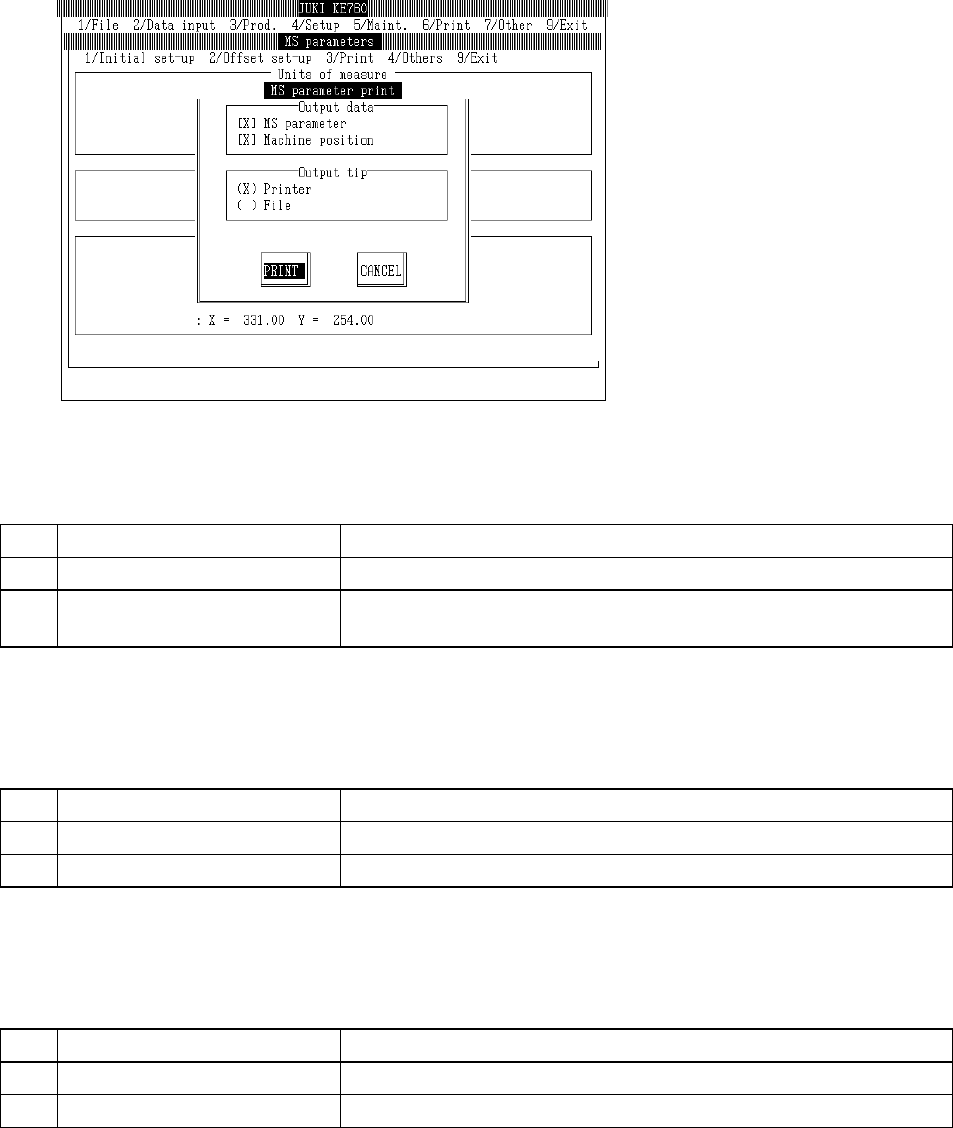
Select "3/Print" then "1/Print" and the printing dialog will appear as follows.
(1) Output Data
– Selects output data
No. Item Contents
1 MS Parameters Prints MS parameters
2 Machine Coordinate Values Print MS parameters & assembling position of each unit set in machine
setup
(2) Output Address
– Selects output address
No. Item Contents
1 Printer Sends output data to printer
2 File Sends output data to file
(3) Output File Name
– File name when sent to output address
No. Output Data File Name
1 MS Parameters MSP. TXT
2 Machine Coordinate Values MECHPOS. TXT
Note: - Machine executed files (extension EXE) are compiled in a housing location.
- Identical files are written over without inquiry.
2-79
4.21 Others
4.21.1 File Input
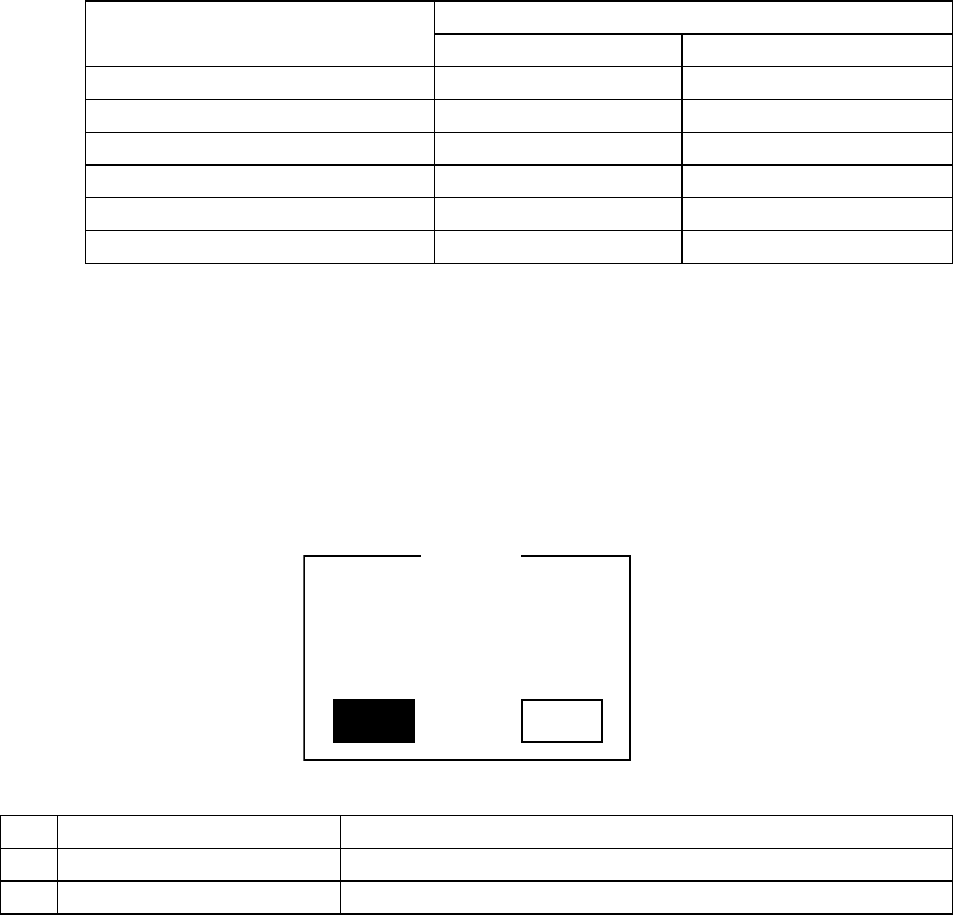
Select "4/Others" then "1/File Save" and the setting values are saved in file.
(1) Relevant Data
Data Name File Name
Ver 3.XX & prior Ver 4.00 & after
MS Parameters MSP. TMP MSP. V40
Machine Coordinate Value Data MECHPOS. TMP MECHPOS. V40
Machine Setup Data SETUP. TMP SETUP. V40
Mechanical Control Parameters CTRL. TMP CTRL. V40
Operating Options, Units OPTION. TMP OPTION. V40
Mark Data Base MARKDB. TMP MARKDB. V40
Note: Files from Vers 3.XX & prior (extension TMP) and Vers 4.00 & after (extension V40) are
not structured for mutual compatibility.
(2) Save Address
Machine executed files (extension EXE) are compiled in a storing location.
4.21.2 File Open
Select "4/Others" then "2/File Read" and the file open inquiry dialog will appear.
Yes No
Current data will be lost.
Would you like to stop?
Q004103
Inquir
y
No. Button Selection Process
1 Yes Stops opening of file. Protects current data.
2 NO Opens data from file. Current data is lost.
2-80