Eagle 3D-8800_MANUAL-中文.pdf - 第160页
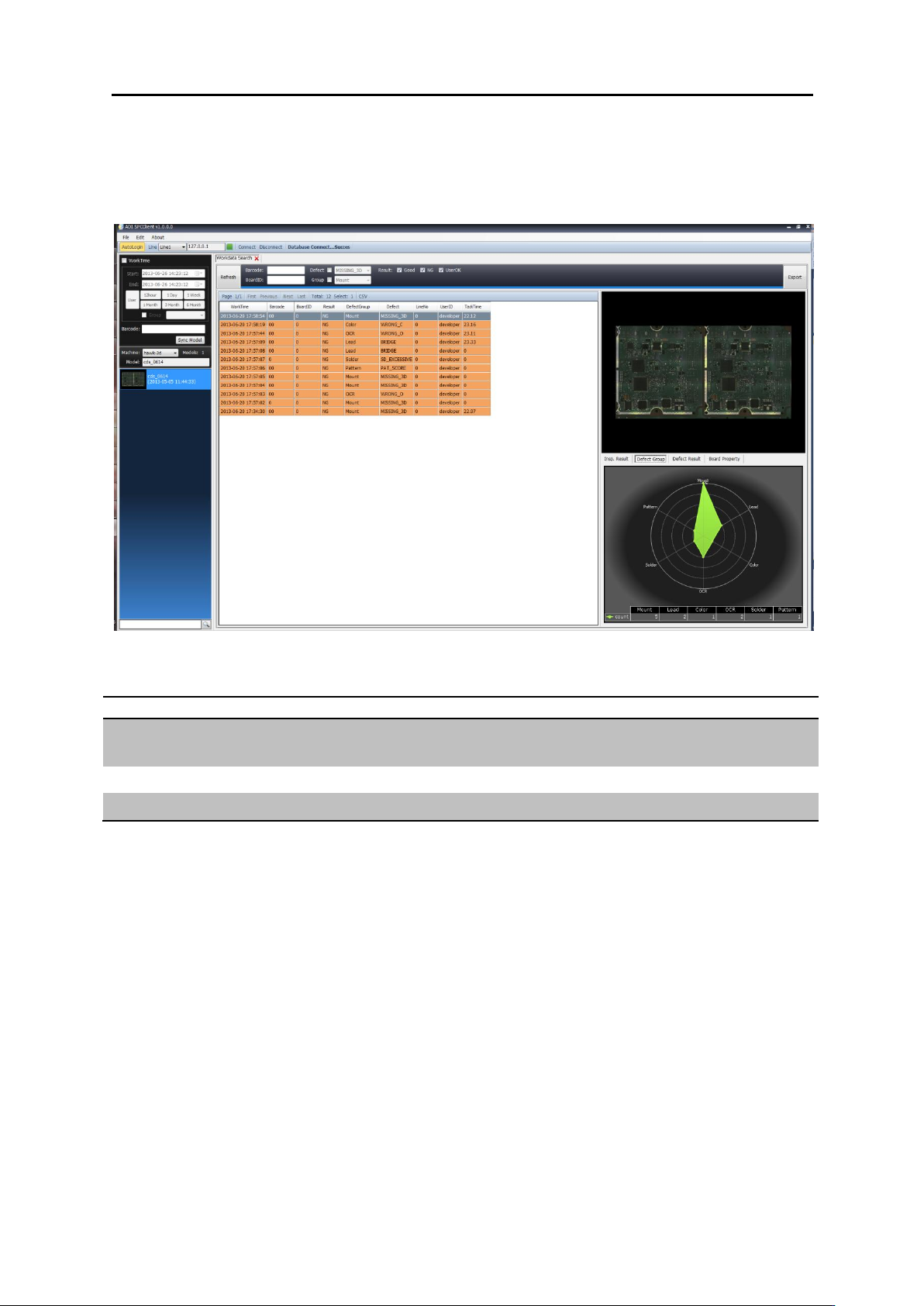
6. SPC 6.2. 使用者环境 6.2. 使用者环境 6.2.1. 主画面 功能 位置 说明 T op Menu 软件上端 软件使用的位置 Setting, Work group, 语言设定 Left M enu 软件左侧 对 M odel 的搜索及选择的功能位置 Main View 软件中央 运行的功能 Doc king 显示 的 View 位置

6. SPC 6.1. 기본 정책
6.1. 基本条件
Maul
Server Maul 1
Server Maul 2
说明
Main
Setting
Client 设定功能
Work Group
作业时间 保存/登记/删除 (ex. 3 交接时间登记)
Connect / Disconnect
Server 连接/取消管理
AOI
Work Search
Inspection result 数据搜索(by Board)
Module Search
按 Module 搜索数据 (by Module)
Part Search
按 Part 搜索数据(by Part)
Statistics Chart
Year, Month, Day, Hour 监测及提供 Chart
Defect Analysis
Defect Part 的多样化分析
Defect Viewer
Defect Part 情报/位置/2D/3D 确认
Statistics Chart
Year, Month, Day, Hour 监测
Defect Chart 提供
Report
Report 提供
Inspection Summary
检测 model 的结果 report
PPM
检测 model 的 PPM report
6. SPC 6.2. 使用者环境
6.2. 使用者环境
6.2.1. 主画面
功能
位置
说明
Top Menu
软件上端
软件使用的位置
Setting, Workgroup, 语言设定
Left Menu
软件左侧
对 Model 的搜索及选择的功能位置
Main View
软件中央
运行的功能 Docking 显示的 View 位置
6. SPC 6.2. 使用者环境
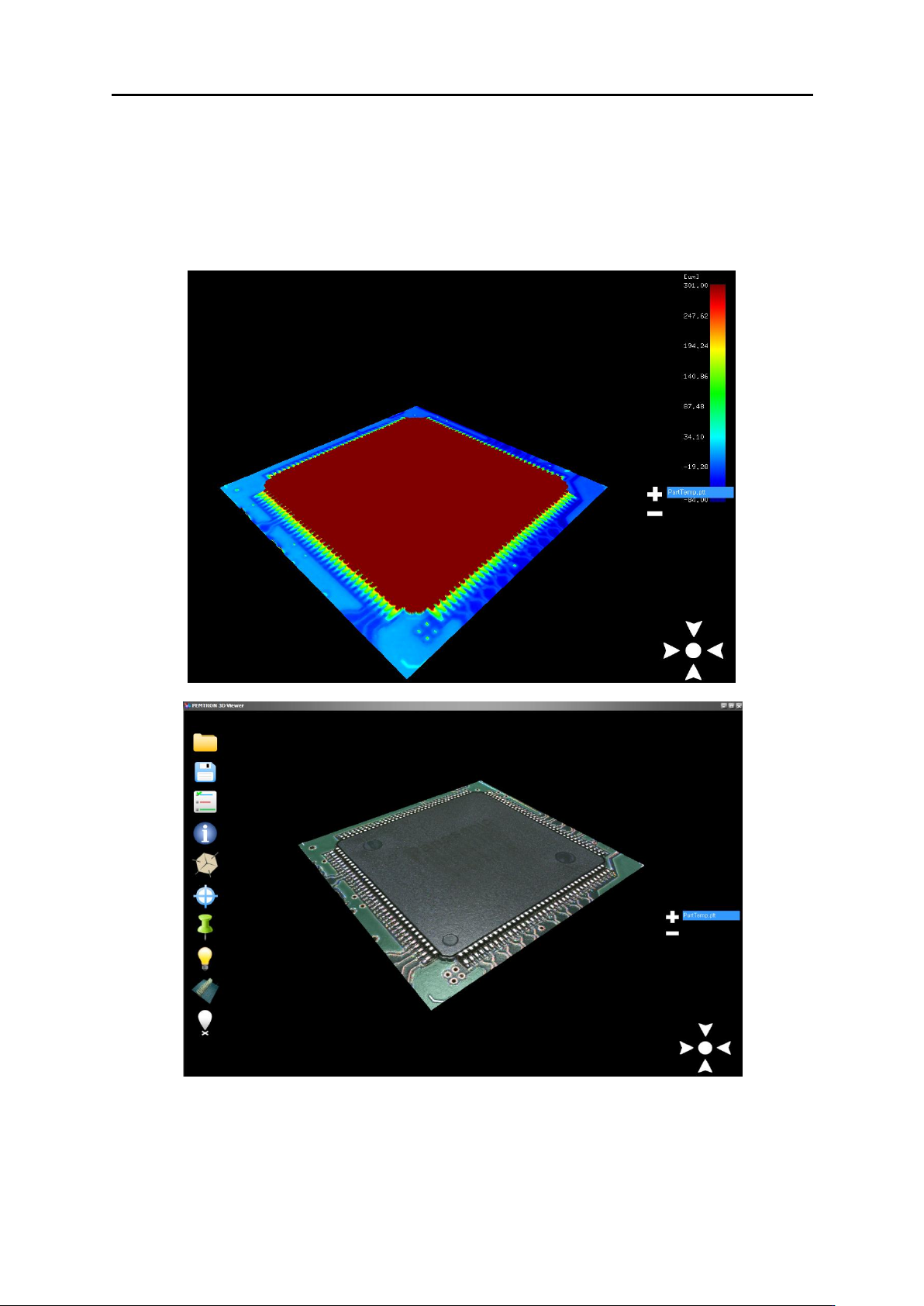
6.2.2. 3D View 连接
„Analysis 3D Viewer‟和 „Pemtron 3D Viewer‟进行连接.