Eagle 3D-8800_MANUAL-中文.pdf - 第78页
软件构造 3.4. 使用 者环境 3.4.6.8. 检测 范 围 基本 设 置 窗口 <Default Inspect V alu e> 区 分 功能 说 明 单 位 Mount Extract Range % Mount Area Margi n mm Mount Offset mm Mount Rotation ° Mount Tilt um Mount Min Width % Mount Max Width % Mou…
软件构造 3.4. 使用者环境
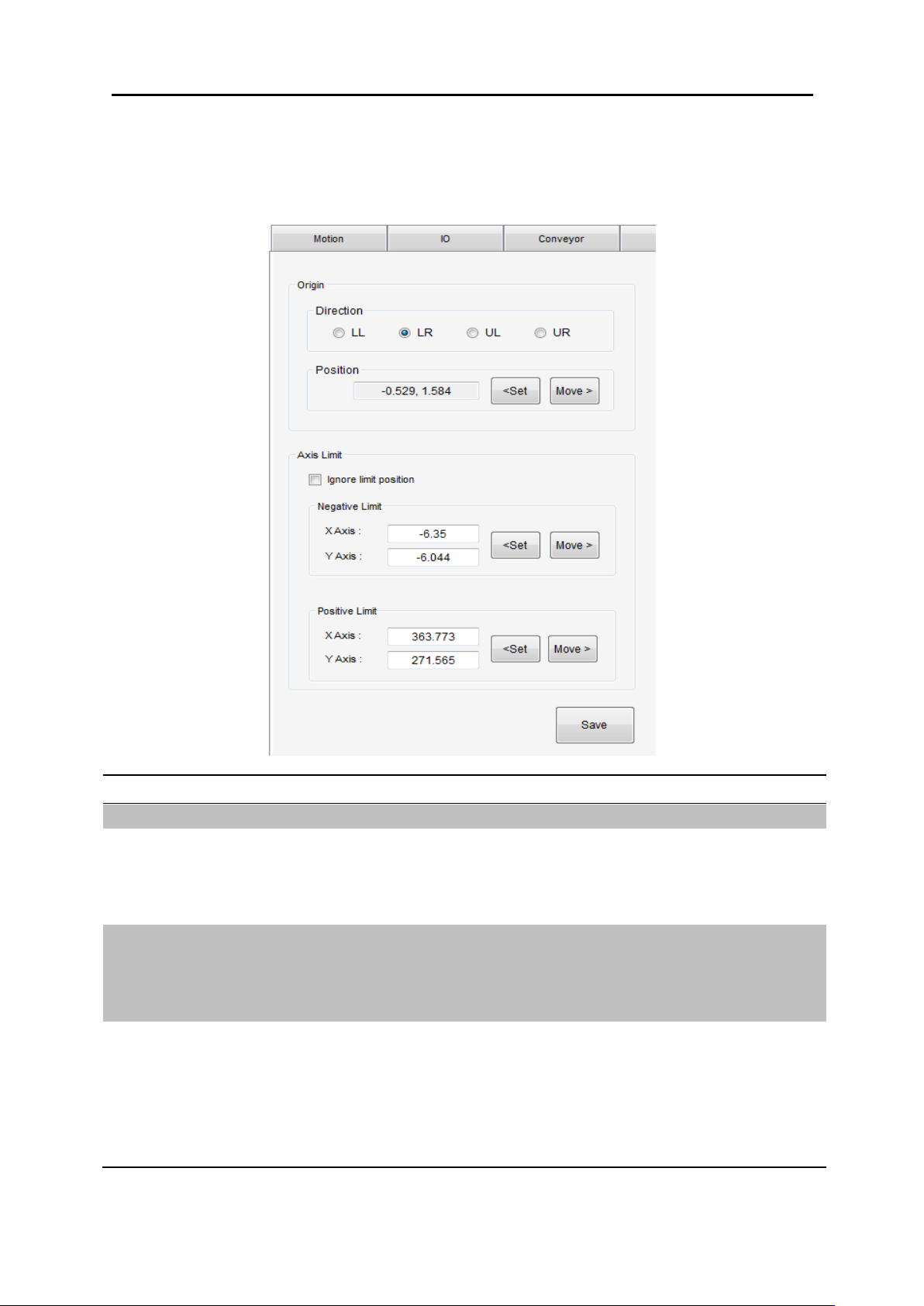
3.4.6.7. Machine Pos. 零点位置设定
<Machine Pos.> 选择.
功能
使用方法
说明
保存
<Save> 选择
设定保存
PCB
类型
Direction 零点方向 选择
LL: Low-Left Corner
LR: Low-Right Corner
UL: Up-Left Corner
UR: Up-Right Corner
PCB 零点位置
PCB 位置设定
1. 相机移动到所需设定位置
2. Position <Set> 点击设定此位置为零点位置
3. Position 确认 <Move> 移动到相关位置是否正常
Software Limit
马达 Software Limit 极限范围设定
<Ignore limit position> 选择
1. 相机移动到极限位置 Positive/Negative Corner
2. <Set> 点击设定 可使用手动输入位置。
3. <Move> 点击确认极限位置是否正常
4. <Ignore limit position> 解除
软件构造 3.4. 使用者环境
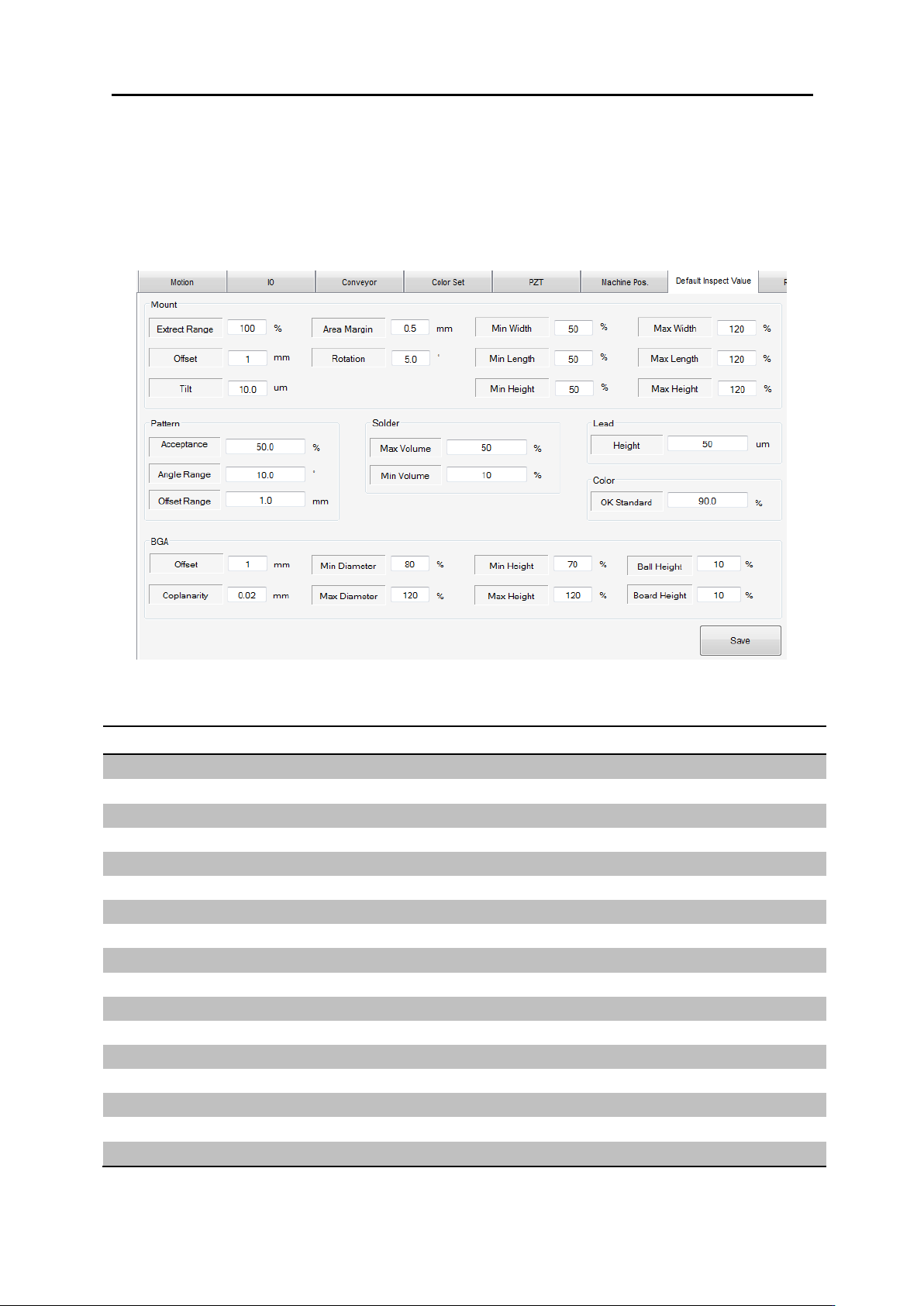
3.4.6.8. 检测范围基本设置窗口
<Default Inspect Value>
区分
功能
说明
单位
Mount
Extract Range
%
Mount
Area Margin
mm
Mount
Offset
mm
Mount
Rotation
°
Mount
Tilt
um
Mount
Min Width
%
Mount
Max Width
%
Mount
Min Length
%
Mount
Max Length
%
Mount
Min Height
%
Mount
Max Height
%
Pattern
Acceptance
%
Pattern
Angle Range
°
Pattern
Offset Range
mm
Solder
Max Volume
%
Solder
Min Volume
%

软件构造 3.4. 使用者环境
Lead
Height
um
Color
OK Standard
%
BGA
Offset
mm
BGA
Coplanarity
mm
BGA
Min Diameter
%
BGA
Max Diameter
%
BGA
Min Height
%