Forte Max Manual.pdf - 第20页
ForteMAXDispensingSystemAddendum Installation an d Setup 16 © 2023 Nordson Corpo ration 8. Home the Forte MAX bracket. a. Auto Dual Simultaneous 1) Select the Maintenance button on the Navigation Panel. 2) Select Mot…
ForteMAXDispensingSystemAddendum Installation and Setup
© 2023 Nordson Corporation 15
4. Power on the dispensing system. Refer to the Forte Dispensing System Installation,
Operations, and Maintenance Manual if necessary.
5. Start the Canvas dispensing software. Refer to the Canvas Dispensing Software User
Guide if necessary.
6. Verify that the counterbalance pressure is between 483 to 518 kPa (70 to 75 psi).
> The counterbalance regulator and gauge is located in the lower front cabinet.
7. Set the X Travel Limit in the Canvas dispensing software.
a.
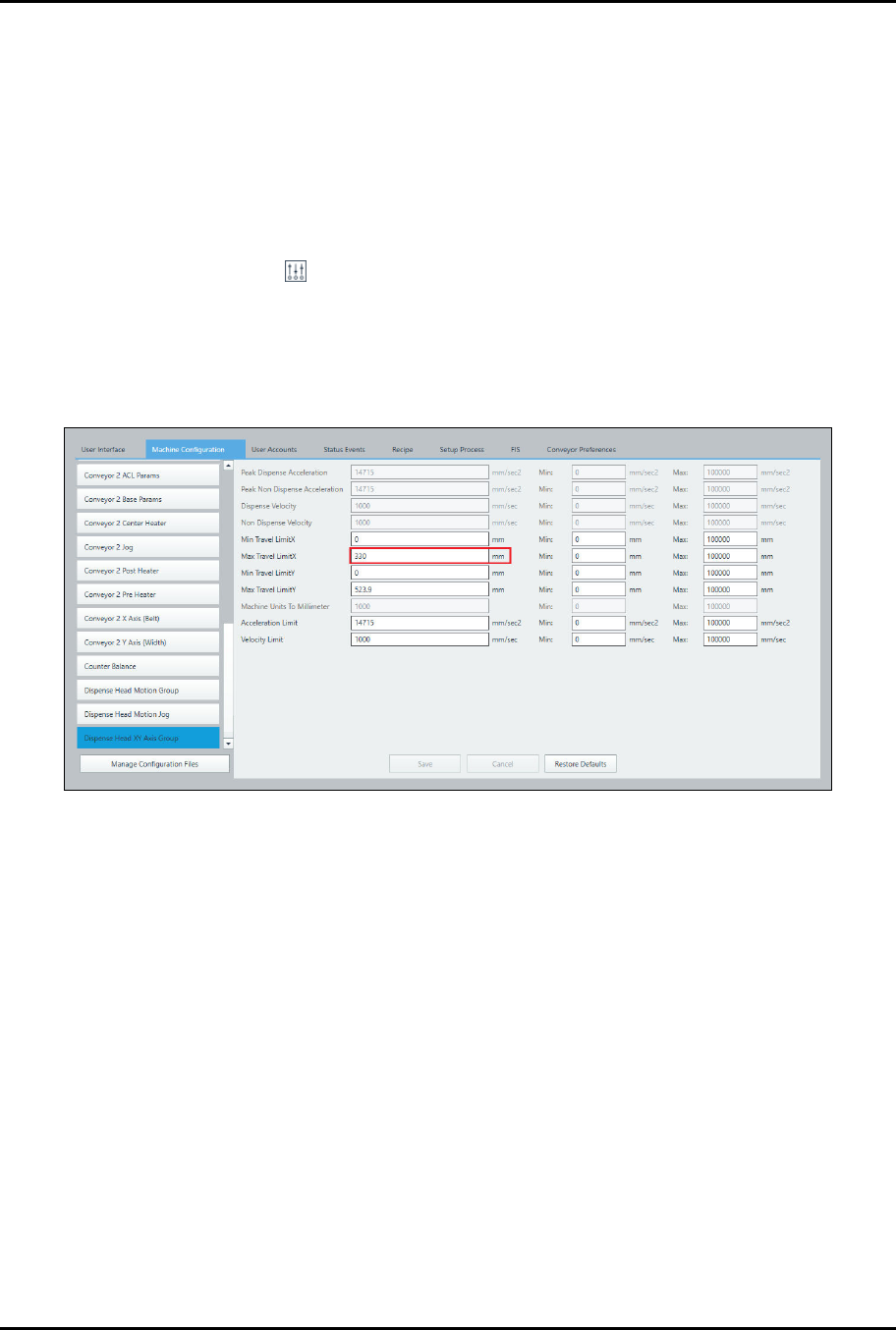
Select System > Machine Configuration > Dispense Head XY Axis Group.
b.
Set the Max Travel LimitX to 330 mm (Figure 3-6).
> In this example the valve pitch is 50 mm. Since the valve pitch falls within the
45-64 mm pitch range, the X Travel Limit should be set to 330 mm (Table 3-1).
c.
Click on Save.
Figure 3-6 Set Max X Travel Limit
ForteMAXDispensingSystemAddendum Installation and Setup
16 © 2023 Nordson Corporation
8. Home the Forte MAX bracket.
a.
Auto Dual Simultaneous
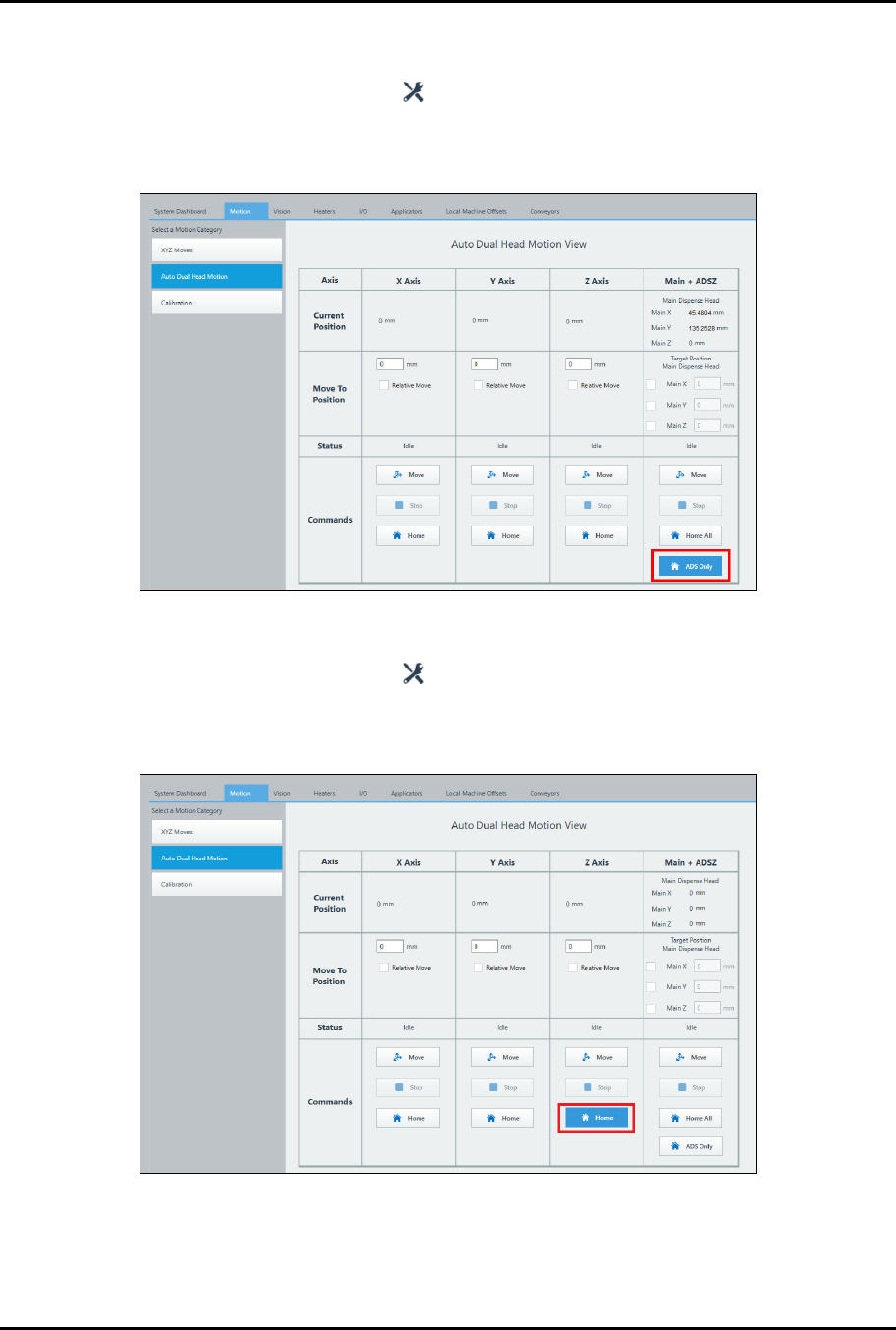
1) Select the Maintenance button on the Navigation Panel.
2) Select Motion > Auto Dual Head Motion.
3) Select ADS Only (Figure 3-7).
Figure 3-7 Homing the Bracket – Dual Simultaneous
b.
Dual Action
1) Select the Maintenance button on the Navigation Panel.
2) Select Motion > Auto Dual Head Motion.
3) Click on Home in the Z-axis column (Figure 3-8).
Figure 3-8 Homing the Bracket – Dual Toggle
?
NOTE
Homing the Forte MAX bracket should be the first step performed each time the valve
pitch is changed.
ForteMAXDispensingSystemAddendum Installation and Setup
© 2023 Nordson Corporation 17
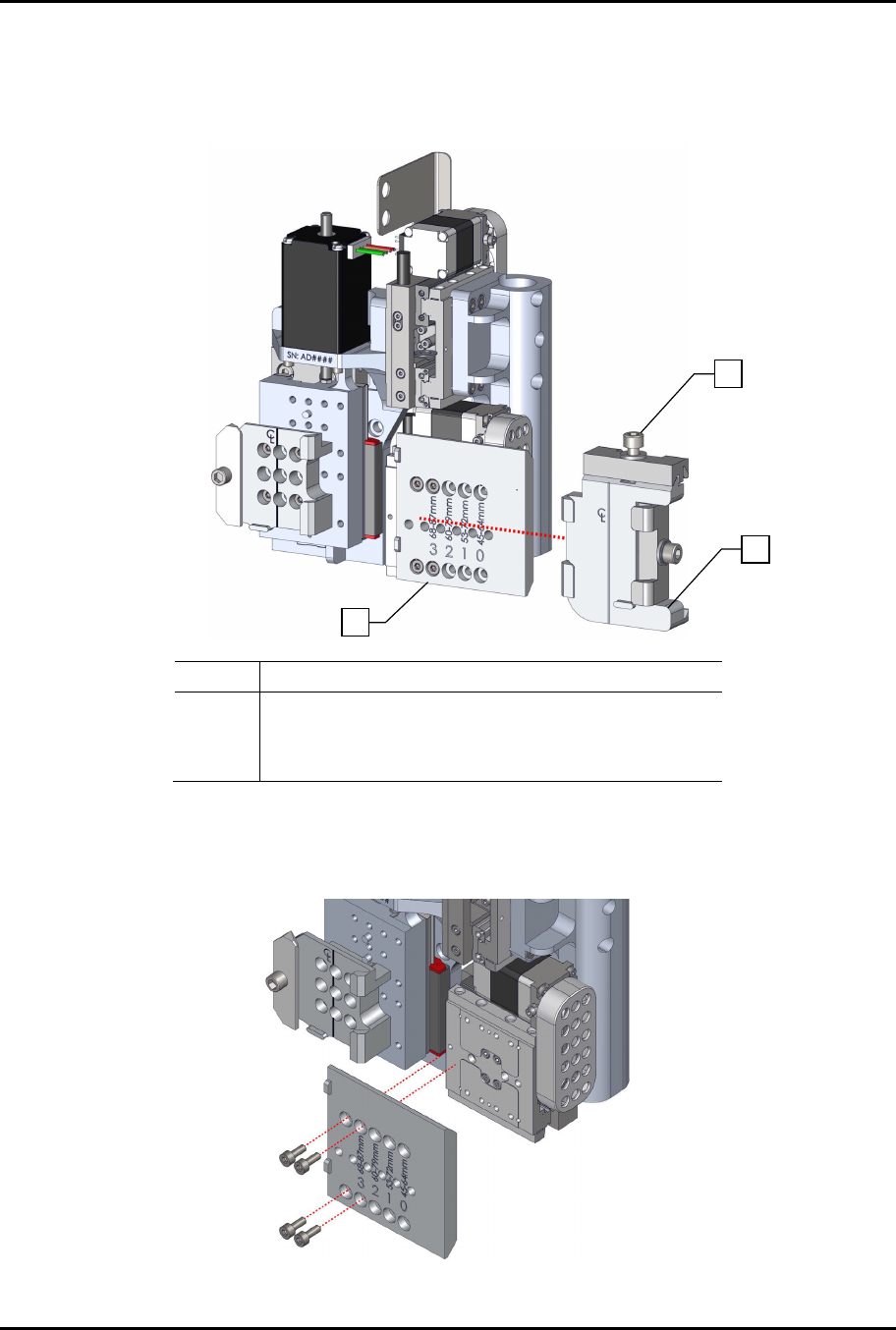
9. If the right dovetail is attached, loosen the dovetail mounting screw and slide the dovetail
assembly to the right (Figure 3-9).
> The slide bracket in Figure 3-9 is shown in Position 3 as indicated by the position of the
lower right screw below #3 on the slide bracket.
Item Description
1 Dovetail Mounting Screw
2 Right Dovetail Assembly
3 Standard Slide Bracket
Figure 3-9 Removing the Right Dovetail
10. Remove the four (4) screws securing the slide bracket to the dispense head and adjust the
bracket position as necessary (Figure 3-10).
Figure 3-10 Remove Slide Bracket Mounting Screws
1
2
3