Forte Max Manual.pdf - 第52页
ForteMAXDispensingSystemAddendum Recipe Creation 48 © 2023 Nordson Corpo ration 4.5.1.4 Placing the Container In this section, we are going to place the c ontain er four (4) times to cover the board. To place the con…
ForteMAXDispensingSystemAddendum Recipe Creation
© 2023 Nordson Corporation 47
5. Click on Next.
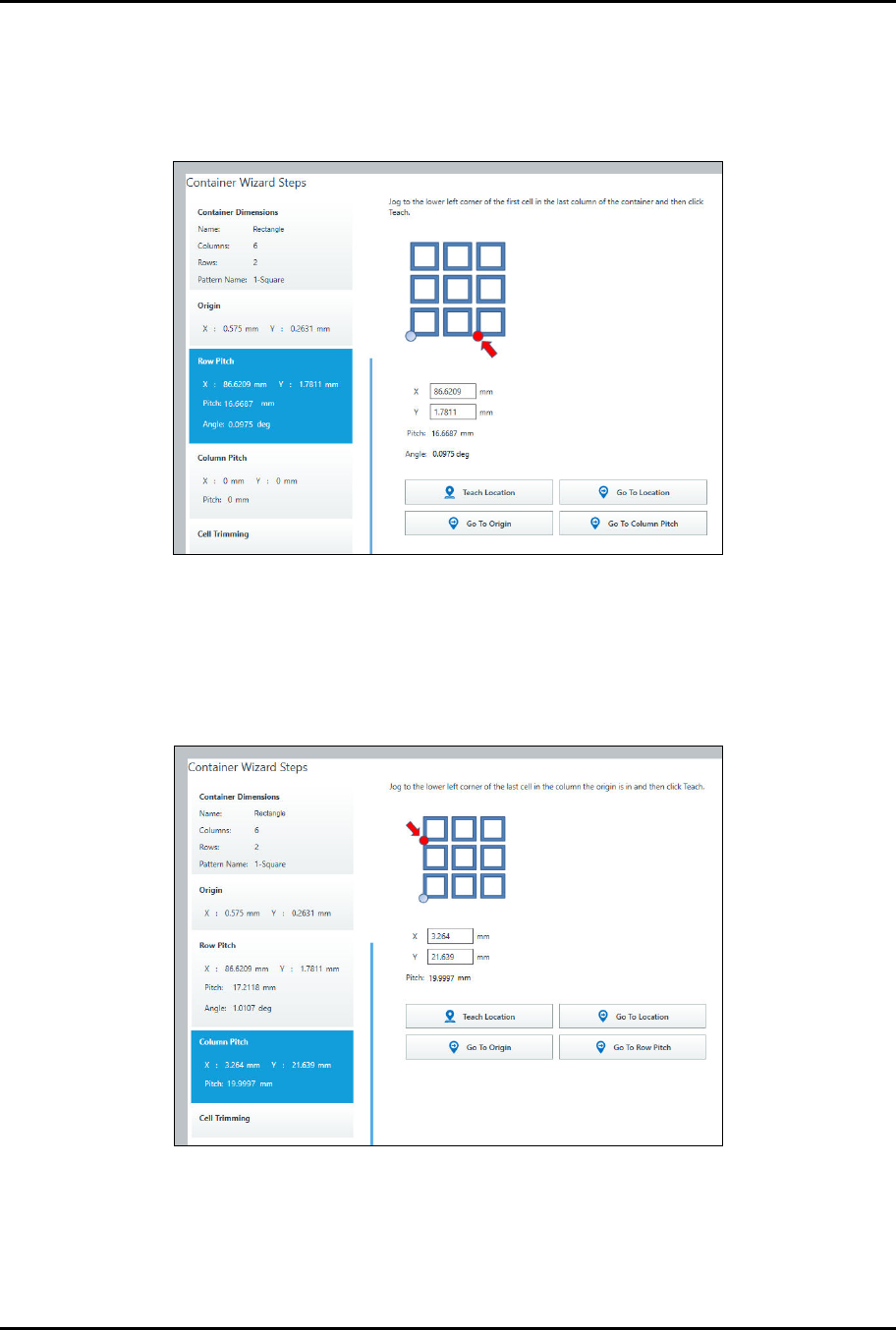
> You will be prompted to teach the row pitch (Figure 4-46).
6. Jog to the lower left corner of the first cell in the last column of the container and click on
Teach Location.
Figure 4-46 Teach Row Pitch
7. Click on Next.
> You will be prompted to teach the column pitch (Figure 4-47).
8. Jog to the lower left corner of the last cell in the column the origin is in and click on Teach
Location.
Figure 4-47 Teach Column Pitch
9. Click on Next to trim cells, otherwise click on Done.
> Cell trimming allows you to include or exclude specific cells. In this example, we will not
trim cells.
ForteMAXDispensingSystemAddendum Recipe Creation
48 © 2023 Nordson Corporation
4.5.1.4 Placing the Container
In this section, we are going to place the container four (4) times to cover the board.
To place the container:
1. Select the Workpiece pattern in the Recipe Tree.
2. Select Place Container .
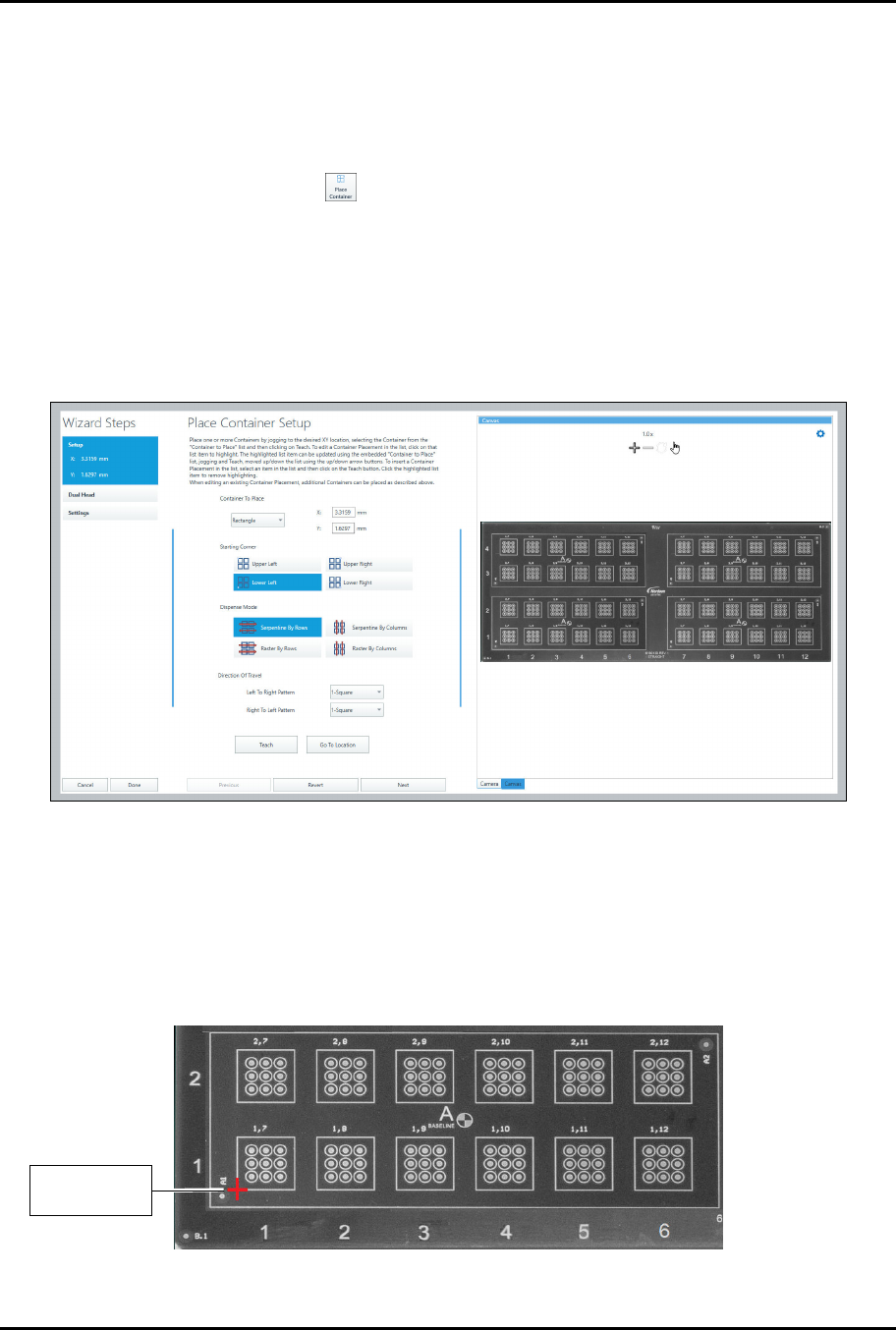
> The Place Container Instruction Wizard opens (Figure 4-48).
3. Select the container to place and the dispense mode.
> To reduce total travel distance and cycle time, it is suggested that if the number of
columns is greater than the number of rows, select Serpentine by Rows. If the number
of rows is greater than the number of columns, select Serpentine by Columns.
Serpentine modes are typically faster that raster modes.
Figure 4-48 Place Container Wizard
4. Select the left-to-right and right-to-left patterns.
> In this example, both patterns are the same.
5. Jog the camera crosshairs to the container starting corner and click on Teach.
> Since we have selected Lower Left, the starting corner will be the lower left corner of
the rectangle (Figure 4-49).
Figure 4-49 Container Starting Point
C
o
n
t
a
i
n
e
r
S
t
a
r
t
i
n
g
Corner
ForteMAXDispensingSystemAddendum Recipe Creation
© 2023 Nordson Corporation 49
6. Click on Next.
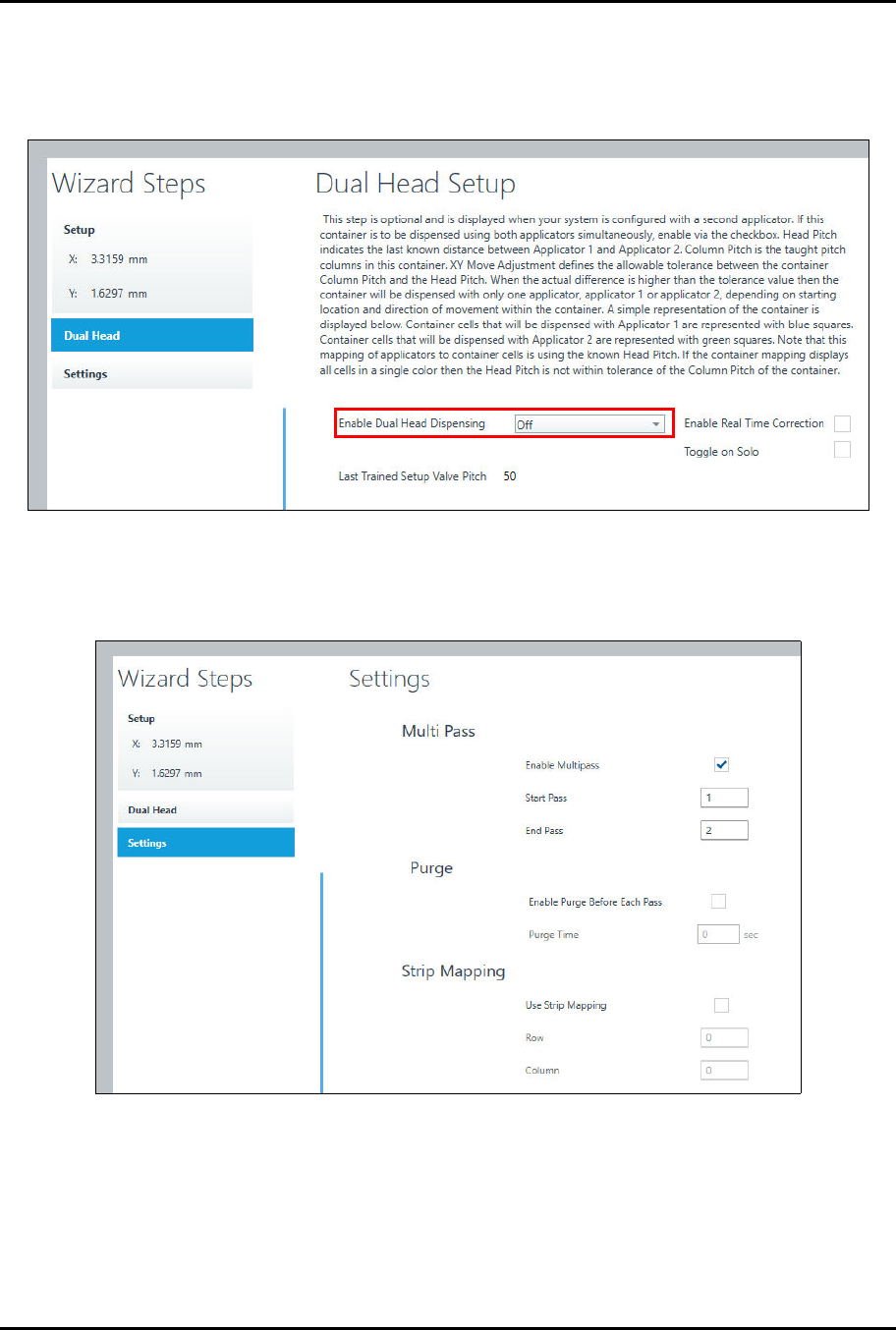
> The Dual Head Setup window opens (Figure 4-50).
7. Make sure you set Enable Dual Head Dispensing to Off.
Figure 4-50 Place Container – Dual Head Setup
8. Click on Next.
> The Settings window opens (Figure 4-51).
Figure 4-51 Place Container – Settings