Forte Max Manual.pdf - 第26页
ForteMAXDispensingSystemAddendum Installation an d Setup 22 © 2023 Nordson Corpo ration b. Dual Action Dispensing 1) Select the Maintenance button on the Navigation Panel. 2) Select Motion > Auto Dual Head Motion …
ForteMAXDispensingSystemAddendum Installation and Setup
© 2023 Nordson Corporation 21
22. Once the distance has been verified, carefully tighten the Valve 2 dovetail mounting screw
(top screw) so that the Valve 2 position does not shift (Figure 3-14).
> Tightening the screw can cause a minor shift in the Valve 2 position. Remeasure and
readjust the position if necessary.
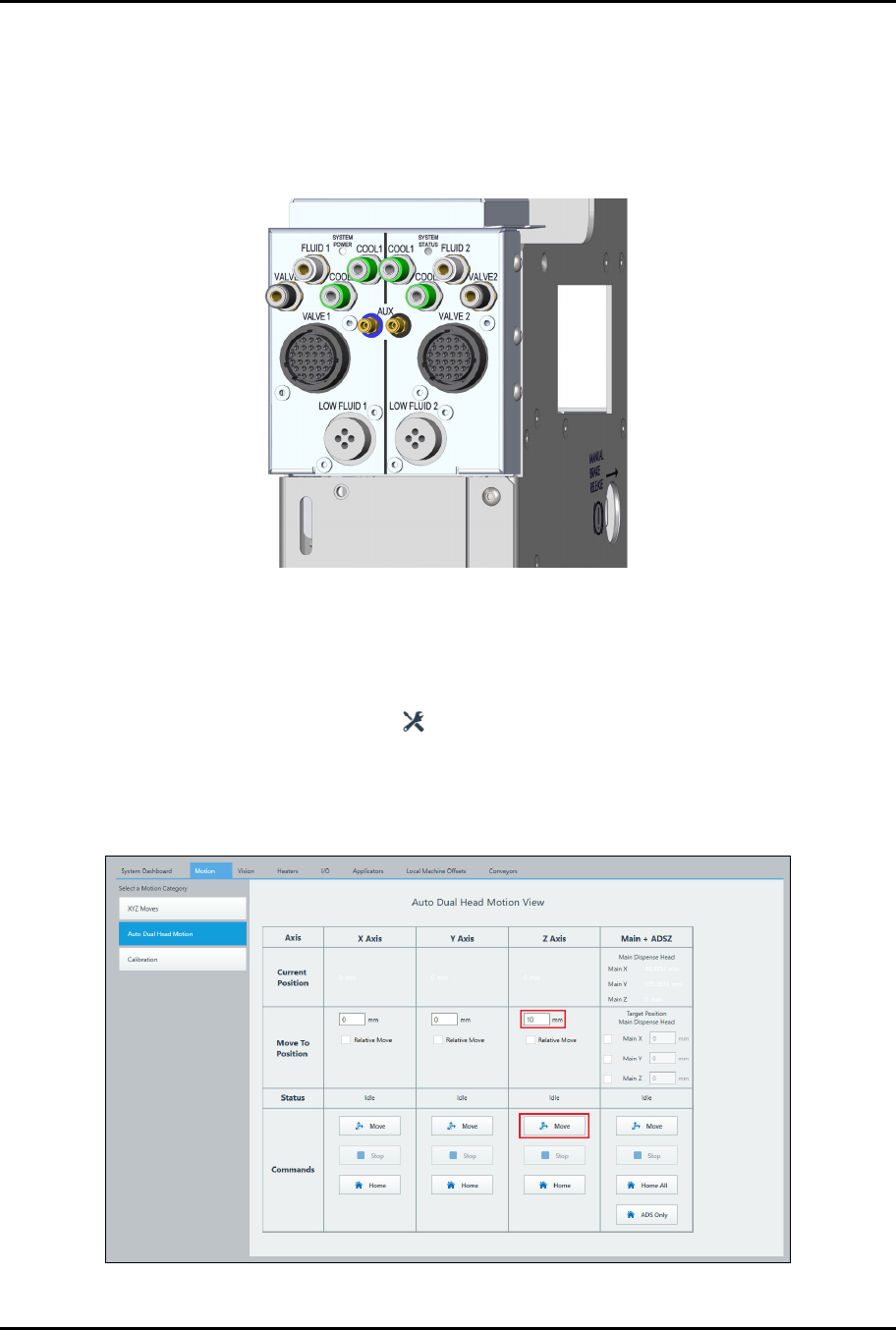
23. Connect the valve electrical and pneumatic connections to the dispensing system bulkhead
(Figure 3-17).
Figure 3-17 Forte MAX Dispensing System Bulkhead
24. If there is a large gap between the V1 and V2 nozzle tip, perform the following steps to
adjust V1 so that the V1 and V2 nozzle tips are at the same height.
a.
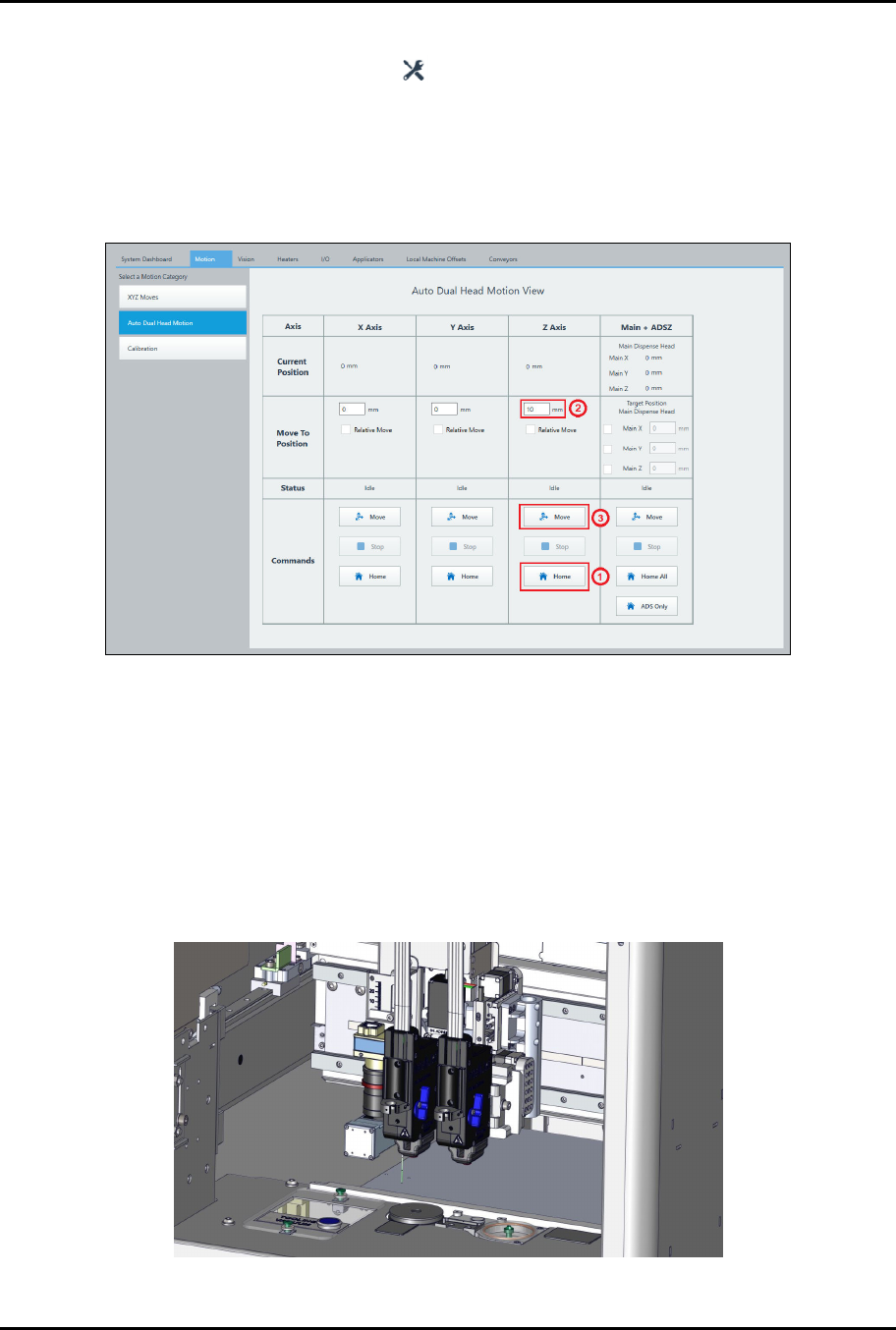
Auto Dual Simultaneous Dispensing
1) Select the Maintenance button on the Navigation Panel.
2) Select Motion > Auto Dual Head Motion (Figure 3-18).
3) Place the dispense head in a Safe Z position.
4) Enter 10 mm under Z-Axis and click Move.
Figure 3-18 Valve 1 Adjustment – Dual Simultaneous
ForteMAXDispensingSystemAddendum Installation and Setup
22 © 2023 Nordson Corporation
b.
Dual Action Dispensing
1) Select the Maintenance button on the Navigation Panel.
2) Select Motion > Auto Dual Head Motion (Figure 3-19).
3) Click the Home button on the Z-Axis column.
4) Enter 10 mm in the Z-Axis column
5) Click on Move in the Z-Axis column.
Figure 3-19 Valve 1 Adjustment – Dual Toggle
c.
Move both dispense heads down so that the V1 and V2 nozzle tips are close to the
conveyor rail surface.
d.
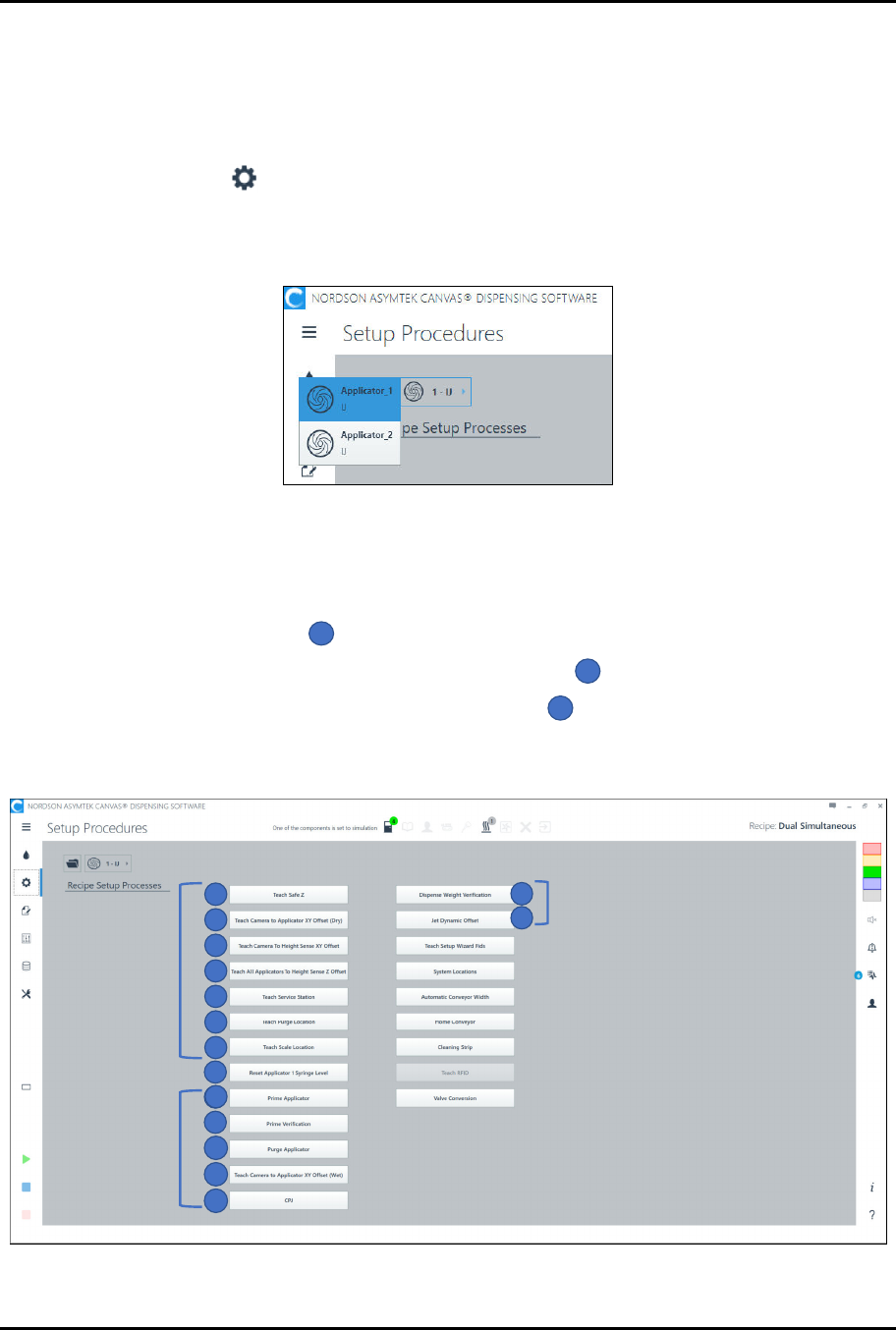
Visually check the height of the V1 and V2 nozzle tips to see if they are at the same
height (Figure 3-20).
> Acceptable tolerance is ± 8 mm.
e.
If not, remove V1 and adjust the V1 dovetail mount position in the Z-axis until the V1
and V2 nozzle tips are at the same height.
> This step is generally only necessary if the valves are different types.
Figure 3-20 Valves Installed
ForteMAXDispensingSystemAddendum Installation and Setup
© 2023 Nordson Corporation 23
3.7 Dry Valve Offsets Procedure
The following procedure assumes that the Canvas dispensing software is running. Refer to the Canvas
Dispensing Software User Guide for detailed instructions on performing the setup procedures.
To perform a dry valve offsets procedure:
1. Select Setup on the Navigation Panel.
> The Setup Procedures screen opens.
2. Select Applicator 1 (Figure 3-21).
Figure 3-21 Select Valve
3. Perform a dry valve offsets procedure by performing the following steps (numerical
sequence shown in Figure 3-22):
a.
Perform the following steps in sequence for Applicator 1:
1) Teach Safe Z
1
.
2) Teach Camera to Applicator XY Offsets (Dry)
2
.
3) Teach Camera to Height Sense XY Offset
3
.
? The Camera to Height Sense routine may be performed in either V1 or V2
setup. It does not need to be included in both routines.
1
2
3
4
6
7
5
Wet Offsets
9
10
11
12
13
8
9
14
15
Dry Offsets
Wet Offsets
Figure 3-22 Setup Procedures